
Menu
 

Hosting Affiliate Program Playbook for Gamers, Streamers, and Creators

Want a hosting affiliate program that actually feels built for gamers, not just bloggers? This long-form guide shows you how to earn money promoting hosting through a game server partner program that pays recurring commissions, converts well with gaming audiences, and scales even if you run a small channel. Throughout the article we reference the 7d2d.net hosting affiliate program, which is a great real-world example of a gaming affiliate program that pays and keeps things simple for creators, streamers, and community owners.

Why Gamers Love a Hosting Affiliate Program

Traditional web hosting payouts can feel disconnected from the gaming world. A game server hosting affiliate program lines up with what your audience already wants: faster servers, mod support, reliable uptime, and simple billing for their favorite titles. When you recommend a server host that you personally use for Minecraft, 7 Days to Die, Valheim, Rust, or Palworld, you are not just pushing a random SaaS link—you are solving lag, wipes, and admin pain points your viewers complain about daily. That relevance is why the best affiliate program for gamers tends to outperform generic tech offers, and why recurring commission affiliate hosting quickly turns into passive income for gamers who stay consistent.

Inside a Game Server Hosting Affiliate Program That Converts

A winning game server partner program does three things: delivers stable servers that keep players happy, pays on time with transparent dashboards, and gives you marketing assets that fit the gaming culture. The 7d2d.net hosting affiliate program hits those marks with clean landing pages, clear plan options, and fast provisioning that lets you demonstrate value live on stream. For gaming affiliate programs that pay, conversion rate matters more than raw commission percentage; a 20% commission on a high-converting offer often beats a 50% commission on a confusing checkout. Look for recurring payouts, cookie durations of 30 days or more, and support that knows the difference between modding Valheim and configuring Minecraft permissions.

Minecraft Hosting Affiliate Program Angles

Minecraft players respond to proof: smooth tick rates, easy modpacks, and automated backups. Build content that shows the host handling Forge, Fabric, Paper, and popular modpacks without downtime. A dedicated Minecraft hosting affiliate program pitch should include side-by-side footage of latency before and after migration, a tutorial on setting up a SkyFactory or Pixelmon server, and a one-click download of your optimized config files. Pair that with a call-to-action for the affiliate plan so viewers can replicate your setup and support your channel.

Game Server Partner Program Hooks

A strong game server partner program gives you promo codes, referral overlays, and trackable URLs that you can drop into Twitch panels, Discord announcements, and YouTube end screens. Use these hooks to create urgency: limited-time discounts on new maps, free migration for active clans, or extra slots for community servers. Mention how fast support answers tickets, because nothing frustrates a streamer more than waiting during a live session. The more you align your promotion with in-game events (new wipes, DLC releases, seasonal updates), the more the gaming audience clicks and converts.

Affiliate Program for Streamers: Monetize While You Play

If you stream on Twitch, Kick, or YouTube, an affiliate program for streamers works best when it blends into your routine. Create a !server command that links to your live server and the affiliate landing page. Build channel points rewards where viewers vote on settings, then show how the hosting panel handles those changes in real time. During breaks, run a quick scene showing dashboard metrics and uptime. This is not just advertisement; it is content that teaches viewers how to monetize gaming content and keep their own communities online. Always remind viewers that you earn a commission, because transparency builds trust and increases click-through.

How to Earn Money on YouTube with a Small Channel

Small channels often think they need thousands of subscribers to earn with an affiliate program for YouTubers gaming, but intent beats audience size. Target long-tail queries with tutorials: “How to host a modded 7 Days to Die server,” “How to earn from Minecraft channel with SMP hosting,” or “Fast Rust server settings for low ping.” Include clear timestamps, pin your affiliate link at the top of the comments, and add it to the video description with a short benefit statement like “Get smooth servers and help the channel.” A few high-intent viewers can deliver your first recurring commission affiliate hosting payouts faster than a broader montage video.

Affiliate Income for Streamers and Discord Owners

Discord is where many game communities make decisions. Add a welcome message in your server rules that mentions your recommended host and why you chose it. Create a “server-status” channel showing uptime screenshots or alerts. Run a weekly Q&A about server management; drop your affiliate link only after answering questions honestly. This approach earns community trust, keeps churn low, and turns one-time clicks into long-term affiliate income for streamers. If you run Patreon tiers, add a perk where you install mods or configure permissions for supporters using your partner host—people pay for convenience.

Affiliate Programs for Gaming Creators Beyond Streaming

Not every gaming creator wants to stream. Writers, modpack builders, map makers, and plugin developers can also monetize gaming content. Publish setup guides, benchmarking posts, and plugin roundups with embedded affiliate links. A detailed article on “best affiliate program for gamers running community servers” or “gaming affiliate programs that pay for modpack authors” helps you rank on Google and builds email subscribers. Collect these readers into a newsletter, and send periodic updates on patches, wipes, and optimization tips with a short CTA to the game server hosting affiliate program you prefer. This diversifies your traffic so you are not dependent on algorithm swings.

Hosting Reseller vs Affiliate: Which Fits You?

The “hosting reseller vs affiliate” debate comes down to responsibility and margin. Reselling gives you more control and potentially higher profit per client, but you also handle billing, support, abuse reports, and infrastructure surprises. An affiliate model is lighter: you recommend a host, collect recurring commissions, and let the provider manage support. If you run a tight-knit clan that insists on hands-on management, a reseller plan could make sense. If you want passive income for gamers with minimal overhead, stick with an affiliate program. Many creators start as affiliates, prove demand, then negotiate hybrid deals with their favorite host.

Earn Money Promoting Hosting: A Step-by-Step Blueprint

You do not need to guess your way into revenue. Use this repeatable process to earn money promoting hosting offers designed for gaming audiences:

  1. Pick a focus niche (e.g., 7 Days to Die, Valheim, Minecraft modded servers) and join a relevant hosting affiliate program with recurring payouts.
  2. Document your own server setup with screenshots, benchmarks, and cost breakdowns so people can copy your build.
  3. Create at least three content formats: a long tutorial article, a short checklist or infographic, and a live or recorded demo session. Each should include your affiliate CTA.
  4. Add your link to persistent surfaces: YouTube descriptions, Twitch panels, Discord channels, and a simple landing page. Make sure “hosting affiliate program” or similar anchor text is present for SEO.
  5. Schedule promotion around events: wipe days, DLC drops, new seasons, or mod releases. Pair urgency with limited promo codes from the host.
  6. Follow up with email or Discord announcements that show results (uptime, ping charts, happy player quotes). Social proof boosts conversion.
  7. Reinvest a portion of commissions into better production: clearer mic, smoother overlays, or paid subtitles to help videos rank.

Monetize Gaming Content with SEO and Search Intent

To rank for terms like “hosting affiliate program,” “affiliate programs for gaming creators,” or “game server hosting affiliate program,” your on-page SEO matters. Place the primary keyword in your H1 and early in the introduction. Sprinkle secondary phrases like “game server partner program,” “minecraft hosting affiliate program,” and “recurring commission affiliate hosting” inside H2/H3 headings. Keep paragraphs scannable with short sentences and bullets. Add at least one outbound link to a helpful resource, plus an internal link if you are publishing on your own site. Compress images and add alt text with a variation of your keyword. Finally, update the content quarterly with new offers or screenshots; freshness signals help you maintain rankings and keep your gaming audience current.

Content Ideas That Pull Clicks from Gamers

Gamers respond to tactical content. Here are angles you can spin into scripts, blog posts, or shorts that naturally fit an affiliate program for streamers and YouTubers gaming:

  • “I moved my community server to a new host—before/after ping results.”
  • “How to monetize gaming channel episodes with server sponsorships.”
  • “Top 5 mistakes when choosing a minecraft hosting affiliate program.”
  • “Hosting reseller vs affiliate: what I wish I knew before trying to resell.”
  • “Best affiliate program for gamers who run weekly events.”
  • “Affiliate income for streamers: how I automated shout-outs and overlays.”
  • “Gaming affiliate programs that pay without locking you into exclusivity.”
  • “How to earn from Minecraft channel with modpack bundles and hosting links.”

Batch record these ideas, post them on YouTube and TikTok, then cross-link them in a pillar article. This clustering improves your topical authority and funnels viewers toward your preferred hosting affiliate program.

Game Server Hosting Affiliate Program Metrics to Track

To maximize revenue, watch more than just clicks. Track conversion rate, average order value, churn, and refund percentage. If you see high clicks but low conversions, improve the landing page handoff: add a bold CTA, shorten the path to checkout, or provide a setup bonus like your config files. If churn is high, record a video on onboarding and basic admin tasks; many cancellations happen because new hosts feel lost. Share uptime screenshots and latency graphs to prove reliability—data builds trust faster than hype. When a provider like the 7d2d.net affiliate program supports API or coupon tracking, use it to A/B test messaging across your channels.

Passive Income for Gamers: What Realistic Looks Like

Passive income for gamers is real, but it starts as active work: scripting videos, editing tutorials, and answering community questions. The payoff is stacking recurring commission affiliate hosting payouts that continue after the initial push. A modest scenario could be 20 referrals at $15 monthly recurring, netting $300 per month while you sleep. As you add more content clusters and seasonal promos, that can scale into a meaningful side income or even full-time revenue. The key is consistency: publish weekly, update old posts, and keep your community engaged so they renew instead of cancel.

Case Study: From Small Channel to Steady Hosting Revenue

Imagine a YouTuber with 2,000 subscribers who focuses on survival games. They join a game server hosting affiliate program, set up a 7 Days to Die server, and film a “zero to hero” performance walkthrough. The video includes benchmarks, admin panel tips, and a transparent note that they earn commissions. They pin the affiliate link, drop it in the description, and mention it once per stream. Over a month, 600 views turn into 30 clicks and 10 conversions because the video solves a real problem. Those 10 recurring commissions grow as the creator releases follow-up content on wipes, mods, and performance tweaks. By month three, the channel earns more from affiliate than from ad revenue—and the audience is happier because they got smoother servers.

FAQs on Gaming Affiliate Programs That Pay

Q: What makes a hosting affiliate program good for gamers?
A: Fast servers, easy mod support, responsive support teams, and clean checkout flows. If it feels like a gamer built it, it will convert with a gamer audience.

Q: How do I promote a minecraft hosting affiliate program without seeming pushy?
A: Teach first. Show your world, configs, and plugins. Mention that your link supports the channel and offers perks like discounts or faster setup.

Q: Is hosting reseller vs affiliate the better path for growth?
A: Start as an affiliate to test demand. If you want full control and are ready for support overhead, add reseller later or negotiate custom terms.

Q: Can I monetize gaming content if my channel is tiny?
A: Yes. Long-tail tutorials and niche guides convert small but high-intent viewers. Combine YouTube, Discord, and a simple blog post to capture clicks.

Q: Do game server partner program links work on Twitch?
A: Absolutely. Place them in panels, chat commands, and timed messages during gameplay segments that show server performance.

Put It All Together

The best affiliate program for gamers is the one that makes your community’s servers faster, safer, and easier to manage. Whether you focus on Minecraft, 7 Days to Die, or a rotation of new survival hits, anchor your monetization on a reliable game server hosting affiliate program, keep teaching through content, and stay transparent about commissions. If you want a proven starting point, test the 7d2d.net affiliate program and measure how your audience responds. Commit to the blueprint above for 60 days, track your metrics, and you will have a scalable system to monetize gaming content without sacrificing trust.
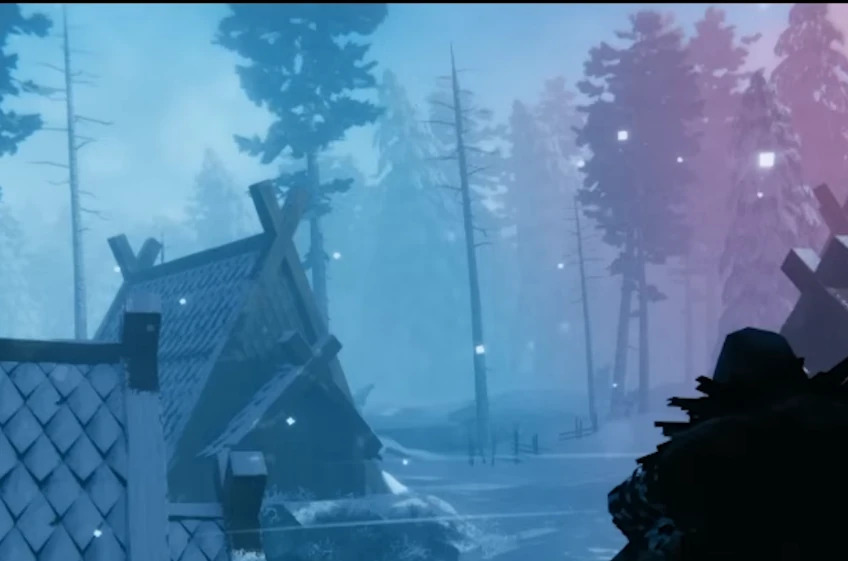

Valheim Deep North Update News: 67° Roofs and Crafting Mystery

Valheim Deep North update crafting mystery molds

The latest Valheim Deep North update news confirms two big things: steeper 67° roof pieces are coming for both thatch and darkwood, and the devs teased an unexplained set of metal molds tied to crafting in the icy biome. Here’s what’s confirmed, what’s speculative, and how to get ready without overreading the clues.

Confirmed: steeper 67° roofs in the Deep North update

Iron Gate says the 67° roof pieces will be 4 meters high and available in both thatch and darkwood. They specifically called out that these steeper roofs are part of the Deep North work. That means higher spires, tighter A-frames, and more dramatic silhouettes without awkward filler pieces.

  • Better peaks and longhouses: 67° pieces let halls feel taller without stacking extra walls.
  • Mixed styles: both thatch and darkwood variants keep building themes consistent across biomes.
  • Less gap filling: fewer half walls and ladders to fake height.

Teased: a Deep North crafting mystery

The post showed four foldable metal molds with pins. The team didn’t explain them—only that they relate to “the crafting process in the Deep North.” Community guesses include armor plates, shield fronts, or decorative plaques, but nothing is confirmed beyond “they’re for crafting.” Treat any deeper interpretation as speculation until Iron Gate shares more.

  • What we know: metal molds; part of the Deep North crafting loop; no recipe or material details yet.
  • What’s speculative: armor/shield casting, wall plaques, or a new casting station. Consider these possibilities, not promises.

Merch and deals from the announcement

  • Grimfrost plushie deal: two plushies for the price of one (Black Week promo).
  • Cantrip Candles: Valheim-themed scented candles (Black Forest, Ocean, Campfire) with labels by Mats Minnhagen, currently discounted.

Build of the Month shoutout

Iron Gate highlighted a richly decorated hall by Captain Crumbs as the Build of the Month. If you want to be featured, tag #ValheimBotM or submit in the Discord build-of-the-month forum channel.

How to prep for the Valheim Deep North update

  1. Plan steeper roofs: Sketch updated peaks for your bases to use the 67° pieces once they drop.
  2. Save black metal and fine wood: Handy for darkwood variants and any late-game roof flourishes.
  3. Leave forge space: If the molds tie into a new crafting station, reserve a slot near your blast furnace/artisan table.
  4. Stay tuned to official news: The crafting details aren’t final—wait for the devs before stockpiling specific materials.

Source and next steps

All confirmations come from the official post “Word From the Devs: Through the Roof”. We’ll update when the Deep North crafting pieces are fully explained. If you want a fresh world ready for release day, spin up a server at Supercraft Host so your group can test the new 67° roofs the moment they arrive.


Palworld Update v0.5.5 Changes Gliding Mechanics with Pals

Pocketpair has released a new update for Palworld, bringing significant changes to the gliding mechanics previously enabled by certain Pals. According to the official patch notes for version v0.5.5, players will no longer be able to directly use glider-type Pals for gliding. Instead, players must now have a dedicated glider equipped to perform this action.

Before this update, players could glide freely by holding onto specific Pals, a feature appreciated by many in the community. With this recent adjustment, these Pals will now provide passive partner skill effects, enhancing gliding capabilities when a player has a glider equipped, rather than directly enabling the glide themselves.

The community response to this update has been largely critical, with many expressing frustration at the removal of direct gliding using Pals, a feature that had become iconic in gameplay. This change appears connected to ongoing patent issues, leading to restrictions on game mechanics similar to those claimed by other companies.

Despite player dissatisfaction, Pocketpair continues to adjust gameplay mechanics proactively, likely aiming to comply with legal constraints while maintaining player enjoyment through alternate means of enhancing gliding mechanics.

Palworld players are encouraged to equip gliders moving forward, as Pal-enhanced gliding will still be available through passive skills provided by previously used glider-type Pals.

Pocketpair thanks players for their continued support and invites feedback as they navigate these necessary adjustments.

Palworld Patch 0.5.4 (PS5) – Autosave Fix and Patch Notes

Patch 0.5.4 is rolling out on PS5 to squash the lingering autosave bug and tighten stability. Here is a fast rundown of what changed, how to grab the update, and what to do if your saves still act up.

  • PS5 autosave fix plus stability tweaks
  • Minor bug fixes and backend file changes
  • Steps to confirm your saves stick after updating
Palworld Patch 0.5.4 PS5 autosave fix
Console hotfix focuses on reliability while crossover events continue.

Patch 0.5.4 highlights

The update is small but important for console players dealing with save failures. Pocketpair says this is the third rapid patch aimed at the same issue.

  • Fix for the PS5 autosave bug that could corrupt or stop new saves.
  • Minor bug fixes to reduce crashes and improve session stability.
  • Backend file updates to keep crossplay and future events stable.

The earlier hotfixes tried to solve the same problem; this build should prevent saves from silently failing going forward.

How to install the patch on PS5

  1. On your PS5 home screen, highlight Palworld and press Options.
  2. Choose Check for Update so the download starts automatically.
  3. Restart the game once the install finishes and avoid suspending it mid-update.

After patching, make a quick manual save, close the game, reopen, and confirm the save loads. If you play co-op, ensure everyone is on the same build to avoid sync issues.

If your saves still fail after updating

  • Toggle autosave off and on in Settings, then reboot the game.
  • Create a manual save in a safe area, close the app fully, and reopen to confirm it sticks.
  • Ensure you have at least 5 GB free on the PS5 for save data and cached files.
  • Rebuild database in Safe Mode if the console shows persistent save errors.
  • Report issues via the in-game support link so Pocketpair can reproduce them.

If you host friends, remind them to wait for the autosave icon before logging out to avoid partial writes.

File changes spotted in this build

SteamDB watchers flagged updated executables and pak files, including CrashReportClient.exe, Palworld-Win64-Shipping.exe, and Pal-Windows.pak. The manifest IDs also changed, which usually signals backend prep for events and crossplay stability.

No balance changes are listed yet; this is a maintenance patch to keep PS5 saves reliable while the team works on the next content drop.

FAQ

Is this patch only for PS5? It is focused on console autosave issues, but the PC build also received file updates to keep parity.

Does this patch include new content? No, it is a reliability update.

Where are the official notes? Pocketpair posts updates on the Palworld site; the console patch was also flagged by community trackers.

Need a reliable Palworld server while you wait for the next event? Check our latest hosting tips on Supercraft Host.


Palworld Server Settings: Your Ultimate Guide to a Custom Palworld Experience

So, you’ve jumped into the wild world of Palworld. You’re catching Pals, building bases, and maybe even getting raided by some seriously angry Mammorests. But what if you want to tweak the experience? What if you want more XP, easier catching, or just a world that bends to your will? That’s where Palworld server settings come in.

This guide is your one-stop shop for understanding and mastering those settings. We’ll break down everything from the basic stuff to the advanced configurations, so you can create the Palworld server of your dreams.

Why Mess with Server Settings Anyway?

Good question! The default Palworld experience is fun, but it’s not for everyone. Maybe you find the resource grind too tedious. Maybe you want to build a hardcore PvP arena. Or maybe you just want to play with a group of friends and make the game a bit easier for everyone.

Here are a few reasons why you might want to dive into server settings:

  • Customize Difficulty: Adjust damage multipliers, resource gathering rates, and Pal spawn rates to create a game that’s as challenging or as casual as you like.
  • Tailor the Experience: Change the day/night cycle, disable raids, or tweak player stats to create a unique gameplay experience.
  • Balance the Game: Address specific pain points, like overly aggressive Pals or slow progression, to make the game more enjoyable for your group.
  • Enable PvP: Turn on PvP and create a server dedicated to player-versus-player combat.
  • Modding Potential: While official modding support is still on the horizon, tweaking server settings can lay the groundwork for more advanced customizations in the future.

Accessing Your Palworld Server Settings

Alright, let’s get down to brass tacks. How do you actually access these settings? The method depends on how you’re hosting your server:

  • Hosting Through Palworld (Your Own PC): You’ll find the settings in a file called PalWorldSettings.ini, usually located in:
    [Your Steam Install Directory]\steamapps\common\PalServer\Pal\Saved\Config\WindowsServer
  • Hosting Through a Third-Party Provider: Services like Nitrado or G-Portal usually provide a web-based interface for managing settings.
  • Dedicated Server (SteamCMD): The PalWorldSettings.ini file is in a similar path, just within your dedicated server’s structure.

Important: Always make a backup of your PalWorldSettings.ini before editing!

Understanding the PalWorldSettings.ini File

The file is structured like this:

[/Script/Pal.PalGameWorldSettings]
OptionSettings=(Difficulty=Normal,DayTimeSpeedRate=1.000000,...)

Each key-value pair controls a specific setting. Here are some key examples:

  • Difficulty: Normal or Hardcore.
  • DayTimeSpeedRate/NightTimeSpeedRate: Controls how fast time passes.
  • ExpRate: Affects how much XP players earn.
  • PalCaptureRate: Higher values make capturing easier.
  • PalSpawnNumRate: More or fewer Pals in the world.
  • PlayerDamageRateAttack/Defense: Affects combat difficulty.
  • BuildObjectDeteriorationDamageRate: Decay rate of structures.
  • DeathPenalty: Options: None, Item, ItemAndEquipment, All.
  • bEnablePlayerToPlayerDamage: Enables PvP.
  • bEnableFastTravel: Enables fast travel between points.
  • ServerName/ServerPassword/AdminPassword: Sets up server identity and control.

Example Configurations: From Easy Mode to Hardcore

Easy Mode (Relaxed)

ExpRate=3.000000
PalCaptureRate=2.000000
CollectionDropRate=2.000000
PalDamageRateAttack=0.700000
PlayerDamageRateAttack=1.300000
BuildObjectDeteriorationDamageRate=0.500000

Hardcore Mode (Challenging)

ExpRate=0.500000
PalCaptureRate=0.500000
PalDamageRateAttack=1.500000
PlayerDamageRateDefense=0.700000
BuildObjectDeteriorationDamageRate=2.000000
DeathPenalty=All
bEnableInvaderEnemy=True

PvP Arena

bEnablePlayerToPlayerDamage=True
bEnableFriendlyFire=False
DeathPenalty=Item
PalDamageRateAttack=0.800000
PlayerDamageRateAttack=1.200000

Creative Mode

CollectionDropRate=10.000000
BuildObjectDeteriorationDamageRate=0.000000
bEnableInvaderEnemy=False

Important Considerations and Best Practices

  • Restart Your Server: Changes only apply after a restart.
  • Test Your Changes: Tweak a few things at a time.
  • Communicate with Players: Especially important for public servers.
  • Backups: Always make backups before editing.
  • Balance: Avoid settings that trivialize the game.
  • Admin Commands: Use admin tools in-game by setting an AdminPassword.
  • Read Patch Notes: Watch for updates from Pocketpair.

Final Thoughts: Your Palworld, Your Rules

The beauty of Palworld server settings is the power to tailor the experience. Whether you’re building a chill world, a brutal gauntlet, or a PvP deathmatch, you’re in control. So go on—tweak, test, and have fun!


Schedule I: The Game is Coming to Steam!

Alright gamers, listen up! We’ve got some seriously exciting news for anyone who’s been craving a fresh, unique experience in the gaming world. Get ready to mark your calendars because Schedule I, a game that’s been generating buzz for its bold concept and immersive gameplay, is officially slated to launch on Steam in 2025!

Now, I know what you might be thinking: “Schedule I? What’s that even about?” Well, buckle in, because this is where things get interesting. While the developers are keeping some of the juicier details under wraps, what we do know points to a game that’s not afraid to push boundaries and explore some pretty thought-provoking themes.

What We Know So Far: A Glimpse into the World of Schedule I

From what’s been trickling out of the development team, Schedule I seems to be a narrative-driven adventure game with a strong emphasis on player choice and consequence. The story apparently revolves around a near-future society grappling with complex issues surrounding mental health, societal control, and the very nature of reality.

Think Deus Ex meets Disco Elysium, but with a completely original and potentially mind-bending twist.

  • Intriguing Story: Branching narrative with meaningful choices and multiple endings.
  • Moral Ambiguity: Complex ethical dilemmas without clear right or wrong answers.
  • Atmospheric World: Cyberpunk-dystopian blend with immersive environments and characters.
  • Unique Gameplay Mechanics: Innovative mechanics that tie into the game’s core themes.
  • Steam Release: Coming to Steam in 2025, with potential for community features and mods.

Why You Should Be Excited: A Fresh Take on Gaming

In a market saturated with sequels and reboots, Schedule I stands out as a game with the potential to offer something truly unique.

  • Originality: A bold and fresh idea, not just another rehash.
  • Meaningful Choices: A branching story where your decisions have real impact.
  • Thought-Provoking Themes: Tackles deep, important issues through gameplay.
  • The Mystery: The secrecy adds to the intrigue and anticipation.

What We Still Don’t Know: The Burning Questions

  • The “Schedule I” Connection: What exactly does the title refer to?
  • Gameplay Details: Will there be combat, puzzles, or something else entirely?
  • The Setting: What is this near-future society really like?
  • The Characters: Who are they and what are their roles?
  • Mod Support: Will there be Steam Workshop integration?

The Road to 2025: Keeping an Eye on Development

With the Steam release window set for 2025, there’s still a long road ahead. In the meantime, here’s how you can stay in the loop:

  • Wishlist on Steam: Add Schedule I to your wishlist (once available) for updates and announcements.
  • Follow the Developers: Check out their website and social channels for news and updates.
  • Join the Community: Engage with other fans on forums or Discord servers to share theories and excitement.

Final Thoughts: Get Ready for a Unique Gaming Experience

Schedule I has the potential to be something truly special. Its bold concept, immersive world, and emphasis on player choice make it a game that’s worth keeping an eye on. So, mark your calendars for 2025, wishlist it on Steam, and get ready to embark on a gaming experience unlike any other!

I, for one, can’t wait to see what the future holds for Schedule I. Let the hype begin!

Atelier Yumia Roadmap 2025: Releases, Remakes, and QoL Wish List

The Atelier Yumia roadmap for 2025 is still under wraps, but patterns across the series make it easy to guess what is cooking. Here is what to expect from the next mainline Atelier, possible remakes, spin-offs, and the quality-of-life upgrades fans are asking for.

  • Likely 2025 release timing and platform targets
  • Which older Ateliers are ripe for a remake or remaster
  • QoL and combat/alchemy tweaks the community keeps requesting
Atelier Yumia Roadmap 2025 teaser art
Expect one new Atelier, a remake candidate, and QoL polish in the 2025 roadmap.

What the 2025 roadmap likely includes

  • New mainline Atelier (late 2025): Fresh protagonist, new nation/biome, and a refreshed synthesis loop with faster UI and clearer trait paths.
  • Remake/remaster slot (mid 2025): PS2-era entries (Iris/Mana Khemia) are prime targets; a modernized Atelier Marie-style remake would also fit the cadence.
  • Spin-off/side project: A tactics-lite or cozy builder spin-off could land as a smaller digital release.
  • Live ops/updates: Expect post-launch event quests, free cosmetic drops, and premium costume packs staggered through Q4.

Platforms and performance expectations

  • PC & current consoles first: Steam, PS5, and Xbox Series are safe bets; a Switch-successor port is likely if hardware lands in 2025.
  • Better PC options: FSR/DLSS toggles, uncapped frame rate, and stable ultrawide would answer long-time fan requests.
  • Cross-save: Cloud saves between PC and consoles remain a top wish to keep alchemy grinds portable.

Wish-list QoL and systems

  • Synthesis clarity: Inline trait previews, batch crafting, and auto-assign filters for common mats.
  • Combat pace: Snappier turn order, clearer break/guard cues, and difficulty presets that reward optimized builds.
  • Exploration tools: Faster traversal (grapples/gliders), map pins for rare nodes, and better photo mode.
  • Teaching tools: Optional tutorials that show meta recipes and late-game loop examples without slowing veterans.

Tips to prep for a new Atelier launch

  1. Finish lingering DLC/true endings in your current Atelier backlog before fall.
  2. Backup PC saves and keep drivers updated for smoother day-one performance.
  3. Watch official channels for pre-order bonuses tied to early costumes/recipe books.
  4. Join community hubs to share seed routes and best-in-slot trait paths once the demo drops.

FAQ

When will we hear official news? Recent patterns point to a spring teaser, summer gameplay drop, and a late-year launch.

Which remake is most likely? Iris and Mana Khemia era games are the most requested; a Marie-style remake template makes them feasible.

Where to follow updates? Keep an eye on the official Atelier site and social feeds for announcements.

Need a low-lag setup for launch co-op nights? See our hosting tips to keep your sessions smooth.


PUBG: BATTLEGROUNDS Roadmap 2025: What to Expect in the Future?

Okay, PUBG fans, listen up! We’re diving deep into what the future holds for our beloved battle royale in 2025. Krafton hasn’t dropped an official roadmap just yet, but based on past trends, community whispers, and what the game really needs, we can make some educated guesses about what’s coming. Let’s break it down.

New Maps: Expanding the Battlefield

  • Urban Chaos: Tight streets, multi-story buildings, and underground tunnels — favoring close-quarters combat and vertical movement.
  • Snowy Mountain Pass: A mountainous map with snowstorms, cliffs, and limited visibility — adding new survival mechanics.
  • Dynamic Map Elements: Maps that change mid-match — like a dam breaking or a volcano erupting — forcing players to adapt on the fly.

Weapon Overhaul: New Tools of Destruction

  • New Assault Rifles: ARs with built-in suppressors or toggleable firing modes.
  • High-Tech Sniper Rifle: Featuring thermal scopes or enemy-marking capabilities.
  • Throwable Gadgets: Decoy grenades, EMPs to disable vehicles, etc.
  • Weapon Balance Adjustments: Bringing underused guns back into the meta with stat tweaks.

Vehicle Enhancements: Getting Around in Style

  • New Vehicles: Armored vehicles, fast bikes, or water-capable hovercrafts.
  • Vehicle Customization: Add-ons like armor plating, ramming bars, or mounted weapons.
  • Vehicle Repair System: Ability to repair vehicles in the field to make them more valuable.

Gameplay Mechanics: Evolving the Core Experience

  • Improved Movement System: Faster, smoother vaulting, climbing, and sprinting.
  • Advanced Parkour: Scale buildings, perform parkour to outmaneuver opponents.
  • Interactive Environment: Destructible elements like doors and walls.
  • Enhanced AI: Smarter bots for training/custom games.
  • In-Depth Tutorial System: Helping new players learn mechanics and strategy.
  • More Realistic Ballistics: Deeper sniping mechanics with wind and bullet drop.

Esports and Competitive Scene: Leveling Up the Competition

  • New Tournament Formats: Encouraging bold plays and strategic depth.
  • Improved Spectator Mode: Better analytics, replays, and camera tools.
  • In-Game Esports Integration: Watch events and participate in challenges from within the game client.

Quality of Life Improvements: Making the Game Better for Everyone

  • Optimized Performance: Better support for lower-end hardware.
  • Improved Anti-Cheat Measures: Keeping the game fair and competitive.
  • More Customization Options: Character skins, weapon skins, and vehicle cosmetics.
  • Streamlined UI: Easier navigation and cleaner design.
  • Better Sound Design: More immersive and directional audio cues.
  • Cross-Platform Improvements: Balanced matchmaking across PC and console.
  • Region Locking: Stronger measures to prevent ping abuse.

The Metaverse Angle: PUBG Beyond the Battleground

  • Social Hub: Hangout areas with mini-games and voice chat.
  • Persistent World Elements: Player-owned items and bases that persist across matches.
  • NFT Integration: Possibly allowing ownership/trading of in-game items (if handled properly).
  • Collaboration Events: Crossovers with games, films, or celebrities (think: John Wick).

What the Community Wants: Listening to the Players

  • Bring Back Classic Maps: Return of Erangel Classic, Miramar Classic, and others.
  • More Frequent Content Updates: Regular additions to keep the experience fresh.
  • Improved Communication: Transparent dev updates and roadmaps to build community trust.

Conclusion: The Future is Bright (Hopefully!)

While we don’t have a crystal ball, it’s clear that PUBG: BATTLEGROUNDS has a lot of room for growth in 2025. With new maps, weapons, gameplay systems, and community-focused changes, Krafton has the opportunity to push PUBG back to the top of the battle royale world. Gear up, squad up, and get ready for what’s next — the chicken dinner awaits!


Yasuke Simulator 2025: Will We Finally Get the Samurai Game We Deserve?

Okay, hear me out. I know, I know. Another historical combat simulator? We’ve got Vikings, knights, Romans, even friggin’ cavemen getting the simulator treatment. But a Yasuke simulator? That’s something that could actually be really, REALLY cool.

For those not in the know, Yasuke was a real dude. An African man who arrived in Japan in the 16th century and became a samurai under the legendary Oda Nobunaga. Talk about a fish-out-of-water story! It’s a story ripe with potential for an awesome game. Think about it: the clash of cultures, the brutal training, the political intrigue of feudal Japan… It’s practically begging to be made into a game.

So, why “Yasuke Simulator 2025”? Well, let’s dream a little, shall we? Let’s imagine what a potential Yasuke simulator could offer, what it should nail to truly capture the essence of the character and the era, and why 2025 might just be the year we finally get it.

What a Yasuke Simulator Needs to Get Right

First and foremost: combat. This isn’t just about mashing buttons and watching cool animations. We need a combat system that feels weighty, deliberate, and brutal. Think Bushido Blade levels of realism mixed with the fluid grace of Ghost of Tsushima. Each strike should matter. Stamina should be a factor. Positioning should be key.

But combat alone isn’t enough. A true Yasuke simulator needs to capture the cultural immersion. Imagine starting the game as a newcomer to Japan. Everything is foreign: the language, the customs, the food. The game could incorporate language learning mini-games, mastering tea ceremonies, and showing proper etiquette like bowing.

This level of immersion would set it apart from other historical combat games. It wouldn’t just be about hacking and slashing; it would be about understanding and adapting to a different way of life.

Then there’s the RPG element. Yasuke wasn’t just a warrior; he was on a journey. Picture a skill tree with combat styles, charisma stats, and personal growth. NPC interactions could change based on your path.

And the story? Since history leaves gaps, developers have creative freedom. Was Yasuke a mercenary, a runaway, or an emissary? The game could offer branching narratives and multiple endings—loyalty to Nobunaga, a lone ronin path, or returning home.

The Tech is Finally There

So why 2025? Because now the tech can back the vision:

  • Next-Gen Graphics: Gorgeous, authentic environments brought to life with ray tracing.
  • Advanced AI: Smart enemies that adapt and challenge you.
  • Realistic Physics: Impactful combat and environmental interaction.
  • Seamless Open World: Immersive exploration of feudal Japan, with random events and discoveries.

With Unreal Engine 5 and other modern tools, this dream is more feasible than ever.

The Competition (and Why Yasuke Can Stand Out)

Sure, samurai games exist. But Yasuke can bring something unique:

  • Historical Accuracy: Go deeper than stylized versions and stay true to the context.
  • Cultural Immersion: Learning, adapting, and respecting a foreign culture makes for a compelling experience.
  • Unique Protagonist: Yasuke’s outsider perspective and true story give him natural narrative depth.

What Could Go Wrong?

  • Whitewashing/Misrepresentation: The game must treat Yasuke’s story with care, involving historians and cultural consultants.
  • Gameplay Over Story: Combat is great, but without strong narrative, the game would fall flat.
  • Lack of Innovation: It can’t just rehash other samurai games—it needs to innovate.

Why I’m Hyped

Despite challenges, the idea of a Yasuke simulator is electrifying. A unique character, immersive culture, rich gameplay systems—it’s all there.

Picture stepping onto Japan’s shores, katana in hand, learning the language, surviving battlefields, and navigating political chaos. It could be more than a game—it could be a powerful story-driven experience.

Here’s hoping some developers are paying attention. The world is ready for Yasuke. Let’s make it happen.


Sledders Game: The Snowmobile Experience for Gamers and Outdoor Enthusiasts

Introduction: What is Sledders?

Okay, so you’re into snowmobiles, right? Or maybe you just love open-world games with cool physics and a ton of freedom? Either way, you need to check out Sledders, a snowmobile game that’s been making waves. It’s not your typical arcade racer; this is a full-on simulation that tries to capture the real feeling of ripping through powder on a snowmobile. We can all agree this is the ultimate sledding game.

Forget about simple point-A-to-point-B races. Sledders is about exploring massive environments, mastering technical maneuvers, and pushing your skills to the limit. Think of it as the Snowrunner or Mudrunner of snowmobiling, but with more air time and less hauling lumber.

Key Features That Make Sledders Stand Out

  • Realistic Physics: This is the big one. Sledders doesn’t mess around with arcade-style handling. The developers have clearly put a ton of effort into simulating how snowmobiles actually behave. Weight transfer, suspension, track grip – it all matters.
  • Massive Open World: We’re talking huge maps here. Explore backcountry trails, scale mountains, and discover hidden jumps.
  • Deep Customization: Swap out parts, upgrade performance, and create custom paint jobs to match your riding style.
  • Mod Support: A thriving modding community adds new maps, sleds, and challenges.
  • Multiplayer: Explore with friends, compete in races, or session lines together.

Gameplay: Mastering the Art of the Sled

Alright, let’s talk about what it’s actually like to play Sledders. The physics are pretty realistic, so here are a few tips to get you started:

  • Learn to Read the Terrain: Snow affects handling. Deep powder slows you down, packed snow gives grip.
  • Master Weight Transfer: Crucial for control – lean into turns, shift back uphill.
  • Use the Brakes Sparingly: Over-braking can cause a loss of control. Use engine braking or light taps.
  • Experiment with Tuning: Adjust settings like suspension and track tension to improve performance.

The Sledders Community: Where the Magic Happens

One of the best parts of Sledders is its active and passionate community. Here’s how to get involved:

  • Check Out the Modding Scene: Realistic sleds, new maps, and creative modes await.
  • Join the Discord Server: Chat with other players, get help, and share your setups.
  • Watch YouTube Tutorials: Learn everything from basics to advanced modding.
  • Participate in Events: Join races, group rides, and community challenges.

Hardware Requirements: Can Your PC Handle the Snow?

Minimum:

  • OS: Windows 7 64-bit
  • Processor: Intel Core i5-4460 or AMD FX-6300
  • Memory: 8 GB RAM
  • Graphics: NVIDIA GeForce GTX 960 or AMD Radeon R7 370
  • DirectX: Version 11
  • Storage: 20 GB available space

Recommended:

  • OS: Windows 10 64-bit
  • Processor: Intel Core i7-7700K or AMD Ryzen 5 1600
  • Memory: 16 GB RAM
  • Graphics: NVIDIA GeForce GTX 1070 or AMD Radeon RX 580
  • DirectX: Version 11
  • Storage: 20 GB available space

For the best experience, a GPU with at least 8GB VRAM and an SSD is recommended.

Why Sledders is More Than Just a Game

Sledders isn’t just another video game. It’s a snowmobiling experience that captures the thrill and challenge of real riding. Whether you’re a seasoned sledder or a beginner, there’s something for everyone.

It’s addicting, challenging, and rewarding. You may start with a quick session and end up spending hours perfecting a single jump.

The Future of Sledders: What’s Next?

  • New Maps: More environments and challenges.
  • New Sleds: Additional snowmobiles with customization options.
  • Improved Physics: Continued engine refinement for realism.
  • More Multiplayer Features: New team modes and cooperative play.

Final Verdict: Is Sledders Worth It?

Absolutely. If you’re into snowmobiling, open-world exploration, or realistic simulations, Sledders is worth your time. The learning curve is steep, but the satisfaction is real.

Just be warned – it’s addictive. Once you start, you may not want to stop. And with modding support, the adventure never ends.

So, what are you waiting for? Grab your virtual helmet, fire up your sled, and hit the slopes!

Top