
Menu


Satisfactory Update 1.1

Satisfactory’s 1.1 update officially went live on June 10, 2025, bringing a ton of features, quality‑of‑life enhancements, and polish that veterans have been waiting for. Here’s everything you need to know—from new traversal tools to fresh visual flair, and even localization goodies.

🇺🇸 Jump to specific sections

🎮 1. Full Controller & Steam‑Deck Support

Probably the biggest addition in 1.1: **full native controller support** for Xbox and DualSense™ controllers on PC. Just plug in your pad, navigate to:

Options > Controls > General > Select Controls > Controller > Apply

On Steam Deck, Satisfactory now auto‑detects controller input and switches UI/input modes accordingly. This comes after years in development alongside Fishlabs, as part of console prep :contentReference[oaicite:1]{index=1}.

This opens the door for comfy couch‑style factory building—keyboard/mouse you can put away!

📸 2. Overhauled Photo Mode

The Photo Mode got a major facelift:

  • New UI, filters, film-like effects, adjustable lens settings
  • Pose options, frames, colour tweaks, crop/grid overlays
  • Camera decoupling from Pioneer avatar, helmet tracking
  • Dolly mode for smooth pan, zoom or video‑style shots
  • Toggle vehicle HUD for cleaner screenshots :contentReference[oaicite:2]{index=2}

Perfect for sharing epic base builds or cinematic mech walks on socials.

💥 3. Ace the Crash Site Dismantle

Ever left crash‑site debris scattered forever? Now you can:

  • Open the hard drive at a crash site, then fully dismantle the wreckage
  • Recover extra basic resources—iron, concrete, screws, etc.

Great for tidying up once a biome is thoroughly explored :contentReference[oaicite:3]{index=3}.

🛗 4. Personnel Elevator

Large factories, rejoice! The new **Personnel Elevator** lets you build a shaft and add multiple “floor stops” to travel between factory levels like in an office building.

Features include:

  • Custom floor names, icons and color-coded call‑buttons
  • A slick vertical zoop for quick traversal

An early design shown in a dev video even includes Pioneer helmets inside the elevator :contentReference[oaicite:4]{index=4}.

⚙️ 5. Advanced Game Settings: No‑Fuel Mode

For those who build for the joy of building, the all‑new **No‑Fuel** option in Advanced Game Settings removes the hassle of fueling vehicles—no more crafting gas or plugging in power for your trucks or trains :contentReference[oaicite:5]{index=5}.

This is a nice way to streamline travel-focused playstyles.

🚆 6. Trains & Railway Overhaul

A. Buffer Stops & Derail Prevention

Manual train‑driving now includes realistic dynamics—if you reach the end of track without a **Buffer Stop**, the train derails, requiring manual reset :contentReference[oaicite:6]{index=6}.

B. Signal Placement

You can now place Path and Block signals on either left or right track edges—and toggle side with the hotkey R :contentReference[oaicite:7]{index=7}.

C. Reworked Rails

Track-building got more intuitive and flexible—smoother autobends, improved snapping mechanics to help your railway layouts :contentReference[oaicite:8]{index=8}.

📦 7. New Logistics & Conveyor Tools

Several conveyor & pipeline improvements landed in 1.1:

  • Conveyor Wall Hole: belt pass-through holes in walls/windows
  • Conveyor Lift integration: Splitters & Mergers now attach to lifts
  • Priority Merger: choose primary and secondary inputs with round-robin fallback
  • Throughput Monitor: belt-mounted display measures flow rate per minute after calibrating
  • Pipeline Build Modes: ‘Straight’ mode adds aligned pipes; ‘Curved’ for bent pipe sections :contentReference[oaicite:9]{index=9}

These give better resource routing control and more polished factory aesthetics.

🚀 8. Hypertube Junctions & Branches

The hypertube transit network also received upgrades:

  • Hypertube Junction: allows three-way switching; approach and press E to choose your path
  • Hypertube Branch: splits one tube into two separate paths
  • The flashlight actually works inside hypertubes now 🎉 :contentReference[oaicite:10]{index=10}

These give more modular and cinematic travel possibilities for your bases.

🏗️ 9. Fresh Architectural Pieces

The AWESOME Shop got a slew of stylish new buildables:

Beams & Supports

  • H‑Beam
  • Shelf Beam
  • Round Concrete Beam
  • Braided Cable & Braided Cable Cluster

Miscellaneous Decor

  • Roll‑Up Gates (FICSIT, Concrete, Steel)
  • Road Barrier Corners
  • Basic Shelf Unit
  • Large Vent & Large Fan

These allow for great thematic fidelity and visual polish in industrial builds :contentReference[oaicite:11]{index=11}.

🔧 10. Quality‑of‑Life Improvements

  • Blueprint Auto‑Connect (press R to snap conveyors, pipes, rails)
  • Hide HUD while on vehicles or in Photo Mode
  • Soft‑clearance for conveyor poles & pipeline supports
  • Vertical nudging via Page Up/Down & removed distance caps :contentReference[oaicite:12]{index=12}

These small additions pack a big punch in everyday usability.

🎨 11. Visual & Audio Overhaul

Visual Enhancements

  • Trees now have physics-accurate falling animations
  • VFX overhauls: spore plumes, gas pillars, explosive rebar, Nobelisk blasts, Power Slug pickups :contentReference[oaicite:13]{index=13}

Audio Improvements

  • Dynamic occlusion system: factory sounds are muffled behind walls; different materials… different acoustics
  • Indoor vs outdoor acoustic detection—echoes, tight‑space reverbs, metallic clangs
  • Voice chat volume attenuation based on distance and environment :contentReference[oaicite:14]{index=14}

These combine to create a richer, more immersive world to explore.

🖥️ 12. Dedicated‑Server & Modding Updates

Server: Port Forwarding Options

  • Explicit port range options: `ReliablePort`, `PortRangeBegin`, `PortRangeLength`, `ExternalPortRangeBegin`
  • Clients now auto‑detect correct ports—easier NAT traversal :contentReference[oaicite:15]{index=15}

Modding

  • Deprecates FGBlueprintOpenConnectionManager header; consult docs for mod updates :contentReference[oaicite:16]{index=16}

🌍 13. Localization, Narration & Bug Fixes

Localization

All official and community translations have been refreshed, and Ukrainian is now officially supported—shoutout to UnlocTeam :contentReference[oaicite:17]{index=17}.

Narrative

Additional ADA voice lines have been added throughout the game, enriching dialogues across both new and existing content :contentReference[oaicite:18]{index=18}.

Bug Fixes & Optimizations

  • Foliage replication improved for large save‑files
  • Lightweight buildables optimized
  • Customizer fixes and better multiplayer stability :contentReference[oaicite:19]{index=19}

Check out Steam’s dev video or PatchBot log for more detailed fixes :contentReference[oaicite:20]{index=20}.

TL;DR Summary

  • ✅ Full Xbox & DualSense controller support + Steam Deck default
  • 📸 Photo Mode overhaul: filters, poses, dolly, HUD toggle
  • 💥 Clean‑up crash site wreckage post‑hard‑drive grab
  • 🛗 Build and customize vertical Personnel Elevator shafts
  • ⛽ No‑Fuel mode for vehicle-free travel
  • 🚉 Train buffer stops, derail prevention, signal flexibility
  • ⚙ Logistics enhancements: wall-hole conveyors, priority merger, throughput monitor, pipe modes
  • 🚀 Hypertube junctions, branches, and flashlight support
  • 🏗️ New beams, cages, vents, gates, and decor items
  • 🧱 QoL: blueprint auto‑connect, vertical nudging, vehicle HUD toggle
  • 🌳 Visual/audio polish: falling trees, improved VFX, dynamic audio occlusion
  • 🖥️ Better port settings on servers, plus mod interface adjustments
  • 🌐 Narrative voice lines + Ukrainian localization
  • 🛠️ Performance & bug smoothing across the board

All in all, Satisfactory 1.1 stands as one of the most feature-rich updates in the game’s history—delivering meaningful tools, creative polish, and thanks to community testers, stability. If you’re a build‑lover, content creator, or longtime fan, this update is a must-download.

Get a dedicated server

Want developer insights? Check the Steam dev-post explaining the “year’s worth of work” and check the dev video for visuals :contentReference[oaicite:21]{index=21}.
Satisfactory Train Logistics Guide: Signals, Pathing, and Station Design

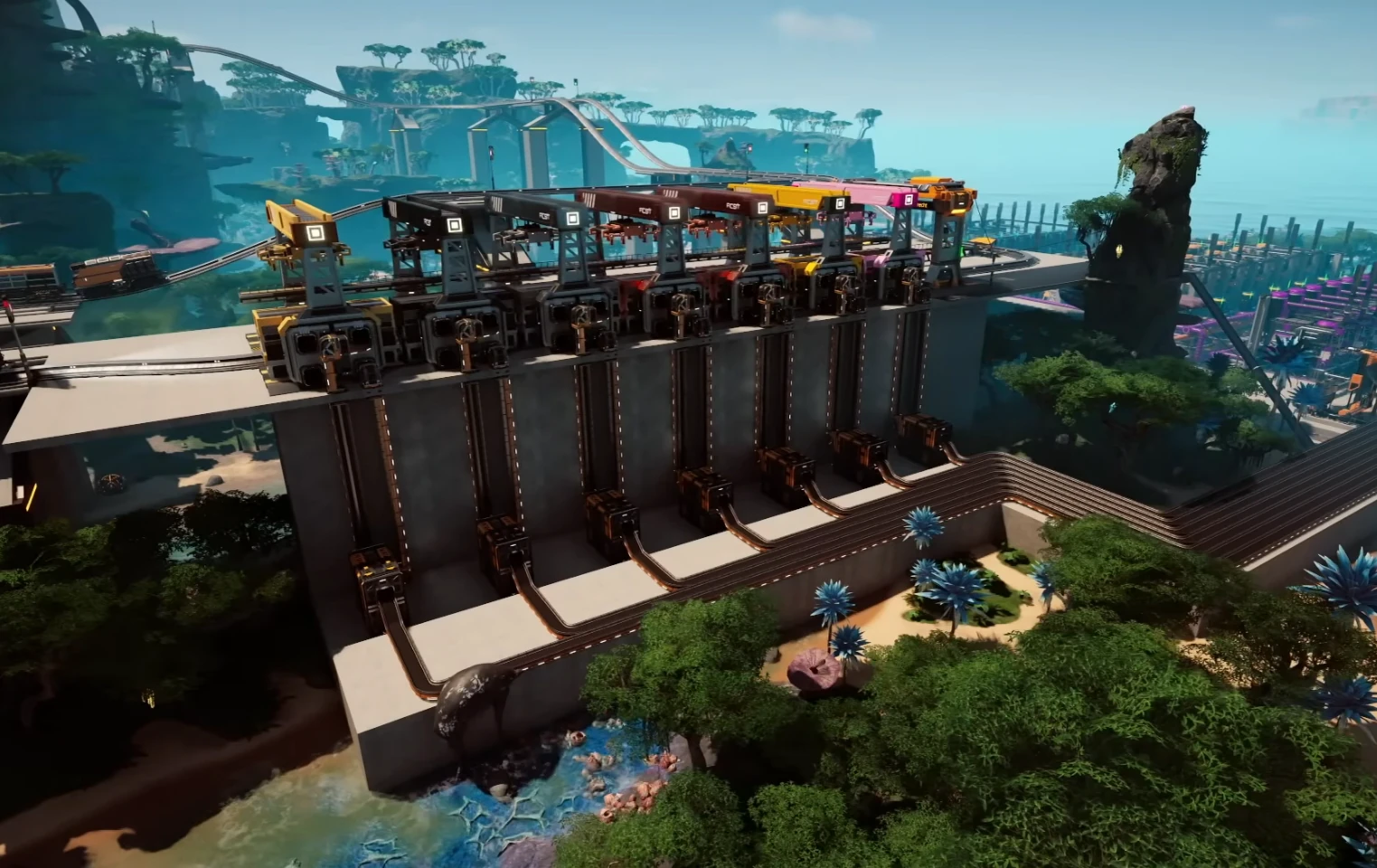
Satisfactory train logistics with dual-track main line and signals

Satisfactory train logistics can feel intimidating until you learn how the game calculates paths. This guide walks through core rules, signals, and station layouts so your trains stay on time instead of deadlocking. Use it as a checklist when you scale from your first iron line to a megabase network. When your rail grid goes multiplayer, dedicated Satisfactory server hosting keeps pathfinding predictable while friends ride along.

Core rules of Satisfactory train logistics

  • Shortest path always wins: Trains lock their route on departure and follow the shortest available path; they do not recalc mid-route.
  • Signals divide ownership: Block signals reserve track segments, while path signals reserve a route through an intersection.
  • One train per block: If a block is occupied, following trains wait behind the signal.
  • Two-way tracks add risk: Bidirectional main lines invite head-on conflicts; one-way pairs are safer and easier to debug.
  • Stations anchor paths: If a station sits on the main, through-trains will slow or stop. Branch stations keep the main clear.

Fast setup: a reliable starter blueprint

  1. Build a two-track main line early (one lane each direction) with space for signals every 3-4 train lengths.
  2. Branch stations off the main using a short siding and a path signal at the merge.
  3. Place block signals before and after every station platform; keep at least one full train length between signals.
  4. Add a small bypass siding if you expect stacking; make the bypass the shortest route using signals so trains prefer it when the platform is busy.
  5. Test with two trains before scaling. Watch where they pause—every unexpected stop signals a block that’s too long or a missing path signal.

Signals decoded for Satisfactory train logistics

Block signals: segment ownership

Use block signals to chop long stretches into predictable blocks. Place them on straight sections, not in intersections. A good rule is one signal every 4-5 foundations plus one before and after bridges or tunnels.

Path signals: intersection flow

Use path signals at diamonds, merges, and splits so multiple trains can reserve different lanes simultaneously. Put a block signal before the junction, then a path signal right at the entry, and another block signal after the junction to release the block quickly.

When to mix both

On busy hubs, use block signals to meter trains into the area and path signals to let them weave through the crossings. Avoid stacking two path signals back-to-back without a clear block in between; it confuses reservation and can stall the grid.

Station design that keeps the main line free

Side stations over inline stops

Branch the station off the main line with a turnout, a block signal before the turnout, and a path signal guarding the merge. Through traffic then ignores the stop completely.

Stacked platforms for throughput

Place two or more parallel platforms fed by the same siding. Use path signals at the split so arriving trains pick any open platform. This reduces queueing when multiple trains share a destination.

Bypass that actually works

Because trains pick the shortest path, make the bypass physically shorter and with fewer signals than the platform path. If the platform is longer, the bypass becomes the preferred path when the platform block is red.

Troubleshooting common Satisfactory train logistics pain points

Why is everything stopped?

Look for the first red signal in the chain. If it is a block signal, the block is too long or occupied. If it is a path signal, the requested route crosses an occupied block; add a block before the junction to shorten reservations.

Head-on conflicts on a bidirectional line

Convert to a one-way pair. Until then, add passing sidings every few blocks with clear signals at each end. One-way mains are the single biggest stability boost.

Trains skipping stations

Ensure timetable names match exactly, set “Unload” or “Load” correctly, and confirm the station block is clear. If a station sits on the main, a red signal ahead can make trains reroute via a shorter alternative that omits the stop.

No Connection errors after rebuilding

Replace any red cables on freight platforms, ensure the station has power, and check that the locomotive faces the right direction for its timetable. A powerless platform looks like a dead station to trains.

Scaling tips for late game

  • Mainline spacing: Signals every 4-6 foundations keep traffic flowing; shorten blocks near hubs.
  • Train length discipline: Standardize lengths (e.g., 2 locomotives + 6 freight cars) so your signals and sidings always fit.
  • Roundabouts carefully: Use generous radii and path signals at every entry; avoid stacking them without a straight between.
  • Dedicated freight districts: Group unload stations by material type and feed factory buses with belts or drones to reduce mainline clutter.
  • Monitoring: Ride-along mode and the train station UIs will show where delays start—fix the first red signal, not the last stopped train.

Helpful resources

For deeper mechanics and math, see the official Advanced Train Signaling guide. If you want a smooth multiplayer server for your railway empire, check out SuperCraftHost.


Satisfactory vs Minecraft: Two Unique Worlds

Introduction

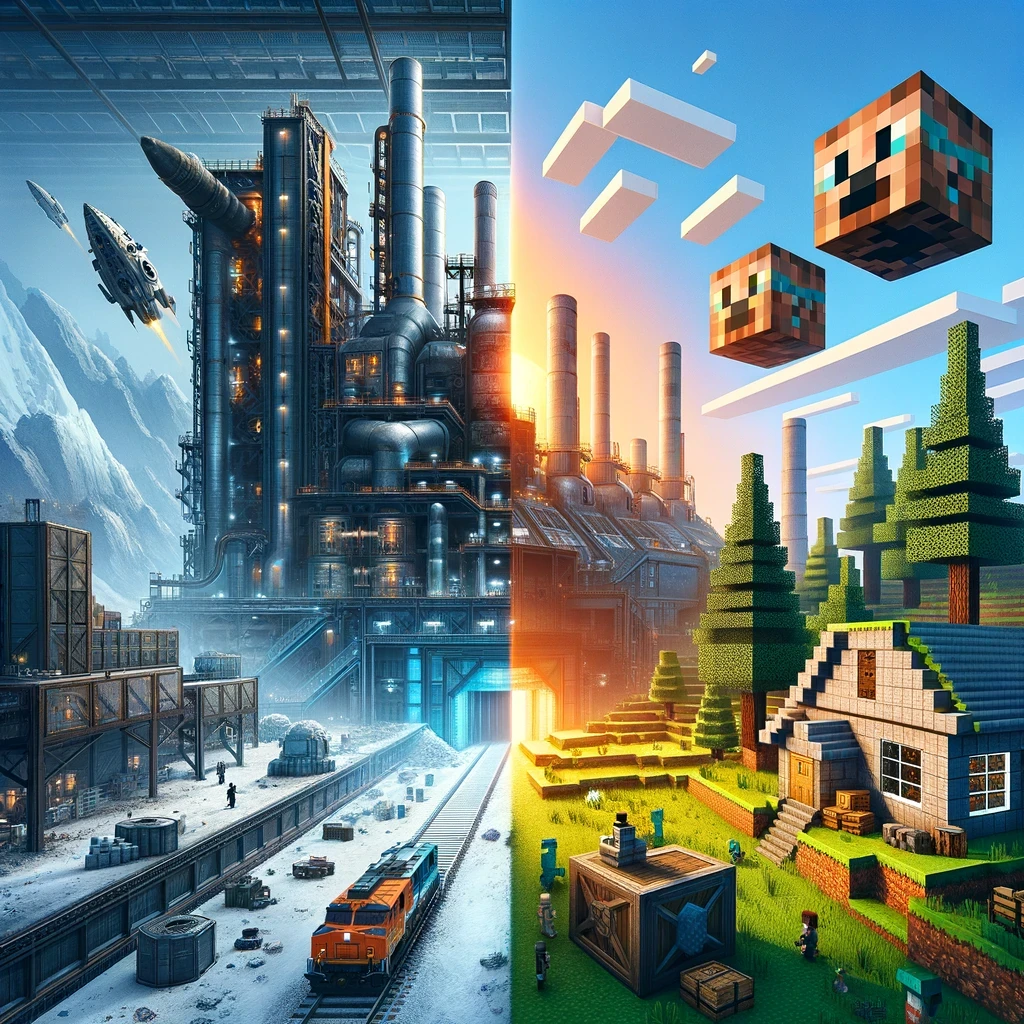
In the realm of sandbox games, “Satisfactory” and “Minecraft” stand as two pillars of the genre, albeit with starkly different approaches. “Satisfactory,” developed by Coffee Stain Studios, offers a complex, factory-building experience set on an alien planet. Meanwhile, “Minecraft,” the legendary title from Mojang Studios, immerses players in a blocky, procedurally generated world where creativity and survival blend seamlessly. This article dives into the heart of both games, comparing their gameplay, graphics, creativity potential, and community impact.

Satisfactory vs Minecraft

Gameplay Mechanics

Satisfactory: The Industrial Symphony

“Satisfactory” is a first-person, open-world factory building game. The core gameplay revolves around resource extraction, industrial production, and automation. Players land on an alien planet with the goal to construct an efficient and expansive factory. The game’s intricacy lies in logistics management, where players must optimize production lines and manage resources to achieve peak efficiency.

Minecraft: The Creative Canvas

“Minecraft” offers a more open-ended gameplay experience. It operates in a first-person perspective, with a simple yet profound mechanic: break and place blocks. Players can engage in survival mode, where resource gathering, crafting, and defending against creatures at night are essential, or in creative mode, where the imagination is the only limit. The beauty of “Minecraft” lies in its simplicity and the infinite possibilities it offers.

Graphics and Aesthetics

The Futuristic Sheen of Satisfactory

“Satisfactory” boasts a more modern and detailed graphic style. The game’s world is richly detailed with a lush, alien environment. Its futuristic machinery and elaborate factories provide a sense of industrial beauty and complexity.

The Iconic Pixel Art of Minecraft

“Minecraft” takes a different route with its iconic, pixelated blocky graphics. This simplistic style has become a cultural icon, providing a unique aesthetic that is instantly recognizable. The game’s graphics have a nostalgic charm and have proven to be timeless.

Creativity and Innovation

Engineering Marvels in Satisfactory

“Satisfactory” challenges players to think like engineers. The game’s complexity allows for innovative factory designs. Players must consider efficiency, resource management, and spatial organization, making every factory unique.

Boundless Imagination in Minecraft

“Minecraft” is a testament to unbridled creativity. From constructing simple homes to building complex computational devices using Redstone, the game allows players to create virtually anything. It has also become a tool for education, teaching basic programming and architectural concepts.

Community and Modding

The Growing Community of Satisfactory

“Satisfactory” has a growing community of players who share designs and strategies. While modding is in nascent stages, the community has already started creating mods that add new dimensions to the gameplay.

The Vast Universe of Minecraft Mods

“Minecraft” boasts one of the largest gaming communities in the world. The game’s modding scene is vast, with mods ranging from simple quality-of-life improvements to complete game overhauls. This has kept the game fresh and continuously evolving.

Ending Words

“Satisfactory” and “Minecraft” offer distinct experiences within the sandbox genre. “Satisfactory” appeals to those who revel in complexity and industrial design, while “Minecraft” caters to those who value creativity and simplicity. Both games have made significant impacts in the gaming world and continue to captivate players with their unique visions. In the end, the choice between them depends on what kind of world you wish to immerse yourself in – a world of intricate factories or boundless creative possibilities.


Satisfactory vs Factorio: Comparison for Factory Building Enthusiasts

Introduction

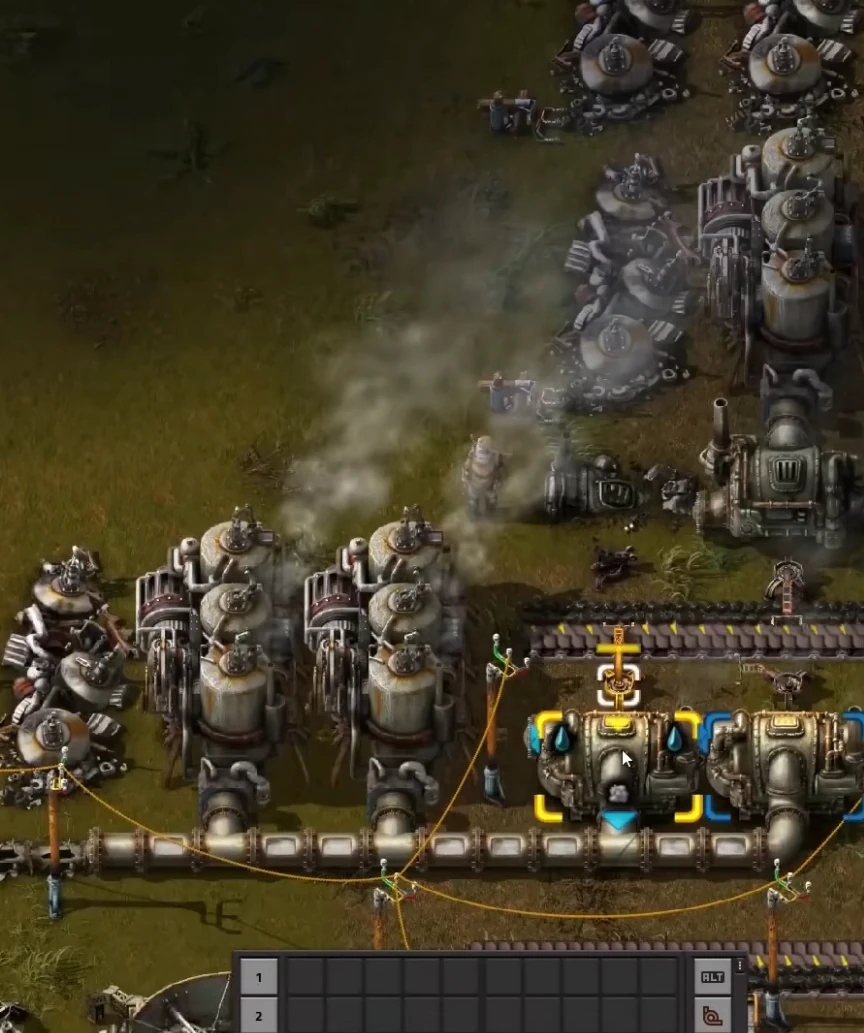
In the world of factory building and resource management games, two titles have distinctly stood out: “Satisfactory” and “Factorio.” Both games have captivated players with their unique approach to industrial simulation and complex problem-solving. This article delves into the nuances of both games, comparing their gameplay mechanics, graphics, user experience, and community support.

Satisfactory vs Factorio

Gameplay Mechanics

Factorio

  • Released in 2016, Factorio is known for its intricate and complex factory-building mechanics.
  • The game’s primary focus is on automation, efficiency, and scalability.
  • Offers a top-down perspective for overseeing the entire industrial empire.
  • Logistic challenge of managing supply chains and optimizing production lines are core gameplay elements.

Satisfactory

  • Satisfactory, released in 2019, offers a first-person perspective.
  • Introduces a 3D environment, adding verticality and spatial puzzles.
  • Emphasizes exploration and environmental interaction, alongside factory construction.
  • Includes resource gathering, power management, and dealing with alien fauna.

Graphics and Environment

Factorio

  • Factorio sports a functional and retro aesthetic with 2D sprite-based graphics.
  • Visual simplicity aids in managing complex factories without overwhelming the player.

Satisfactory

  • Satisfactory boasts modern 3D graphics, with a vivid and immersive world.
  • Environmental design is a significant part of its charm, featuring diverse biomes and a day-night cycle.

User Experience

Factorio

  • Factorio is renowned for its depth and the steep learning curve.
  • Offers extensive modding support and a robust multiplayer experience.
  • Appeals to players who enjoy meticulous planning and complex systems.

Satisfactory

  • Satisfactory, while also complex, is more accessible to new players.
  • First-person perspective and interactive tutorial make the initial experience more engaging.
  • Currently in early access, with regular updates and an active community.

Community and Support

Both games boast active communities, with forums, wikis, and modding support. Factorio, being older, has a more established community and a vast array of user-generated content. Satisfactory’s community is rapidly growing, with players contributing mods, guides, and creative factory designs.

Conclusion

In conclusion, while Factorio and Satisfactory share the same genre, they cater to slightly different audiences within the factory-building community. Factorio offers a more traditional, top-down, complex system management experience, whereas Satisfactory brings a fresh perspective with its 3D environment and exploration elements. The choice between the two depends on personal preference in gameplay style, graphics, and the type of challenge one seeks in a factory-building simulation game.


Top