Menu


7 Days to Die Co-op Guide: Horde Nights, Base Chores, and Server Safety

7 Days to Die co-op guide players know a mistimed reload or stray demo can wipe a night, so this 7 Days to Die co-op guide stitches together practical lessons from recent Blood Moons, overhaul mods, and map runs to keep squads alive. You get horde-night roles, base maintenance, land-claim etiquette, and server safety so your crew lasts longer than one bad moon.
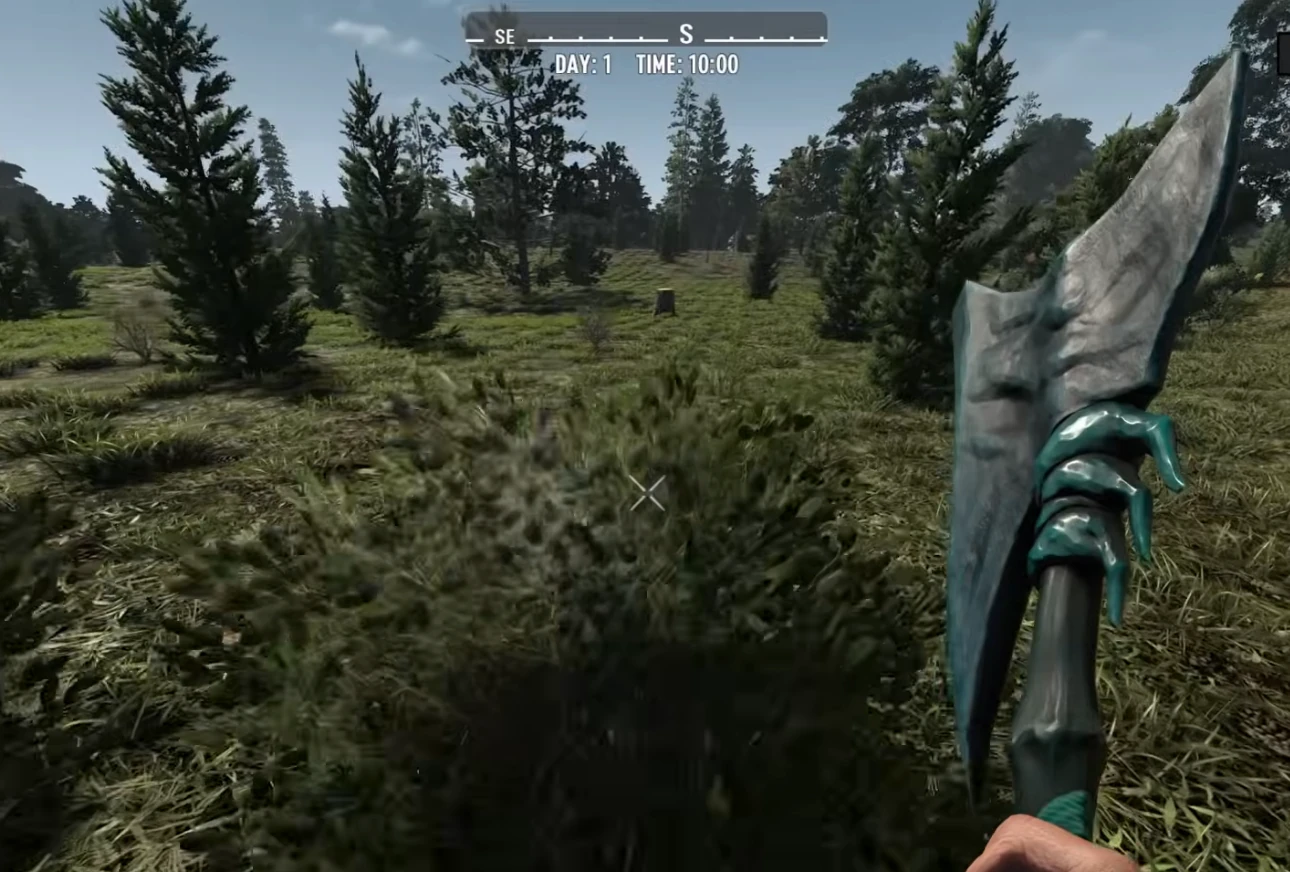
7 Days to Die co-op guide horde base
Shared chores, clear lanes, and predictable roles keep Horde Nights calm.

7 Days to Die co-op guide quick wins

Co-op wipes usually come from silence, clutter, or unclear jobs. Fix voice levels before you craft, label boxes by function, and assign tasks by day seven: one farmer/cooker, one ammo crafter, one builder, one scout. Rotate roles weekly so burnout stays low.

Horde-night roles that stop chaos

  • Main DPS: Two players on automatic rifles or coil rifles if modded. Carry AP and HP rounds; swap when cops or demos appear.
  • Stun/control: One player on electrical triggers, fences, and flinger grenades. Call out when fences break.
  • Repair lead: One player with nailgun, steel, electrical parts, and forged iron. Stays off the main catwalk to avoid blocking shots.
  • Trash detail: One player with molotovs and timed charges to delete loot piles between waves so pathing stays clean.

Base chores between Blood Moons

  • Storage discipline: Label chests by ammo, meds, mods, food, sellables. A panic chest near the horde base saves time on blood night.
  • Farm + cook: One plot of super corn, one of potatoes, one of coffee. Pump out Grandpa’s learning elixir and fish tacos; XP and sustained stam matter.
  • Trap tests: Fire one demo in a test lane after every major upgrade. Electrical fences and dart traps should never sit unwired.
  • Paths and wedges: Keep one fallback ladder and a second fighting position. Demos and vultures will eventually crack the first line.

Land-claim and server safety

  • One claim per base layer: Overlapping claims make traps unpredictable. Stack vertically instead of horizontally.
  • Backup saves: Nightly auto-backups and chunk reset checks stop the disappearing-items bug common in overhaul mods.
  • Mod etiquette: Align mod lists. Darkness Falls, Undead Legacy, and Rebirth overhaul loot, claims, and vehicles—sync configs before launch.
  • Trader runs: Set a shared trader chest; everyone drops sugar butts, eye candy, and candies to stretch dukes. This keeps server economies friendly.

Weapon and ammo pairing

  • Rifles + AP for cops and armoured zeds; shotguns + HP for corridors.
  • Explosives on callouts only; one demo pop at the wrong time erases pathing.
  • Turrets on separate circuits; SMG turrets for vultures, shotgun turrets for stairs.

Horde base shapes that work

  • Stairs-to-funnel: Classic wedge tip or half-block ramp leading to a two-wide shooting lane. Electric fences at knee and head height.
  • Pole-dancer lanes: Double pole supports so cops vomit into poles, not into faces. Repair from the backside.
  • Fallback floor: One ladder to a backup lane with turrets preloaded; when a demo blows, retreat without losing DPS time.

World generation and scouting

On Teragon or random gen, prioritize towns with two traders and a bookstore. Quest tiers climb faster when the group shares fetch/clear loops. Mark crack-a-books, working stiffs, and cracker boxes early; books, parts, and engines define midgame pace.
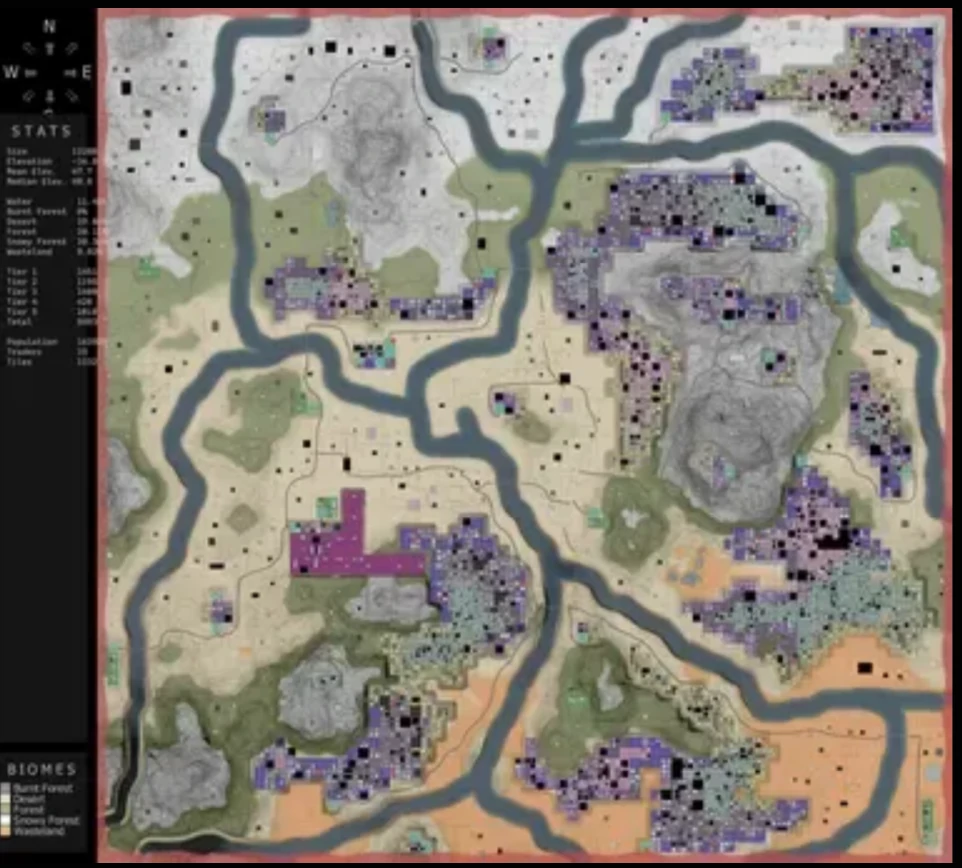
7 Days to Die co-op guide Teragon map
Pick maps with dual traders and dense POIs to keep quests and books flowing.

Performance and crashes

  • Trim entities: Kill wandering hordes before night to keep Blood Moon under the max alive cap.
  • Chunk resets: Restart the server weekly after patching; chunk corruption often begins after hotfix chains.
  • Cloud saves off on clients; desync spikes during Blood Moon when cloud sync kicks in.

Key takeaways

  • Define horde-night roles and rotate them weekly.
  • Keep one unnamed backup claim/base and a panic chest ready.
  • Pair weapons with the right ammo: rifles/AP for cops, shotguns/HP for corridors.
  • Build fallback lanes and test traps with demos before night.
  • Back up the server and align mod lists to avoid wipes from bugs.

For more map-specific setup, browse the 7 Days to Die category and cross-check block values on the 7DTD wiki before your next Blood Moon.


7 Days to Die Overhaul Mods 2025: What’s Alive, Sleeping, and Reborn

Hey there survivors. Snowy here, back after a modest 10-month hibernation and absolutely not infected. Let’s talk about what happened to all the 7 Days to Die overhaul mods while I was doom-scrolling and bingeing post-apocalyptic cooking shows. If your crew bounces between 7D2D and other survival worlds, the low-latency boxes we use for Valheim server hosting handle big overhaul modlists without rubber-banding.

7 Days to Die overhaul mods status roundup

Quick vibe check on the 7 Days to Die overhaul mods scene

Version one finally pretended to crawl out of alpha, version two is rolling out, and the overhaul ecosystem is emotionally unstable. Mods sit anywhere between 1.3 and 2.4, and half the devs are juggling life, burnout, or surprise babies. My Discord list literally hit the 50-channel limit for 7 Days to Die overhaul mods. Here’s the tour.

Afterlife grinds on under a new banner

Among the 7 Days to Die overhaul mods, Afterlife is still the hardest grind. Redbeard went MIA after 1.3, but the community crew stepped in with an Echoes from the Afterlife build for 1.4. You’ll need to roll back your client, but it’s the same lifestyle-choice grind that sends hordes in waves. The zombies spot you a bit less and lose interest sooner, which is the closest thing to mercy this mod ever had. Grab it via the usual Nexus Mods search (Nexus hub) and prep your sanity.

Apocalypse Now is back from the dead (again)

Killer Bunny took time off, built a Silent Hill riff that stalled at 1.2, then dropped Zombie Side on Nexus with zero crafting and vending-machine life. Just when I thought Apocalypse Now had crashed for good, he renamed his Discord back and started coding a v2 update. No ETA, but the copter is spinning. Zombie Side is still early and only on Nexus for now.

Darkness Falls is quiet but not gone

Kane paused updates after version 6 for 7DtD v1 and has no ETA on 2.3+. He said work had started but life got in the way. The good news: rolling back to 1.x still lets you punch demons in the face, and the official site darknessfallsmod.com is alive if you want to keep tabs. For many players, this is still one of the baseline 7 Days to Die overhaul mods to compare against.

Age of Oblivion hands the keys to Salty Zombies

Papa Mac burned out, but the Salty Zombies community picked it up with paid dev time and a Unity pro on staff. They want an update out before Christmas under their stewardship. Check the project home at ageofoblivion.com and watch the fog machines warm up.

District Zero powers down

Zil’s cyberpunk overhaul with plasma weapons looks abandoned for now. He’s still around on Discord but doesn’t expect to return soon. You can still play it by downgrading to 1.4 if you want the neon-robot vibe and a reminder that not all 7 Days to Die overhaul mods have to be about zombies.

Challenge runs: ships, towers, and perma-death smiles

  • Aircraft Carrier / Destroyer of Dreams: Updated to 2.4, now with a toggle so it’s not forced perma-death. Loot the ship, craft a UH60, escape. Grab both from the mod launcher or Nexus hub.
  • Dong Tower / 28 Days Later / I Am Legend: Hell’s Janitor keeps updating the tower and 28 Days Later; I Am Legend might get a 2.4 look later, otherwise roll back to 1.x.
  • Backpacker Challenge: Server-side overhaul under 20 KB that keeps crafting in your backpack. Works on 2.4 just fine.

Asia Mod, Back to Origins, Gray’s Prophecy: still stuck in the snow

These three have been quiet for months, stuck in version one. Gray admitted the Fun Pimps keep breaking things faster than he can patch, so this slice of the 7 Days to Die overhaul mods catalog is frozen.

End Z, True Survival, and other long-haul projects

  • End Z: Hit 2.0 in July and then the dev welcomed a new baby zombie, so expect slower updates. Play on early 2.x for now.
  • True Survival: Spider posts occasional progress notes; no download yet, but the hardcore classes and nutrition system are still in the oven.

Ravenhurst limps forward, leg or not

Jax lost a leg but is still pushing Ravenhurst 11 work and posting notes on Trello. He is already messing with 2.4, and Scavengers of the Living Dead gets attention in between.

Sorcery mod delays continue

Devrix keeps fighting real-life debuffs and had to push the planned release again (now aiming at late November). This is the magical overhaul that crossovers with Darkness Falls, so fingers crossed his mana bar refills soon. It remains one of the more unique 7 Days to Die overhaul mods thanks to that tie-in.

Your End, Smorgasbord, Spencer Mansion

Your End lost half its helpers and might move slowly. Flutter Nutter’s Smorgasbord of modlets is discontinued at 2.3, but he said others can pick it up. Frantic Dan axed the original Spencer Mansion incident but keeps the frantic mansion challenge alive as a perma-death escape run.

War of the Walkers pauses on 1.4

Dwall has an experimental 1.4 build and no timeline for version two. If you’re a die-hard, roll back and enjoy the grind.

Rebirth 2.4 and the Moonlock Protocol

Ramsay finally dropped 2.4 with the Moonlock Protocol scenario: perpetual night until you clear biome hive bosses to unlock each weekday’s sunlight. Battery flicker is real, lighting matters, and it’s still one of my top three 7 Days to Die overhaul mods.

Escape from Tarov and EFTX

M14’s Escape from Tarov overhaul hasn’t hit official 2.4 yet, but an unofficial Nexus port exists with tweaks. The gunplay is absurdly detailed—swap shells and the colors update. If you just want the weapons without the brutal progression, Stallion’s Den maintains EFTX on Nexus as a standalone pack.

Other overhauls still trucking

Where’s UK, Joke mod, Wasteland/Fallout, Prequel, Black Forest, Wild West, and Tongo are updated through 2.3/2.4. Spin the “Wheel of Mods” some folks host and let fate decide your next wipe.

Undead Legacy inches toward release

Subquake’s last big drop was November 2022, but he says features are locked and he’s polishing for a long-awaited comeback. Follow the official site at ul.subquake.com and brace for the most requested release in the 7 Days to Die overhaul mods scene.

Asylum wants the crown for weirdest overhaul

Bad Bunny and crew launched Asylum during Halloween with 600+ custom zombie variants, horror icons, thick fog, legendary gear, and robotic storage that lets you craft from boxes. There’s even a no-fog patch if the atmosphere gets too much.

Winchester mod resurrected for 2.3

Wiki Nookie’s mini-overhaul is back, built around play-it-your-way sliders. Action skills, faster starts, red-highlighted resources, blood moon skip injections, and optional cruise control—it’s vanilla plus knobs, not a total conversion.

Nord Army’s Viking fever dream

Norman’s been teasing horses, longboats, and axe-and-shield combat for two years with a December 2025 target. We haven’t seen full Viking POIs yet, but the trailers look moody.

Undead 2 sails on water maps

Durkiller Gaming’s island overhaul adds boats (sailboat, hovercraft, Orca, even a flying boat), sea traders, and ocean POIs like oil rigs. No giant skill rewrite yet, but it’s a sweet niche if you want Jaws vibes and still count it among your list of 7 Days to Die overhaul mods.

Where to play and how to host the 7 Days to Die overhaul mods

If you want to road-test any of these 7 Days to Die overhaul mods with friends, spin up a server on our 7 Days to Die hosting and keep your group on the same version. Official game info still lives at 7daystodie.com if you need patch notes.

That’s the state of the overhaul apocalypse. I’m crawling back into the rubble to see which one actually drops an update first.

Teragon World Generator Guide: Presets, Commands, and Tips for 7 Days To Die

This is a long-form, near 1:1 walkthrough of the Teragon world generator documentation for 7 Days To Die. It covers how the generator works, what presets do, every core command and its parameters, and the predefined tags you can use to keep scripts dynamic. The goal is to mirror the official PDF so you have a complete reference alongside practical guidance for stable, customized worlds.

  • Understand the Teragon concept and how scripts/presets execute.
  • See every documented command with inputs, outputs, and EPI priority.
  • Reuse dynamic predefined tags to keep presets portable.
Teragon world generator documentation guide for 7 Days To Die
Teragon turns world generation into a configurable script: mix presets, noise maps, and POI sources to shape your 7 Days To Die maps.

Introduction

Teragon is a work-in-progress world generator for 7 Days To Die. All documentation can change and may be incomplete or contain errors. This guide sticks closely to the PDF so you can reference it without opening the file.

Concept

Teragon is a configurable scripting system. You chain commands that generate terrain, merge maps, and place towns/POIs. The order is flexible as long as dependencies are respected—for example, a height map must exist before a command that reads it can run.

How Teragon works

You can either code a sequence of commands or load a preset (a saved script). Casual users rely on presets; power users assemble their own command lists. Commands execute in order and can read/write variables (height maps, world data, POI sources). Logical dependencies matter: generate terrain before placing towns; parse mod paths before spawning custom POIs.

Presets

Presets are .ini files that store the command sequence and options. Load them to get different looks (e.g., World Generator 1–3), previews, biome-only maps, or mod compatibility. You can also edit and save your own presets.

How to generate worlds and more

  1. Launch Teragon and close the welcome window.
  2. Load a preset via File → Load… (World Generator 1, 2, or 3 are built-in).
  3. Review options in the Basic tab; less-common settings live in Advanced. Expert and Testing tabs are for experienced users.
  4. Set world size and desired options, then click Run. The progress bar beneath the menu shows the active command. Generation time depends on settings, hardware, and optimization state.

Commands (from the documentation)

Below are the documented commands with their Effect Priority Indicator (EPI) and parameters.

Add Height Map (EPI: Low)

Combines two height maps by adding their local altitudes. The result replaces the Target height map after summing with the scaled Height map.

  • Target height map: First input and recipient of the result.
  • Height map: Second input to add.
  • Elevation of height map: Scales the Height map (top altitude in meters). Set to 256 to avoid rescaling.

Add Source Path (EPI: Very low)

Parses prefab XMLs for POIs outside the game directory—required for custom/modded POIs. Best placed right after Set Game Data; add multiple paths if your mods are split.

  • Directory…: Path to add as a source.
  • Subdirectories: If checked, Teragon reads all subfolders; otherwise only the main path.

Create Noise Height Map (EPI: Medium)

Generates random terrain via FastNoiseSIMD, then normalizes to 0–255. Requires world size set beforehand.

  • Map name: Variable to store the height map.
  • Seed: Reproducible terrain; same seed = same world.
  • Frequency: Higher values create smaller structures.
  • Octaves: Layered noise detail.
  • Lacunarity: Adds small substructures; lower values are smoother.
  • Gain: Also influences smoothness.
  • Noise Type: Controls the style of terrain.
  • Fractal Type: Adjusts fractal-based noise appearance.

Max Height Map (EPI: Low)

Combines two height maps by taking the higher local elevation at each coordinate. Target holds the result, using the scaled Height map as the comparator.

  • Target height map: First input/result.
  • Height map: Second input.
  • Elevation of height map: Scale for the Height map (256 to skip rescaling).

Min Height Map (EPI: Low)

Combines two height maps by taking the lower local elevation at each coordinate. Target holds the result, using the scaled Height map as the comparator.

  • Target height map: First input/result.
  • Height map: Second input.
  • Elevation of height map: Scale for the Height map (256 to skip rescaling).

Save Preset (EPI: Low)

Saves the current preset to the default backup location (~/settings/Teragon.ini) so you can recover after a crash.

Set Region Sector Size (EPI: Low)

Changes the default region sector size (16). Larger sectors divide the world into bigger regions and can make POI placement less precise.

Predefined command tags

Tags can be used in most text fields to generate values dynamically. They can be combined and allow dependencies inside presets.

  • [appdata]
  • [gameversion]: Replaced by the game version (format: Alpha.main-update.minor-update.0, e.g., Alpha.20.6.0).
  • [math,format,expression]: Evaluates a math expression. Example: [math,int,[worldsize]/2+1] returns 2049 for a 4096 world. Supports math functions like Abs, Acos, Asin, Atan2, Cbrt, Ceil, Cos, Cosh, Floor, Log, Log10, Log2, Max, Min, Pow, Random, Round, Sign, Sin, Sinh, Sqrt, Tan, Tanh, Trunc, and constants E, Pi.
  • [random]: Random integer 0–2,000,000,000 using system time as seed. Variants: [random,int,min,max] or [random,float,min,max] for ranged values.
  • [teragonpath]: Teragon’s main directory (where Teragon.exe lives).
  • [teragonversion]: Teragon version (format: x.xx, e.g., 0.33).
  • [username]: Windows username running Teragon.
  • [worldpath]: The output directory defined in the Basic tab.
  • [worldsize]: Current world edge length (1024, 2048, 3072, 4096, 5120, 6144, 7168, 8192, 9216, 10240, 11264, 12288, 13312, 14336, 15360, 16384).

Practical guidance (grounded in the doc)

  • Order and dependencies: Run commands in logical order—create or merge height maps before town/POI placement; add source paths right after Set Game Data.
  • Noise tuning: Adjust Frequency, Octaves, Lacunarity, and Gain on small test worlds before generating an 8K+ map.
  • Scaling merges: Use Elevation scaling thoughtfully with Add/Max/Min to avoid extreme cliffs.
  • Backup often: Save Preset periodically so crashes do not wipe your configuration.
  • Sector sizing: Larger region sectors trade precision for speed; keep defaults if you need accurate POI placement.
  • External POIs: Add Source Path for each mod pack and enable Subdirectories when prefabs sit in nested folders.
  • Use tags for portability: Swap hardcoded numbers for [worldsize] and [math] so presets adapt to any map size.

Running and testing worlds

After generating a map, test it on a dedicated server to check POI coverage, height transitions, and performance. If you need hosting, our 7 Days To Die server hosting guide covers setup and tuning. For the base game itself, see the official 7 Days To Die site.

Bibliography and index (as in the PDF)

The source PDF lists a short bibliography and an index covering: Add Height Map, Add Source Path, Create Noise Height Map, Max Height Map, Min Height Map, Save Preset, Set Region Sector Size.

Teragon is still evolving, but this reference keeps the full documented options in one place so you can build handcrafted worlds with confidence.

7 Days Blood Moons: Roadmap, Problems, and How It Could Be Saved

7 Days Blood Moons launched with disastrous numbers and a thin roadmap. Here’s a breakdown of what went wrong, why the new plan isn’t enough, and the drastic moves—free-to-play, marketing, and console crossplay—that might actually save it.

  • Launch stats: low sales, tiny player counts, and negative reviews
  • Roadmap hits and misses (Twitch integration, Endless Night, new maps)
  • Recovery ideas: free-to-play, cosmetics, smarter marketing, console ports
7 Days Blood Moons roadmap and problems
7 Days Blood Moons needs more than a thin roadmap to recover.

Launch by the numbers: 7 Days Blood Moons in freefall

Despite the 7 Days to Die franchise selling 20M+, 7 Days Blood Moons peaked at 366 players on launch, now dipping to 5–7 off-peak. Steam reviews sit ~59% negative, sales estimates hover 6k–12k (likely lower), and Twitch averages ~19 viewers—more viewers than players online. For a PvP-only game, that’s catastrophic.

Roadmap rundown: what’s planned

  • Twitch integration: Baffling priority given microscopic viewership.
  • Endless Night mode: Good change—extends matches beyond the arbitrary four-day cap.
  • Maps: Six planned (two live) for nine total eventually; more arenas won’t fix core depth.
  • New zombies/skins: Billy Banjo and Rodeo Clown—oddly shown in marketing but not shipped.
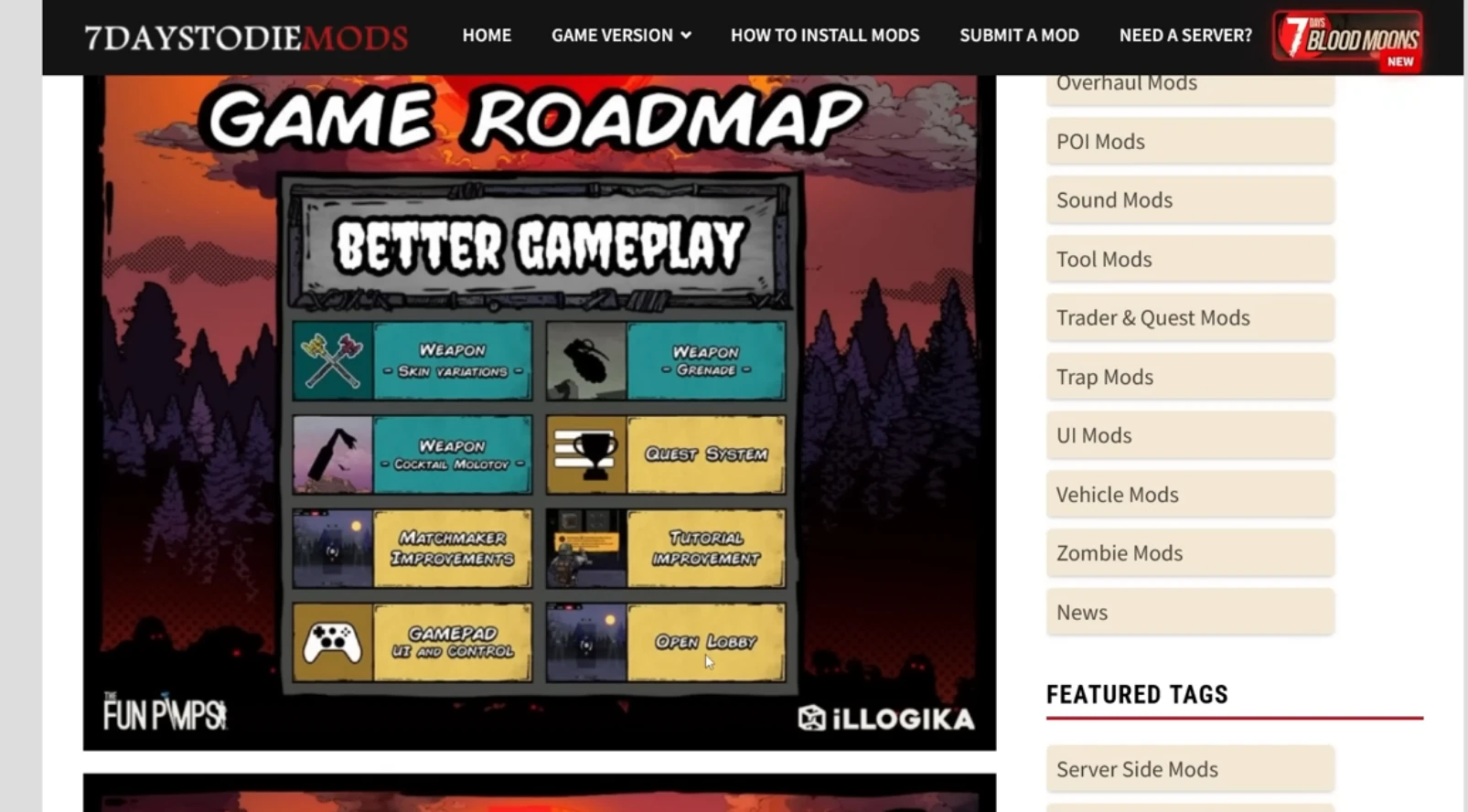
  • QoL: Matchmaking, tutorial, open lobbies/mid-join, controller support, weapons, throwables, quest systems.

The core problem: 7 Days Blood Moons is too shallow

Even if every roadmap item lands, fundamentals remain weak: limited building, only one mode with two predictable playstyles, and survivors feel like a stripped-down 7 Days to Die. The Zombie Master is fun, but not enough to sustain a multiplayer ecosystem.

How 7 Days Blood Moons could be saved

  1. Go free-to-play: The $20 price doesn’t match the content. Drop the paywall to seed population.
  2. Monetize cosmetics hard: Skins, battle passes, events—players tolerate mediocrity if entry is free.
  3. Real marketing push: Target big 7 Days creators community) instead of dozens of tiny streams. Consolidate spend on a few major voices.
  4. Free weekend + discount at 1.0: Relaunch with a spike, or risk flatlining.
  5. Console ports + crossplay: A free console release with crossplay could deliver thousands of daily players.
  6. Add depth: Expand building, add more modes, and deepen survivor progression to avoid repetition.

Can the current roadmap save it?

On its own, no. The roadmap is mostly “nice to haves” that ignore foundational issues. Without free entry, deeper gameplay, and serious marketing, 7 Days Blood Moons will keep bleeding players.

What would make you play?

With peaks near 60 on weekends and single digits midweek, time is short. Would you return for free-to-play, console crossplay, new modes, or a richer building system? The devs need bold moves now.

Want stable co-op in the main game while Blood Moons finds its footing? Check our 7 Days to Die server hosting guide for reliable worlds.

Trader Reset Drama: Building a Friendly Economy on 7 Days to Die Servers

For reference builds and balancing ideas, see the community guides on 7daystodiemods and vendor tuning threads on The Fun Pimps forum. They discuss 7 days to die trader reset changes that keep economies fair.

7 days to die trader reset

7 Days to Die trader reset settings (quick wins)

  • Set trader reset timers to 36–48 hours with small jitter so runs are fair.
  • Publish vendor rules inside MOTD and Discord; pin them near each trader.
  • Log trader buys and share summaries to defuse conspiracy drama.
  • Rotate “market fairs” for rare loot so every playstyle gets a shot.
  • Back up trader hubs separately and snapshot before big events.

FAQ: fixing trader reset drama

How often should 7 Days to Die traders reset? Every 36–48 hours with jitter keeps economies fair.

How do I stop players from hoarding? Announce rules, log purchases, and add scarcity events so loot is shared.

What about cheap 7 Days to Die server hosting? Use hosts that let you snapshot worlds and scale CPU during trader events.

Which focus keyword to use? “7 days to die trader reset” — include it in title, intro, H2, and description.

Get hosting tips and configs for calmer trader economies.

7 Days to Die trader reset drama can wreck a server economy. This playbook shows how to tune trader reset timers, keep loot fair, and run cheap 7 Days to Die server hosting players trust.

Use these steps to balance vendors, set clear rules, and stop market fights before they start.

There is something uniquely spicy about trader discourse in 7 Days to Die. One person’s “healthy economy” is another person’s “pay-to-win loot goblin.” Alpha 22 tweaked reset timers and loot pools just enough to reignite the argument across every community Discord I hang out in. Instead of letting the debate spiral, we started documenting the small systems we use to keep vendor drama under control on the cheap 7 Days to Die server hosting plans we run. This post walks through those systems, plus some human stories that prove transparency beats shouting every time.

Why Alpha 22 changed the vibe

Previously, diligent players could predict when a trader stocked crucibles or coil ammo and scoop everything while casuals logged off. Alpha 22’s loot refresh tweaks added more randomness but also shortened restock timers on certain items. The net result is that the same few power users still gobble the good stuff, only now everything feels like a flash sale. We saw this firsthand when a weekend crew logged in, visited four traders, and found nothing above tier 2 loot. They assumed the server was bugged. It wasn’t; someone simply sprinted the route at dawn.

Reset timers that feel fair

Our first fix was surprisingly simple: switch traders to a 36-hour reset with a slight jitter. The extra 12 hours gives midweek players a fighting chance while the jitter prevents perfect schedules. We communicate the change inside the MOTD, on Discord, and through an in-game sign near each trader. Clarity matters. When people know the rule set, they still compete, but they stop accusing each other of cheating.

Scarcity events

For high-value items—crucibles, drone mods, coil guns—we stage weekly “market fairs.” The idea came from a cozy Polish server that turned vendor drama into a mini festival. Every Saturday night we spawn a temporary event trader in a neutral biome. Admission requires donating materials to a public project (walls, farms, you name it). Inside, we rotate special loot so different playstyles get a moment to shine. Suddenly, rare items feel communal rather than hoarded.

Transparent logs defuse conspiracy theories

Whenever arguments flare up, screenshots only go so far. That is why we built a simple logging bot that records trader interactions and posts summaries into a read-only Discord channel. Players can see who bought what, when, and from which vendor. Privacy purists sometimes grumble, but most people appreciate the sunlight. When someone accuses a rival of buying twelve coil rifles, the logs show the truth in seconds.

Inventory monitoring helps admins make tweaks

From a host perspective, the most useful tool we added was a lightweight Prometheus exporter that tracks trader inventory levels. Every hour it samples the remaining quantity of key items. If crucibles hit zero across all traders, the dashboard flashes yellow, and we either trigger a manual restock or announce the upcoming market fair. Data beats guesswork, especially when you run multiple affordable 7 Days to Die hosting plans and cannot hover over every world simultaneously.

Player etiquette still matters

Rules and bots can’t fix attitude problems alone. We coach communities to adopt simple etiquette:

  • Leave at least one copy of rare schematics for the next person.
  • Barter in global chat—trading coil parts for farm plots builds relationships.
  • Use the report command respectfully; it summons a moderator, not a revenge drone.

When etiquette fails, we rely on progressive discipline: private warning, temporary vendor ban, then removal. Thankfully, owning your mistakes publicly tends to reset the tone before it reaches that point.

Infrastructure tips for trader-heavy worlds

Trader hubs attract traffic spikes. To keep performance stable we isolate market POIs on their own chunk-cached servers during peak events. Those instances borrow extra CPU and NVMe throughput so vendor menus load instantly even when 30 shoppers arrive. Behind the scenes we run snapshots every six hours; if duping or grief slips through, we revert the hub without rolling back the entire world.

Community stories

Two anecdotes keep me optimistic about trader diplomacy. First, a Polish clan built a “co-op kiosk” where members donate extra books. They update a Google Sheet so newcomers know which trader has what, turning scarcity into a scavenger hunt. Second, an American streamer clan started hosting live auctions for schematic bundles. They stream the event, cut the footage into TikToks, and tag our 7 Days to Die servers in the credits. Free marketing born from a potential headache!

Checklist you can steal

  1. Pick a reset timer and communicate it everywhere.
  2. Log trader transactions and expose the data.
  3. Add scarcity events or weekly fairs to redistribute rare loot.
  4. Monitor inventories so you know when supply dries up.
  5. Document etiquette rules with actual consequences.
  6. Automate backups for market hubs separately from the rest of the world.

Regional pricing and trade routes

Something else we do is rotate regional bonus prices. Traders in snow biomes might pay 20% more for farm plots one week, then desert traders overpay for steel tools the next. Publishing those incentives nudges players to travel, spreads demand across the map, and creates organic caravan gameplay. A few communities even role-play as merchants, running convoy nights complete with escort squads. You do not need fancy plugins to inspire that behavior; a single Discord post explaining the rotating premium is enough.

Automating disputes

The final piece of the puzzle is documentation. We maintain a self-serve “Trader Help” page that walks players through escalating disputes. Step one: collect evidence. Step two: submit via ticket form. Step three: await moderator ruling posted publicly. Having a template keeps emotions low because everyone knows what comes next. We also publish anonymized case studies each month so newcomers learn from past mistakes without reliving the drama.

Wrapping up

Trader debates will never vanish, but they do not have to poison your community. With a handful of transparent systems, a splash of creativity, and empathy for players who log in after work, you can keep the economy feeling generous even on budget hardware. If you need a hand wiring up the logging bot, tuning restock scripts, or migrating to hardware that can handle lively bazaars, reach out. We are always happy to talk shop with fellow admins trying to keep apocalypse capitalism fun.

This 7 days to die trader reset guide keeps economies balanced: set fair trader reset timers, publish rules, log purchases, and host on hardware that handles peak trader traffic. Repeat your 7 days to die trader reset plan in MOTD and Discord to stop drama early.

This 7 days to die trader reset guide gives admins a checklist: set fair reset timers, publish trader rules, log purchases, rotate fairs, and link to trusted hosting configs. Repeat the 7 days to die trader reset steps in MOTD and forums so players see them everywhere.

Console Crossplay Beta: What 7 Days to Die Server Hosts Need to Know

Preparing for the 7 days to die console crossplay beta? This guide gives hosts a checklist: whitelists, latency targets, mods, and backups.

See official notes on The Fun Pimps forum and community configs at 7daystodiemods for live crossplay tuning examples.

7 days to die console crossplay

7 days to die console crossplay hosting checklist

Preparing for the 7 days to die console crossplay beta? This guide gives hosts a checklist: whitelists, latency targets, mods, and backups.

See official notes on The Fun Pimps forum and community configs at 7daystodiemods for live crossplay tuning examples.

7 days to die console crossplay

The whisper network finally came true: Telltale and The Fun Pimps opened a small crossplay beta that lets Xbox and PlayStation testers hop onto curated PC realms. For years players begged for shared saves, and now we are juggling whitelists, controller aim assist debates, and latency charts. I figured it would be helpful to document how we prep 7 Days to Die hosting for mixed-platform squads now, before the beta expands and every admin scrambles at once.

How the beta works today

Right now the crossplay pool is tiny—think dozens, not thousands. Console testers sign an NDA-lite form, submit their gamer tags, and receive IPs for two or three partner servers. The builds they run look like Alpha 22 under the hood, but the networking stack layers extra encryption and voice chat hooks. That means hosts must respect slightly different connection rules even though the gameplay feels familiar. Consider this phase a dress rehearsal for the inevitable public release.

Step one: Get your identity and whitelist flow in order

Console IDs do not look like Steam64 IDs, so your old whitelisting scripts probably reject them. We built a small intake form that asks for Xbox, PlayStation, and Steam names, then stores them in a table keyed by Discord ID. When a beta player wants access we press one button and our panel pushes the correct identifiers into the server config. If you do this manually, double-check capitalization, because one typo produces confusing “Connection rejected” errors that players inevitably blame on lag.

Step two: Revisit mods and QoL packs

Crossplay clients only understand server-side mods. Anything that once relied on SDX or client asset bundles is automatically off the table. We curated a shortlist of QoL tweaks—stack size fixes, muted trader voice lines, lightweight HUD changes—and rebuilt them using pure server scripting. The upside is a leaner codebase; the downside is you must wean players off custom UIs they loved. Communicate early. Share patch notes. Let people grieve their lost backpack mod and then show them the new streamlined setup.

Latency expectations

Controllers hide some lag but not all of it. Through testing we found that console players notice rubber banding once ping exceeds 80 ms. That forced us to shuffle regions so North American console squads land on Chicago instead of Dallas, and EU squads land on Frankfurt with Warsaw failover. We also cap each crossplay shard at 20 concurrent players until we gather more data. Smaller populations mean we can keep tickrate high without giving up the “affordable 7 Days to Die hosting” promise.

Voice chat and social glue

Mixing PC Discord regulars with console party chat can get messy. Our approach is to embed a crossplay onboarding page into the MOTD. It includes links to our Discord, instructions for joining via phone, and a code of conduct. We also added a lightweight relay bot that mirrors console text chat into Discord so PC admins see grief reports in real time. The more you bridge the social gap, the more forgiving players become when beta quirks pop up.

Security and DDoS mitigation

Sadly, publicizing “Console players welcome” attracts trolls. Within 48 hours of launching our beta shard somebody tried saturating the IP with junk traffic. Thankfully we already route traffic through DDoS-hardened endpoints, but the incident reminded us to document recovery steps. At minimum, make sure your provider supports always-on mitigation and keep a warm standby world you can swap to if the main one goes dark. Nothing ruins goodwill faster than console players setting aside time to test and getting kicked before nightfall.

Controller-friendly base design tips

Crossplay is as much about UX as tech. Console players struggle with the same precision tasks PC veterans do while using a trackpad. Encourage communities to add wider walkways, gentler ramps, and more obvious signage. When we host events we literally paint arrows on the ground with bright blocks so nobody wanders into dart traps by accident. Small touches like that make mixed-platform raids feel coordinated instead of chaotic.

Monitoring stack

We treat each crossplay realm like a mini product. It gets its own metrics board showing CPU, RAM, tickrate, bandwidth, and player joins segmented by platform. Anytime tickrate dips below 18 for longer than one minute an alert fires into Slack. We also log every kick message; if we see a pattern tied to a particular console build we forward it to the devs. This level of instrumentation sounds excessive, but it lets us prove that issues are beta bugs rather than host negligence.

Stories from early adopters

One of our favorite groups is a dad playing on Xbox with his two teenagers on PlayStation and their cousin on PC. They had spent years trading videos of their separate worlds, never able to share loot. Watching them meet inside the same trader outpost was surprisingly emotional. We heard similar stories from streamers who can finally invite console viewers to community nights. Those moments make the extra whitelist tickets worth it.

What to prepare for next

The devs hinted that the next phase will loosen the NDA and allow user-provided servers into the pool. That means public listings, more grief attempts, and higher expectations. Start drafting support macros now. Build a knowledge base page explaining how to submit console clips when reporting cheaters. Line up community moderators across time zones. The beta is quiet enough that you can still experiment; use the breathing room wisely.

Crossplay readiness checklist

If you are overwhelmed, start with this minimalist checklist:

  1. Collect platform IDs via form and sync them automatically.
  2. Audit your mod list—remove anything that is not purely server-side.
  3. Create a region map and keep ping targets under 80 ms.
  4. Write a one-page etiquette guide that consoles see on login.
  5. Set up alerts for tickrate dips, bandwidth spikes, and mass kicks.

Completing those five steps already puts you ahead of most hosts.

Final encouragement

Crossplay has been the biggest wish list item in every 7DTD survey I have seen. Hosting it responsibly requires more paperwork, more automation, and more empathy, but the payoff is undeniable. When you invest in tooling today, you are not just future-proofing your 7 Days to Die servers; you are giving far-flung friends a shared apocalypse to laugh about. If you want help testing, migrating, or simply sanity-checking your plan, ping us. We are in the trenches learning right alongside you.

For smoother 7 days to die console crossplay hosting, publish rules, monitor latency, back up saves, and test mods. Repeat the 7 days to die console crossplay steps in MOTD and Discord so players know what to expect.

Darkness Falls v5 Refresh: Hosting Checklist for Modded 7DTD Servers

Need a quick darkness falls v5 hosting checklist? This guide covers mod updates, quests, backups, and grief protection.

Check the latest patch notes on 7DTD Mods forum and Darkness Falls threads on 7daystodiemods to keep configs aligned.

darkness falls v5 hosting

Darkness Falls v5 hosting checklist

Every time Khaine pushes a big Darkness Falls update the modded community collectively holds its breath. Version 5 is the most ambitious refresh in months—new demon models, longer questlines, more loot to juggle—and it exposes weakness in any 7 Days to Die server hosting stack that treated modded worlds like a side quest. I spent a weekend hopping between public DF realms we manage, reading Discord feedback, and noting the scripts that kept things smooth. This write-up is intentionally conversational, almost journal style, because that is how most of us share hosting wisdom anyway.

Snapshot what you have before touching anything

The boring prep always saves the day. Before we even download the new mod files we schedule a triple backup: database dump, zipped world folder, and an off-site snapshot. Darkness Falls players invest hours grinding tech, so showing them a screenshot of three redundant backups instantly builds trust. On self-hosted boxes I recommend copying Saves to a separate disk entirely and labeling the folder with the exact patch number. Later, when someone swears a bug only appeared after the update, you have a pristine reference.

Create a staging server and invite two brave souls

Never push DF updates straight to production. Spin up a staging instance—even a temporary cloud VM works—and mirror the live settings. Then invite two players who enjoy debugging. We usually bribe them with cosmetic rewards or Discord badges. Their mission is simple: run through the new tutorial, craft the demon hunter gear, and report every hiccup. While they play, monitor CPU, memory, and disk queues. Version 5 preloads more high-resolution assets, so disk spikes are the first bottleneck you will see.

Automate the ugly filesystem work

Darkness Falls v5 expands the mod folder significantly, and manual uploads invite human error. We rely on a deployment script that wipes the existing DF directory, clones the Git mirror, verifies checksums, and only then swaps the live symlink. If you are stuck with FTP, at least script the deletion step so you do not accidentally leave stale DLLs behind. Stale DLLs are the root cause of half the crashes we see.

Quest data is precious, treat it that way

The new demon quests track more variables per player, which means corrupted saves become harder to untangle. We increased autosave frequency to every 10 minutes during the first week, then rolled back to every 20 minutes once we confirmed stability. You can also export quest progression per player into JSON; storing those exports in object storage gives you forensic evidence if someone claims the server “ate their class choice.”

Keep the economy human

Everyone loves calling Darkness Falls a hardcore mod, yet most communities still want a friendly market loop. Version 5 adds demon mat traders, faster coil gun recipes, and more chances to break balance. We address that in three ways:

  • Trader rules. Publish restock timers and limit the number of legendary items each account can buy per reset.
  • Community events. Gate unique schematics behind weekend raids so loot drama turns into social fun rather than hoarding.
  • Transparent logs. Pipe trader transactions into a read-only Discord channel. Seeing the data cuts conspiracy theories in half.

Protect clients from grief

Darkness Falls PvE realms sometimes attract bad actors who blow up farms using demon fire. Harden your logging: enable ServerTools or CSMM, stream damage events into Elasticsearch, and configure alerts when someone destroys X blocks within Y seconds. When grief happens—and it will—you can restore from the snapshot and show the community exactly what occurred. That level of transparency is why players stay loyal even on affordable 7 Days to Die hosting plans.

Recommended hardware tiers

Modded servers chew through more memory than vanilla. Our rule of thumb:

Player countvCPURAMStorageNotes
1-84 dedicated10 GBNVMe 50 GBPerfect for private clans, schedule nightly restarts.
9-166 dedicated14 GBNVMe 80 GBAdd staging world for testing, monitor disk IO.
17-248 dedicated18 GBNVMe 120 GBEnable burst scaling and consider regional mirrors.
25+10+ dedicated24 GBNVMe 160 GBSplit POIs across linked instances to avoid choke points.

Streamlined modpack updates for your players

Rolling out version 5 to hundreds of community members is a UX challenge. We host a static page that lists SHA-256 hashes, mirrors, and an auto-updater script. When players connect, the server also runs a lightweight handshake that confirms they are on the latest revision. If not, it links them to the resource page and kicks with a polite message. It feels strict, but it prevents desync bugs and keeps tech support sane.

Stories from the field

The most heartwarming feedback came from a casual duo who had bounced between multiple providers. They wanted an affordable Darkness Falls world with zero drama. We migrated their save, added automated mod updates, and gave them a private Discord webhook that reports CPU, RAM, and backup status every morning. Their thank-you note literally said, “We finally get to play the game instead of reinstalling it.” That line sits on our virtual corkboard as a reminder that good hosting is mostly empathy plus boring automation.

On the flip side, we helped rescue a public server where the owner skipped staging. They pushed v5 live, half the mods failed to load, and players lost classes. Because there were no backups, we had to reconstruct saves manually using log fragments. It was painful for everyone. Please do not be that admin. Your community will forgive bugs if you show preparation; they will leave instantly if you shrug and blame fate.

Final thoughts

Darkness Falls v5 is worth the hype. It adds enough late-game spice to keep veterans grinding, and it gives hosts a chance to prove that modded worlds can be as stable as vanilla realms. Take the time to stage updates, automate mod installs, secure your economy, and share transparent logs. You will spend less time firefighting and more time hanging out with players who genuinely appreciate the effort. And if you need a partner that already tuned hardware, backups, and monitoring for DF, reach out—we love helping communities carve out their own apocalypse.

This darkness falls v5 hosting checklist keeps servers stable: automate updates, test quests, back up worlds, and publish rules. Repeat the darkness falls v5 hosting steps in MOTD and Discord so players know what to expect.

Alpha 22.4 Horde Night Meta: Keeping 7 Days to Die Servers Calm

Hosting during alpha 22.4 horde night? Use this checklist to keep servers calm: trap layouts, CPU budgeting, backups, and player comms.

Check balance notes on 7DTD forums and defense ideas on 7daystodiemods for live meta tweaks.

alpha 22.4 horde night

alpha 22.4 horde night hosting checklist

Alpha 22.4 looks mild in the patch notes, yet every admin channel I follow has been buzzing about the new Horde Night behavior. Pathing feels smarter, vultures stay aggroed, and suddenly every weak link in a base design shows up on stream. I spent the past week riding shotgun on public and private realms we host, tweaking 7 Days to Die server hosting profiles and documenting what actually made a difference. Consider this a friendly, boots-on-the-ground recap for anyone who wants smoother Blood Moons without barking at players to turn their particle effects down.

Why the Horde feels heavier now

The first surprise came from the navmesh refresh rate. Zombies now recalc routes a few times per second, which means ragdolls collide realistically and not all funnel into your electric fences. That extra thinking translates into CPU spikes exactly when players spam grenades. Vultures also keep velocity when they take damage, so rooftop defenders deal with constant motion and more feathers hitting the ground. Finally, cop puke checks more environment objects, which sounds small but causes storage arrays to take splash damage if they sit near your firing line. Put together, the Horde simply touches more systems at once.

Players notice it as enemy variety rather than raw numbers. I watched a clan in Warsaw shrug through the first wave and then run out of repair kits because demolishers kited around corners they usually ignored. Our monitoring showed their world jumping to 85% CPU for three minutes straight. They survived, but they also opened tickets asking whether the server was lagging. It wasn’t—the game finally used every cycle it was given, and that means hosts need to plan ahead.

Server-side prep checklist

Here is the playbook we now use on any public realm advertising cheap 7 Days to Die server hosting. Feel free to steal it, remix it, and shout if you find better tricks.

  1. Dedicated burst cores. We borrow two extra vCPUs from the node pool 20 minutes before Horde Night and pin them to the affected instance. That keeps navmesh math and projectile tracking on their own threads. If you self-host, underclock daytime, then raise frequencies for Blood Moon hours.
  2. Staggered autosaves. Nothing wrecks immersion faster than a save freeze during the red wave. We schedule a save at T-2 minutes, pause writes until dawn, then run another save plus snapshot at T+3 minutes. It is boring automation, but it has saved at least four corrupted worlds already.
  3. Trap telemetry. Dart traps and SMGs chew through ammo faster in 22.4. We feed their usage into Grafana so we can DM admins before entire loops run dry.
  4. Environmental audits. Every Thursday we scan for electrically active blocks that players forgot to clean up. Stray blade traps continue to sap power and cause spikes; deleting them keeps the grid calmer during the main event.

Guidance for builders

Even the best servers crumble if bases neglect the new rules. When clans ask for coaching, we share this long-ish list of best practices. It isn’t gospel, but it has turned plenty of desperate DMs into victory screenshots.

  • Double up on diagonals. Since zombies reevaluate routes so often, diagonal wedge tips force them to pause an extra heartbeat. That pause is where turrets finish the job.
  • Use honeycomb roofs. Vultures target exposed repair crews. A honeycomb layout gives you lanes to kite them into auto-turrets without exposing the main generator room.
  • Plan ammo freight. Put smart relays and drop boxes behind traps. Fixers can reload from safety, and your electrician can monitor fill levels through the camera system.
  • Respect psychological fatigue. Blood Moons feel longer because there is constant motion. Rotate roles inside your group so no one stares at screens for three real-time hours.

Performance tuning by player tier

One question we get every day is “How much hardware do I really need for Alpha 22.4?” There is no magic number, but the table below summarizes the patterns we observed while benchmarking on Frankfurt and Dallas nodes.

Concurrent survivorsRecommended vCPURAMNotes
1–64 dedicated8 GBIdeal for duo bases, run backups every 30 min.
7–126 dedicated12 GBAdd NVMe scratch for faster prefab streaming.
13–208 dedicated16 GBEnable burst scaling + Discord alerts.
20+10+ dedicated24 GBSplit bases into linked instances when possible.

Case study: Warsaw PvE realm

Our favorite example happened on a bilingual PvE server that averages 18 players per Blood Moon. They love elaborate kill corridors, but their previous host limited CPU bursts and forced them to lower spawns. We migrated them, layered the checklist above, and added Discord webhooks that ping when CPU rises past 75% for longer than two minutes. The first Horde Night on the new box looked chaotic—the navmesh updates rearranged the zombie stream, and vultures hammered rooftop farms—but the server never crossed 50 ms of latency. The clan’s after-action report literally thanked the hardware for being boring. That is the highest compliment a host can get.

FAQ for fellow admins

Do I really need autoscale? If you advertise cheap 7 Days to Die server hosting you probably don’t have infinite hardware, so yes. Autoscale lets you stay affordable without selling empty promises.

What about console crossplay? The beta build uses a slightly different networking layer, but the Horde behavior is identical. Keep an eye on bandwidth since console players tend to stream more voice chat.

Can I still run streamer events? Absolutely. Just coordinate Horde start times so each creator gets a clean slot. We usually spread them across multiple worlds so each community enjoys stable tickrate.

Closing thoughts

Alpha 22.4 does not require panic, it just rewards preparation. Whether you manage a small friends-only realm or resell slots to the public, investing a little time in automation and communication goes a long way. Share your Horde schedules, stagger your backups, and never assume zombies will keep walking the exact same path. If you need help dialing in hardware or migrating without downtime, give us a shout—we live and breathe 7 Days to Die servers and are always happy to compare notes.

For smoother alpha 22.4 horde night hosting, publish rules, monitor CPU, back up saves, and test defenses. Repeat the alpha 22.4 horde night steps in MOTD and Discord so players know what to expect.

7 Days to Die: Navezgane vs Random Gen – Which Map Should You Play?

Choosing between Navezgane vs Random Gen in 7 Days to Die changes your whole run. Here is a quick comparison of pros, cons, and when to pick each map so you get the survival loop you want. Whichever map you pick, parking the save on Valheim server hosting-grade hardware keeps horde nights smooth even with friends connecting from everywhere.

  • Know the strengths and drawbacks of Navezgane vs Random Gen
  • When to start on the handcrafted map vs a fresh seed
  • Tips for seeds, performance, and co-op/server play
7 Days to Die Navezgane vs Random Gen world choice
Handcrafted Navezgane offers predictability; Random Gen keeps every playthrough new.

Navezgane: predictable and beginner-friendly

  • Pros: Handcrafted POI layout, easy to learn routes, lore breadcrumbs, and reliable trader placement.
  • Cons: Becomes repetitive after a few runs and offers limited long-term variety.
  • Best for: New players, story/lore hunters, or stable co-op runs where everyone knows the map.

Random Gen: endless variety and higher tension

  • Pros: Fresh layouts every seed, more replayability, and higher exploration tension.
  • Cons: Sometimes awkward biome splits, uneven POI density, or rough spawns; can overwhelm new players.
  • Best for: Veterans who want surprise factor, challenge seeds, and custom map sizes for servers.

How to choose Navezgane vs Random Gen

  • Learning curve: Start Navezgane to master basics, then switch to Random Gen once you know POI tiers and trader loops.
  • Group play: Co-op squads that want reliable loot routes often prefer Navezgane; mixed-skill groups can try a gentle Random Gen seed (larger towns, mild biomes).
  • Challenge runs: Smaller Random Gen maps with dense wasteland or snow biomes raise difficulty fast.
  • Performance: Smaller Random Gen maps load faster and reduce travel stutter; Navezgane is consistent but fixed-size.

Seed and setup tips for Random Gen

  • Pick a map size that matches your player count (6K–8K for most servers; 10K+ for large co-op).
  • Preview seeds with the in-game generator or community tools to avoid extreme water/biome splits.
  • Favor seeds with nearby traders and mixed biomes so early quests are reachable.

FAQ

Can I move a save between maps? No—start a new save when swapping Navezgane vs Random Gen.

Are POI tiers the same? Navezgane is curated; Random Gen distributes POIs by rules, so density varies by seed.

Where can I read more? Check the 7 Days to Die wiki for generation details and map tips.

Need a smooth server for your next seed? See our 7 Days to Die hosting tips to keep hordes running without lag.


7 Days to Die: A Deep Dive into the Upcoming Patches – Storms Brewing and Beyond!


7 Days to Die: A Deep Dive into the Upcoming Patches

7 Days to Die Update

Okay, buckle up, wasteland wanderers, because the devs of 7 Days to Die just dropped a truckload of info on the upcoming patches and, let’s be real, it’s a mixed bag of “hell yeah” and “are you serious?” So, grab your coffee, maybe a beer, and let’s dive into the nitty-gritty. We’re talking updates 1.2, 1.3, and the big daddy of them all, 2.0 – the “Storms Brewing” update. Let’s get the boring stuff out of the way first.

The Teaser: 2.0 – Storms Brewing

First off, 2.0. Yeah, the one we’ve all been waiting for, the one that was supposed to drop, like, yesterday. Turns out, the devs were a little too optimistic with their initial estimates. December? Hah! Try Quarter 1 of 2025. Classic. They’ve pushed it back, but hey, at least they’re owning up to their blunder. What’s in it, you ask? Well, plenty, let’s go over it.

Weather or Not

First up, a brand spanking new weather survival system. Now, if you’ve been playing 7 Days for a while, you know the environment is basically a wet noodle right now. Clothing? Doesn’t matter. Biomes? Just different colored pixels. In 1.0, they jacked up the clothing mechanics, making any protection good enough that environmental effects just… vanished. But now? Oh, it’s gonna matter. This new system is supposed to bring the hurt, with unique damage, remedies, and challenges per biome. Color me intrigued, and cautiously optimistic. I’m just hoping it’s not just going back to the old system with a new paint job. The “remedies” part sounds spicy, though. New items? We haven’t had any legit new items since… what… the armor crafting kit? And that’s just a green repair kit with a fancy name! New challenges better mean something more than just a menu pop up! I want to be pushed to my limit.

Crossplay? Finally!

Crossplay on dedicated servers, finally! The console players can rejoice, or whatever it is they do. This means you can stop pestering your PC buddies to play with you… or vice-versa. Good for them, I guess. As long as they don’t bring their console aim to my server, we’re good.

Advanced New Radiated Game Staged Zombie Enemies

Okay, this is where things get weird.


Top