

Palworld Server Progression Guide: Multiplayer Carry Over, Game Pass, and Power Leveling
This Palworld server progression guide breaks down a full co-op session: getting everyone back on the same world, managing saves when you switch from Game Pass to Xbox or Steam, and sprinting from level 1 to boss-ready without losing your pals or your patience.
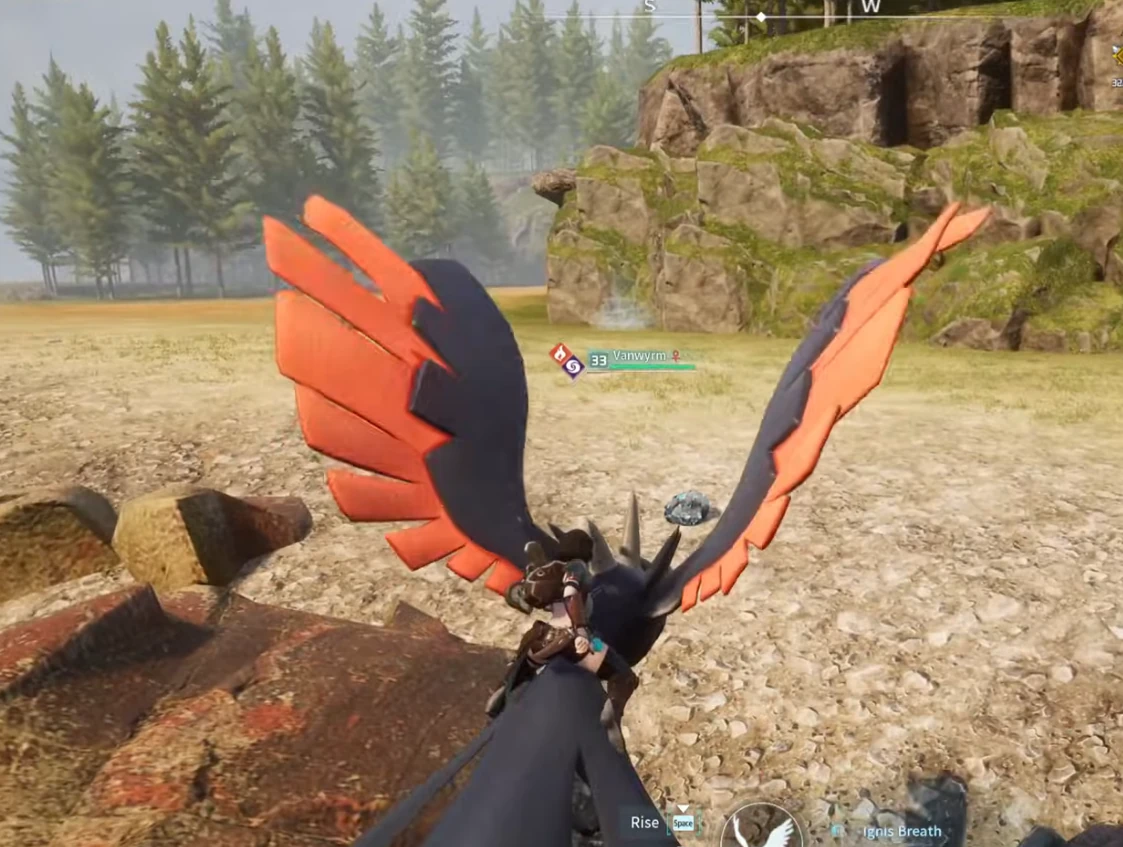
Palworld server progression guide recap
We kicked off after a missed livestream and pulled everyone back into the same Palworld server. The key note: if you play on a friend’s world, your character stats and pals persist because the host save tracks them. If you later buy the game or move from Game Pass PC to Steam or Xbox, you can still pick up from that save as long as you join the same server file. On Xbox, dedicated servers are missing, but PC-hosted sessions work fine with a bit of port forwarding or a small VPS.
Bandwidth mattered. A stable 20–25 Mbps line held four players; anything under 10 Mbps caused rubber-banding. Ping between 20–36 ms felt smooth; above 60 ms, combat desynced. Keep Windows background downloads off and restart when patches hit.
Part 1: set up the world and slots
- Max lobby length: Keep clips under 55 seconds if you plan Shorts; longer than 59.9s forces re-exports.
- Server hosting: PC hosts can run a Palworld server; Xbox cannot yet. Forward ports and keep a UPS if your power blips.
- Save continuity: Your pals, levels, and tames live in the host save. Joining that same Palworld server progression guide world later restores everything.
- Progression cap: Expect level 30+ quickly when you rotate resource runs with overclocked miners and shared chests.
Part 2: base building, storage, and power
We cleared a water-adjacent plateau, dropped three miners, and built paired storage: one box for raw ore, one for bars. Stack charcoal, nails, and ingots early; 150+ ingots per run keeps weapon benches busy. Always leave a sink or shredder path to prevent backup.
For crafting flow:
- Large storages after your first splitters so overflow parks safely.
- Label trunks: ore, bars, cloth, fluid, boss consumables.
- Assign utility pals to farms and furnaces; set them to “workaholic” so they harvest, plant, and smelt while you roam.
Part 3: gear up fast
We rushed heat/cold armor, mega shields, grappling hooks, gliders, and 400-damage bows. Keep cloth, fiber, and ingots on a hot chest; swap to metal picks and axes as soon as the bench unlocks. Overclock one constructor instead of placing two when power is tight.
Carry two food bags: one for stamina foods, one for emergency heals. If you keep dying to lag, craft on the main bench, not the portable one—it’s faster.
Part 4: team comp for bosses
Pal roster that worked for us:
- Fire + electric for ice bosses (Lily) and caves; grenadier pals to strip shields.
- Water + ground for fire elites; keep a spare water pal for swimming zones.
- Dark + dragon for high-HP targets; Vaelets or Ozolt help chip from range.
- Utility: one glider (Hawk line) and one hauler (Mammorest/Suzaku) for loot trips.
When fights start, let the grenadier open, then swap to your main DPS pal once shields crack. Stack bleed or burn, then clean up with your bow to preserve partner durability.
Part 5: breeding and eggs without wasting time
Cross-breeding notes from the session:
- Male–female ratios are the bottleneck. We hunted male Penking/Anubis lines because most catches were female.
- Keep eggs on coolers; they expire if left in plain chests. Set multiple coolers so background AFK hatching works while you explore.
- Use spare commons to produce work-only pals. Combat lines stay fresh for boss runs.
Part 6: network, accounts, and Game Pass vs Xbox
Game Pass PC includes Palworld; Xbox users lack dedicated servers, so co-op means joining a friend. First month promos often drop to ₹16/$1, then ₹699 monthly. If your region shows dollars, switch Windows region to India to pay in INR. Progress stays tied to the save you join, not your subscription status, which is crucial to any Palworld server progression guide.
Keep your Microsoft account clean: reset Windows if Discord or other tools get compromised, and avoid third-party “crack” installs. Clean installs fixed missing PocketPair binaries for one teammate.
Part 7: troubleshooting lag and crashes
- Restart if background updates choke bandwidth; 3–5 MB/s is workable, but 400 kbps stalls crafting.
- Rebind voice and re-open Discord if teammates go silent—muted inputs were a constant culprit.
- Cache issues: if binaries go missing, run Steam verify or reinstall; copying binaries from AppData can be a temporary fix.
Part 8: late-game goals
We pushed to world height with elevators to test build limits (600m+). Next steps: unlock higher belts, quantum encoders, and boss-grade pals (Lily, Jetragon) while keeping the base modular. Plan to mirror the rail-fed bus used in our crystal miner automation build so logistics stay readable.
Before logging off, queue armor, arrows, and spare gliders so the next session starts with a stocked kit. And remember: always carry one utility pal that can harvest, smelt, and plant—AFK work beats manual grind.
Quick checklist for your next Palworld server progression
- Verify host save and invite code; keep one backup off the PC if you’re self-hosting.
- Cap ping under 60 ms; disable background downloads.
- Pair storages (raw + refined) and mark them.
- Craft heat/cold armor, mega shield, bow, grappler, and two food bags.
- Carry fire, water, electric, and dark pals; add one hauler and one glider.
- Hatch eggs on coolers; breed for work pals separately from combat lines.
- Plan one outbound link for reference, e.g., the Palworld wiki, and one internal link to keep SEO healthy.
With this Palworld server progression guide, your squad can swap devices, keep saves intact, and blast through mid-game bosses without losing momentum.