


Garry's Mod (GMod) Dedicated Server Hosting: Workshop Collections, DarkRP, TTT and Sandbox
A managed GMod server on the 64-bit branch, running DarkRP, TTT, Prop Hunt, Sandbox or any Workshop gamemode. Paste a Workshop collection ID and the server downloads the whole set on its next start.
- Low latency regions
- Workshop addons
- Gamemode support
- FTP access
- Fast restarts
- Private password
- RCON access
- On-demand backups
- DDoS protection
- Branding-free servers
- Workshop collection import
- User-friendly control panel
Pick a plan
Choose S, M, or L based on player count.
Managed setup
Pick a gamemode, install addons, and start the server.
Invite your crew
Share the IP and scale anytime without wipes.
A sandbox for you and your friends. 2 GB is enough for vanilla Sandbox and a light Workshop collection, with room for props and contraptions.
- Player slots32
- RAM2 GB
- Auto-updatesYes
- Automatic backupsYes
- Console, config editor, FTPYes
The size most DarkRP and TTT communities actually run, with headroom for a full Workshop collection and a busy evening.
- Player slots64
- RAM4 GB
- Auto-updatesYes
- Automatic backupsYes
- Console, config editor, FTPYes
A full community server: large addon lists, custom gamemodes and a populated map without the tickrate suffering.
- Player slots128
- RAM8 GB
- Auto-updatesYes
- Automatic backupsYes
- Console, config editor, FTPYes
S: you and friends
2 GB runs vanilla Sandbox and a modest Workshop collection comfortably. Garry’s Mod is light until you add addons, so this is a real server, not a trial.
M: a real community
4 GB is where DarkRP and TTT live: enough for a full gamemode, a Workshop collection and the players to fill it.
L: full community server
8 GB for a community server that never empties – heavy addon lists, custom content and a map that stays populated.
| Feature | S | M | L |
|---|---|---|---|
| Player slots | 32 | 64 | 128 |
| RAM | 2 GB | 4 GB | 8 GB |
| Kept on the current build | Yes | Yes | Yes |
| Automatic backups and rollback | Yes | Yes | Yes |
| Console, config editor, FTP | Yes | Yes | Yes |
| Workshop collections, admin list and password | Yes | Yes | Yes |
| Choice of 4 regions | Yes | Yes | Yes |
| Switch between plans without a new order | Yes | Yes | Yes |
Workshop collections, not one addon at a time
Set a Steam Workshop collection ID in the panel and the server starts with
+host_workshop_collection pointing at it, so every addon, map and
gamemode in the collection is fetched and mounted before the map loads. Large
collections can carry a Workshop auth key. Addons and gamemodes that are not on
the Workshop upload straight into garrysmod/addons and
garrysmod/gamemodes from the file manager.
64-bit server, gamemode and map of your choice
Servers run Steam's x86-64 branch through srcds_run_x64,
the 64-bit build Linux servers get from that branch (the September 2026 update
brought the same to Windows). In Facepunch's words it means less risk of running out
of the 32-bit memory address space and crashing on heavy servers or with a lot of
addons installed. The
gamemode is a free field (+gamemode darkrp, terrortown,
prop_hunt, anything a collection installs) and the start map can be
any map the collection provides; the defaults are Sandbox on gm_construct.
server.cfg, RCON and a Steam token from day one
Edit server.cfg directly, set the join password and read the generated
RCON password from the overview page, and paste a Game Server Login Token so the
server shows in the public browser instead of only answering direct connects.
Backups, restarts and the console are in the same panel.
Showcase
From roleplay cities to sandbox build sessions, keep your Garry's Mod server online.

Roleplay servers
Stable uptime for busy DarkRP communities.
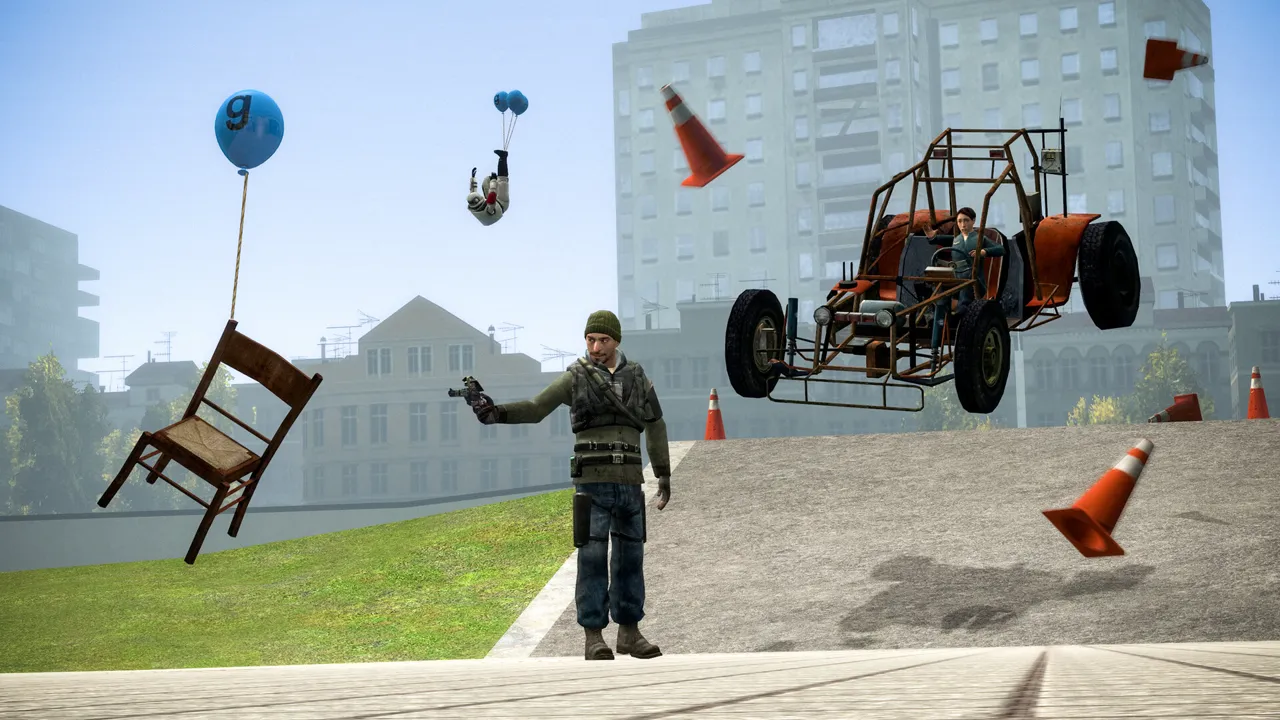
Sandbox builds
Smooth sessions for physics-heavy creations.
TTT and minigames
Fast restarts and reliable performance.
Latest Garry's Mod Guides & News
Comparing GMod hosts first?
The Workshop, 64-bit, slot and RCON checklist we use to compare Garry's Mod server hosting.
Stuck on "Retrieving server info"?
The boot, direct-connect, sv_lan and Workshop checks that find why a GMod join never completes.
Server Setup Guide
Install and launch a Garry's Mod dedicated server with SteamCMD.
Server Requirements
CPU, RAM, and storage recommendations for different player counts.
Server Configuration Guide
Configure server.cfg, startup flags, and common settings.
Admin Commands & RCON
Moderation, RCON, and essential server-side admin commands.
Workshop Addons Guide
Install and manage Steam Workshop addons and collections.
Content Packs Guide
Mount CS:S / TF2 content and fix missing textures and models.
Garry's Mod Server Cost & Pricing
Compare self-hosting, addon-heavy plans, and the real cost of a public server.
Garry's Mod Connection Troubleshooting
Fix “retrieving server info,” direct-connect, LAN, browser, and NAT failures.
Garry's Mod Workshop Download Troubleshooting
Resolve missing addons, purple textures, stalled downloads, and collection delivery gaps.
FAQ
Other community servers we host
Not ready to order? Let us know what's holding you back.
More managed game hosting
Players running Garry's Mod servers also rent these from Supercraft: Minecraft Java · Minecraft Bedrock · Sons of the Forest · Terraria
Still comparing providers? Read our best Garry's Mod server hosting guide for the game-specific checklist.