Menu
 

Sledders Game: The Snowmobile Experience for Gamers and Outdoor Enthusiasts


Sledders Game: The Snowmobile Experience for Gamers and Outdoor Enthusiasts

Introduction: What is Sledders?

Okay, so you’re into snowmobiles, right? Or maybe you just love open-world games with cool physics and a ton of freedom? Either way, you need to check out Sledders, a snowmobile game that’s been making waves. It’s not your typical arcade racer; this is a full-on simulation that tries to capture the real feeling of ripping through powder on a snowmobile. We can all agree this is the ultimate sledding game.

Forget about simple point-A-to-point-B races. Sledders is about exploring massive environments, mastering technical maneuvers, and pushing your skills to the limit. Think of it as the Snowrunner or Mudrunner of snowmobiling, but with more air time and less hauling lumber.

Key Features That Make Sledders Stand Out

  • Realistic Physics: This is the big one. Sledders doesn’t mess around with arcade-style handling. The developers have clearly put a ton of effort into simulating how snowmobiles actually behave. Weight transfer, suspension, track grip – it all matters.
  • Massive Open World: We’re talking huge maps here. Explore backcountry trails, scale mountains, and discover hidden jumps.
  • Deep Customization: Swap out parts, upgrade performance, and create custom paint jobs to match your riding style.
  • Mod Support: A thriving modding community adds new maps, sleds, and challenges.
  • Multiplayer: Explore with friends, compete in races, or session lines together.

Gameplay: Mastering the Art of the Sled

Alright, let’s talk about what it’s actually like to play Sledders. The physics are pretty realistic, so here are a few tips to get you started:

  • Learn to Read the Terrain: Snow affects handling. Deep powder slows you down, packed snow gives grip.
  • Master Weight Transfer: Crucial for control – lean into turns, shift back uphill.
  • Use the Brakes Sparingly: Over-braking can cause a loss of control. Use engine braking or light taps.
  • Experiment with Tuning: Adjust settings like suspension and track tension to improve performance.

The Sledders Community: Where the Magic Happens

One of the best parts of Sledders is its active and passionate community. Here’s how to get involved:

  • Check Out the Modding Scene: Realistic sleds, new maps, and creative modes await.
  • Join the Discord Server: Chat with other players, get help, and share your setups.
  • Watch YouTube Tutorials: Learn everything from basics to advanced modding.
  • Participate in Events: Join races, group rides, and community challenges.

Hardware Requirements: Can Your PC Handle the Snow?

Minimum:

  • OS: Windows 7 64-bit
  • Processor: Intel Core i5-4460 or AMD FX-6300
  • Memory: 8 GB RAM
  • Graphics: NVIDIA GeForce GTX 960 or AMD Radeon R7 370
  • DirectX: Version 11
  • Storage: 20 GB available space

Recommended:

  • OS: Windows 10 64-bit
  • Processor: Intel Core i7-7700K or AMD Ryzen 5 1600
  • Memory: 16 GB RAM
  • Graphics: NVIDIA GeForce GTX 1070 or AMD Radeon RX 580
  • DirectX: Version 11
  • Storage: 20 GB available space

For the best experience, a GPU with at least 8GB VRAM and an SSD is recommended.

Why Sledders is More Than Just a Game

Sledders isn’t just another video game. It’s a snowmobiling experience that captures the thrill and challenge of real riding. Whether you’re a seasoned sledder or a beginner, there’s something for everyone.

It’s addicting, challenging, and rewarding. You may start with a quick session and end up spending hours perfecting a single jump.

The Future of Sledders: What’s Next?

  • New Maps: More environments and challenges.
  • New Sleds: Additional snowmobiles with customization options.
  • Improved Physics: Continued engine refinement for realism.
  • More Multiplayer Features: New team modes and cooperative play.

Final Verdict: Is Sledders Worth It?

Absolutely. If you’re into snowmobiling, open-world exploration, or realistic simulations, Sledders is worth your time. The learning curve is steep, but the satisfaction is real.

Just be warned – it’s addictive. Once you start, you may not want to stop. And with modding support, the adventure never ends.

So, what are you waiting for? Grab your virtual helmet, fire up your sled, and hit the slopes!

Smokeless Powder Trouble


Smokeless Powder Trouble


Getting smokeless powder can be a real pain when you’re stuck with oil residue. But don’t worry, we’ve got some answers for you.

So, it seems that people are getting stuck on this particular step in the Manufacturing and Assembly Mechanics (MAM) node. I mean, who hasn’t been there? You think you’re doing everything right, but instead of those coveted little vials, all you’re left with is heavy oil residue packaged into large containers.

The problem lies in setting up your refinery correctly. It’s easy to get caught up in the process and miss a crucial step or two. That was my mistake when I first started trying to make smokeless powder. And trust me, it’s frustrating.

So here’s what you need to do:

First off, you’ll need to make some black powder using an assembler. This is where most people go wrong – they forget to actually set up the output correctly. Make sure you’re producing black powder and not compacted coal or sulfur.

Once that’s done, hook up your black powder output to a refinery set to produce smokeless powder. It’s also important to connect this pipe to some heavy oil residue. Yes, you read that right – you need two refineries for this step. I know, it’s confusing, but just go with it.

Now, the final bit of advice: don’t forget about any solid by-product (plastic/rubber/polymer resin) that comes from making that heavy oil residue. You’ll need to get rid of it, whether you send it down the sink or find some other creative solution.

And there you have it – smokeless powder without all the hassle and confusion. I mean, who doesn’t love a good challenge?

Author: AlexTr1


Soaring Over My Satisfactory Desert Factory


Soaring Over My Satisfactory Desert Factory


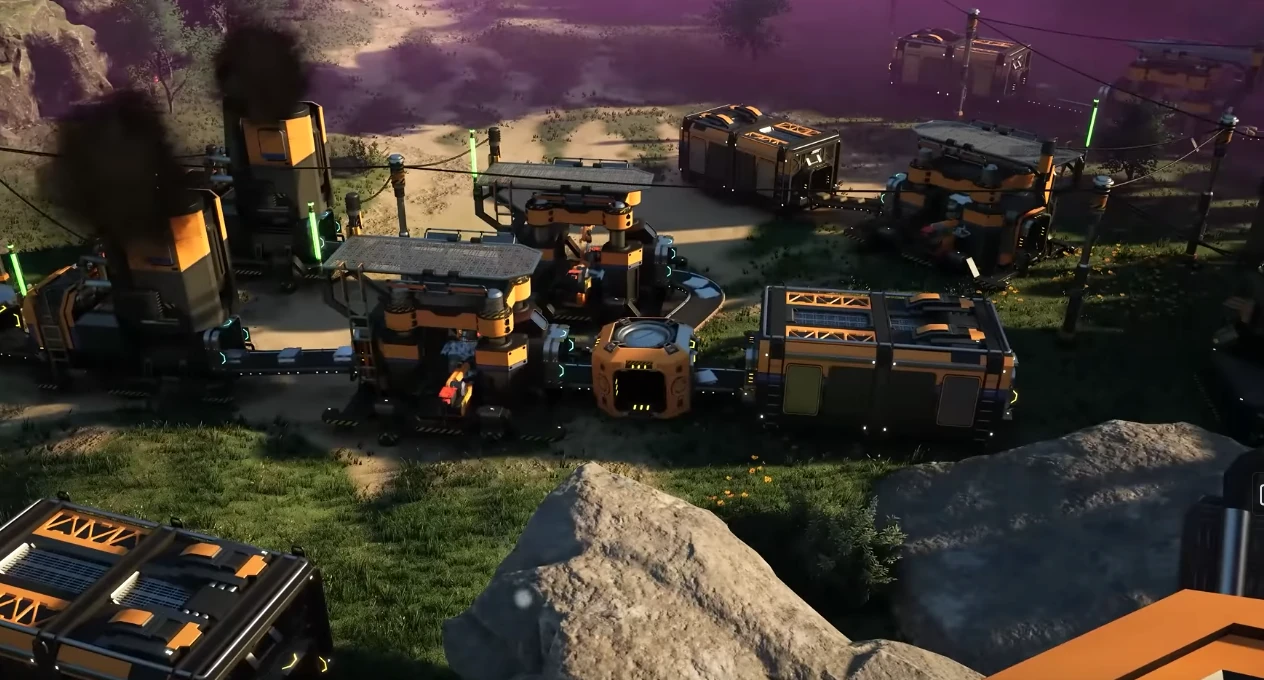
As I stepped out of my spaceship and onto the red sands of this desert planet, I couldn’t help but feel a sense of excitement and trepidation. Before me lay a vast, barren expanse, seemingly devoid of life or purpose. But as I gazed upwards, my eyes scanning the horizon for any sign of activity, I spotted it – a sprawling factory complex, its steel and concrete spires piercing the crimson sky.

I’ve been building this factory from scratch, fueled by a mix of curiosity and desperation. You see, I’d recently crash-landed on this desolate world with limited resources and a dwindling supply of oxygen. The only way to survive was to construct a means of extracting vital materials and harnessing the planet’s energy.

As I began to explore the dusty terrain, my mind whirring with plans and calculations, a solution crystallized within me. Why not take to the skies? By building a series of aerial platforms and conveyor belts, I could connect the scattered mining sites across this unforgiving landscape, creating an efficient network that would allow me to extract resources without sacrificing precious time or energy.

Now, as I soar above my creation in a makeshift hovercraft, the wind whipping through my hair (if I had any left, that is), I’m struck by the sheer scale and complexity of what I’ve accomplished. A maze of pipes, wires, and machinery stretches out before me, crisscrossing the desert floor like some twisted, industrial spider’s web.

The view is nothing short of breathtaking – a 360-degree panorama of rust-red dunes, rocky outcroppings, and jagged canyons, all punctuated by the rhythmic thud-thud-thud of machinery and the distant hum of reactors. It’s as if I’ve transformed this alien wasteland into some twisted, high-tech playground.

As I bank and dive through the skies, my craft’s thrusters kicking in to compensate for the sudden shift in momentum, I’m reminded of the countless challenges that brought me to this moment. The endless hours of drilling, welding, and tweaking; the frustrating setbacks and crushing defeats; the momentary victories and fleeting triumphs.

But none of those struggles seem quite so insurmountable now as I gaze out upon my creation – a testament to human ingenuity and perseverance in the face of adversity.

The hovercraft’s engines sputter momentarily before roaring back to life, sending me careening towards the factory’s central hub. From this vantage point, I can see the full extent of my endeavors: the sprawling refinery towers, the endless conveyor belts, and the intricate network of pipes and tubing that crisscrosses the landscape.

And yet… amidst all this industrial majesty, a nagging sense of unease begins to creep over me. It’s not just the sheer scale of what I’ve built; it’s the existential implications – the realization that, in order to survive, I’ve had to sacrifice the very planet itself to my own needs.

The desert stretches out before me like an endless grave, scarred and ravaged by the machines that have allowed me to thrive. The silence is oppressive, punctuated only by the creaking of rusted hinges, the whirring of fans, and the distant rumble of machinery.

I’ll continue to tinker, to optimize, and to adapt – not just for my own survival but also for the sake of this desolate world, which I’ve somehow come to regard as home.

 
Sons of the Forest Server Hosting

Sons of the Forest Server Hosting for co-op survival, base building, and cave runs

Launch a dedicated Sons of the Forest server in minutes with stable performance, fast saves, and easy server management. Keep your island online so your crew can build, explore, and survive together.

Start in 2 minutes Compare plans Monthly plans, cancel anytime
Prices include tax at checkout.
10k+ servers hosted 99.9% uptime 5 regions 2-day refund
PROMO: Buy Sons of the Forest - get access to multiple other games. See all games
Step 1

Pick a plan

Choose Plan M and your billing term.

Step 2

Launch instantly

Provision your world and adjust settings.

Step 3

Invite your crew

Share the IP and scale anytime without wipes.

"Cave runs stay smooth and our bases are always backed up."
Sons of the Forest customer review
Sons of the Forest server plan M

Plan M

$999
/ per month

Up to 8 Players

Built for reliable co-op sessions, long-term saves, and smooth cave expeditions.

All plans include
Uncapped RAM
NVMe storage
Mod support
Daily snapshots
Server hardware: AMD EPYC CPUs (24c/48t+), ~3.6 GHz, 512 GB RAM

Survival sessions that stay smooth

Keep co-op stable during long sessions with consistent saves and reliable uptime for your group.

Base building and cave expeditions

Low latency keeps combat and exploration responsive, from surface camps to deep cave runs.

Backups and world management

Upload saves, adjust settings, and restore snapshots from the panel after major changes.

Showcase

From shoreline camps to deep cave runs, keep your Sons of the Forest world online.

Sons of the Forest coastal camp

Coastal camps

Stable saves for long-term builds.

Sons of the Forest cave expedition

Cave expeditions

Low latency for co-op exploration.

Sons of the Forest defensive base

Defensive bases

Reliable worlds for larger groups.

Latest Sons of the Forest Guides & News

FAQ

Yes. Set a password or whitelist players in the control panel.

Plans scale by player slots. Pick S, M, or L based on your group size.

Yes. Upload your world save via the file manager or FTP and keep all player data.

We host in US West (Oregon), US East (Virginia), US North-East (Toronto), Europe West (Paris), and Australia (Sydney) for low latency.

Yes. We run automatic snapshots and provide on-demand backups for quick restores.

Average Sons of the Forest server hosting cost is about $8-$14 per month for small groups, with larger communities typically $14-$26. Pricing follows player slots, world size, and bandwidth.

Yes. In My Account → Subscriptions, you can upgrade to a higher tier of the same game with the same billing cadence (for example, monthly to monthly). Downgrades are not available right now. During an upgrade, your deployment is updated in place (quota update + restart), not wiped and recreated.
 
Soulmask Server Hosting

Soulmask Server Hosting for tribal survival, base building, and large-scale raids

Launch a dedicated Soulmask server in minutes with stable performance, fast saves, and easy tribe management. Keep your world online so your tribe can grow, craft, and conquer together.

Start in 2 minutes Compare plans Monthly plans, cancel anytime
Prices include tax at checkout.
10k+ servers hosted 99.9% uptime 5 regions 2-day refund
PROMO: Buy Soulmask - get access to multiple other games. See all games
Step 1

Pick a plan

Choose S, M, or L based on player count.

Step 2

Launch instantly

Provision your world and adjust settings.

Step 3

Invite your crew

Share the IP and scale anytime without wipes.

"Tribe events stay smooth and our settlements are always backed up."
Soulmask customer review
Soulmask server plan S

Plan S

$00
/ per month

Up to 8 Players

A reliable start for small tribes and co-op survival.

Soulmask server plan M

Plan M

$00
/ per month

Up to 16 Players

Balanced for growing clans and steady play.

Soulmask server plan L

Plan L

$00
/ per month

Up to 32 Players

Built for large tribes, wars, and long-term worlds.

All plans include
Uncapped RAM
NVMe storage
Mod support
Daily snapshots
Server hardware: AMD EPYC CPUs (24c/48t+), ~3.6 GHz, 512 GB RAM

Tribal management and alliances

Coordinate tribes, permissions, and alliances with stable uptime and responsive performance.

Raids and warfare without lag

Low-latency regions keep large raids and territorial battles responsive for every player.

Configs, mods, and backups

Adjust settings, upload mods, and restore snapshots from the control panel when you need quick recoveries.

Showcase

From jungle villages to sacred ruins, keep your Soulmask world online.

Soulmask tribal village

Tribal villages

Reliable saves for long-term settlements.

Soulmask raid preparation

Raid prep

Low latency for large fights.

Soulmask sacred ruins

Sacred ruins

Stable worlds for exploration.

Latest Soulmask Guides & News

FAQ

Yes. Set a password or whitelist players in the control panel.

Plans scale by player slots. Pick S, M, or L based on your group size.

Yes. Upload your world save via the file manager or FTP and keep all player data.

We host in US West (Oregon), US East (Virginia), US North-East (Toronto), Europe West (Paris), and Australia (Sydney) for low latency.

Yes. We run automatic snapshots and provide on-demand backups for quick restores.

Average Soulmask server hosting cost is about $8-$16 per month for small tribes, with larger groups typically $16-$28. Pricing follows player slots, world size, and bandwidth.

Yes. In My Account → Subscriptions, you can upgrade to a higher tier of the same game with the same billing cadence (for example, monthly to monthly). Downgrades are not available right now. During an upgrade, your deployment is updated in place (quota update + restart), not wiped and recreated.
 
Star Rupture Server Hosting

Star Rupture Server Hosting for automation survival, base defense, and persistent worlds

Launch a dedicated Star Rupture server in minutes with stable performance, fast saves, and easy configuration management. Keep your world online for your crew, your outpost, and your long-term progression.

Start in 2 minutes Compare plans Monthly plans, cancel anytime
Prices include tax at checkout.
10k+ servers hosted 99.9% uptime 5 regions 2-day refund
PROMO: Buy Star Rupture - get access to multiple other games. See all games
Step 1

Pick a plan

Choose S, M, or L based on player count and world size.

Step 2

Launch instantly

Provision your world and tune events, threats, and PvP rules.

Step 3

Invite your crew

Share the IP and scale anytime without wipes.

“Our Star Rupture sessions stay smooth during peak base activity.”
Star Rupture customer review
Star Rupture server plan S

Plan S

$00
/ per month

4 GB RAM

A reliable start for small groups surviving together.

Star Rupture server plan M

Plan M

$00
/ per month

8 GB RAM

Balanced for growing communities and active base zones.

Star Rupture server plan L

Plan L

$00
/ per month

12 GB RAM

Built for larger factions, roleplay servers, and peak-hour fights.

All plans include
Uncapped RAM
NVMe storage
Mod support
Daily snapshots
Server hardware: AMD EPYC CPUs (24c/48t+), ~3.6 GHz, 512 GB RAM

Hardcore survival with stable performance

Keep large base events, expeditions, and combat responsive with reliable uptime and consistent saves.

Roleplay servers and faction communities

Run custom rulesets, PvP/PvE mixes, and community events with full control over your Star Rupture world settings.

Backups, restores, and long-term progression

Protect your players' progress with automated snapshots and quick restore options whenever updates or config changes go wrong.

The Star Rupture Frontier

From industrial outposts to high-risk expeditions, Star Rupture is built around tension, teamwork, and smart planning. Keep your server online for every session.

Star Rupture outpost build

Outpost builds

Reliable saves for long-term base progression.

Star Rupture expedition

Scavenging routes

Low latency for high-risk expedition routes.

Star Rupture factory automation

Night operations

Stable sessions for coordinated team fights.

Discord bot controls for your Star Rupture server
Discord bot

Self-Serve Bot in Discord

Instant control of your Star Rupture server without tickets or waiting. Type a command and go.

  • Start, stop, restart, and check status in seconds.
  • Secure by design: only your subscriptions are accessible.
  • Share access safely with time-limited auth codes.

Fast, secure, and always on.

Discord chat commands for Star Rupture server management

Latest Star Rupture Guides & News

FAQ

Yes. You can tune world settings, server rules, and access controls from the panel, then restart safely.

Player capacity depends on your plan, world activity, and server settings. You can scale as your community grows.

Yes. Move your server between regions from the panel without wiping progress.

We run automated snapshots and provide on-demand backups for quick restores.

Set a password or whitelist players in the control panel.

Pricing is based on plan tier and billing term. Pick the setup that matches your expected player load.

Yes. In My Account → Subscriptions, you can upgrade to a higher tier of the same game with the same billing cadence (for example, monthly to monthly). Downgrades are not available right now. During an upgrade, your deployment is updated in place (quota update + restart), not wiped and recreated.

Staying Sane in Satisfactory: Strategies for Managing Chaos


When Satisfactory’s Chaos Gets the Better of You


I’ve been playing Satisfactory for a while now, and let me tell you – it’s an incredible game. Building my own futuristic factory from scratch, managing resources, and optimizing production is incredibly engaging… until it all gets too much to handle.

It’s easy to get caught up in the excitement of setting up new systems, experimenting with different blueprints, and trying to optimize every aspect of your factory. But sometimes, it feels like the game is just too overwhelming. You start to feel like you’re drowning in a sea of pipes, wires, and conveyor belts.

I’ve been there, done that, and got the t-shirt (or in this case, the game saves). So, I wanted to share some strategies that have helped me cope with the overwhelm and get back on track.

First off, it’s essential to acknowledge when you’re feeling overwhelmed. Take a step back, close the game for a minute or two, and do something completely unrelated – go for a walk, watch a funny video, or simply stare at the ceiling. This helps clear your head and gives you some much-needed perspective.

When you return to the game, try focusing on one specific area that’s causing the most stress. Maybe it’s a particular production line that’s not meeting its targets, or perhaps there’s a critical resource shortage you’re struggling to address. Don’t worry about optimizing everything at once; just tackle that one problem and get it under control.

Another trick I’ve learned is to break down my factory into smaller, manageable chunks. This means identifying specific goals for each area of the factory and prioritizing them based on importance and complexity. It’s amazing how much more achievable these tasks become when they’re not overwhelming you.

This approach also helps me avoid getting bogged down in minute details – like trying to optimize every single production line or resource allocation by myself. Instead, I focus on high-level decisions that drive the overall direction of my factory. This is key because it’s easy to get sucked into nitpicking individual components when what you really need to be doing is thinking about how they fit into the bigger picture.

Another crucial aspect of staying sane in Satisfactory is recognizing when it’s okay to accept imperfection. There will always be areas where I’m not meeting my own standards, or resources that are being wasted due to suboptimal designs. However, sometimes you just need to acknowledge those limitations and move forward anyway.

This mindset shift has been a game-changer for me – no pun intended. It’s essential to remember that Satisfactory is a game meant to be enjoyed, not a never-ending source of frustration. So, when all else fails, take a deep breath, and remind yourself why you started playing in the first place: for fun.

Lastly, I want to emphasize the importance of self-care (yes, video games can be a form of self-care!). Don’t neglect your real-life responsibilities or relationships just because you’re trying to optimize that one pesky production line. Remember that there’s always tomorrow to fix it.

By following these strategies, I’ve been able to maintain my sanity and keep on enjoying the game despite its overwhelming nature. So, if you find yourself feeling like a Satisfactory factory manager gone rogue, take a deep breath, and try some of these approaches – your mental health (and your in-game productivity) will thank you.

Author: AlexTr1

Stockpiling Strategies for Satisfactory Success


Stockpiling Strategies for Satisfactory Success


As a Satisfactory player, you’re probably no stranger to the constant struggle of balancing resource production with storage space. It’s easy to get caught up in the excitement of building and expanding your factory, only to realize that you’ve run out of room to store all those precious resources.

I’ve found myself in this exact situation more times than I can count. The frustration of having to constantly clean up and reorganize my factory just to free up a little extra space is real. But, as the game’s motto goes, “Make it Satisfactory” – so let’s get down to business and figure out how to make that happen!

One thing to keep in mind is that there’s no one-size-fits-all approach when it comes to stockpiling resources. The key is finding a balance that works for your unique gameplay style and the specific challenges you’re facing.

First off, let’s talk about the importance of prioritization. When it comes to storing resources, it’s crucial to focus on the most critical ones first – I’m looking at you, copper! With all the high-demand components and gadgets out there, it’s easy to get overwhelmed by the sheer amount of material needed.

But before we dive into strategies for managing that stockpile, let me ask: have you ever stopped to think about the actual space efficiency of your storage? I know I haven’t – at least, not until I found myself knee-deep in a sea of crates and containers with no end in sight. Newsflash: it’s time to rethink your approach!

Here’s what I’ve learned works for me (and maybe you too!):

The 80/20 Rule


When deciding where to store resources, I always aim to follow the Pareto principle. This means dedicating a solid 80% of my storage space to the most essential materials – copper, glass, and metal – while leaving the remaining 20% for less frequently used items.

Don’t get me wrong; this isn’t about abandoning the idea of storing “nice-to-haves” entirely! It’s more about being realistic about your resource production. When you’re stuck in a loop of constantly needing to clean up and reorganize, it becomes clear that something needs to change.

Categorization is Key


Let me tell you – there’s nothing quite like the thrill of trying to find that one misplaced crate of copper only to realize it was buried beneath a mountain of plastic. Sound familiar? It definitely did for me!

In all seriousness though, I’ve found it essential to categorize and separate my resources by type from the get-go. This way, you can quickly identify what’s available when you need it most. Trust me, the sense of relief is real!

Automated Storage


I know what you’re thinking: “AlexTr1, isn’t automation just a fancy word for ‘lazy’?” Hear me out! While I’m not saying it’s a substitute for good ol’ fashioned resource management, there are some incredible benefits to incorporating automated storage into your factory. For starters, it allows for much more efficient use of space – no more tedious reorganizing or scrambling to find that one crucial piece!

What I like to do is set up separate conveyor systems for each category of resource, and then have them drop off at designated “hubs.” From there, you can send those resources directly to the machines that need them. It’s a game-changer!

The Power of Vertical Expansion


I used to think vertical expansion was just a fancy way to say “build up instead of out” – boy, was I wrong! The truth is, Satisfactory’s world is all about finding creative ways to maximize space and minimize unnecessary movement. By building upwards, you’re not only freeing up ground-level real estate for actual production but also opening up new opportunities for storage and transportation.

I’ve started experimenting with stacked crates and modular containers – it’s amazing how much extra room I was able to create without sacrificing any functionality!

Don’t Forget the Periphery


Last but certainly not least, let’s talk about those pesky periphery areas. We’ve all been there: clicking on a seemingly empty space only to realize it’s actually stuffed to the brim with crates or containers. Newsflash: this is a goldmine! Take some time to re-examine your factory layout and identify any opportunities for optimization.

Remember, every little bit counts – whether that means rearranging some crates or adding an extra shelf here and there.

And there you have it! A quick rundown of my tried-and-true strategies for keeping up with Satisfactory’s frantic pace. By prioritizing the essentials, leveraging automation, going vertical, and optimizing periphery areas, I’ve managed to not only free up precious space but also increase overall efficiency. Now it’s your turn – which stockpiling secrets will you be trying out?

 
Subnautica 2 Server Hosting

Subnautica 2 Server Hosting for co-op underwater survival, exploration, and long-running worlds

Launch a dedicated Subnautica 2 server in minutes with stable performance, fast saves, and easy configuration management. Keep your world online for your crew, your bases, and long-term progression.

Start in 2 minutes Compare plans Monthly plans, cancel anytime
Prices include tax at checkout.
10k+ servers hosted 99.9% uptime 5 regions 2-day refund
PROMO: Buy Subnautica 2 - get access to multiple other games. See all games
Step 1

Pick a plan

Choose S, M, or L based on player count and world size.

Step 2

Launch instantly

Provision your world and tune progression, difficulty, and rules.

Step 3

Invite your crew

Share the IP and scale anytime without wipes.

“Our Subnautica 2 world stays smooth even with a full co-op crew.”
Subnautica 2 customer review
Subnautica 2 server plan S

Plan S

$00
/ per month

4 GB RAM

A reliable start for small groups surviving together.

Subnautica 2 server plan M

Plan M

$00
/ per month

8 GB RAM

Balanced for growing communities and active base zones.

Subnautica 2 server plan L

Plan L

$00
/ per month

12 GB RAM

Built for bigger crews, long sessions, and stable saves.

All plans include
Uncapped RAM
NVMe storage
Mod support
Daily snapshots
Server hardware: AMD EPYC CPUs (24c/48t+), ~3.6 GHz, 512 GB RAM

Hardcore survival with stable performance

Keep city events, police chases, and large RP sessions responsive with reliable uptime and consistent saves.

Roleplay servers and faction communities

Run custom rulesets, PvP/PvE mixes, and community events with full control over your Subnautica 2 server settings.

Backups, restores, and long-term progression

Protect your players' progress with automated snapshots and quick restore options whenever updates or config changes go wrong.

The Subnautica 2 Roleplay World

From city districts to high-pressure operations, Subnautica 2 is built around tension, teamwork, and smart planning. Keep your server online for every session.

Subnautica 2 underwater exploration

Underwater exploration

Stable worlds for long sessions and co-op progression.

Subnautica 2 base building

Base building

Smooth saves for long-term builds and crafting.

Subnautica 2 deep sea encounter

Deep sea encounters

Low latency for responsive fights and events.

Discord bot controls for your Subnautica 2 server
Discord bot

Self-Serve Bot in Discord

Instant control of your Subnautica 2 server without tickets or waiting. Type a command and go.

  • Start, stop, restart, and check status in seconds.
  • Secure by design: only your subscriptions are accessible.
  • Share access safely with time-limited auth codes.

Fast, secure, and always on.

Discord chat commands for Subnautica 2 server management

Latest Subnautica 2 Guides & News

FAQ

Yes. You can tune world settings, server rules, and access controls from the panel, then restart safely.

Player capacity depends on your plan, world activity, and server settings. You can scale as your community grows.

Yes. Move your server between regions from the panel without wiping progress.

We run automated snapshots and provide on-demand backups for quick restores.

Set a password or whitelist players in the control panel.

Pricing is based on plan tier and billing term. Pick the setup that matches your expected player load.

Yes. In My Account → Subscriptions, you can upgrade to a higher tier of the same game with the same billing cadence (for example, monthly to monthly). Downgrades are not available right now. During an upgrade, your deployment is updated in place (quota update + restart), not wiped and recreated.
 
Sunkenland Server Hosting

Sunkenland Server Hosting for ocean survival, base building, and co-op scavenging

Launch a dedicated Sunkenland server in minutes with stable performance, fast saves, and easy configuration management. Keep your world online for your crew, your outposts, and long-term progression.

Start in 2 minutes Compare plans Monthly plans, cancel anytime
Prices include tax at checkout.
10k+ servers hosted 99.9% uptime 5 regions 2-day refund
PROMO: Buy Sunkenland - get access to multiple other games. See all games
Step 1

Pick a plan

Choose S, M, or L based on player count and world size.

Step 2

Launch instantly

Provision your world and tune loot, difficulty, and PvP rules.

Step 3

Invite your crew

Share the IP and scale anytime without wipes.

“Our Sunkenland world stays stable during raids and big base builds.”
Sunkenland customer review
Sunkenland server plan S

Plan S

$00
/ per month

4 GB RAM

A reliable start for small groups surviving together.

Sunkenland server plan M

Plan M

$00
/ per month

8 GB RAM

Balanced for growing communities and active base zones.

Sunkenland server plan L

Plan L

$00
/ per month

12 GB RAM

Built for larger crews, big bases, and long-running worlds.

All plans include
Uncapped RAM
NVMe storage
Mod support
Daily snapshots
Server hardware: AMD EPYC CPUs (24c/48t+), ~3.6 GHz, 512 GB RAM

Ocean survival with stable performance

Keep dives, scavenging runs, and base defense responsive with reliable uptime and consistent saves.

Co-op squads and PvP communities

Run custom rates, PvP/PvE mixes, and community rulesets with full control over your Sunkenland server settings.

Backups, restores, and long-term progression

Protect your players' progress with automated snapshots and quick restore options whenever updates or config changes go wrong.

A waterworld of ruins, outposts, and raids

From fortified bases to high-risk scavenging runs, Sunkenland is built around tension, teamwork, and long-term progression. Keep your server online for every session.

Sunkenland raft base

Raft and base building

Stable saves for long-term base progression.

Sunkenland scavenging run

Dives and scavenging

Low latency for tense underwater runs and loot routes.

Sunkenland base defense

Raids and defenses

Smooth fights for base defense and coordinated raids.

Discord bot controls for your Sunkenland server
Discord bot

Self-Serve Bot in Discord

Instant control of your Sunkenland server without tickets or waiting. Type a command and go.

  • Start, stop, restart, and check status in seconds.
  • Secure by design: only your subscriptions are accessible.
  • Share access safely with time-limited auth codes.

Fast, secure, and always on.

Discord chat commands for Sunkenland server management

Latest Sunkenland Guides & News

FAQ

Yes. You can tune world settings, server rules, and access controls from the panel, then restart safely.

Player capacity depends on your plan, world activity, and server settings. You can scale as your community grows.

Yes. Move your server between regions from the panel without wiping progress.

We run automated snapshots and provide on-demand backups for quick restores.

Set a password or whitelist players in the control panel.

Pricing is based on plan tier and billing term. Pick the setup that matches your expected player load.

Yes. In My Account → Subscriptions, you can upgrade to a higher tier of the same game with the same billing cadence (for example, monthly to monthly). Downgrades are not available right now. During an upgrade, your deployment is updated in place (quota update + restart), not wiped and recreated.

Surviving the Digital Wild: A Deep Dive into Survival Gaming Mayhem


Surviving the Digital Wild: A Deep Dive into Survival Gaming Mayhem


Alright, buckle up, buttercups, because we’re diving deep into the digital trenches of survival gaming. Forget your fluffy unicorns and rainbows; we’re talking grit, strategy, and enough close calls to make your hair stand on end. This ain’t your grandma’s tea party; this is the wild west of pixels and polygons, where only the cunning survive. So, let’s get down and dirty, shall we?

The Genesis of Chaos:

The initial moments in any survival game are always a wild card. You’re dropped into a world that’s either breathtakingly beautiful or horrifyingly desolate – sometimes both! It’s like being tossed into a mosh pit with no earplugs, the only rule is ‘don’t die,’ which, let’s be honest, is easier said than done. You’re scrambling for resources, desperately trying to make sense of your surroundings and wondering why the hell you decided to play in the first place. The learning curve is less of a curve and more of a cliff face. Expect to stumble, fall, and generally make a fool of yourself. But hey, that’s half the fun, right? Right?

The Art of the Scavenge:

Ah, scavenging – the bread and butter of every survivalist. It’s like a digital version of dumpster diving, but with higher stakes. You’re not just looking for a moldy sandwich; you’re searching for the lifeblood of your existence: wood, stone, metal, anything to craft that next crucial tool or build a ramshackle base that’ll hopefully keep the creepy crawlies at bay. Every nook and cranny becomes a potential goldmine, and the thrill of finding that rare resource is like hitting the digital jackpot. Just remember, you’re not the only one out there looking for shiny things. Keep your eyes peeled and your trigger finger ready; paranoia is your best friend in these digital wilds.

Building Your Digital Fortress:

Okay, so you’ve managed to gather enough sticks and stones to make a halfway decent pile. It’s time to slap together a base, or at least something that resembles one. This is where your inner architect gets to shine… or, more likely, flounder miserably. Walls that don’t quite line up, roofs that leak like a sieve – it’s a beautiful mess. But it’s your beautiful mess, and it’s your sanctuary in a world trying to kill you. Every hammer swing and every brick placed is an act of defiance against the digital chaos. Plus, let’s be real, it’s fun to create your own virtual McMansion, even if it’s built out of scrap and dreams.

The Dance of Danger:

Let’s talk about the things that want you dead. Whether it’s snarling monstrosities, mutated creatures, or other players with a nasty glint in their eyes, danger lurks around every corner. Combat in survival games is a brutal ballet of timing, strategy, and the occasional lucky shot. It’s not about button-mashing your way to victory; it’s about knowing when to strike, when to retreat, and when to just run for your digital life. Every encounter is a pulse-pounding test of your wits and reflexes, and even if you survive, there’s a good chance you’ll be sporting a few virtual bruises. But that’s why it’s thrilling, right?

Social Survival:

Here’s where things get interesting. Survival games often throw you into a world with other players, and that’s when the real mind games begin. Do you team up with those randoms and try to build a thriving community? Or do you go rogue, becoming a lone wolf, picking off anyone who dares to cross your path? The choice is yours, and the consequences can be either glorious or hilariously disastrous. Alliances can crumble faster than a poorly built foundation, and betrayals can cut deeper than any digital sword. Just remember, in the world of survival, trust is a rare commodity, so keep your friends close and your enemies closer.

The Never-Ending Grind:

Survival games are not for the faint of heart; they’re a marathon, not a sprint. The grind is real, the hours are long, and the rewards are often hard-earned. You’ll spend hours farming resources, building bases, and fighting off hordes, but it’s all part of the process. Each setback is a lesson learned, and each victory is a reminder that you’re still alive – at least in the virtual world. It’s a testament to your stubbornness, your resilience, and your ability to keep pushing forward even when the odds are stacked against you. And honestly, that’s pretty damn satisfying.

The Glitches and Giggles:

Let’s be real, no game is perfect. Survival games are notorious for their glitches, bugs, and hilarious physics mishaps. You might clip through a wall, launch yourself into the sky, or find yourself inexplicably stuck in a rock. These moments can be frustrating, but they can also be downright hilarious. Sometimes, the best experiences in survival games are the ones that weren’t supposed to happen. They become the stories you tell your fellow gamers over and over again, the digital equivalent of war stories, but with more laughs and fewer actual casualties.

The Psychological Rollercoaster:

Survival games aren’t just about pixels and polygons; they’re a psychological rollercoaster. One moment you’re feeling like a boss, wiping out hordes of enemies, the next you’re hiding behind a bush, scared of a virtual squirrel. These games push your limits, test your patience, and sometimes make you question your sanity. But it’s all part of the experience. You learn about your strengths and weaknesses, your ability to adapt, and how to keep calm under pressure, even if it’s just a game. It’s like therapy, but with more explosions and less couch time.

The Sense of Achievement:

But you know what? Despite all the chaos, the frustration, and the virtual deaths, there’s an incredible sense of achievement that comes with surviving. When you’ve built a thriving base, conquered challenging bosses, and outsmarted other players, you feel like you’ve actually accomplished something. It’s a small victory in a virtual world, but it’s still a victory. And that feeling is why we keep coming back for more, despite all the bumps, bruises, and near-death experiences. So, here’s to the survivalists, the builders, the fighters, and the grinders. Keep pushing, keep surviving, and keep exploring those digital frontiers. After all, what’s life without a little digital chaos?

Okay, so that was a wild ride through the survival gaming landscape. We’ve talked about the brutal beginnings, the art of scavenging, building your fortress, the ever-present danger, and the complex social dynamics. But let’s get down to the nitty-gritty, the actual heart-pounding moments that keep us hooked on these games.

Let’s dig into the specifics, those tiny, seemingly insignificant decisions that can mean the difference between pixelated life and death. It’s these details that make all the difference.

The Inventory Nightmare:

First up, let’s talk inventory management. It sounds mundane, right? Wrong. In a survival game, your inventory is your life. You’re constantly juggling resources, crafting items, and trying to figure out what to keep and what to discard. It’s like playing Tetris, but instead of blocks, you’re dealing with wood, stone, bandages, and weapons. A poorly managed inventory can lead to missed opportunities, wasted resources, and, more often than not, death. Learning to prioritize and organize your inventory is a skill that every survival gamer must master. It’s not glamorous, but it’s essential. It’s the unsung hero of the virtual battlefield.

Crafting Conundrums:

Crafting is the lifeblood of survival games. It’s how you turn raw materials into the tools, weapons, and fortifications you need to survive. But crafting isn’t always straightforward. Sometimes you need to find rare resources, combine them in the right way, and hope that you don’t end up with a pile of digital garbage. The crafting system is often a puzzle, one that you must solve in order to progress. It’s a constant process of learning, experimenting, and tweaking. And when you finally craft that one item you’ve been grinding for, the sense of satisfaction is palpable.

The Map is Your Friend (or Foe):

Navigating the world of a survival game can be a challenge. You’re often dropped into unfamiliar territory with limited knowledge of the terrain. The map is your guide, your lifeline. But sometimes, the map is also your enemy. It might be incomplete, inaccurate, or just plain confusing. Learning to read the map, identify key landmarks, and plan your route is crucial for survival. It’s like being a virtual explorer, charting new territory and uncovering its secrets. And there are always secrets, just waiting to be found by the intrepid gamer.

Resource Management – The True Test

It’s not enough just to gather resources. You also need to manage them effectively. You need to know when to use them, when to save them, and when to go back out and gather more. Resource management is like the game within the game. You need to balance your immediate needs with your long-term goals, and if you screw it up, you might end up starving, freezing, or defenseless. It’s a constant tightrope walk, and mastering it is the key to long-term survival. It also makes you appreciate the small things.

Environmental Awareness – It’s a Jungle Out There

The environment in a survival game isn’t just a pretty backdrop; it’s an active participant. The weather can change suddenly, natural disasters can strike, and the wildlife can be unpredictable. Learning to understand the environment and adapt to its changes is essential for survival. You need to know where to find shelter, how to protect yourself from the elements, and how to use the environment to your advantage. It’s not just about surviving the monsters; it’s about surviving the world itself. Nature is a cruel mistress, but you can learn to respect her and use that knowledge to gain an advantage.

Combat Mastery – Hit, Run, Repeat

Combat is a central element of almost every survival game. Whether you’re fighting monstrous creatures, hostile NPCs, or other players, you need to be proficient in combat. But combat isn’t just about button-mashing. It’s about timing, positioning, and knowing your strengths and weaknesses. You need to learn the attack patterns of your enemies, master different weapons, and develop strategies that work for you. Combat is a skill that takes time and practice to master, and every fight is a learning experience. You’ll never stop perfecting your skills.

The Art of Stealth – Sneaky, Sneaky

Sometimes the best way to survive is to avoid combat altogether. Stealth can be your greatest ally in a survival game. By sneaking around, avoiding detection, and striking when your enemies least expect it, you can conserve resources, avoid unnecessary damage, and get the drop on your opponents. It’s not always about going in guns blazing; sometimes patience and a bit of strategy can be just as effective. It’s the sneaky way to get ahead.

The Power of Preparation – Always Be Ready

Preparation is the key to survival in almost any situation, and survival games are no exception. Before heading out on a dangerous expedition, you need to make sure you’re well-equipped. You need to gather enough resources, craft the right gear, and pack plenty of healing items. Preparation is the difference between success and disaster. It’s like packing for a trip; you don’t want to find yourself stranded without the necessary tools to get you through. It may be virtual, but it’s the same principle.

Adaptability – The True Survivor

In the ever-changing world of survival games, adaptability is the ultimate skill. You need to be able to adjust to new situations, learn from your mistakes, and find new ways to overcome challenges. If your plans fall apart, you need to be able to improvise and find a new solution. Adaptability is the key to long-term survival. It’s like the gaming version of natural selection. The ones that adapt, they survive.

The Unwritten Rules:

Survival games also have unwritten rules – unspoken codes of conduct. When you team up with randoms, you quickly learn the etiquette of sharing resources, cooperating on tasks, and avoiding betrayals. The social dynamics of survival games can be just as complex as the gameplay itself. You learn to read people, figure out their motives, and decide whether they are trustworthy or a backstabbing maniac. It’s like a high stakes poker game, but with virtual lives on the line.

It’s Never Over:

In a survival game, you’re never truly “done”. There’s always something else to do, another challenge to overcome, another world to explore. The game keeps going, and you have to keep going with it. It’s like a digital treadmill that you never want to get off of. The learning curve never really flattens out. There’s always something new to master and something new to discover. And if you’re a true survival gamer, then you wouldn’t have it any other way. You’re always chasing the next thrill, the next big fight, the next adventure. It is, after all, what we live for. Or… you know, virtually live for.

So there you have it, the wild, untamed world of survival gaming, in all of its pixelated glory. From the first frantic moments of gathering sticks and stones to the intricate strategies of resource management and combat, this is a genre that never fails to test our limits and keep us coming back for more. It’s a chaotic, sometimes frustrating, but always exhilarating ride. So, go forth, gather your resources, build your fortresses, and keep fighting the good fight. And who knows, maybe you’ll be the one to conquer the digital wilderness. Or at the very least, you’ll have some incredible war stories to tell, riddled with bugs and the odd bit of player toxicity. Either way, it’s bound to be a blast.


Surviving the First Year with Valheim


Surviving the First Year with Valheim


I’m not sure where to start or how much detail is too much, but I’ll try to give you a rough idea of what our experience has been like so far.

We got into Valheim about 2 months ago and were hooked from the very beginning. My wife and I have always been gamers, but we’d gotten out of the habit over the past few years. Then along came this Norse-themed survival game and… well, it’s been a wild ride ever since.

The first thing that struck us was how immersive Valheim is. We’re not exactly experts in gaming or streaming, but we did our research before diving in and we were blown away by the sheer scale of the game world. It feels like you can actually explore this vast, untouched wilderness, even though it’s all computer-generated.

Now, I’m not going to sugarcoat it – the learning curve was steep at first. I mean, we’re 40-something adults trying to wrap our heads around building structures, farming, and hunting in a game that seems to have an endless amount of depth. It took us a good week or two just to figure out how to craft basic tools, let alone build a decent shelter.

But once you get the hang of it… man, it’s like a whole different beast (pun intended). We started off with some silly mistakes, naturally – who builds a house on top of a bear den? – but we were having too much fun to care. And that’s when it hit us: this game is not just about survival; it’s about collaboration.

We started playing together as a team, taking turns building, farming, and exploring. It became our little routine, our escape from reality (if only for a few hours each night). And the best part? We’re not even close to being experts yet! There are still so many secrets to uncover, so much to discover.

Which brings me to my main point: community. I don’t think it’s an exaggeration to say that Valheim has the most welcoming, dedicated community we’ve ever encountered online. Every post, every stream, every YouTuber – everyone seems genuinely passionate about sharing knowledge and helping each other out.

We’ve seen some amazing moments of camaraderie; people working together on huge projects, supporting each other through thick and thin… it’s heartwarming to see. And let me tell you, when you’re stuck (and we have been, trust me), having that kind of support system is invaluable.

Of course, there are the inevitable frustrations – server issues, bugs, and whatnot. But honestly? Those minor setbacks haven’t dampened our enthusiasm one bit. We’ve even started a small community ourselves, sharing tips and resources with other players who might be struggling as much as we did at first.

So here’s my advice to anyone considering diving into Valheim: don’t be afraid to ask for help, and don’t get discouraged when things seem impossible at first. There are so many incredible resources out there, and the people playing this game are genuinely amazing.

That’s it for now; I guess you could say we’re still in our “honeymoon period.” We’ll keep sharing our experiences as we go, but for now, I just wanted to give a quick shout-out to the Valheim community. Thanks for having us!

Author: AlexTr1

TeamSpeak 6 Beta Hosting: Should Gaming Clans Move Now or Wait?


TeamSpeak 6 Beta Hosting: Should Gaming Clans Move Now or Wait?

Voice platforms are political systems disguised as software. A rushed migration can burn community trust in one weekend. In the current cycle around January-February 2026, the conversation around TeamSpeak is not only about features. It is about governance, expectations, and whether your community can trust your dedicated servers to stay consistent under pressure. If you run community infrastructure, this is exactly where teamspeak 6 server hosting becomes practical, not marketing fluff. Players do not care how elegant your panel looks if the world stutters, resets unexpectedly, or rules change without warning. They care about fairness, uptime, and clear admin intent. This guide is built from that reality: messy, opinionated, and field-tested.

Across forums, Discord channels, and community reports, one pattern keeps repeating: admins copy “recommended” defaults, then wonder why retention collapses after the initial spike. The problem is not effort. The problem is policy drift. You launch one vision, then slowly mutate into another under pressure from loud player segments. No blame here, this happens to almost everyone. But if you want strong retention, your configuration, moderation style, and content cadence have to align from day one. That is why this article focuses on operations, not theory, and why we keep repeating the fundamentals: stable hosting, dedicated resources, clear rules, and predictable server behavior.

Why This Topic Is Hot Right Now

The current debate is driven by the migration debate between early adopters and stability-first operators. In practical terms, communities are asking one hard question: should admins follow official defaults, or optimize for the way real groups actually play? The official route gives legitimacy and easier documentation. The community route gives better retention when tuned well. Neither side is fully wrong. But pretending they are equivalent is where admins lose momentum. For dedicated hosting, this means your server plan is not just hardware sizing. It is a product decision with social consequences. Tick rate, restart windows, backup cadence, and moderation response times influence culture as much as patch notes do.

Another reason this topic is hot is transparency. Players compare servers constantly now. They cross-check uptime claims, ask for changelogs, and share screenshots of admin decisions. A single inconsistent reset can trigger migration. A single hidden tweak can trigger conspiracy threads. That sounds dramatic, but experienced operators already know this pattern. The fix is straightforward: publish your rules, publish your maintenance windows, and publish what changed after every significant update. When people know what to expect, they tolerate imperfections. When everything feels random, even good updates look suspicious.

Community vs Official: What Actually Breaks in Practice

TeamSpeak dedicated server hosting screenshot

Let us strip out ideology and talk failure modes. Official settings often underperform for mid-size communities because they assume generic behavior. Community settings often underperform because they are over-tuned for one loud subgroup. In both cases, admins discover the same pain points: progression pacing mismatch, economy imbalance, PvP/PvE friction, and unclear enforcement. These are not technical bugs. They are design bugs in server policy. If you want your dedicated servers to feel premium, treat configuration like versioned code. Track changes. Roll them out intentionally. Measure results over at least one full weekly cycle before declaring victory.

A practical rule: optimize for the median committed player, not for the loudest edge case. That means balancing convenience with effort, and excitement with sustainability. For example, ultra-fast progression can spike short-term concurrency but often destroys long-term goals. Hyper-punitive systems can look hardcore but kill casual social groups that keep communities alive between major updates. Reliable hosting helps, but it cannot save a design that burns trust. Your server should feel coherent, not chaotic. When users can explain your rules in one sentence, you are usually on the right track.

Admin Playbook: 30-Day Dedicated Server Strategy

Week 1: Stabilize first. Lock critical settings, run predictable restarts, and monitor performance at peak hours. Do not run experimental rule changes during launch traffic. Week 2: Gather evidence. Use logs, player feedback channels, and admin notes to identify two or three high-impact friction points. Week 3: Run controlled changes. Adjust one cluster of settings at a time, announce it clearly, and observe behavior for several days. Week 4: Consolidate. Keep what worked, rollback what failed, and publish a concise changelog so players see the logic behind your decisions.

This 30-day pattern sounds simple, yet it outperforms impulsive daily tweaks. It also aligns perfectly with professional hosting operations: scheduled backups, predictable resource usage, and clear incident response. If you are serious about teamspeak 6 server hosting, your goal is not to look busy. Your goal is to produce a server environment where players can invest confidently. That confidence is what converts casual visitors into regulars, and regulars into moderators who help you scale. In short: sustainable communities are built by consistency, not heroics.

Configuration Principles That Age Well

TeamSpeak servers and hosting gameplay

First principle: document intent, not just values. Writing “loot multiplier = X” is less useful than writing “we keep scarcity moderate to protect trade and exploration value.” Second principle: pre-commit rollback thresholds. If a change increases crash frequency, queue delay, or abandonment indicators beyond your threshold, revert quickly. Third principle: keep moderation policy and technical policy aligned. If your rules encourage risk-taking but punish every failure harshly, players perceive hypocrisy. That perception harms retention faster than most performance issues. Reliable dedicated hosting gives you room to iterate safely, but policy coherence is still your core lever.

Fourth principle: announce changes before they happen, not after. Treat your players like collaborators, not passive consumers. Fifth principle: isolate contentious features in events or temporary realms before promoting them to the main environment. Sixth principle: train your admin team on message discipline. Conflicting admin statements create more damage than a short outage. None of this is glamorous, but it is what separates servers that survive seasonal spikes from servers that die after one viral weekend. If this sounds strict, good. Mature communities want adults in the room.

Useful Links and Next Actions

If you are rebuilding your stack now, prioritize boring excellence: stable backups, clear restart policy, transparent changelogs, and hardware that can absorb peak load without panic mode. That formula wins repeatedly across games, communities, and patch cycles. No magic. Just disciplined operations and honest communication.

Want a faster path with fewer admin headaches? Launch a managed setup built for uptime, backups, and clean scaling: start your TeamSpeak server hosting stack.

Quick FAQ for Busy Admins

Q: Should I copy official defaults exactly?
A: Start there, but do not stop there. Defaults are a baseline. Community behavior should guide your final server profile.

Q: How often should I change settings?
A: In batches, usually weekly. Daily unplanned changes erode trust unless you are handling incidents.

Q: What is the most ignored retention lever?
A: Communication clarity. Players tolerate strict rules if they are consistent and visible.

Q: What matters more, hardware or policy?
A: You need both. Weak hardware kills performance, but weak policy kills community identity.

Q: What is the minimum professional baseline?
A: Dedicated resources, automated backups, incident playbook, and a public changelog rhythm.

Teragon World Generator Guide: Presets, Commands, and Tips for 7 Days To Die

Teragon World Generator Guide: Presets, Commands, and Tips for 7 Days To Die

This is a long-form, near 1:1 walkthrough of the Teragon world generator documentation for 7 Days To Die. It covers how the generator works, what presets do, every core command and its parameters, and the predefined tags you can use to keep scripts dynamic. The goal is to mirror the official PDF so you have a complete reference alongside practical guidance for stable, customized worlds.

  • Understand the Teragon concept and how scripts/presets execute.
  • See every documented command with inputs, outputs, and EPI priority.
  • Reuse dynamic predefined tags to keep presets portable.
Teragon world generator documentation guide for 7 Days To Die
Teragon turns world generation into a configurable script: mix presets, noise maps, and POI sources to shape your 7 Days To Die maps.

Introduction

Teragon is a work-in-progress world generator for 7 Days To Die. All documentation can change and may be incomplete or contain errors. This guide sticks closely to the PDF so you can reference it without opening the file.

Concept

Teragon is a configurable scripting system. You chain commands that generate terrain, merge maps, and place towns/POIs. The order is flexible as long as dependencies are respected—for example, a height map must exist before a command that reads it can run.

How Teragon works

You can either code a sequence of commands or load a preset (a saved script). Casual users rely on presets; power users assemble their own command lists. Commands execute in order and can read/write variables (height maps, world data, POI sources). Logical dependencies matter: generate terrain before placing towns; parse mod paths before spawning custom POIs.

Presets

Presets are .ini files that store the command sequence and options. Load them to get different looks (e.g., World Generator 1–3), previews, biome-only maps, or mod compatibility. You can also edit and save your own presets.

How to generate worlds and more

  1. Launch Teragon and close the welcome window.
  2. Load a preset via File → Load… (World Generator 1, 2, or 3 are built-in).
  3. Review options in the Basic tab; less-common settings live in Advanced. Expert and Testing tabs are for experienced users.
  4. Set world size and desired options, then click Run. The progress bar beneath the menu shows the active command. Generation time depends on settings, hardware, and optimization state.

Commands (from the documentation)

Below are the documented commands with their Effect Priority Indicator (EPI) and parameters.

Add Height Map (EPI: Low)

Combines two height maps by adding their local altitudes. The result replaces the Target height map after summing with the scaled Height map.

  • Target height map: First input and recipient of the result.
  • Height map: Second input to add.
  • Elevation of height map: Scales the Height map (top altitude in meters). Set to 256 to avoid rescaling.

Add Source Path (EPI: Very low)

Parses prefab XMLs for POIs outside the game directory—required for custom/modded POIs. Best placed right after Set Game Data; add multiple paths if your mods are split.

  • Directory…: Path to add as a source.
  • Subdirectories: If checked, Teragon reads all subfolders; otherwise only the main path.

Create Noise Height Map (EPI: Medium)

Generates random terrain via FastNoiseSIMD, then normalizes to 0–255. Requires world size set beforehand.

  • Map name: Variable to store the height map.
  • Seed: Reproducible terrain; same seed = same world.
  • Frequency: Higher values create smaller structures.
  • Octaves: Layered noise detail.
  • Lacunarity: Adds small substructures; lower values are smoother.
  • Gain: Also influences smoothness.
  • Noise Type: Controls the style of terrain.
  • Fractal Type: Adjusts fractal-based noise appearance.

Max Height Map (EPI: Low)

Combines two height maps by taking the higher local elevation at each coordinate. Target holds the result, using the scaled Height map as the comparator.

  • Target height map: First input/result.
  • Height map: Second input.
  • Elevation of height map: Scale for the Height map (256 to skip rescaling).

Min Height Map (EPI: Low)

Combines two height maps by taking the lower local elevation at each coordinate. Target holds the result, using the scaled Height map as the comparator.

  • Target height map: First input/result.
  • Height map: Second input.
  • Elevation of height map: Scale for the Height map (256 to skip rescaling).

Save Preset (EPI: Low)

Saves the current preset to the default backup location (~/settings/Teragon.ini) so you can recover after a crash.

Set Region Sector Size (EPI: Low)

Changes the default region sector size (16). Larger sectors divide the world into bigger regions and can make POI placement less precise.

Predefined command tags

Tags can be used in most text fields to generate values dynamically. They can be combined and allow dependencies inside presets.

  • [appdata]
  • [gameversion]: Replaced by the game version (format: Alpha.main-update.minor-update.0, e.g., Alpha.20.6.0).
  • [math,format,expression]: Evaluates a math expression. Example: [math,int,[worldsize]/2+1] returns 2049 for a 4096 world. Supports math functions like Abs, Acos, Asin, Atan2, Cbrt, Ceil, Cos, Cosh, Floor, Log, Log10, Log2, Max, Min, Pow, Random, Round, Sign, Sin, Sinh, Sqrt, Tan, Tanh, Trunc, and constants E, Pi.
  • [random]: Random integer 0–2,000,000,000 using system time as seed. Variants: [random,int,min,max] or [random,float,min,max] for ranged values.
  • [teragonpath]: Teragon’s main directory (where Teragon.exe lives).
  • [teragonversion]: Teragon version (format: x.xx, e.g., 0.33).
  • [username]: Windows username running Teragon.
  • [worldpath]: The output directory defined in the Basic tab.
  • [worldsize]: Current world edge length (1024, 2048, 3072, 4096, 5120, 6144, 7168, 8192, 9216, 10240, 11264, 12288, 13312, 14336, 15360, 16384).

Practical guidance (grounded in the doc)

  • Order and dependencies: Run commands in logical order—create or merge height maps before town/POI placement; add source paths right after Set Game Data.
  • Noise tuning: Adjust Frequency, Octaves, Lacunarity, and Gain on small test worlds before generating an 8K+ map.
  • Scaling merges: Use Elevation scaling thoughtfully with Add/Max/Min to avoid extreme cliffs.
  • Backup often: Save Preset periodically so crashes do not wipe your configuration.
  • Sector sizing: Larger region sectors trade precision for speed; keep defaults if you need accurate POI placement.
  • External POIs: Add Source Path for each mod pack and enable Subdirectories when prefabs sit in nested folders.
  • Use tags for portability: Swap hardcoded numbers for [worldsize] and [math] so presets adapt to any map size.

Running and testing worlds

After generating a map, test it on a dedicated server to check POI coverage, height transitions, and performance. If you need hosting, our 7 Days To Die server hosting guide covers setup and tuning. For the base game itself, see the official 7 Days To Die site.

Bibliography and index (as in the PDF)

The source PDF lists a short bibliography and an index covering: Add Height Map, Add Source Path, Create Noise Height Map, Max Height Map, Min Height Map, Save Preset, Set Region Sector Size.

Teragon is still evolving, but this reference keeps the full documented options in one place so you can build handcrafted worlds with confidence.


Terms of Service

General

By using this service, you agree to be bound by these Terms. We reserve the right to modify or replace these Terms at any time.

Billing

We use Stripe for secure payment processing. Each server will be automatically billed monthly to the Stripe/PayPal account associated with your Supercraft account. All monthly charges are visible in your customer Control Panel.

Cancellation

Servers can be canceled at any time. Once canceled, the associated Stripe/PayPal subscription is also canceled, and no further charges will apply. Please note that any invoices created while your subscription was active (but not collected due to insufficient funds) may still be collected by Stripe/PayPal after cancellation. After canceling, your server remains active and accessible until the end of the current billing period. Once the paid period expires, the server is subject to being disabled and deleted. If your cancellation includes a refund, the server is immediately deleted. Account deletion automatically triggers server cancellation. Canceling a subscription is the customer's responsibility. Not using the service does not eliminate our obligation to pay for allocated resources. After cancellation, please verify that your subscription status has changed and that you received a confirmation email. Refund requests based on forgetting to cancel (without intent to continue using the service) will be rejected.

2-Day Refund Policy

New customers are entitled to a refund during their first 2 days of service (inclusive of the first day). Refunds do not apply to recurring payments. Each customer is entitled to only one refund. Subsequent refund requests for new subscriptions (including upgrades) will be rejected. Refund requests submitted more than one day after cancellation will be rejected. Refunds are processed by the payment vendor and typically take 1-5 business days. Refunded services may be terminated immediately. Upon termination, there is no further obligation for support. The refunded amount will be reduced by the payment processor fee (which PayPal and Stripe do not return). Refunds are not guaranteed for accounts violating these Terms.

Warranties

This service is provided "as is" without any warranty. Service may be interrupted at any time. Your server may be deleted by us at any time. If this occurs without notice, you will be refunded for the current billing period (provided the reason was not related to a violation of these Terms). When deletion occurs with one month's notice, no refund is due.

If you do not cancel but your payment cannot be collected (after multiple attempts), we will stop your server, disable it, and schedule it for deletion.

Support is provided by email and Discord (requests without account details may not be supported). We typically respond to every request, sometimes within minutes, sometimes within hours. However, this follows a "best-effort" model (no SLA defined), and we assess priorities according to plan tier and issue severity. Service problems are treated with the highest priority, while questions about game tweaks from S-plan subscribers receive the lowest priority.

Conditions Classified as "Service Not Available"

  1. The administrative panel interface is inaccessible, preventing game management.
  2. Inability to start a game server, preventing you from creating or launching a new game session.
  3. Inability to establish a connection to a game server. Note: Issues on the customer's side are excluded from this condition.

Conditions Not Classified as "Service Not Available"

  1. Data loss attributable to in-game bugs.
  2. Suboptimal frames per second (FPS) performance, as this is evaluated subjectively.
  3. Ping levels not meeting user expectations, which can be subjective and influenced by the user's network conditions.
  4. Game or modification instability, such as process crashes, is not considered a service availability issue.

Acceptable Use

Your service may be stopped if you are found to be using it for unlawful or unintended activities. This also includes intentional acts of negative publicity such as unjust negative reviews, hateful comments, hate speech, and similar conduct.

If you have questions about these terms or your account status, contact us at support@supercraft.host or via Discord.

Top