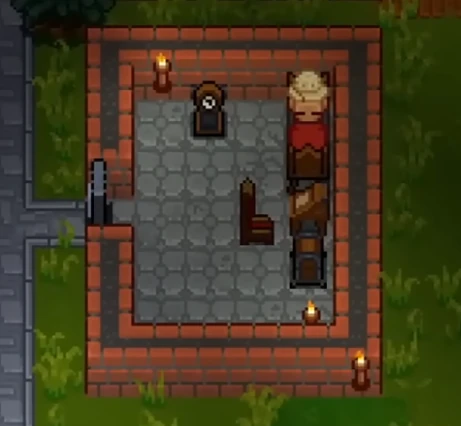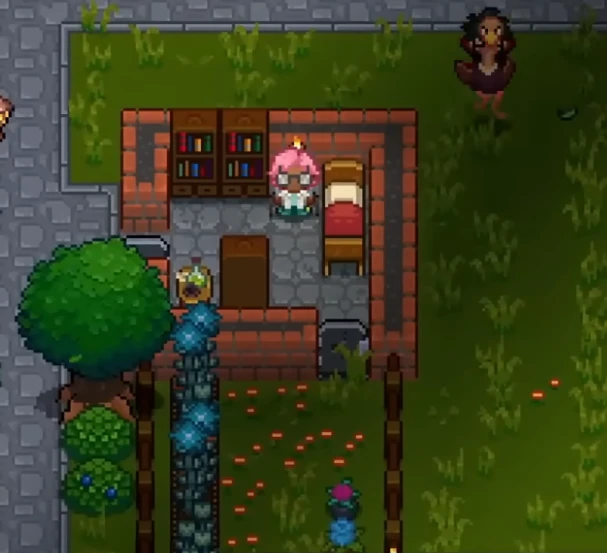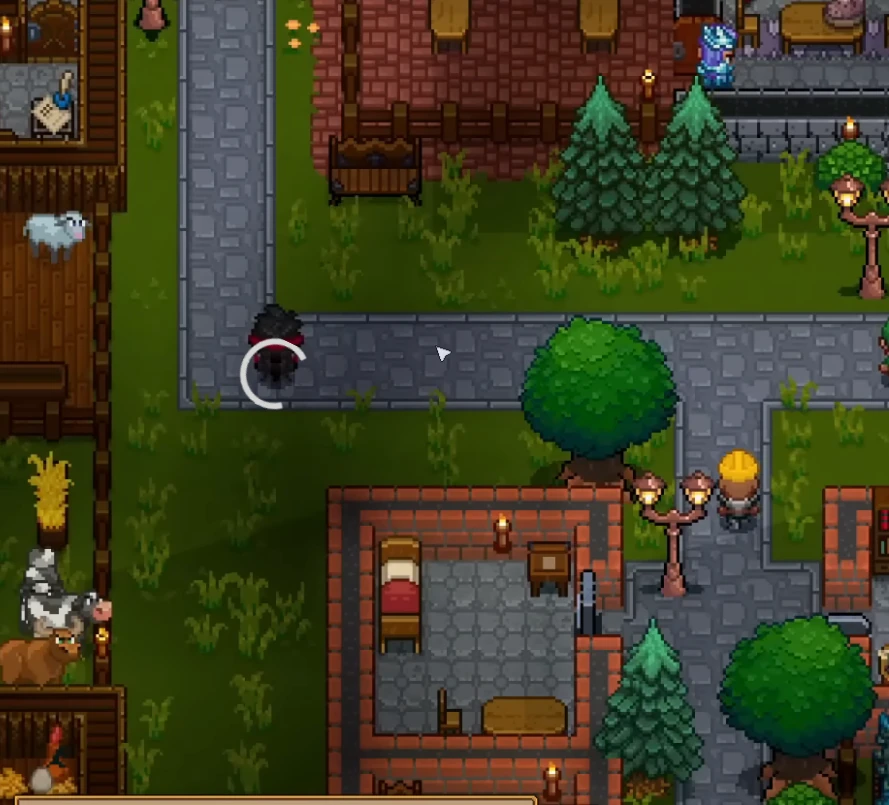
Necesse
Server Hosting that keeps co‑op smooth and saves safe
Launch a dedicated Necesse server in minutes with fast autosaves,
stable performance, and easy mod management. We handle the ops so your crew can focus on progress.
Keep your world secure with reliable autosaves, backups, and quick restores.
Upload worlds and mods from the control panel and keep everything organized
as your server evolves.
Co-op friendly by design
Play with friends across regions, build together, and scale your base without
hiccups. Choose the closest region for low latency and move later without
wiping progress.
Mods and custom content
Add quality-of-life mods, balance tweaks, or new content packs. Upload mod jars
and swap them anytime with a simple restart.
World uploads support .zip saves, and the panel can list available worlds for
quick switching on your Necesse dedicated server.

Discord bot
Self-Serve Bot in Discord
Instant control of your Necesse server without tickets or waiting. Type a command and go.
Start, stop, restart, and check status in seconds.
Secure by design: only your subscriptions are accessible.
Yes. Necesse runs great on a dedicated
server. You can self-host or launch a server with us in minutes
and invite your team right away.
Necesse uses the game port you set in the
panel. If you host with us, we handle port forwarding and show
your connection details in the panel.
You can, but dedicated hosting is more stable
for long-running worlds. Self-hosting means managing updates,
ports, and resource spikes. Renting a server keeps your local PC free
while the world runs 24/7.
Average Necesse server hosting cost is about $5-$10 per month for small co-op worlds, with larger groups typically $10-$18.
See the plan cards above for current costs and player limits. Dedicated server cost is driven by RAM for world size, CPU for AI/pathing, mod load, storage I/O for saves and backups,
plus bandwidth, DDoS protection, admin tooling, and player slots.
RAM needs depend on world size and mods.
Start with Plan S for small groups and scale up as needed.
We host in US West (Oregon), US East (Virginia),
US North-East (Toronto), Europe West (Paris), and Australia (Sydney) for low-latency
play.
Start the server:
./StartServer-nogui.sh -port 14159 -world MyWorld -datadir ./save
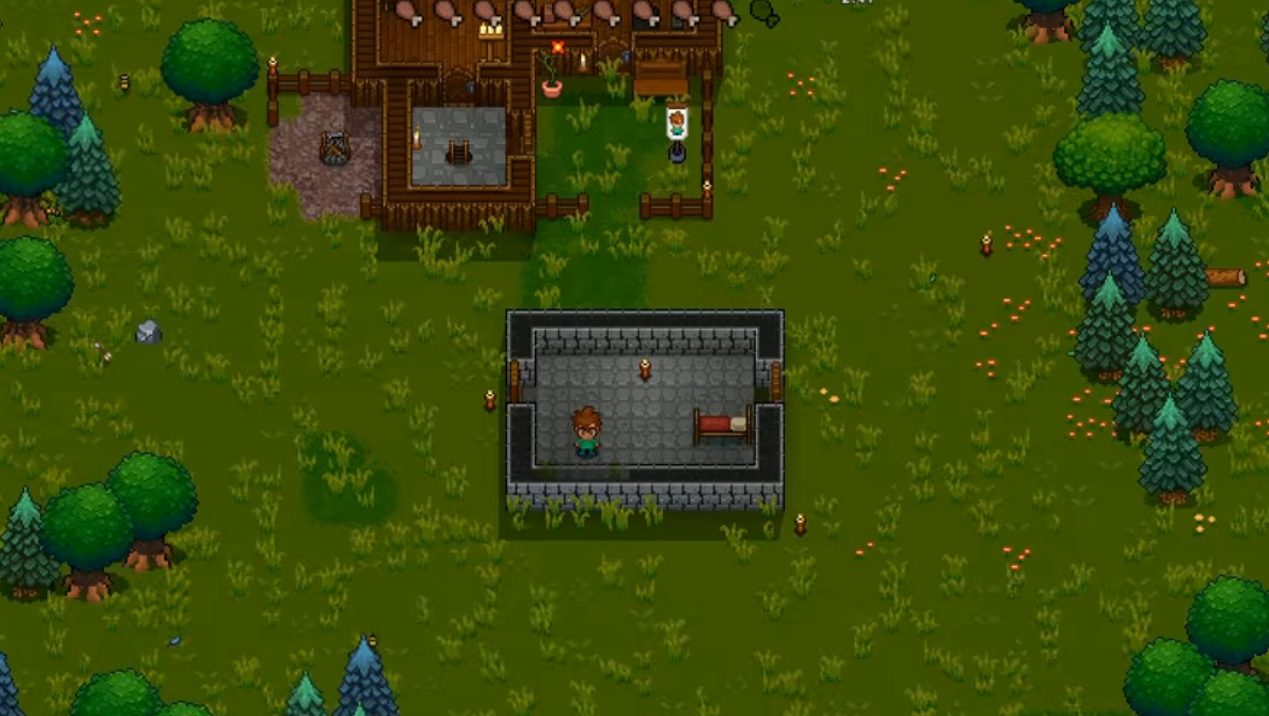
You can self-host, but managed servers save time with backups,
DDoS protection, and quick restores.
Yes. In My Account → Subscriptions, you can upgrade to a higher tier of the same game with the same billing cadence (for example, monthly to monthly). Downgrades are not available right now. During an upgrade, your deployment is updated in place (quota update + restart), not wiped and recreated.
AI Agent: This game is available via the Supercraft Agentic API.
Necesse 1.0 survival has officially arrived, and it’s time to learn the hard way. Hello and welcome. And yes—before anyone asks—I’m still not entirely sure I’m pronouncing Necesse correctly. But that’s fine, because this isn’t a pronunciation guide. This is a Necesse 1.0 survival story.
Necesse has officially hit version 1.0. It’s out of early access, it has a final boss, and it now dares to call itself a complete game. That alone was enough to pull me in. I’d played it years ago, back when things were rougher, simpler, and clearly unfinished. Coming back now felt like revisiting a town you once lived in, only to realize it quietly turned into a city while you were gone.
Naturally, I did what any sane person would do.
I cranked the difficulty to Brutal.
Because if I’m going to relearn Necesse 1.0 survival, I want it to hurt. I want mistakes to matter. I want to learn through failure, panic, and bad decisions—trial by fire, the only way these games truly click.
Necesse 1.0 Survival: First Steps, Familiar But Sharper
World creation is quick. Too quick, honestly. One button press and you’re in. No dramatic loading screen. No ceremony. Just dropped straight into the world with a character you think you understand.
At first glance, Necesse feels familiar. Trees need chopping. Materials need gathering. You get different woods—oak, spruce—and already there’s a hint that resources aren’t just cosmetic. This isn’t a game where one log equals every other log.
But the big picture becomes clear almost immediately: this is not just about survival. This is about settlement building.
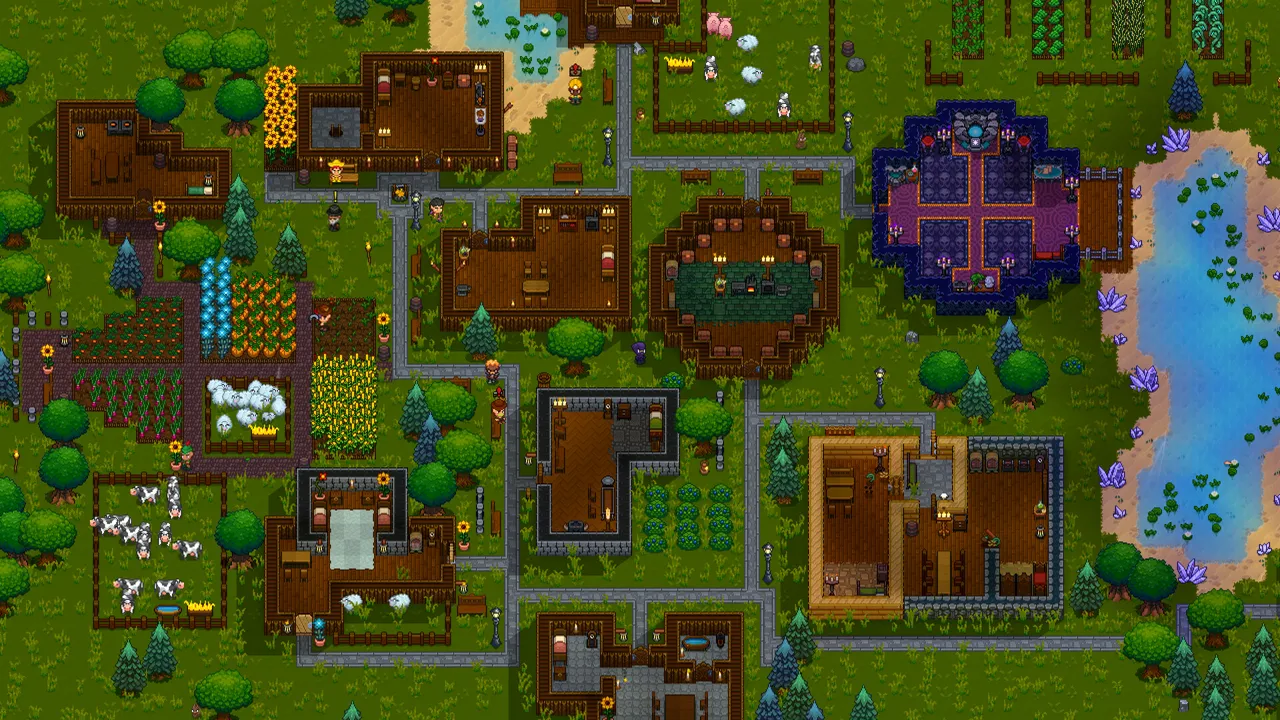
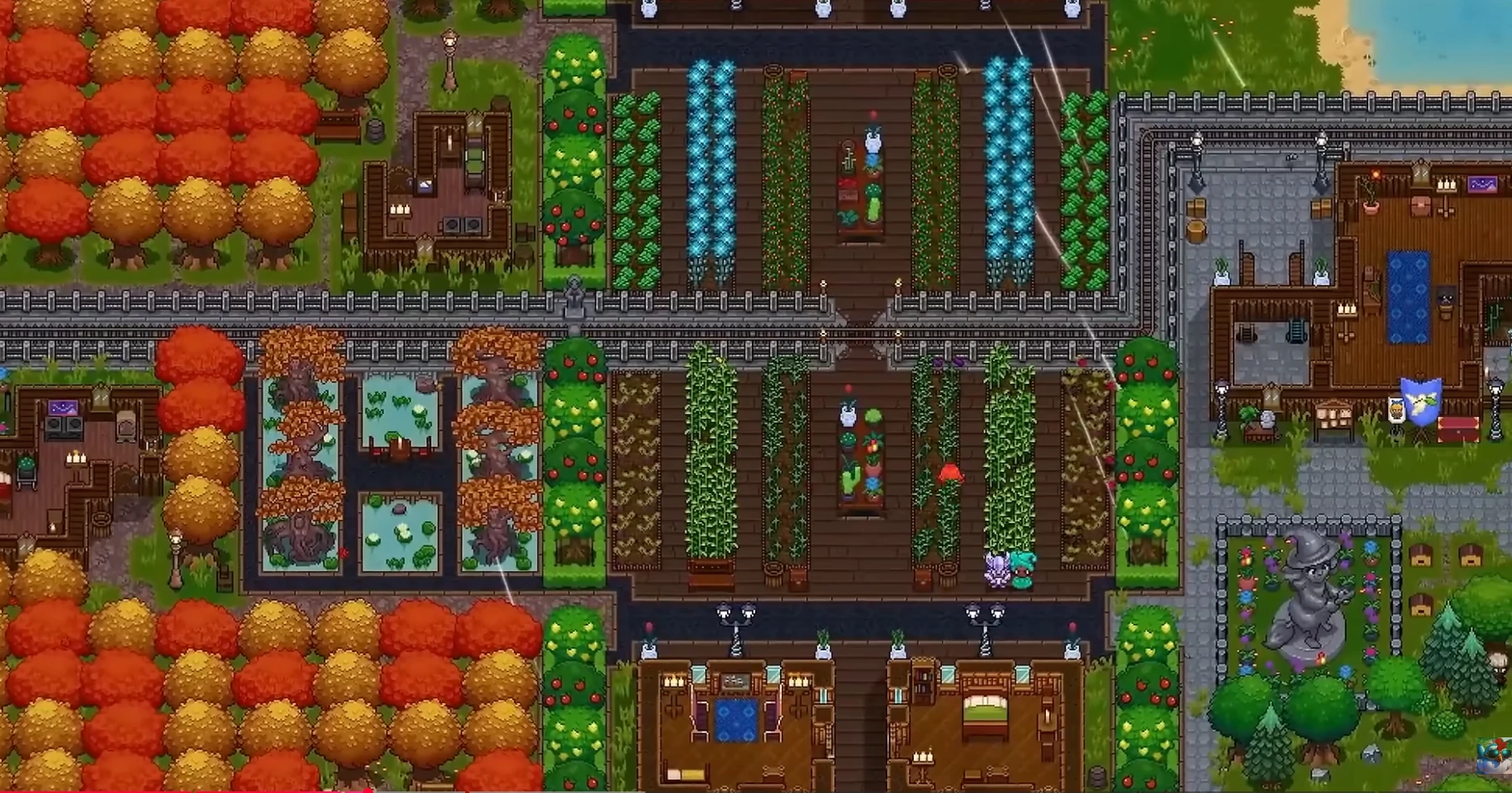
You’re not here to build a shack and call it a day. You’re here to establish a town. Houses. Infrastructure. Workstations. Eventually, people. Real NPC settlers who live, work, and depend on the systems you put in place.
Necesse isn’t just asking if you can survive.
It’s asking if you can manage an ecosystem.
The Underground Reality Check in Necesse 1.0 Survival
Like any good survival game, the surface world only tells half the story. The real resources—the ones that actually move progression forward—are underground.
So down the ladder you go.
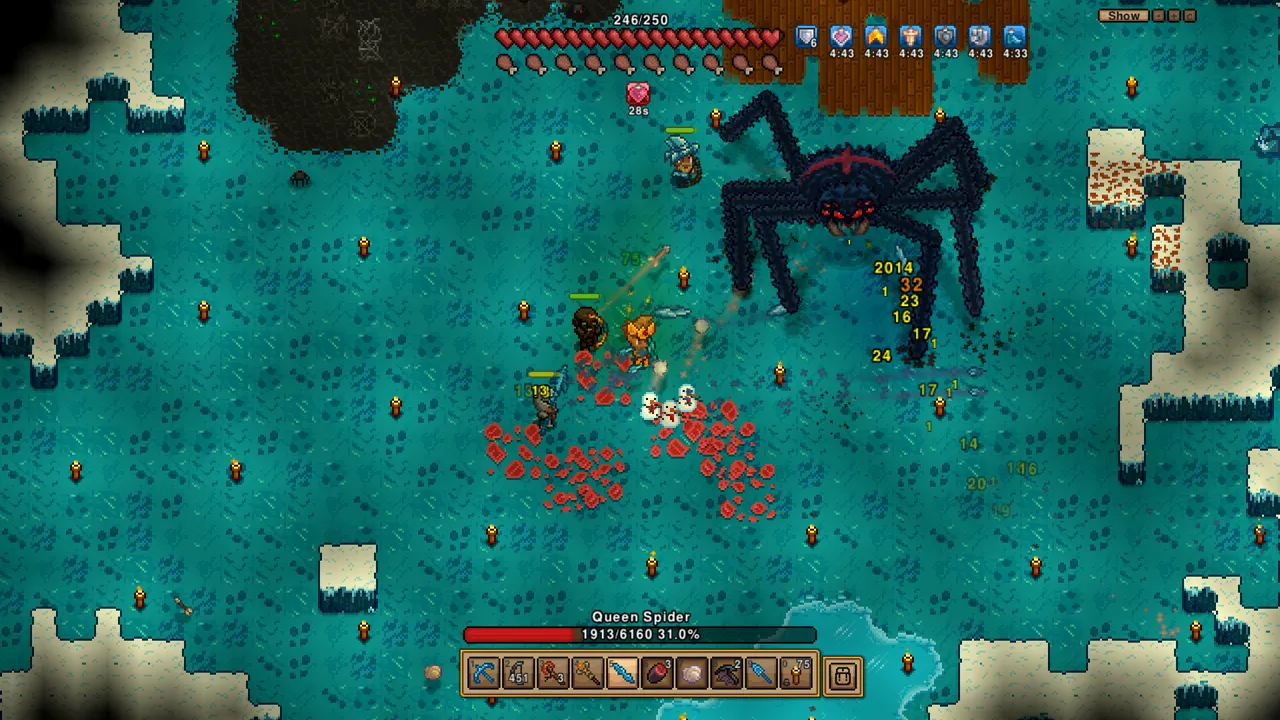
Caves in Necesse are immediately hostile. Darkness matters. Enemies spawn aggressively. You’re juggling torches, weapons, positioning, and stamina while trying to remember what button does what.
And that’s when the first lesson hits: you are underprepared.
Wooden weapons technically exist, but they feel like strongly worded suggestions rather than tools. Tool damage, melee damage, ammo management—everything is spelled out in numbers, and those numbers matter.
You want better gear? You mine.
You want to mine effectively? You need better gear.
Welcome to the loop.
Combat: Scrappy and Unforgiving
Combat in Necesse is deceptively simple. On paper, it’s basic top-down action. In practice, it’s frantic, positional, and occasionally terrifying.
Enemies don’t politely line up. Archers punish you for bad angles. Melee enemies corner you in dead ends. Bombs, throwing weapons, and consumables become tools of survival, not luxuries.
At one point, I found myself pinned in a narrow corridor, health dropping, potions on cooldown, realizing there was no clean exit. That moment—that panic—is where Necesse shines. It doesn’t save you from your own positioning mistakes.
And somehow, surviving those moments feels incredible.
Resources, Refinement, and Small Victories
Eventually, you start pulling real materials out of the ground. Copper. Iron. Sapphires. Gold. Broken tools that can be repaired or melted down rather than discarded.
Necesse respects your time in subtle ways.
Smelting lets you process multiple metals simultaneously. Broken tools aren’t dead weight. Explosives can be used for mining, not just combat. Every system overlaps just enough to keep friction high but frustration manageable.
The forge becomes your anchor point. From there, you branch out: anvils, weapons, armor, ammo. You start making decisions not just about what you can craft, but what’s worth crafting now.
Skipping tiers becomes a strategy. Why make copper tools if iron is within reach? Why waste resources on temporary solutions if survival allows you to push forward?
Sometimes it works.
Sometimes it gets you nearly killed.
Settlements: Where Necesse 1.0 Survival Changes Gears
Then comes the settlement system.
You place a flag. You name your base. Suddenly, the game zooms out—not visually, but conceptually. You’re no longer just a survivor. You’re a leader.
NPCs arrive. Miners who don’t mine. Settlers who need beds you can’t figure out how to craft yet. Menus open within menus, and you realize Necesse has quietly transformed into a light colony sim.
You experiment. You build rooms that feel correct. You place beds, doors, tiles, hoping the system agrees with your logic. Sometimes it does. Sometimes it doesn’t.
It’s clunky at first, but there’s something deeply satisfying about watching settlers slowly populate spaces you carved out of raw stone.
This is where Necesse separates itself from pure survival games. You’re not just reacting anymore. You’re planning.
The Cost of Learning
Necesse does not protect you from yourself.
At one point, I managed to delete a massive chunk of my inventory by misunderstanding a transfer key. Seeds I’d been saving—gone. Resources—gone.
Entirely my fault.
And yet, that moment perfectly encapsulates the Necesse experience. The game assumes competence. It doesn’t slow down because you made a mistake. You adapt, rebuild, and move on.
Failure is part of the progression curve.
Armor, Progression, and Control
Once armor enters the picture, the game opens up again. Copper gear isn’t glamorous, but it buys you breathing room. Shields introduce stamina management. Trinkets add passive bonuses. Potions become tactical tools rather than panic buttons.
Combat shifts from survival horror to controlled chaos.
You’re still vulnerable—but now it’s on your terms.
And while you’re gearing up, the world keeps expanding. New biomes. Merchants who come and go. Quest hooks. Boss summoning portals quietly waiting for you to feel brave—or stupid—enough to activate them.
Exploration Without a Leash
One of the biggest changes since earlier versions is the world structure. The map no longer feels rigid or predictable. Islands, seas, and biome transitions encourage exploration without forcing it.
You’re rewarded for pushing outward, but never required to rush.
That balance is hard to strike, and Necesse pulls it off surprisingly well.
Final Thoughts: Controlled Chaos Done Right
Necesse 1.0 feels confident in what it wants to be.
It’s a survival game, yes—but it’s also a town builder, an action RPG, and a light management sim wrapped into one cohesive experience. It’s messy in places. Occasionally unintuitive. Sometimes downright mean.
But it’s honest.
Progress feels earned. Mistakes feel personal. Systems overlap just enough to reward understanding without trivializing danger.
If you like survival games that evolve beyond punching trees and eating berries—if you enjoy building something that outlasts your character’s immediate needs—Necesse 1.0 survival is absolutely worth your time.
Just… maybe don’t start on Brutal.
Or do.
You’ll learn faster that way.
Ready to experience Necesse 1.0 survival with friends? Our Necesse server hosting provides the perfect platform for multiplayer survival adventures with instant setup and 24/7 support.
Necesse Co-op Role Split Guide: Faster Progression Without Player Burnout
Most co-op burnout is not from difficulty. It is from everyone doing everything with no ownership. That sentence keeps showing up in admin channels for a reason. Players are no longer judging servers by launch promises. They judge by whether the world stays stable, moderation stays coherent, and rules remain understandable under pressure. If you run Necesse communities right now, this is where necesse dedicated server hosting stops being a generic keyword and turns into day-to-day operational reality.
The hard truth is simple: when sentiment turns volatile, infrastructure quality and policy quality become inseparable. Strong hardware with chaotic rules still loses players. Clean rules with weak uptime still loses players. The winners are operators who treat server hosting as a product: versioned settings, documented intent, scheduled communication, and visible rollback discipline. This article focuses on that operator layer because it is where retention is won or lost.
What Is Driving This Topic in 2026
The current pressure point is community experiments with role-specialized parties outperforming all-purpose groups in shared-world progression. Players have better comparison habits than ever. They evaluate restart behavior, event consistency, moderation tone, wipe policy, and trust signals across multiple communities before committing. That means your server identity must be explicit. A vague “we do everything” posture usually collapses into reactive management and burnout.
For admins, this creates a practical challenge: you need enough flexibility to respond to real problems without making your environment feel random. A disciplined operating rhythm solves most of this tension. Set planned change windows, communicate scope, deploy one meaningful adjustment batch, and then measure before changing again. It sounds basic, but it beats impulsive daily tweaking by a wide margin.
Why It Becomes a Retention Problem Fast
Dedicated servers keep co-op healthy when role identity is reinforced by stable operational rhythm. Most communities do not collapse in one dramatic incident. They degrade in layers: first the casuals disappear, then event organizers stop showing up, then long-session regulars drift toward better-run alternatives. By the time population drops are obvious, social momentum is already damaged.
The remedy is not louder marketing. It is operational credibility. Players need to see that your team can make decisions calmly, explain tradeoffs, and protect world continuity during bad weeks. If they trust your process, they tolerate difficult settings and occasional technical incidents. If they do not trust your process, even small hiccups trigger rumor cycles and churn.
7-Day Server Stabilization Plan
Audit core settings and write one-sentence intent for each high-impact value.
Publish a weekly operations note: what changes this week and what stays fixed.
Lock restart windows and alert timings so players can plan around them.
Verify backups by performing at least one real restore test.
Track two daily KPIs: one stability metric and one engagement metric.
High-Impact Actions
Assign clear weekly ownership for farming, crafting, exploration, and boss prep tasks.
Keep progression meetings short and timestamped to reduce decision fatigue.
Use one shared policy for loot adjudication and enforce it consistently.
Schedule challenge windows for high-risk objectives instead of chaotic ad-hoc pushes.
Archive role changes in a visible channel so disputes never rely on memory.
Mistakes That Keep Repeating
Changing role boundaries every day based on who is loudest in voice chat.
Treating progression blockers as reasons to abandon world identity.
No explicit conflict policy for shared resources and bench access.
Trying to optimize boss progression while ignoring social friction.
Policy and Communication Rules That Work
Timestamp every relevant decision. If a change is experimental, label it experimental. If a rollback happens, explain root cause and next steps in one concise note. Ambiguity creates more damage than most technical incidents. Communities can live with imperfect execution; they struggle with leadership that looks inconsistent.
Second, keep staff alignment tight. Inconsistent moderator messaging is a known trust killer. Third, separate feedback intake from immediate policy changes. Listening does not mean changing settings in real time. Collect evidence for a defined window, then decide with intent. This keeps your server governable and prevents emotional policy swings.
30-Day Operations Blueprint
Days 1-7: freeze risky experiments and stabilize uptime, backups, and staffing coverage. Days 8-14: collect structured feedback and classify into performance, fairness, progression, and moderation. Days 15-21: deploy one controlled change wave with public notes. Days 22-30: evaluate impact, rollback weak changes, and lock next month priorities.
This cycle is deliberately boring, and boring is exactly what high-retention communities need. Predictability lets players invest socially. It also gives admins room to improve without panic mode. If your team can execute this rhythm for one full month, sentiment usually shifts from doomposting to constructive participation.
When Things Break: Incident Loop
Declare incident scope quickly and provide next update timestamp.
Freeze unrelated changes until core issue is understood.
Collect evidence: logs, metrics, timeline, and player-facing symptoms.
Apply smallest safe fix and watch for regressions.
Publish post-incident summary with prevention actions.
That loop protects trust even when a technical event is ugly. Combined with stable dedicated hosting, it turns fragile communities into resilient ones. The key is consistency: same process, every time, regardless of who is on duty.
One practical habit makes this sustainable: keep a lightweight operations journal. Note what changed, why, what was observed, and what you will revisit next week. This creates continuity across shifts, reduces repeated mistakes, and gives your team a defensible record when community debates get noisy.
Necesse Mod Stack Reality Check: QoL Wins, Content Bloat Fails on Dedicated Servers
The highest-retention servers are not the ones with the biggest mod list. They are the ones with the cleanest update discipline. That sentence keeps showing up in admin channels for a reason. Players are no longer judging servers by launch promises. They judge by whether the world stays stable, moderation stays coherent, and rules remain understandable under pressure. If you run Necesse communities right now, this is where best necesse server hosting setup stops being a generic keyword and turns into day-to-day operational reality.
The hard truth is simple: when sentiment turns volatile, infrastructure quality and policy quality become inseparable. Strong hardware with chaotic rules still loses players. Clean rules with weak uptime still loses players. The winners are operators who treat server hosting as a product: versioned settings, documented intent, scheduled communication, and visible rollback discipline. This article focuses on that operator layer because it is where retention is won or lost.
What Is Driving This Topic in 2026
The current pressure point is larger public servers reporting repeated instability after stacking content-heavy workshop packs. Players have better comparison habits than ever. They evaluate restart behavior, event consistency, moderation tone, wipe policy, and trust signals across multiple communities before committing. That means your server identity must be explicit. A vague “we do everything” posture usually collapses into reactive management and burnout.
For admins, this creates a practical challenge: you need enough flexibility to respond to real problems without making your environment feel random. A disciplined operating rhythm solves most of this tension. Set planned change windows, communicate scope, deploy one meaningful adjustment batch, and then measure before changing again. It sounds basic, but it beats impulsive daily tweaking by a wide margin.
Why It Becomes a Retention Problem Fast
Modded hosting succeeds when curatorial restraint beats feature fomo. Most communities do not collapse in one dramatic incident. They degrade in layers: first the casuals disappear, then event organizers stop showing up, then long-session regulars drift toward better-run alternatives. By the time population drops are obvious, social momentum is already damaged.
The remedy is not louder marketing. It is operational credibility. Players need to see that your team can make decisions calmly, explain tradeoffs, and protect world continuity during bad weeks. If they trust your process, they tolerate difficult settings and occasional technical incidents. If they do not trust your process, even small hiccups trigger rumor cycles and churn.
7-Day Server Stabilization Plan
Audit core settings and write one-sentence intent for each high-impact value.
Publish a weekly operations note: what changes this week and what stays fixed.
Lock restart windows and alert timings so players can plan around them.
Verify backups by performing at least one real restore test.
Track two daily KPIs: one stability metric and one engagement metric.
High-Impact Actions
Build a tiered mod policy: core stability mods, optional quality-of-life, and limited seasonal experiments.
Pin mod versions and update only during low-concurrency windows.
Require a rollback package for every mod change request.
Run compatibility checks against latest backups before live deployment.
Measure crash and reconnect trends after each content update wave.
Mistakes That Keep Repeating
Blindly importing 'top downloaded' packs into production servers.
Ignoring dependency trees and conflicting hooks.
Running one giant update with no staged rollout.
Confusing short-term novelty spikes with long-term retention value.
Policy and Communication Rules That Work
Timestamp every relevant decision. If a change is experimental, label it experimental. If a rollback happens, explain root cause and next steps in one concise note. Ambiguity creates more damage than most technical incidents. Communities can live with imperfect execution; they struggle with leadership that looks inconsistent.
Second, keep staff alignment tight. Inconsistent moderator messaging is a known trust killer. Third, separate feedback intake from immediate policy changes. Listening does not mean changing settings in real time. Collect evidence for a defined window, then decide with intent. This keeps your server governable and prevents emotional policy swings.
30-Day Operations Blueprint
Days 1-7: freeze risky experiments and stabilize uptime, backups, and staffing coverage. Days 8-14: collect structured feedback and classify into performance, fairness, progression, and moderation. Days 15-21: deploy one controlled change wave with public notes. Days 22-30: evaluate impact, rollback weak changes, and lock next month priorities.
This cycle is deliberately boring, and boring is exactly what high-retention communities need. Predictability lets players invest socially. It also gives admins room to improve without panic mode. If your team can execute this rhythm for one full month, sentiment usually shifts from doomposting to constructive participation.
When Things Break: Incident Loop
Declare incident scope quickly and provide next update timestamp.
Freeze unrelated changes until core issue is understood.
Collect evidence: logs, metrics, timeline, and player-facing symptoms.
Apply smallest safe fix and watch for regressions.
Publish post-incident summary with prevention actions.
That loop protects trust even when a technical event is ugly. Combined with stable dedicated hosting, it turns fragile communities into resilient ones. The key is consistency: same process, every time, regardless of who is on duty.
One practical habit makes this sustainable: keep a lightweight operations journal. Note what changed, why, what was observed, and what you will revisit next week. This creates continuity across shifts, reduces repeated mistakes, and gives your team a defensible record when community debates get noisy.
Necesse Roadmap 2026: What’s Coming for the Post-1.0 World
After six long years in Early Access, Necesse has finally reached the milestone many players have been waiting for — Version 1.0, officially launched in October 2025. This completion of early access is not the end of development, but rather the beginning of a new era of post-launch growth and feature expansion.
PC Gamer
As we move into 2026, the community’s focus has shifted from anticipating the full release to asking: what’s next? Below we’ll break down everything currently known about Necesse’s roadmap beyond 1.0, what’s planned for 2026, and where the game seems to be heading based on official signals and developer communication.
📌 Note: While there isn’t a formal multi-year roadmap document published for 2026 yet, developers and community coverage have outlined likely major updates and themes. — including one major feature rollout predicted for next year.
The Escapist
Necesse Now: Post-1.0 and Beyond
Before focusing on 2026, it helps to understand the context Necesse finds itself in post-1.0.
The 1.0 update brought major structural improvements:
A completely new infinite, seamless world generation system that replaced the old island maps.
A revamped endgame progression with a new Fallen Altar perk tree and a Final Incursion boss.
Lots of new weapons, items, sound tracks, crafting systems, and quality-of-life improvements.
PC Gamer
But even that Version 1.0 announcement clearly signaled that the team intends to continue supporting Necesse with more updates — including a new roadmap that was promised after 1.0.
SteamDB
That means 2026 is shaping up to be a crucial growth year where the game evolves beyond the initial launch vision.
What the Developers Have Confirmed So Far
🗺️ Continuous Updates After 1.0
The Necesse development team at Fair Games has confirmed that updates will continue after Version 1.0, and a new roadmap for future content was promised to be shared soon via the Steam announcements.
SteamDB
There’s no suggestion that post-launch support will end anytime soon — this is a living, evolving game model much like other sandbox survival titles.
The Post-Launch Feature Roadmap (Hints for 2026)
Although official 2026 roadmap specifics are still rolling out, reliable reporting from The Escapist and Steam community posts outline key planned content as part of the post-1.0 update path.
The Escapist
🔹 Romance System (Spring 2026)
One of the most anticipated updates noted for early 2026 is the addition of a Romance system — a mechanic that will allow NPC settlers to form romantic bonds, giving the game charming relationship dynamics that add depth to settlement management and roleplaying.
The Escapist
This feature has been described to give the game a bit of a Stardew Valley-style social vibe, bringing personality and emergent storytelling into your towns.
The Escapist
🔹 New Incursion and Adventure Content
Alongside romance, the roadmap suggests major new incursion content — including new dungeons, biome-specific enemies, and boss encounters that expand Necesse’s adventure side beyond the original endgame.
The Escapist
These aren’t just incremental tweaks but additions that aim to reshape the mid- and late-game experience.
🔹 World Generation 2.0 (Summer 2026)
Another big update expected in 2026 (tentatively referenced) is World Generation 2.0, a substantial rework of the procedural terrain system. This upgrade is planned to introduce:
more varied terrain features
richer biome transitions
community presets for procedural rules
…making the Necesse world more dynamic and exploration rewarding for long-term players.
The Escapist
This is arguably the biggest update slated for 2026 as it fundamentally changes how players experience the world.
What Else Might Be on the 2026 Roadmap
While the above items reflect the next confirmed or widely reported features, community discussions and historical developer patterns suggest a broader pattern of future updates.
Here’s what players and dev signals hint could also be part of Necesse’s ongoing roadmap:
⚔️ Expansion of Combat & Enemies
Necesse has many player requests for additional enemy types and bosses with unique mechanics, which would diversify combat encounters and add difficulty spikes beyond the current roster.
Steam Community
Expect gradual expansion of minibosses, elite threats, and biome-specific challenges in future patches.
🏘️ Settlement Features & NPC Depth
Since village building and settler management are core pillars of Necesse’s appeal, many players hope for more NPC behaviors, quests, and traits that make settlements feel more alive.
Steam Community
This could include:
deeper settler personalities
custom missions tied to villagers
AI-driven events and rival factions
These aren’t yet confirmed, but they show up frequently in community and developer comments as logical future improvements.
🛍️ Economy & Trade Systems
Community wishlists often include richer economic mechanics such as merchant systems, player-run shops, and dynamic in-game markets.
Steam Community
This could be a longer-term goal for 2026/2027 iterations.
🧙 Graphics, Mods & Quality-of-Life Updates
Even after the 1.0 graphics overhaul, further visual enhancements and UX improvements are reasonable candidates for ongoing updates. There’s also developer interest in community involvement and feedback shaping future features.
Steam Community
Mod support could become a bigger part of the roadmap, letting the community extend the game in unofficial directions.
A Word on Roadmap Communication
It’s worth noting that the Necesse team historically hasn’t maintained a rigid public roadmap; instead, they prefer to update players through blog posts and patch notes, adjusting plans based on feedback and creativity cycles.
Steam Community
This doesn’t mean there’s no plan — it means the plan is flexible, responsive, and driven by community engagement rather than fixed deadlines.
So rather than a static “2026 roadmap graphic,” we can expect periodic announcements and major patch reveals that collectively form the de facto roadmap throughout the year.
How Roadmap Updates Are Delivered
Most Necesse roadmap and future content signals are communicated through:
Steam announcements on the game’s page
Official patch notes with each version release
Community discussions and developer comments
Coverage on third-party sites and gamer press outlets
One of the best ongoing destinations for official updates is the Necesse Steam news feed — where developers post details about upcoming patches and features as they’re ready:
➡️ Official Necesse Steam Announcements — https://store.steampowered.com/app/1169040/Necesse/
(this page collects all major dev news and will be the first place new roadmap details appear).
Steam Community
What 2026 Means for Necesse Players
For players planning ahead, here’s a practical framing of what the Necesse roadmap likely means for 2026:
🌍 A Year of Expansion
Expect at least two major content updates — a Romance & Systems update in Q1/Q2, and World Generation 2.0 in mid-year.
🛠️ Incremental Improvements
Smaller patches between those releases will focus on:
balance tweaks
quality of life enhancements
bug fixes
new items and wildlife
This will keep the game fresh and increasingly rich.
🤝 Player Influence
Given the developer’s stated commitment to community feedback, some planned features may evolve based on what fans care most about.
Steam Community
Conclusion: Necesse’s Roadmap Heading Into 2026
With the major milestone of Version 1.0 now complete, Necesse’s roadmap for 2026 looks like a blend of:
✔️ Big systems and feature expansions (Romance, World Gen 2.0)
✔️ Ongoing combat, exploration, and adventure content
✔️ Settlement depth, NPC expansion, and possibly economy systems
✔️ Quality-of-life, balance, and visual polish
✔️ A developer style that evolves the plan rather than locks it down
This approach keeps Necesse dynamic and responsive — letting community interests shape its direction while still delivering ambitious content in a steady cadence.
For the latest official roadmap updates as they’re published, be sure to check the Necesse Steam announcements page — this is where new future content details are first posted.
Necesse Settlers Automation in 2026: Why Colonies Stall on Public Servers
Your colony is not dying because players are lazy. It is dying because automation intent and server policy are fighting each other. That sentence keeps showing up in admin channels for a reason. Players are no longer judging servers by launch promises. They judge by whether the world stays stable, moderation stays coherent, and rules remain understandable under pressure. If you run Necesse communities right now, this is where necesse server hosting stops being a generic keyword and turns into day-to-day operational reality.
The hard truth is simple: when sentiment turns volatile, infrastructure quality and policy quality become inseparable. Strong hardware with chaotic rules still loses players. Clean rules with weak uptime still loses players. The winners are operators who treat server hosting as a product: versioned settings, documented intent, scheduled communication, and visible rollback discipline. This article focuses on that operator layer because it is where retention is won or lost.
What Is Driving This Topic in 2026
The current pressure point is a surge of 1.0+ multiplayer worlds where settler job queues collapse under badly tuned priority logic. Players have better comparison habits than ever. They evaluate restart behavior, event consistency, moderation tone, wipe policy, and trust signals across multiple communities before committing. That means your server identity must be explicit. A vague “we do everything” posture usually collapses into reactive management and burnout.
For admins, this creates a practical challenge: you need enough flexibility to respond to real problems without making your environment feel random. A disciplined operating rhythm solves most of this tension. Set planned change windows, communicate scope, deploy one meaningful adjustment batch, and then measure before changing again. It sounds basic, but it beats impulsive daily tweaking by a wide margin.
Why It Becomes a Retention Problem Fast
Automation only scales when dedicated hosting and role governance are designed as one system. Most communities do not collapse in one dramatic incident. They degrade in layers: first the casuals disappear, then event organizers stop showing up, then long-session regulars drift toward better-run alternatives. By the time population drops are obvious, social momentum is already damaged.
The remedy is not louder marketing. It is operational credibility. Players need to see that your team can make decisions calmly, explain tradeoffs, and protect world continuity during bad weeks. If they trust your process, they tolerate difficult settings and occasional technical incidents. If they do not trust your process, even small hiccups trigger rumor cycles and churn.
7-Day Server Stabilization Plan
Audit core settings and write one-sentence intent for each high-impact value.
Publish a weekly operations note: what changes this week and what stays fixed.
Lock restart windows and alert timings so players can plan around them.
Verify backups by performing at least one real restore test.
Track two daily KPIs: one stability metric and one engagement metric.
High-Impact Actions
Define settler role lanes early and lock them with clear permission boundaries.
Use predictable maintenance windows so pathing and hauling behavior are evaluated under stable conditions.
Tune storage adjacency before touching global production multipliers.
Publish one operations changelog each week for settings that affect economy flow.
Treat backup/restore drills as mandatory before major settlement redesigns.
Mistakes That Keep Repeating
Fixing productivity drops with random multiplier spikes instead of routing analysis.
Letting every co-op member edit critical automation values live.
Ignoring world-save size growth until autosaves begin impacting uptime.
Assuming botched job priorities are a player skill issue.
Policy and Communication Rules That Work
Timestamp every relevant decision. If a change is experimental, label it experimental. If a rollback happens, explain root cause and next steps in one concise note. Ambiguity creates more damage than most technical incidents. Communities can live with imperfect execution; they struggle with leadership that looks inconsistent.
Second, keep staff alignment tight. Inconsistent moderator messaging is a known trust killer. Third, separate feedback intake from immediate policy changes. Listening does not mean changing settings in real time. Collect evidence for a defined window, then decide with intent. This keeps your server governable and prevents emotional policy swings.
30-Day Operations Blueprint
Days 1-7: freeze risky experiments and stabilize uptime, backups, and staffing coverage. Days 8-14: collect structured feedback and classify into performance, fairness, progression, and moderation. Days 15-21: deploy one controlled change wave with public notes. Days 22-30: evaluate impact, rollback weak changes, and lock next month priorities.
This cycle is deliberately boring, and boring is exactly what high-retention communities need. Predictability lets players invest socially. It also gives admins room to improve without panic mode. If your team can execute this rhythm for one full month, sentiment usually shifts from doomposting to constructive participation.
When Things Break: Incident Loop
Declare incident scope quickly and provide next update timestamp.
Freeze unrelated changes until core issue is understood.
Collect evidence: logs, metrics, timeline, and player-facing symptoms.
Apply smallest safe fix and watch for regressions.
Publish post-incident summary with prevention actions.
That loop protects trust even when a technical event is ugly. Combined with stable dedicated hosting, it turns fragile communities into resilient ones. The key is consistency: same process, every time, regardless of who is on duty.
One practical habit makes this sustainable: keep a lightweight operations journal. Note what changed, why, what was observed, and what you will revisit next week. This creates continuity across shifts, reduces repeated mistakes, and gives your team a defensible record when community debates get noisy.
Never Grave Release Date: What We Know About Pocketpair’s New Metroidvania
Okay, gamers, let’s talk about Never Grave: The Witch and The Curse. You know, the new side-scrolling action game from Pocketpair, the same folks who unleashed the wild world of Palworld upon us? Yeah, that one. If you’re anything like me, you’re itching to get your hands on it, and the big question on everyone’s mind is: when is this thing actually coming out?
The Scoop on the Release Window
Alright, so here’s the deal. Pocketpair hasn’t dropped an exact date yet, but they have said that Never Grave is set to launch into Steam Early Access by the end of March. That’s right, we’re looking at a potential release in just a few weeks! While not set in stone, it’s the best we have to go on right now.
Now, this isn’t a full launch, mind you. It’s an early access release, which means the game will still be in development, and we might see some changes and additions as it moves forward. But honestly, I’m hyped to jump in and see what Pocketpair has cooked up.
What is Never Grave Anyway?
If you missed the announcement, Never Grave: The Witch and The Curse is a Metroidvania-roguelite. Think exploration, platforming, and combat, but with the added twist of roguelike elements. What this means is that each time you enter a dungeon it’s going to be different. You’ll be collecting temporary upgrades during your run, and permanent resources that can be used to rebuild the town. Oh, and it’s got co-op multiplayer for up to four players!
But here’s the really cool part – you’re not just playing a standard character. You actually start out as a hat. Yes, a hat! You then possess a lifeless girl, which becomes your default form. And that’s not all. The cursed hat also lets you possess enemies, using their unique abilities to your advantage. This adds a whole new layer of strategy to the gameplay, and it’s something I’m really keen to try out.
Gameplay and Features
Never Grave seems to be packed with cool features, including:
Metroidvania x Roguelite Gameplay: Explore, fight, die, and repeat with procedurally generated dungeons.
Possession System: As I mentioned, you’re a hat that can possess enemies. It’s a key part of the puzzle-solving as well as combat.
Rebuilding a Ruined Village: Collect resources, rebuild the village, and prepare for your next dungeon delve. This makes it more of a “roguelite”, but who’s counting.
Multiplayer: Team up with up to three friends and tackle dungeons together.
Hand-drawn Aesthetics: The game boasts a cool, hand-drawn art style, reminiscent of a picture book.
Dynamic Combat: You’ll need to master the combat system, as enemies can be tough, with some having no hit stun and quick attacks, and a few technical issues were present in the demo.
What About the Demo?
Good news! If you can’t wait until the end of March, there’s a free demo available on Steam right now! It’s part of the Steam Next Fest, so you can get a feel for the game and its mechanics ahead of the early access launch.
I gave the demo a go myself, and it’s definitely promising. The combat takes some getting used to, and there were a couple of crashes, but overall, the core gameplay loop is fun, and the aesthetic is very charming. It also got me even more hyped for the multiplayer which wasn’t available in the demo.
Why All the Hype?
So why is everyone so excited about Never Grave? Well, for starters, Pocketpair surprised everyone with Palworld, and now they’re jumping into a completely different genre. There are already comparisons with Hollow Knight, one of the most popular and loved Metroidvanias out there, which definitely makes people notice it.
Combine that with the unique possession mechanic, a charming art style, and roguelike elements, and you’ve got a game that’s definitely got people’s attention.
Final Thoughts
Never Grave: The Witch and The Curse is shaping up to be a very promising game, and it’s exciting to see Pocketpair trying their hand at a completely different genre after the huge success of Palworld. With the early access release potentially just around the corner, this is one to keep an eye on. Make sure you check out the free demo on Steam and maybe we’ll see each other on the dungeon floor!
New Features Added Without Notice: A Problem for Palworld Players
It’s been a while since my last update on Palworld, but today I’m back with some frustrating news. As you may know, the developers have released a new patch, which is supposed to bring fresh content and improvements to the game. However, upon closer inspection, it appears that not all changes are properly documented.
To be more specific, I’ve noticed that certain features, abilities, or even creatures have been added without being mentioned in the official patch notes. This lack of transparency can lead to confusion among players, making it harder for them to make informed decisions about their gameplay experience.
One example of this is [insert specific feature here]. At first glance, I thought this was just a bug, but after further investigation, it seems that it’s actually a new mechanic designed to enhance the gameplay. The problem is that there’s no mention of it anywhere in the patch notes or official communication channels. This kind of omission can cause players to stumble upon these changes by accident, rather than being informed about them through proper updates.
Another issue I have with this update is [insert another specific example here]. As you might have guessed, I’m not thrilled about this development. It’s not only frustrating but also raises questions about the developers’ priorities and communication strategy.
In my opinion, it’s essential for game developers to maintain transparency throughout their process. Not only does it help build trust with the community, but it also ensures that players are on the same page as the team. By failing to do so, they risk alienating their audience and causing unnecessary frustration.
It’s hard not to feel a bit let down by this development. As someone who has been following Palworld closely, I believe it’s crucial for us to be able to rely on accurate information from the developers. Without proper documentation of changes like these, we’re left in the dark, forced to speculate and wonder what’s going on behind the scenes.
I’m hoping that the developers will take this feedback into consideration and make some adjustments to their communication strategy moving forward. Until then, I’ll continue to dig deeper and keep you all updated with any new information I find.
I’m writing this because I want to spread the word about some newly discovered passives that have been making waves in the community lately. If you’re like me, you’ve probably spent countless hours trying to breed your Pals into something useful for farming, mining, or even just making food. And if you’re tired of throwing away resources on low-efficiency workers, then keep reading.
For those who are still unaware, there’s this new thing called vampiric passive that lets certain Pals suck up health from the environment and convert it to energy. This means they can mine ore (and I mean a LOT of it) without needing to be replaced every few hours. Some people have reported getting an extra 5-10 minutes of mining time, which is nothing to sneeze at.
But vampiric isn’t all – there’s also this Faleris Aqua passive that sounds like a game-changer for farmers. I mean, who wouldn’t want their Pals working non-stop without needing food? It’s not just about having more time to do other things; it’s about saving resources and having a reliable workforce.
And then there’s Work Eff +75%, which is exactly what it says on the tin – your Pals will be up to 75% faster at whatever task they’re assigned to. I don’t know about you, but this one has me reevaluating my entire strategy for getting resources and building projects.
Let’s not forget those other two: fasting and king-thing-that-depletes-san (I’ll admit it, I’m still trying to figure out what that last one does). If someone wants to explain it in the comments below, I’d be eternally grateful.
As for the chance of getting these skills or if they’re specific to certain Pals – yeah, I can see why people are frustrated. I spent a bunch of early-game Pals trying to get vampiric and came up empty-handed. But hey, maybe that’s just me? In any case, it seems like there’s still a lot we don’t know about these new passives.
I’m excited to dive back into this game after a break, but before I can get started, I have some questions about the latest update. Specifically, I’m wondering if there were any nerfs or changes that could impact my experience.
As I’ve been browsing through the community, I noticed a few tweaks that caught my attention. One of the most significant ones seems to be affecting Digtoise’s partner skill. It used to be super powerful on natural ore nodes, but now it only shines when paired with another skill. This might not be a huge deal for some players, but it does change how people approach resource gathering.
Another area that concerns me is passive skills. It appears that Lucky has become largely useless due to the introduction of “remarkable craftmanship.” I don’t think this was intentional, but it looks like the new skill simply makes Work Speed pals more desirable. As a result, Lucky’s contribution to work speed will be minimal at best.
Ferocious and Impatient skills have also been affected by the addition of Demon God. The problem is that these older skills are now less appealing compared to this new option. Ferocious and Impatient used to provide decent attack power or defensive stats, but they no longer offer as much value as before.
Nocturnal has also taken a hit due to the introduction of Vampirism. While it’s true that vampirism is primarily designed for its life-stealing abilities, it seems like Nocturnal will become less popular now that Vampirism offers a similar effect. This could lead people to abandon their existing Nocturnal builds in favor of this new option.
What might come as a surprise is that these changes don’t feel like nerfs at all. Instead, we’ve received a bunch of buffs and quality-of-life updates across various areas of the game. The addition of level 4 friends, including a new woodcutter, should make life easier for many players. It’s also nice to see some love given to Miners and Handiwork.
Author:
AlexTr1
Supercraft Newsroom
Game Updates, Guides, and Patch Notes
Browse news by game. Each tab links to live articles on supercraft.host.
Tip: use tabs to switch games, then search inside that list.
Nightingale
Server Hosting for realmwalking survival, co-op progression, and shared worlds
Launch a dedicated Nightingale server in minutes with
stable performance, fast saves, and easy configuration management. Keep your world online
for your crew, your realms, and long-term progression.
Keep city events, police chases, and large RP sessions responsive with reliable
uptime and consistent saves.
Roleplay servers and faction communities
Run custom rulesets, PvP/PvE mixes, and community events with full
control over your Nightingale server settings.
Backups, restores, and long-term progression
Protect your players' progress with automated snapshots and quick restore
options whenever updates or config changes go wrong.
The Nightingale Roleplay World
From city districts to high-pressure operations, Nightingale is built around tension,
teamwork, and smart planning. Keep your server online for every session.
Realm exploration
Stable worlds for long sessions and co-op progression.
Estate builds
Smooth saves for long-term builds and crafting.
Combat encounters
Low latency for responsive fights and events.
Discord bot
Self-Serve Bot in Discord
Instant control of your Nightingale server without tickets or waiting. Type a command and go.
Start, stop, restart, and check status in seconds.
Secure by design: only your subscriptions are accessible.
Yes. You can tune world settings,
server rules, and access controls from the panel, then restart safely.
Player capacity depends on your plan,
world activity, and server settings. You can scale as your community grows.
Yes. Move your server between regions from
the panel without wiping progress.
We run automated snapshots and provide
on-demand backups for quick restores.
Set a password or whitelist players in the
control panel.
Pricing is based on plan tier and
billing term. Pick the setup that matches your expected player load.
Yes. In My Account → Subscriptions, you can upgrade to a higher tier of the same game with the same billing cadence (for example, monthly to monthly). Downgrades are not available right now. During an upgrade, your deployment is updated in place (quota update + restart), not wiped and recreated.
I recently turned off the “Hostile Creatures” feature in Satisfactory and my experience has been significantly more enjoyable. I used to think that keeping them on was a good way to add excitement and danger to the game, but after a while it just became frustrating.
I’m not alone in this feeling – many players have expressed similar sentiments. The constant threat of attacks, the stress of running out of ammo or resources, and the annoyance of having to constantly restart from checkpoints got old fast.
I’ve switched to “Retaliate” mode, which I think is a great middle ground. Now, if I accidentally provoke an attack, they’ll respond accordingly, but I’m not forced to engage in prolonged battles or worry about being ambushed out of nowhere.
It’s amazing how much more relaxed and enjoyable the game has become without the constant threat of creatures. I can focus on building and exploring without feeling like I’m constantly under siege.
No New 7DTD Version Announced: How Admins Keep Servers Alive Without Fresh Content
When official content pauses, communities stop asking for promises and start measuring consistency. That mood is not random noise anymore. It is a reliable signal coming from active players, clan organizers, and admins who still care enough to fight over details. For anyone running 7 Days to Die communities, the argument is no longer just about the next content drop. It is about whether your dedicated servers feel alive, stable, and honestly managed during uncertain cycles. This is why 7 days to die dedicated server hosting matters in a practical sense: performance, trust, and communication all converge in one place.
The uncomfortable truth is that server operations now shape player sentiment almost as much as official announcements. If your world lags, moderation feels inconsistent, or policies change without warning, people assume leadership drift and quietly leave. If your hosting stack is dependable and your decisions are explained, the same players become patient. In short, when hype is low, reliability becomes your marketing. That is not glamorous, but it is how durable communities are built.
What Is Actually Happening Right Now
The current pressure point is players rotating between 'wait for next version' and 'jump to another survival title'. Many admins try to solve this with bigger promises and louder branding, but players are not asking for slogans. They want signs that somebody is steering the ship with intent. The better approach is operational honesty: define what your server is, what it is not, what changes are planned, and what will stay stable. A focused server identity beats a “please everyone” strategy every single time.
7 Days to Die communities are also more data-literate than before. They compare uptime, restart quality, rule consistency, moderation tone, and event cadence across multiple servers in the same week. That means your differentiation comes from execution, not from claiming to execute. Well-tuned hosting helps with CPU/RAM/network stability, but long-term trust comes from predictable behavior by admins and moderators.
The Operator View: Why This Becomes a Retention Problem
Dedicated hosting quality is the difference between slow decline and stable community core. When communities get frustrated, they do not all quit at once. They thin out in waves: first casuals, then event organizers, then the reliable middle who kept evenings active. By the time hardcore regulars notice the drop, the social engine is already damaged. This is why retention needs structure instead of heroic improvisation.
A practical standard is to run the server like a live service product: clear ownership, visible changelog rhythm, incident playbook, and rollback discipline. You do not need enterprise theater. You need dependable habits. Players can tolerate strict rules, difficult settings, and occasional outages. They rarely tolerate confusion.
7-Day Action Plan for Dedicated Hosting Stability
Audit current server settings and write down intent behind each critical value.
Publish one concise status post to your players: what will change this week and what will not.
Schedule restarts and warnings on fixed time blocks; avoid surprise downtime.
Review backups and actually test restore, not just backup creation.
Track one engagement metric and one stability metric every day.
High-Impact Moves That Work
Create a 30-day season format with a clear wipe policy and end-of-season highlights.
Pair one high-risk modpack realm with one conservative vanilla-plus realm to satisfy both camps.
Use performance budgets: entity caps, trader density controls, and scheduled cleanup tasks.
Document exactly which settings changed and why; avoid mysterious silent adjustments.
Train moderators to communicate in one voice, especially around disputes and wipes.
Mistakes That Keep Repeating
Launching aggressive overhauls without backup or fallback profiles.
Treating each complaint as a referendum instead of checking trend data.
Running one giant Discord channel with no clear feedback routing.
Using random restart behavior that feels like instability.
Communication Rules That Prevent Drama
Use plain language and timestamp every important decision. If you run a trial config, label it as trial. If you roll back, explain why in one paragraph. If an incident is unresolved, say so openly with next update time. This sounds basic, but this single discipline can cut rumor spirals by half. People forgive imperfect execution; they do not forgive silence that feels like disrespect.
Second rule: keep moderators aligned on tone and escalation. Inconsistent moderator messaging destroys more trust than occasional lag spikes. Third rule: do not turn every debate into a referendum. Collect feedback, then decide on schedule. Communities need a listening process, not permanent negotiation paralysis.
30-Day Execution Blueprint
Days 1-7: freeze risky experiments and stabilize. Confirm backup integrity, restart windows, and admin coverage. Days 8-14: collect structured feedback, not random hot takes. Group complaints into buckets: performance, fairness, progression, moderation. Days 15-21: deploy one controlled improvement wave and document every change. Days 22-30: review impact, rollback weak changes, and lock next-month priorities.
This cadence sounds boring, and that is exactly why it works. Communities thrive when they can predict operator behavior. Players do not need perfect certainty about future official updates, but they do need confidence that your server leadership is rational under pressure. If you can prove consistency for one full month, sentiment usually shifts from doomposting to constructive feedback.
Incident Playbook (Use This When Things Go Sideways)
Declare incident scope quickly: who is affected, which systems, expected next update time.
Freeze non-essential changes until root cause is identified.
Collect evidence first: logs, metrics, moderation timeline, player reports.
Apply the smallest safe fix, then monitor for regression.
Publish a post-incident summary with prevention actions.
Most communities do not quit because of one outage. They quit after repeated confusion. A clean incident loop preserves trust even when the technical event is ugly. Pair this playbook with strong dedicated hosting practices and your admin team can absorb shocks without losing credibility.
Q: Is this mostly a hardware problem? A: Hardware matters, but policy clarity and rollout discipline are equally important for retention.
Q: How often should we change settings? A: In controlled windows, with changelogs. Daily random tweaks usually hurt trust.
Q: Can we run experimental and stable audiences together? A: Yes, but only with explicit separation of environments and expectations.
Q: What is the minimum professional baseline? A: Dedicated hosting, tested backups, incident playbook, and transparent communication cadence.
Q: What should admins prioritize this month? A: Consistency. Stable servers, predictable policy, visible operations notes, and one clear community identity.
Alright, listen up, you magnificent bastards, because we’re diving headfirst into the glorious mess that is resource gathering in our beloved Satisfactory. You know, that game where you start with a freakin’ stick and end up running a multi-planetary industrial empire? Yeah, that one. So, picture this: you’re fresh off the drop pod, ready to slap down some foundations and start churning out iron like a goddamn machine. You hit that resource scanner button, expecting the world to light up with juicy nodes just begging to be exploited. But then, bam! You get a big ol’ middle finger from the game, and only one measly node shows up. Just one. It’s like going to a buffet and only being allowed to grab a single bread roll. What in the name of overclocked power plants is going on?
It seems like some poor souls have been running into this issue, and it ain’t pretty. You’d expect your scanner to do what it’s supposed to – scan, not give you the silent treatment. I mean, who has the time to run around like a headless chicken, stumbling blindly towards the next mineral deposit? We’re not here to play hide-and-seek, we’re here to conquer the planet with our beautifully organized (or chaotic, depending on your mood) factory!
Now, some smart cookies in the comments pointed out a couple of things. First off, the scanner ain’t exactly a map marker placement wizard. It scans. That’s it. It doesn’t go around painting the map with resources like some kind of graffiti artist. So, if you’re seeing a resource marker that looks like it was stamped on the map by a toddler wielding a crayon, it’s probably something you did, not the scanner. Which, let’s be honest, is sometimes more embarrassing.
Also, some folks mentioned that the scanner only pings resources within the map UI window. Meaning that if you’re zoomed all the way out, don’t expect it to show the nodes on the other side of the world. It’s like a lazy intern at the survey department, only caring about what’s directly in front of their face. But what if the game used to show more? Now we are starting to think about what changed…
And that’s when the real kicker came in. Drumroll, please… it’s the mods! Yep, it turns out that one particular mod, \”Refined R&D,\” is the culprit behind this whole mess. Because what is the point of a fun game without a little bit of unintended consequences from modding, right? I mean, half the fun is breaking things and then trying to figure out why. This particular mod seems to be messing with the resource scanning mechanic, causing it to only highlight one node at a time, instead of all of them in range. So, if you’re running that mod, maybe think about disabling it or, if you are a masochist like me, trying to find out what is really the problem.
But this brings up a bigger question – is it really a bug if it’s caused by a mod? It’s like saying your car is broken after you decide to install a jet engine on it. The game is doing what it’s supposed to, you just did a little bit of tweaking. Or maybe this is all because of a game update. Who knows?! And honestly, does it really matter? We’re all just trying to build epic factories in peace. It’s all about having fun with those buggy, glorious machines. I personally spent way too much time trying to figure out how to make efficient nuclear power, and I have no regrets.
But hey, at least we got to the bottom of this mystery, didn’t we? No more scratching your heads in confusion, wondering why the resource scanner is being a turd. It’s either that pesky mod or the game messing with you for some unknown reason. The game is full of those little moments, isn’t it? The unexpected glitches, the spaghetti setups, the constant struggle to get enough power. It’s all part of the charm. And now, I need to figure out why my trains are going in circles. Back to the factory!
Anyway, if you are not using mods and have this bug, maybe the Satisfactory Wiki might help. The guys there know their stuff. This link is more reliable than me.
Now, excuse me while I go automate something completely unnecessary. You should do the same.
Palworld has made an astounding debut, selling over 4 million copies just days into its early access launch. This remarkable feat echoes the unexpected success stories of other gaming titles like Valheim, which took the gaming community by storm in early 2021. Palworld’s blend of open-world survival and creature-capture mechanics, paired with its engaging gameplay and unique premise, has quickly garnered the attention of gamers of all stripes worldwide.
Whether you’re just starting out in the world of Palworld or have already become a seasoned tamer, this comprehensive overview is designed to give you all the essential information about the game. From its core mechanics and storyline to the latest updates and similar games, we’ve got everything covered to enhance your Palworld experience.
What is Palworld?
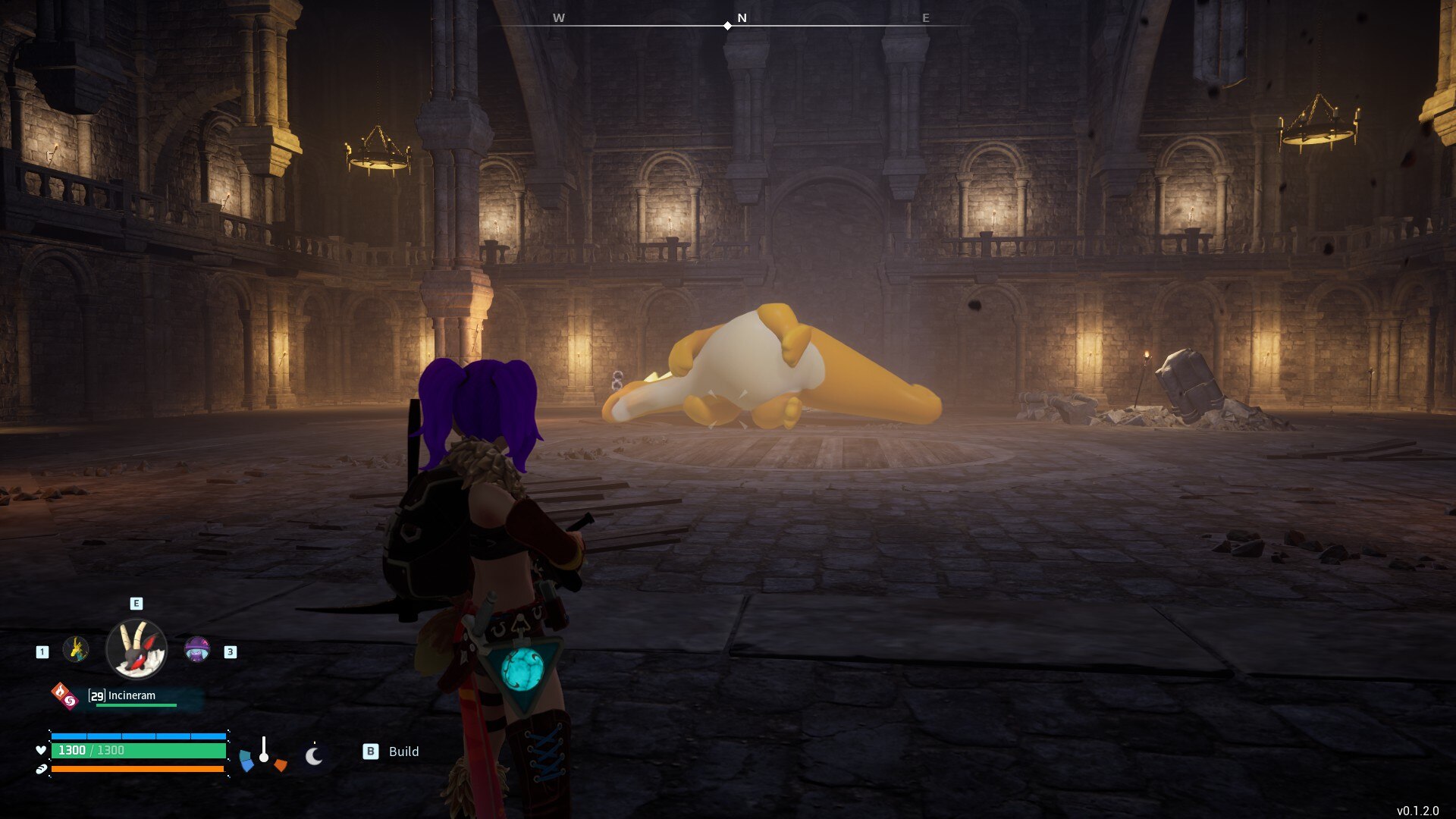
Palworld, developed and released by Pocketpair on January 18, 2024, introduces you to a groundbreaking blend of gaming genres. This open-world adventure sets you amidst mysterious creatures known as Pals, offering diverse interactions ranging from combat to agricultural and industrial endeavors.
The game’s world is a canvas for your choices. You can foster a peaceful existence with the Pals, or confront aggressive poaching syndicates. This flexibility extends to over 100 distinct monsters, each adding unique elements to your journey. Palworld’s expansive environment is matched by an extensive collection of items and buildings, ensuring a robust and engaging experience from the outset, even in its early access stage.
The game’s multi-layered approach caters to different play styles. Whether you’re a solo adventurer or prefer the camaraderie of online co-op play, Palworld accommodates various preferences. Its combination of survival tactics, monster-catching thrills, and intricate crafting systems has been met with widespread acclaim, indicating its successful fusion of these diverse elements.
Palworld is more than just a game; it’s a dynamic, ever-evolving world where your decisions shape the experience. Its early access status means it’s continually growing, with new content and improvements driven by community feedback. This interactive and evolving aspect adds another layer of depth, making each playthrough a unique adventure.
Palworld’s Gameplay
Palworld’s gameplay is a rich tapestry of survival, crafting, and creature interaction that offers a unique experience in the gaming world. As you embark on this adventure, you’re not just surviving in the traditional sense; you’re building a life in a dynamic world alongside creatures known as Pals. These Pals are central to the gameplay, offering assistance in battles, aiding in resource gathering, and even working in factories to support your endeavors.
What will likely immediately strike you is that the game is much less Pokemon than you’d initially expect. Yes, going around and catching Pals is a big part of the game but their function doesn’t just boil down to acting as your battle proxies. Depending on their skills, you can opt to keep some of your Pals in your base, making them do the chores and putting base management on auto-pilot.
The creature-catching aspect is still engaging, though. You’ll find yourself exploring various biomes, each teeming with unique Pals to befriend and collect. Each Pal has distinct abilities and characteristics, adding strategic depth to how you use them in your journey. As you bond with these creatures, you can level them up, enhancing their abilities and making them formidable allies in battles and other tasks.
Survival in Palworld isn’t just about battling monsters and poachers; it’s about creating a sustainable existence. You’ll need to gather resources, craft tools and weapons, and build shelters to protect yourself from the game’s dynamic weather conditions and environmental challenges. The crafting system is extensive, allowing for the construction of everything from simple tools to complex structures and machinery. This not only aids in your survival but also provides a sense of progression and achievement as you see your creations come to life.
Combat in Palworld is more than just a means to an end. It requires strategy and skill, as you’ll face a variety of enemies, each with unique behaviors and weaknesses. The combat system is designed to be engaging and rewarding, encouraging you to master different tactics and strategies to overcome challenges.
The day-night cycle and changing weather conditions add another layer to the game’s complexity. Managing your time and resources effectively becomes crucial as you navigate through the different environments, ensuring that you’re prepared for whatever challenges the world of Palworld throws at you.
Palworld’s Story
Palworld’s story is set on the enigmatic Palpagos Island, a land undiscovered by humankind for generations and now teeming with mysterious creatures called Pals. The narrative kicks off with you, the protagonist, surviving a shipwreck and finding yourself washed ashore on this uncharted island. Here, the story diverges from traditional linear storytelling, providing a rich backdrop for your adventure rather than a predefined path.
Palpagos Island is a melting pot of various factions, each with their own distinct agendas and interests. This adds a complex socio-political layer to the game’s world, as these factions interact with each other and with the native Pals. The Pals themselves are inspired by real animals and cultural myths, lending a diverse and multicultural aspect to the game’s fauna.
The island’s history and the origins of its inhabitants are part of the allure, and much of the story is discovered through exploration and interaction with the environment and its inhabitants. The narrative is peppered with mysteries and secrets about the island and its unique ecosystem. Your role in this narrative is not just of a survivor but also an explorer, uncovering the hidden layers of Palpagos Island and its inhabitants.
The story of Palworld is dynamic, shaped by the choices you make and the relationships you forge or break. Whether you decide to protect the Pals and align with certain factions or pursue your own interests at the expense of others, these decisions will influence your journey on the island. This open-ended approach to storytelling encourages multiple playthroughs, as different choices lead to different experiences and outcomes.
Palworld’s Mechanics
In Palworld, you are introduced to a fascinating world where the mechanics blend open-world exploration, survival, crafting, and RPG elements centered around creatures called Pals. Your journey begins with selecting your first Pal, a choice that significantly influences your experience. As you progress, you have the opportunity to breed Pals, creating more powerful allies.
Your interface in Palworld is designed to provide essential information such as health, hunger, temperature, and time of day, emphasizing the importance of managing your environment and resources. The build menu allows you to construct various structures, adding depth to the survival aspect of the game.
What immediately sets Palworld apart from other creature-taming games such as Pokemon is that your own character can join the combat fray. You don’t necessarily need to send your Pals into battle and watch from the sidelines. Using your own weapons and attacks, you can participate in fights, making combat more engaging.
You can manage a team of up to three Pals, with a streamlined item management system for quick access to essential items. This includes Pal Spheres for capturing new Pals and a menu for your equipped gun, indicating ammo status and allowing you to issue commands to your Pals.
Capturing Pals involves using Pal Spheres, with the capture chance increasing as you weaken your target. The game introduces nine distinct types or elements for the Pals, such as Flame, Electric, Grass, Frost, Dragon, and Dark, each with unique strengths and weaknesses.
Some Pals can be equipped with guns, adding a strategic layer to combat. The game allows you to use these weapons against Pals, and equipping certain Pals with specific weapons enhances their combat effectiveness.
Leveling up your Pals is crucial as they gain experience and learn new moves and skills through battles. Skill Fruits, found throughout the game world, can teach your Pals new moves. Furthermore, you can refine spare Pals in a machine to strengthen the primary creature of that species, enhancing their base stats.
Certain Pals can also serve as mounts, enabling swift travel across various terrains. The game’s universe introduces faction leaders, adding an additional layer of complexity and strategy to your encounters.
Palworld’s Version History
Since its launch, Palworld has undergone a series of updates aimed at enhancing the gameplay experience and resolving various issues. The game, popular for its unique blend of open-world survival and crafting with monster RPG elements, has been actively maintained by its developer, Pocketpair.
One of the significant updates came on January 25, 2024, which was marked as v0.1.3.0 on Steam (and v0.1.1.1 on Xbox). This update addressed several key issues, such as fixing a bug where the loading screen did not end when logging into the world, correcting various incorrect text displays, and implementing countermeasures against cheats and exploits.
Prior to this, on January 22, 2024, there was an update primarily focused on fixing numerous bugs, including sound issues, particularly for the Xbox and Microsoft Store PC versions. This update had a size of 1.4GB on Xbox. Additionally, there were known issues identified post-update, such as the game launching to a static black screen and problems with the control pad and key guide display on the Microsoft Store PC version. The developers acknowledged these issues and were working on resolving them.
These updates are part of the game’s Early Access phase, indicating that Palworld is still in development and undergoing improvements. As the game continues to evolve, players can expect more updates to enhance their experience in the game’s diverse and engaging world. The developers have shown a commitment to resolving issues quickly and efficiently, ensuring a better gaming experience for the Palworld community.
Palworld Similar Games
If you’re looking for games similar to Palworld that offer a mix of exploration, crafting, and survival, here are some recommendations:
Slime Rancher 2: This game is about managing a conservatorium and capturing various slimes using a vacuum gun. It offers a colorful world to explore and a replayable gameplay loop. You can customize and upgrade your space with resources obtained from the slimes.
My Singing Monsters: This free-to-play title involves capturing creatures and customizing islands. It has a large roster of over 250 unique creatures and features a multiplayer component with community events and content. The breeding system adds variety to the creatures you can create.
Bugsnax: Set on an island, you’re tasked with capturing unique creatures called Bugsnax. Each creature has its own capture mechanics, making each capture feel unique. The game also features quests and a feeding mechanic that alters the bodies of your companions.
Grounded: A cooperative survival game set in a backyard where players are shrunk to a tiny size. It features in-depth survival mechanics, crafting, and teamwork. The game has a unique and cartoonish art style, and character customization adds to the gameplay experience.
TemTem: A creature-capture game similar to the Pokémon franchise but with more mechanical depth and mature storylines. It allows multiplayer experiences, including battles and joint exploration. The game is known for its strategic battle mechanics and customization options.
Monster Hunter Stories 2: Wings of Ruin: An RPG set in the Monster Hunter universe. You’ll search for monster dens, hatch Monstie eggs, and engage in turn-based battles. The game focuses on exploration and battling with unique monster companions.
Nexomon: Extinction: A game that pays homage to classic monster-catching games with animated turn-based battles and an open world to explore. It challenges players to become the greatest Nexomon trainer.