Menu
 

Enshrouded Roadmap 2025


Enshrouded Roadmap 2025: Diving Deep into the Future of the Game

The world of Enshrouded is constantly evolving, and players are eagerly anticipating what the future holds. With a robust 2024 roadmap already in motion, the community is buzzing about what’s next for this popular survival crafting game, especially with its full release planned for 2025. Let’s delve into what we know so far about the Enshrouded roadmap for 2025, focusing on the highly anticipated water update and other exciting features.

Enshrouded Roadmap 2025

The Buzz Around the Water Update

The Enshrouded water update has ignited a firestorm of excitement within the community. Players envision exploring diverse biomes and uncharted waters, creating new gameplay and building opportunities. Discussions range from sailing and underwater exploration to incorporating water features within player bases. While the excitement is palpable, there’s also a sense of cautious optimism due to the technical challenges involved.

Key Takeaways

  • Enthusiasm for New Biomes and Water: Players are eagerly anticipating the water update, envisioning new possibilities in gameplay and base-building.
  • Cautious Optimism: The community recognizes the technical challenges and remains hopeful yet pragmatic about the implementation.
  • Water’s Existing Importance: Water is already crucial for crafting, stamina, and survival.

Official 2024 Roadmap: A Foundation for the Future

The official 2024 roadmap for Enshrouded provides a glimpse into what’s coming before the full release in 2025. The water update is confirmed, alongside:

  • New Biomes
  • Dynamic Weather System
  • Expanded Farming Options
  • New Monsters, Bosses, and Dungeons
  • Portals Between Servers
  • Nameable Bases
  • Pets and Animal Husbandry
  • Community-Driven Development

Full Release in 2025: A Bright Horizon

The full release in 2025 promises significant updates, including the water feature and other major developments, setting the stage for an immersive experience shaped by community feedback.

Technical Hurdles and Community Concerns

Creating realistic water in a voxel-based game is challenging. The developers are working to balance performance with ambitious features. The community remains supportive yet cautious, offering suggestions such as simpler water visuals to minimize issues.

Water: More Than Just a Refreshment

Water is essential for crafting and stamina restoration. Players can find water in natural sources or craft wells using the following materials:

Crafting Water Wells:

  • Regular Water Well: 20 Linen, 100 Stone, 1 Wooden Bucket
  • Improved Water Well: 20 Linen, 100 Sandstone, 1 Wooden Bucket, 2 Iron Bars

Uses of water include stamina restoration and crafting ingredients for various recipes.

A Growing Community and Open Communication

The game has built a thriving community of over 2 million players. Their feedback shapes the game’s development, highlighting the importance of collaboration between developers and players.

Building in Enshrouded: A Creative Outlet

Players look forward to incorporating water features in their builds, enabling creative expression and aesthetic enhancements.

Overcoming Development Hurdles

Players understand the complexity of introducing water-based gameplay. The developers are urged to be transparent about progress and challenges.

The Road Ahead

The community’s investment reflects their excitement for new additions and the evolution of Enshrouded.

Frequently Asked Questions

  • What is the Enshrouded water update? It will introduce features like swimming, boating, and underwater exploration.
  • What are the challenges of implementing water? Seamlessly integrating water into a voxel game while ensuring performance.
  • What role does water currently play? Essential for crafting and stamina restoration.
  • How can I craft a water well? Use resources like linen, stone, and a wooden bucket.
  • How does the community feel? Enthusiastic but cautiously optimistic.

Enshrouded Roadmap: All Upcoming Features and Updates

The roadmap extends to numerous features, from technical improvements to new content and gameplay systems.

Ready to build for Enshrouded? See our Enshrouded server hosting plans.
 
Enshrouded Server

Enshrouded Server Hosting that keeps co‑op smooth and worlds safe

Launch a dedicated Enshrouded server in minutes with fast autosaves, stable performance, and easy world management. We handle the ops so your crew can focus on exploration.

Choose a plan Compare plans Monthly plans, cancel anytime
Prices include tax at checkout.
10k+ servers hosted 99.9% uptime 5 regions 2‑day refund
PROMO: Buy Enshrouded - get access to Palworld, Valheim, Satisfactory & 10 more games. See all games
Step 1

Pick a plan

Choose a plan based on player count and world complexity.

Step 2

Launch instantly

Provision your world and set your rules.

Step 3

Invite your crew

Share the IP and scale without wipes.

"Quick setup, smooth co‑op, and backups that never fail."
Enshrouded customer review
Available regions: US West (Oregon), US East (Virginia), US North-East (Toronto), Europe West (Paris), Australia (Sydney)
Enshrouded server plan S

Plan S

$999
/ per month

Up to 5 Players
CPU Priority 1

A lean, reliable Enshrouded plan for small co-op groups and casual exploration.

Enshrouded server plan M

Plan M

$1299
/ per month

Up to 10 Players
CPU Priority 2

Balanced for larger co-op crews, active worlds, and deeper exploration.

Enshrouded server plan L

Plan L

$2499
/ per month

Up to 30 Players
CPU Priority 3

The best choice for large groups, long-running worlds, and ambitious builders.

All plans include
Uncapped RAM
NVMe storage
FTP access
Daily snapshots
Server hardware: AMD EPYC CPUs (24c/48t+), ~3.6 GHz, 512 GB RAM

Worlds that stay safe

Keep your world secure with reliable autosaves, backups, and quick restores. Upload worlds and configs from the control panel and keep everything organized as your server evolves.

Co-op friendly by design

Play with friends across regions, build together, and scale your base without hiccups. Choose the closest region for low latency and move later without wiping progress.

Game configuration and customization

Tune your server settings, password-protect your world, and customize gameplay parameters. Upload custom saves or start fresh with a few clicks.

Select difficulty presets (Default, Relaxed, Hard, Survival, or Custom) from the panel to match your group's pace on your Enshrouded dedicated server.

Latest Enshrouded Guides & News

FAQ

Yes. Enshrouded runs great on a dedicated server. You can self-host or launch a server with us in minutes and invite your crew right away.

Enshrouded uses the game port set in your server settings. If you host with us, we handle port forwarding and show connection details in the panel.

You can, but dedicated hosting is more stable for long-running worlds. Self-hosting means managing updates, ports, and resource spikes. Renting a server keeps your local PC free while the world runs 24/7.

Average Enshrouded server hosting cost is about $12-$20 per month for small groups, with larger worlds typically $20-$35. See the plan cards above for current costs and player limits. Dedicated server cost is driven by CPU for simulation and AI, RAM for big bases and active players, storage I/O for autosaves and backups, plus bandwidth, DDoS protection, and admin tooling.

RAM needs depend on world size and player count. Start with Plan S for small groups and scale up as needed.

We host in US West (Oregon), US East (Virginia), US North-East (Toronto), Europe West (Paris), and Australia (Sydney) for low-latency play.

  1. Install the Enshrouded dedicated server from Steam or SteamCMD.
  2. Open the game port you choose on your router/firewall.
  3. Set your server name, password, and world options, then launch the server executable.
You can self-host, but managed servers save time with backups, DDoS protection, and quick restores.

Yes. In My Account → Subscriptions, you can upgrade to a higher tier of the same game with the same billing cadence (for example, monthly to monthly). Downgrades are not available right now. During an upgrade, your deployment is updated in place (quota update + restart), not wiped and recreated.

Enshrouded Servers in 2026: Roadmap Excitement vs Long-Term Community Burnout Risk


Enshrouded Servers in 2026: Roadmap Excitement vs Long-Term Community Burnout Risk

Roadmap hype brings people in fast. Burnout pushes them out even faster if progression pacing is sloppy. In the current cycle around January 26, 2026, the conversation around Enshrouded is not only about features. It is about governance, expectations, and whether your community can trust your dedicated servers to stay consistent under pressure. If you run community infrastructure, this is exactly where enshrouded server hosting becomes practical, not marketing fluff. Players do not care how elegant your panel looks if the world stutters, resets unexpectedly, or rules change without warning. They care about fairness, uptime, and clear admin intent. This guide is built from that reality: messy, opinionated, and field-tested.

Across forums, Discord channels, and community reports, one pattern keeps repeating: admins copy “recommended” defaults, then wonder why retention collapses after the initial spike. The problem is not effort. The problem is policy drift. You launch one vision, then slowly mutate into another under pressure from loud player segments. No blame here, this happens to almost everyone. But if you want strong retention, your configuration, moderation style, and content cadence have to align from day one. That is why this article focuses on operations, not theory, and why we keep repeating the fundamentals: stable hosting, dedicated resources, clear rules, and predictable server behavior.

Why This Topic Is Hot Right Now

The current debate is driven by the clash between rapid progression servers and slower social world-building communities. In practical terms, communities are asking one hard question: should admins follow official defaults, or optimize for the way real groups actually play? The official route gives legitimacy and easier documentation. The community route gives better retention when tuned well. Neither side is fully wrong. But pretending they are equivalent is where admins lose momentum. For dedicated hosting, this means your server plan is not just hardware sizing. It is a product decision with social consequences. Tick rate, restart windows, backup cadence, and moderation response times influence culture as much as patch notes do.

Another reason this topic is hot is transparency. Players compare servers constantly now. They cross-check uptime claims, ask for changelogs, and share screenshots of admin decisions. A single inconsistent reset can trigger migration. A single hidden tweak can trigger conspiracy threads. That sounds dramatic, but experienced operators already know this pattern. The fix is straightforward: publish your rules, publish your maintenance windows, and publish what changed after every significant update. When people know what to expect, they tolerate imperfections. When everything feels random, even good updates look suspicious.

Community vs Official: What Actually Breaks in Practice

Enshrouded dedicated server hosting screenshot

Let us strip out ideology and talk failure modes. Official settings often underperform for mid-size communities because they assume generic behavior. Community settings often underperform because they are over-tuned for one loud subgroup. In both cases, admins discover the same pain points: progression pacing mismatch, economy imbalance, PvP/PvE friction, and unclear enforcement. These are not technical bugs. They are design bugs in server policy. If you want your dedicated servers to feel premium, treat configuration like versioned code. Track changes. Roll them out intentionally. Measure results over at least one full weekly cycle before declaring victory.

A practical rule: optimize for the median committed player, not for the loudest edge case. That means balancing convenience with effort, and excitement with sustainability. For example, ultra-fast progression can spike short-term concurrency but often destroys long-term goals. Hyper-punitive systems can look hardcore but kill casual social groups that keep communities alive between major updates. Reliable hosting helps, but it cannot save a design that burns trust. Your server should feel coherent, not chaotic. When users can explain your rules in one sentence, you are usually on the right track.

Admin Playbook: 30-Day Dedicated Server Strategy

Week 1: Stabilize first. Lock critical settings, run predictable restarts, and monitor performance at peak hours. Do not run experimental rule changes during launch traffic. Week 2: Gather evidence. Use logs, player feedback channels, and admin notes to identify two or three high-impact friction points. Week 3: Run controlled changes. Adjust one cluster of settings at a time, announce it clearly, and observe behavior for several days. Week 4: Consolidate. Keep what worked, rollback what failed, and publish a concise changelog so players see the logic behind your decisions.

This 30-day pattern sounds simple, yet it outperforms impulsive daily tweaks. It also aligns perfectly with professional hosting operations: scheduled backups, predictable resource usage, and clear incident response. If you are serious about enshrouded server hosting, your goal is not to look busy. Your goal is to produce a server environment where players can invest confidently. That confidence is what converts casual visitors into regulars, and regulars into moderators who help you scale. In short: sustainable communities are built by consistency, not heroics.

Configuration Principles That Age Well

Enshrouded servers and hosting gameplay

First principle: document intent, not just values. Writing “loot multiplier = X” is less useful than writing “we keep scarcity moderate to protect trade and exploration value.” Second principle: pre-commit rollback thresholds. If a change increases crash frequency, queue delay, or abandonment indicators beyond your threshold, revert quickly. Third principle: keep moderation policy and technical policy aligned. If your rules encourage risk-taking but punish every failure harshly, players perceive hypocrisy. That perception harms retention faster than most performance issues. Reliable dedicated hosting gives you room to iterate safely, but policy coherence is still your core lever.

Fourth principle: announce changes before they happen, not after. Treat your players like collaborators, not passive consumers. Fifth principle: isolate contentious features in events or temporary realms before promoting them to the main environment. Sixth principle: train your admin team on message discipline. Conflicting admin statements create more damage than a short outage. None of this is glamorous, but it is what separates servers that survive seasonal spikes from servers that die after one viral weekend. If this sounds strict, good. Mature communities want adults in the room.

Useful Links and Next Actions

If you are rebuilding your stack now, prioritize boring excellence: stable backups, clear restart policy, transparent changelogs, and hardware that can absorb peak load without panic mode. That formula wins repeatedly across games, communities, and patch cycles. No magic. Just disciplined operations and honest communication.

Want a faster path with fewer admin headaches? Launch a managed setup built for uptime, backups, and clean scaling: start your Enshrouded server hosting stack.

Quick FAQ for Busy Admins

Q: Should I copy official defaults exactly?
A: Start there, but do not stop there. Defaults are a baseline. Community behavior should guide your final server profile.

Q: How often should I change settings?
A: In batches, usually weekly. Daily unplanned changes erode trust unless you are handling incidents.

Q: What is the most ignored retention lever?
A: Communication clarity. Players tolerate strict rules if they are consistent and visible.

Q: What matters more, hardware or policy?
A: You need both. Weak hardware kills performance, but weak policy kills community identity.

Q: What is the minimum professional baseline?
A: Dedicated resources, automated backups, incident playbook, and a public changelog rhythm.

Enshrouded vs Valheim


Enshrouded vs Valheim: A Comparative Look at Two Epic Survival Games

Introduction

In the realm of survival games, two titles have captured the imagination of players worldwide: “Enshrouded” and “Valheim.” Both offer unique adventures, stunning environments, and challenging gameplay, but they also possess distinct characteristics that set them apart. Let’s dive into a comparative analysis of Enshrouded and Valheim to see what each game offers and how they stand out in the survival genre.

Enshrouded vs Valheim

Gameplay and Mechanics

Enshrouded

Enshrouded offers a unique blend of survival elements with a strong focus on mystical and supernatural themes. Players take on the role of a Flameborn, the last ember of hope in a world shrouded in darkness and fog. The game challenges players to navigate through this mysterious world, fighting off creatures of the night and reclaiming lost territories. The emphasis on cooperative gameplay allows up to 16 players to join forces, creating an experience that is as collaborative as it is thrilling.

Valheim

Valheim roots itself in Norse mythology, providing a Viking-themed survival experience. Players are tasked with proving their worth to enter Valhalla by exploring vast landscapes, building settlements, and battling legendary creatures. Valheim’s procedurally generated world ensures that each player’s journey is unique, offering endless exploration and discovery. The game supports up to 10 players in a server, focusing on both cooperative and solo play.

Graphics and World Design

Enshrouded

In terms of graphics, Enshrouded stands out with its ethereal and hauntingly beautiful visuals. The game’s world is rich in detail, from the eerie glow of the fog to the intricate design of ancient ruins. The artistic direction complements the game’s theme, immersing players in a world that is both mystical and foreboding.

Valheim

Valheim opts for a more stylized approach, combining low-poly art with modern graphical techniques to create a unique aesthetic. The game’s environments range from dense forests to snow-covered mountains, each biome presenting its own set of challenges and resources. The day-night cycle and dynamic weather system add to the immersion, making the world of Valheim feel alive and ever-changing.

Player Experience and Community

Both games offer rich player experiences but cater to different preferences. Enshrouded is geared towards players who enjoy collaborative gameplay with a touch of mystery and magic. The community around Enshrouded is often praised for its teamwork and shared sense of adventure in unraveling the game’s secrets.

Valheim appeals to those who enjoy the classic survival experience with a twist of Norse mythology. The game’s community is known for its creativity, particularly in building impressive structures and sharing survival strategies. Valheim’s open world and sandbox elements allow players to craft their own narratives, resulting in a highly personalized experience.

Conclusion

While “Enshrouded” and “Valheim” share the survival genre, they each offer distinct experiences. Enshrouded captivates with its mystical setting and cooperative gameplay, while Valheim draws players into a vast world of Norse legends and exploration. Both games are testaments to the diversity and richness of the survival genre, each creating immersive worlds that promise adventure, challenge, and endless hours of gameplay.

Whether you prefer the dark, mystical realms of Enshrouded or the rugged, mythical lands of Valheim, both games are sure to provide an unforgettable survival experience.


Everwind placeholder key art

Everwind server hosting preview for co-op exploration and shared worlds

This page is a preview for Everwind hosting. Plans, regions, and specs are mockups until launch details are confirmed.

View plan previews Get updates Not for sale yet
Launch timing and pricing will be announced.
Preview page Specs TBD Regions TBD No billing
Step 1

Tell us your crew

Share your player count and world goals.

Step 2

Pick a region

Regional availability will be shared at launch.

Step 3

Go live at launch

We will notify you when Everwind hosting opens.

"Previewing the Everwind roadmap with the community."
Everwind prelaunch note
Everwind plan S placeholder

Plan S

Pricing TBD

Up to 8 players (preview)

A lightweight option for small co-op groups.

Everwind plan M placeholder

Plan M

Pricing TBD

Up to 16 players (preview)

Balanced for bigger parties and world events.

Everwind plan L placeholder

Plan L

Pricing TBD

Up to 32 players (preview)

For larger communities and long-term worlds.

Planned includes (preview)
  • Full world backups
  • Mod & config uploads
  • Easy world swaps
  • DDoS protection
  • SFTP/FTP access
  • Region selection

Target hardware (preview)

High-frequency CPUSingle-thread focus
NVMe storageFast saves
Scaled RAMPer plan sizing

Co-op exploration and shared progression

Keep the world online so your party can explore, build, and progress together once Everwind servers are live.

Mod-ready worlds

Plan to upload mods and custom configs via the control panel or FTP. Swap worlds or rulesets without losing progress.

Seasonal campaigns

Run story arcs, challenge runs, or themed worlds. Scale your plan anytime after launch.

Everwind control panel preview

The panel flow is planned to keep setup simple from region selection to version choice.

  • 1
    Choose region. Pick the closest location for lower latency.
  • 2
    Select version. Use stable or mod-ready builds when available.
  • 3
    Create server. Launch in one click after Everwind hosting goes live.
Stable Mod-ready Backups
Everwind server panel placeholder

Showcase (placeholders)

Artwork and in-game scenes will be updated once Everwind visuals are available.

Everwind placeholder scene

Open world hubs

Placeholder scene until official art arrives.

Everwind placeholder scene

Co-op adventures

Placeholder scene until official art arrives.

Everwind placeholder scene

Home bases

Placeholder scene until official art arrives.

FAQ

Not yet. This page is a preview and does not accept orders.

Plans shown are mockups. Final player limits will be announced with launch details.

Mod support is planned, pending official Everwind tooling and server documentation.

Regions are TBD. We will share final locations at launch.

Yes. Use the contact page to request updates and we will reach out once Everwind hosting is live.

Yes. In My Account → Subscriptions, you can upgrade to a higher tier of the same game with the same billing cadence (for example, monthly to monthly). Downgrades are not available right now. During an upgrade, your deployment is updated in place (quota update + restart), not wiped and recreated.

Exploring Ashlands: A Journey Through Valheim’s Most Fertile Land


Exploring Ashlands: A Journey Through Valheim’s Most Fertile Land


I’ve spent countless hours exploring Valheim, and yet I still find myself drawn to the mystical lands of Ashlands. There’s something about this world that I just can’t get enough of – the endless skies, the rugged landscape, and the ancient secrets hidden beneath the surface.

As a veteran explorer, I’ve had my fair share of battles with the dark forces lurking in these lands. The constant threat of invasion has become an unwelcome companion on my travels, always staying one step ahead to claim victory over whatever monstrosity comes our way. It’s not all doom and gloom, though – there are moments where we get a glimpse into the true power of this world.

I’ve stumbled upon ruins that would put even the most hardened archaeologist in awe. Ancient structures, covered in moss and vines, seem to whisper tales of forgotten civilizations. Every step feels like I’m uncovering hidden truths, piecing together a puzzle that’s been waiting for me since the dawn of time.

The people who inhabit these lands are equally as fascinating. The way they’ve adapted to this unforgiving environment is nothing short of inspiring. Their stories are woven into the fabric of the land itself, speaking volumes about the resilience of life in the face of adversity.

There’s a part of me that wishes I could delve deeper, explore every nook and cranny until the secrets of Ashlands are laid bare before me. It’s not just about discovery – it’s about paying homage to those who came before us. We owe it to ourselves to learn from their struggles, their triumphs, and their ultimate demise.

This is what drives me forward, always pushing me to uncover more, no matter the cost. The world of Valheim has given me a purpose I never knew I had – and for that, I’ll be eternally grateful.

AlexTr1

Exploring Valheim’s Ashlands – One Giant Continent or Multiple Islands?


Is Valheim’s Ashlands One Giant Continent or Multiple Islands?


As I delved deeper into the vast world of Valheim, a new question began to plague my mind: what lies beyond the boundaries of the lands we’ve already discovered? The Ashlands, with their eerie silence and twisted landscape, have captured my imagination, leaving me wondering – are these one giant continent or multiple islands?

At first glance, it seems obvious that the Ashlands are a single, monolithic entity. I mean, who wouldn’t want to explore an entire region filled with mysterious ruins, ancient civilizations, and cryptic secrets? The landscape itself screams at you to keep moving forward, to unravel the mysteries hidden within its twisted rock formations and crumbling structures.

But, as I ventured further into this desolate wasteland, something didn’t quite add up. The terrain shifts, the atmosphere changes, and – dare I say it – there’s an unsettling feeling that we’re not meant to be here. It’s almost as if the world itself is warning us away from this forsaken place.

I started noticing subtle patterns in the environment: strange rock formations, peculiar wind directions, and an eerie silence that seems to suffocate all life. The more I explored, the more convinced I became – these Ashlands cannot be a single continent.

The problem is, there’s no definitive answer within the game itself. No clear distinction between one massive landmass and multiple isolated islands. Nothing, in fact, to hint at what lies beyond our current grasp. And yet…

I began to notice tiny details that hinted at an alternative explanation. The ash-filled skies seem to be shifting, as if there’s a hidden force manipulating the very fabric of reality. I started seeing strange, unnatural patterns on the horizon – something that looks suspiciously like… portals?

What kind of dark magic is this? Is it possible that the Ashlands are actually a nexus of interdimensional travel? Have we stumbled upon a doorway to other realms or dimensions? The implications are mind-boggling – and utterly terrifying.

As I ventured further, I encountered what could only be described as “echoes” of other places. Fragments of ancient architecture, cryptic murals, and symbols that seem to whisper secrets in my ear. It’s as if the very essence of reality is bleeding through these portals, revealing glimpses into parallel worlds.

The more I explore, the more questions arise: What lies beyond this threshold? Are we truly alone in this world? And, most importantly – what kind of power do these Ashlands hold?

Metadata for Yoast SEO:

* Focus keyphrase: Valheim Ashlands
* SEO title: Exploring Valheim’s Ashlands – One Giant Continent or Multiple Islands?
* Meta description: Dive into the mysteries of Valheim’s Ashlands and uncover the truth about this enigmatic region.

 
Factorio Server Hosting

Factorio Server Hosting that keeps UPS stable and saves fast

Launch a dedicated server in minutes and keep your factory running 24/7. Fast CPUs + NVMe storage prevent lag spikes, while automated backups and safe RCON keep your world protected.

Choose a plan Compare plans Monthly plans, cancel anytime
Prices include tax at checkout.
10k+ servers hosted 99.9% uptime 5 regions 2‑day refund
PROMO: Buy Factorio - get access to Terraria, Project Zomboid, V Rising & more. See all games
Step 1

Pick a plan

Choose S, M, or L based on player count and mod load.

Step 2

Launch instantly

We provision your server in minutes with clean defaults.

Step 3

Invite your crew

Share the server IP, then scale anytime without wipes.

“Fast setup, smooth UPS, and support that actually replies.”
Factorio customer review
Factorio server plan S

Plan S

$599
/ per month

Up to 8 Players
CPU Priority 1

A lean, reliable Factorio plan for small teams and early megabase builds.

Factorio server plan M

Plan M

$799
/ per month

Up to 16 Players
CPU Priority 2

Balanced for larger factories with mods, stable UPS, and fast save cycles.

Factorio server plan L

Plan L

$1999
/ per month

Up to 32 Players
CPU Priority 3

The best choice for megabases, heavy mod stacks, and large teams.

All plans include
Uncapped RAM
NVMe storage
Mods & blueprints
Daily snapshots
Server hardware: AMD EPYC CPUs (24c/48t+), ~3.6 GHz, 512 GB RAM

From drop pod to megabase

Start small, scale fast. As your production lines evolve, you need stable UPS and reliable save cycles. Our servers are tuned for heavy automation, with RCON access, clean config defaults, and quick restores when you test risky builds or mods.

Better with a crew

Factorio shines in co-op. Split tasks between scouts, builders, and logisticians, and keep the factory moving around the clock. Pick a nearby region, then move later without wiping progress.

Blueprints, mods, and community tools

Bring your favorite blueprints and modpacks along for the ride. Pull ideas from mods.factorio.com and the Factorio wiki, then upload saves, mods, or configs via the control panel in minutes.

We automatically manage your mod-list.json (including Space Age toggles) and keep RCON ready for admin commands.

Discord bot controls for your Factorio server
Discord bot

Self-Serve Bot in Discord

Instant control of your Factorio server without tickets or waiting. Type a command and go.

  • Start, stop, restart, and check status in seconds.
  • Secure by design: only your subscriptions are accessible.
  • Share access safely with time-limited auth codes.

Fast, secure, and always on.

Discord chat commands for Factorio server management

Latest Factorio Guides & News

FAQ

Yes. Factorio: Space Age runs great on a dedicated server. You can self-host or launch a server with us in minutes and invite your team right away.

Default ports are UDP 34197 for the game and 27015 for RCON. If you host with us, we handle port forwarding and show your connection details in the panel.

You can, but dedicated hosting is more stable for long-running factories. Self-hosting means managing updates, ports, and resource spikes. Renting a server keeps your local PC free while the factory runs 24/7.

Average Factorio server hosting cost is about $5-$6 per month for small co-op worlds, $12-$17 for mid-size servers, and $18-$25 for megabases. Cost scales with player slots, so pick S, M, or L based on how many engineers you want online at once. Dedicated server cost is driven by CPU (UPS) for megabases, RAM for large factories and mod packs, storage I/O for saves and backups, plus bandwidth, DDoS protection, and admin tooling.

Factorio benefits from more memory as your factory grows. Our plans keep RAM uncapped, so you can scale without changing tiers.

We host in US West (Oregon), US East (Virginia), US North-East (Toronto), Europe West (Paris), and Australia (Sydney) for low-latency play.

  1. Install via SteamCMD: steamcmd +force_install_dir ~/FactorioServer +login anonymous +app_update 427520 validate +quit
  2. Forward UDP 34197 (game) and 27015 (RCON) on your router.
  3. Start the server: ./factorio-server (Linux) or FactorioServer.exe -log (Windows).
You can self-host, but managed servers save time with backups, DDoS protection, and quick restores.

Use our configuration panel or edit files directly. See our complete Factorio Server Configuration Guide for all available settings and server options.

Yes. In My Account → Subscriptions, you can upgrade to a higher tier of the same game with the same billing cadence (for example, monthly to monthly). Downgrades are not available right now. During an upgrade, your deployment is updated in place (quota update + restart), not wiped and recreated.

Factorio 2.1 Megabase Reality: UPS Politics, Threading Myths, and Server Discipline

Factorio 2.1 Megabase Reality: UPS Politics, Threading Myths, and Server Discipline

Megabase arguments are rarely technical. They are governance fights disguised as optimization talk. That mood is not random noise anymore. It is a reliable signal coming from active players, clan organizers, and admins who still care enough to fight over details. For anyone running Factorio communities, the argument is no longer just about the next content drop. It is about whether your dedicated servers feel alive, stable, and honestly managed during uncertain cycles. This is why factorio server hosting matters in a practical sense: performance, trust, and communication all converge in one place.

The uncomfortable truth is that server operations now shape player sentiment almost as much as official announcements. If your world lags, moderation feels inconsistent, or policies change without warning, people assume leadership drift and quietly leave. If your hosting stack is dependable and your decisions are explained, the same players become patient. In short, when hype is low, reliability becomes your marketing. That is not glamorous, but it is how durable communities are built.

What Is Actually Happening Right Now

The current pressure point is 2.1-era factories pushing scale limits and exposing weak coordination. Many admins try to solve this with bigger promises and louder branding, but players are not asking for slogans. They want signs that somebody is steering the ship with intent. The better approach is operational honesty: define what your server is, what it is not, what changes are planned, and what will stay stable. A focused server identity beats a “please everyone” strategy every single time.

Factorio communities are also more data-literate than before. They compare uptime, restart quality, rule consistency, moderation tone, and event cadence across multiple servers in the same week. That means your differentiation comes from execution, not from claiming to execute. Well-tuned hosting helps with CPU/RAM/network stability, but long-term trust comes from predictable behavior by admins and moderators.

Factorio dedicated server hosting gameplay

The Operator View: Why This Becomes a Retention Problem

Server hosting quality matters, but team discipline matters just as much. When communities get frustrated, they do not all quit at once. They thin out in waves: first casuals, then event organizers, then the reliable middle who kept evenings active. By the time hardcore regulars notice the drop, the social engine is already damaged. This is why retention needs structure instead of heroic improvisation.

A practical standard is to run the server like a live service product: clear ownership, visible changelog rhythm, incident playbook, and rollback discipline. You do not need enterprise theater. You need dependable habits. Players can tolerate strict rules, difficult settings, and occasional outages. They rarely tolerate confusion.

7-Day Action Plan for Dedicated Hosting Stability

  1. Audit current server settings and write down intent behind each critical value.
  2. Publish one concise status post to your players: what will change this week and what will not.
  3. Schedule restarts and warnings on fixed time blocks; avoid surprise downtime.
  4. Review backups and actually test restore, not just backup creation.
  5. Track one engagement metric and one stability metric every day.

High-Impact Moves That Work

  • Define UPS guardrails and publish them before expansion projects.
  • Require blueprint review for high-cost subsystems.
  • Use separate test surfaces/realms for experimental logic.
  • Schedule high-risk migrations with rollback windows.
  • Treat desync reports as operations signals, not player drama.

Mistakes That Keep Repeating

  • Confusing peak throughput screenshots with sustainable UPS.
  • No ownership model for critical rail and logistics layers.
  • Running major layout rewrites without rehearsals.
  • Ignoring save hygiene and recovery drills.
Factorio servers and hosting operations

Communication Rules That Prevent Drama

Use plain language and timestamp every important decision. If you run a trial config, label it as trial. If you roll back, explain why in one paragraph. If an incident is unresolved, say so openly with next update time. This sounds basic, but this single discipline can cut rumor spirals by half. People forgive imperfect execution; they do not forgive silence that feels like disrespect.

Second rule: keep moderators aligned on tone and escalation. Inconsistent moderator messaging destroys more trust than occasional lag spikes. Third rule: do not turn every debate into a referendum. Collect feedback, then decide on schedule. Communities need a listening process, not permanent negotiation paralysis.

30-Day Execution Blueprint

Days 1-7: freeze risky experiments and stabilize. Confirm backup integrity, restart windows, and admin coverage. Days 8-14: collect structured feedback, not random hot takes. Group complaints into buckets: performance, fairness, progression, moderation. Days 15-21: deploy one controlled improvement wave and document every change. Days 22-30: review impact, rollback weak changes, and lock next-month priorities.

This cadence sounds boring, and that is exactly why it works. Communities thrive when they can predict operator behavior. Players do not need perfect certainty about future official updates, but they do need confidence that your server leadership is rational under pressure. If you can prove consistency for one full month, sentiment usually shifts from doomposting to constructive feedback.

Incident Playbook (Use This When Things Go Sideways)

  1. Declare incident scope quickly: who is affected, which systems, expected next update time.
  2. Freeze non-essential changes until root cause is identified.
  3. Collect evidence first: logs, metrics, moderation timeline, player reports.
  4. Apply the smallest safe fix, then monitor for regression.
  5. Publish a post-incident summary with prevention actions.

Most communities do not quit because of one outage. They quit after repeated confusion. A clean incident loop preserves trust even when the technical event is ugly. Pair this playbook with strong dedicated hosting practices and your admin team can absorb shocks without losing credibility.

Reference Links

Need a cleaner setup with less firefighting? Launch your Factorio server now and run your community on stable dedicated hosting.

Quick FAQ

Q: Is this mostly a hardware problem?
A: Hardware matters, but policy clarity and rollout discipline are equally important for retention.

Q: How often should we change settings?
A: In controlled windows, with changelogs. Daily random tweaks usually hurt trust.

Q: Can we run experimental and stable audiences together?
A: Yes, but only with explicit separation of environments and expectations.

Q: What is the minimum professional baseline?
A: Dedicated hosting, tested backups, incident playbook, and transparent communication cadence.

Q: What should admins prioritize this month?
A: Consistency. Stable servers, predictable policy, visible operations notes, and one clear community identity.

Factorio Automation Puzzles and the Joy of Constraints
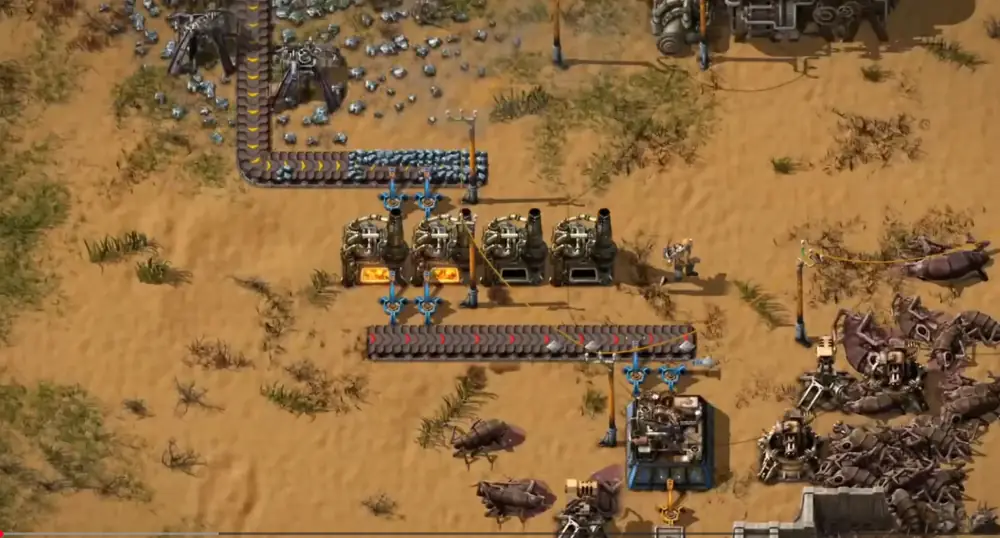


Factorio Automation Puzzles and the Joy of Constraints

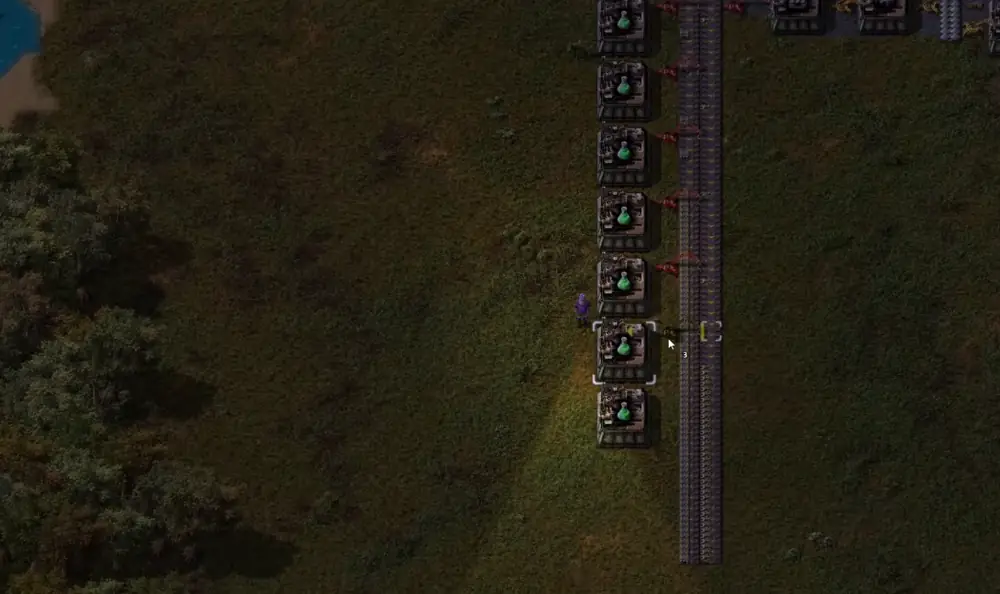
Factorio automation lines

Factorio automation constraints are the point, not the punishment. Automation games have become their own genre, but Factorio stands out because it turns limits into puzzles that teach themselves through play.

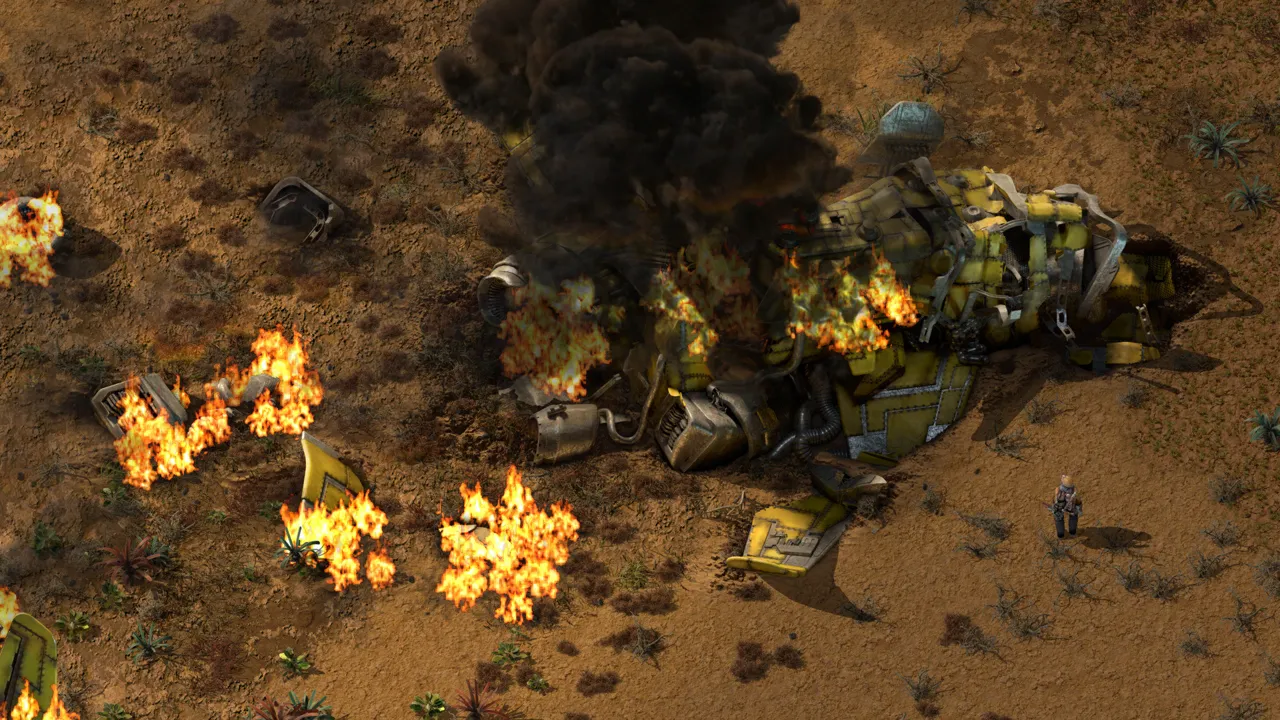
You begin, as all good industrial tragedies do, with a crash landing. The player awakens on Norese, a planet of grasslands, deserts, forests, and water. It looks alive, but not in a way that is immediately helpful. The trees are plentiful but inefficient, the animals are hostile, and the terrain exists less as a scenic backdrop and more as a logistical problem waiting to be solved. This framing is important: Factorio is not interested in role-playing survival or narrative exposition. It is interested in asking a single question, over and over again–how do you turn chaos into flow?

Constraints as the teaching tool

The initial mechanics are deceptively simple. You can move, open your inventory, craft items, place buildings, and pick them back up again. You can rotate structures, feed fuel into machines, and defend yourself with a starting pistol. At first glance, the user interface can feel overwhelming. The keybind menu alone is a wall of options, promising layers of efficiency that you do not yet understand. Yet this is one of Factorio’s quiet triumphs: despite the abundance of shortcuts and advanced controls, the core experience can be played with astonishingly few inputs. Inventory, rotate, place, pick up. Four actions account for the vast majority of the early game.

This design choice matters. New players are not punished for ignorance. They are not forced to internalize dozens of commands before they can meaningfully engage with the game. The advanced shortcuts exist for those who want mastery, not as a barrier to entry. Over time, players naturally gravitate toward efficiency, discovering that keys like Q, Z, or Shift-modified actions shave seconds off repeated tasks. But these discoveries are optional, layered gently atop a foundation that remains accessible.

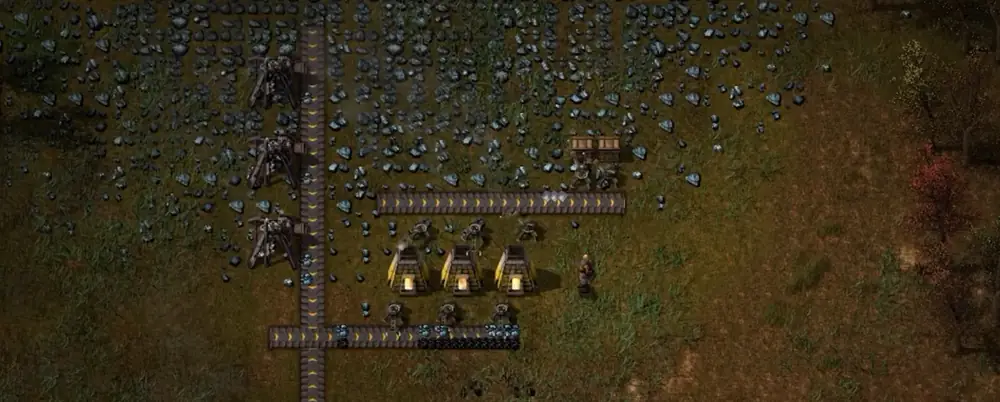
Your first real task is resource gathering. Iron ore, copper ore, coal, and stone are always placed conveniently close together in the starting area. This is no accident. The game funnels you into a brief phase of burner-powered machines, manual fuel feeding, and handcrafting. You mine ore, smelt it in stone furnaces, and craft items directly from your inventory. Machines consume coal or wood, items must be moved by hand, and production is slow.

This early friction is intentional. Handcrafting, in particular, becomes a surprisingly expressive skill. New players often fall into the trap of standing still, waiting for dozens of items to finish crafting while nothing else happens. Experienced players learn to minimize downtime, crafting only when necessary and multitasking whenever possible. The game never explicitly tells you this, but it nudges you toward the realization that handcrafting is a bottleneck, not a solution.

That realization arrives fully with assemblers. These machines, once researched, can craft items automatically when supplied with inputs. Veterans rush to unlock them as soon as possible, often making them the first major research goal. The reason is subtle but profound: Factorio teaches by inconvenience. Red science packs, the first tier of research currency, are just annoying enough to handcraft that the idea of automation begins to feel not just helpful, but necessary. You are never told that “machines are better than hands.” You feel it.

This philosophy extends throughout the game. Tutorials are strictly mechanical, showing how individual systems work in isolation, but never prescribing optimal solutions. The game will not tell you that 48 stone furnaces perfectly saturate a yellow belt. It will, however, give you all the numbers you need to figure that out yourself. Early playthroughs are therefore defined by experimentation and mistakes, but crucially, mistakes in Factorio are rarely catastrophic. A poorly designed factory is not a failure state–it is a temporary inefficiency.

Constraint frames: problems, hints, outcomes

Problem

Handcrafting blocks progress after early science.

Hint

Prioritize assemblers and automate your own tools.

Outcome

Production scales without waiting on the player.

Problem

Belts clog because ratios are guesswork.

Hint

Use recipe times to match inputs and outputs.

Outcome

Lines stay full and science packs stay steady.

Problem

Blueprints feel slow until bots arrive.

Hint

Rush blue science and build a tight robot network.

Outcome

Automation scales itself and iteration speeds up.

Ratios, throughput, and the puzzle core

Once players establish their first furnace arrays and begin producing iron and copper plates at scale, the game truly opens up. Conveyor belts fill with resources, assemblers multiply, and the infamous “belt spaghetti” begins to take shape. The stated objective is simple: launch a rocket into space. Achieving this requires producing vast quantities of science packs across multiple tiers, which in turn demands automation on an ever-expanding scale.

Red science introduces the basic logic of automation: feed inputs, extract outputs. Green science builds on this by requiring belts and inserters, two of the most commonly used items in the game. This is a masterstroke of design. By making essential infrastructure part of the research cost, Factorio forces players to automate their own tools. Excess production naturally accumulates, teaching the value of maintaining a personal supply without ever breaking immersion.

Underpinning all of this is the concept of ratios. Every recipe in Factorio has a defined crafting time and output rate. Assemblers display these numbers clearly, inviting players to engage with basic mathematics. How many machines do you need upstream to feed the ones downstream? How do you balance throughput across belts? This is the puzzle at the core of Factorio. It is not abstract or arbitrary–it is applied, tangible, and immediately rewarding.

There are quality-of-life improvements one could imagine. Ratios, for example, are not always surfaced as clearly as they could be, requiring players to hover over machines after setting recipes. In larger builds, particularly in the late game, this friction becomes more noticeable. Yet even here, the game’s reliance on player discovery remains consistent. The tools are there; the mastery is earned.

Why constraints feel good

  • Every limit has a clear fix, so learning feels earned.
  • Efficiency is optional early and essential later.
  • Automation rewards clean thinking more than grinding.

Blue science and the inflection point

The first major difficulty spike arrives with blue science, and with it, fluids. Oil processing requires locating crude oil deposits, extracting them with pumpjacks, transporting fluids via pipes, and refining them into usable products. This shift has historically been where many players disengage. Fluids are less intuitive than belts, and advanced oil processing introduces branching outputs that must be managed carefully.

Yet this spike is not accidental, nor is it excessive. Blue science represents a test of everything learned so far. The recipes grow longer, dependencies multiply, and foresight becomes increasingly valuable. You are no longer just combining plates and gears; you are coordinating steel production, plastic synthesis, circuit manufacturing, and sulfur processing. It is complex, but it is also coherent.

Robotics and the automation of automation

The reason this challenge exists so early is because of what blue science unlocks. Robotics. With construction and logistics robots, Factorio undergoes a fundamental transformation. Blueprints, which previously served as visual guides, become executable plans. Place a blueprint, and robots will build it for you, provided the materials exist within the network.

This single system redefines the game. Before robots, Factorio is about careful placement and personal labor. After robots, it becomes a game of design at scale. Entire production lines can be copied, pasted, upgraded, or repaired with minimal direct intervention. Logistics robots further abstract inventory management, automatically supplying the player and organizing storage according to rules you define.

This is where Factorio distinguishes itself from every other automation game. It does not just automate production–it automates the act of automation. Tasks that are tedious in other games become trivial here, freeing the player to focus on higher-level problems. The difficulty spike of blue science pales in comparison to the power spike that robots provide.

Why the 2D grid matters

Much of this is only possible because Factorio is a 2D game. The grid-based plane enforces spatial constraints that make logistics meaningful. In three-dimensional automation games, verticality often trivializes routing problems. In Factorio, space is precious, and every underground belt or split junction is a small puzzle. The limitation breeds creativity, forcing players to think carefully about layout and flow.

This is not to say that 3D automation games lack merit. Titles like Satisfactory excel at visual expression and architectural creativity. But Factorio’s 2D nature enables a level of mechanical density and blueprint complexity that would be difficult to replicate in three dimensions. Neither approach is inherently superior–they simply emphasize different strengths.

Beyond belts and bots, Factorio offers trains, circuits, and combinators. Trains allow efficient long-distance transport and can be fully automated using condition-based schedules. Circuit networks function as a simplified programming language, enabling logic-based control over machines and systems. For some players, this is the ultimate playground; for others, it remains an optional depth they may never fully explore.

Depth without punishment

Despite its reputation, Factorio is not inaccessible. Complexity is present, but it is layered. Players are never forced to engage with the most advanced systems unless they choose to. The comparison to famously opaque games like Dwarf Fortress or Path of Exile is misguided. Factorio teaches itself through interaction, not encyclopedic knowledge.

Where it stumbles: combat

The one area where the game stumbles is combat. Biters, the native creatures of Norese, attack factories when pollution reaches their nests. This system exists to impose a soft constraint on growth, forcing players to balance expansion with defense. In theory, it adds tension and stakes. In practice, it is the weakest part of the experience.

Combat options include personal weapons, turrets, and vehicles, but balance issues undermine their impact. Flamethrower turrets, in particular, trivialize enemy threats due to their high damage, area coverage, and reliance on easily sourced fuel. Nest clearing is often easier than defending, allowing players to preemptively eliminate threats with minimal investment.

As a result, combat becomes less of a strategic challenge and more of a chore for experienced players. Many choose to disable enemies entirely, focusing instead on pure automation. While combat serves a purpose, it lacks the elegance and depth found elsewhere in the game. Future updates could meaningfully improve this aspect without compromising Factorio’s identity.

There are also minor thematic issues. Biters, visually, feel disconnected from the environment they inhabit. The implied narrative–that the player is an industrial invader disrupting a native ecosystem–is compelling, but the creature design does not fully support it. This is a small complaint, but one that highlights how strong the rest of the game’s cohesion is.

Presentation and longevity

Beyond mechanics, Factorio excels in presentation. Modding is integrated seamlessly. The soundtrack is atmospheric and restrained, perfectly matching the rhythm of play. Visual clarity ensures that even massive factories remain readable. The Space Age expansion adds substantial content while respecting the core experience, offering toggles that let players customize exactly how much complexity they want.

Final take

In the end, launching the rocket is less a climax than a confirmation. You do not win Factorio by reaching the end–you win by understanding it. Each return playthrough is faster, cleaner, and more ambitious than the last. Improvement is incremental, but deeply satisfying.

Factorio is often described in numbers, but numbers feel inadequate. It is not flawless, but its flaws are small compared to its achievements. It is a game that respects the player’s intelligence, rewards patience, and transforms mundane logistics into something quietly profound. More than anything, it is a reminder that great design is not about spectacle, but about systems that invite you to think, experiment, and grow.

Factorio is, quite simply, a masterpiece with flaws–and one of the finest automation games ever made.

Ready to automate with a stable host? Launch a Factorio server

Factorio Roadmap 2026: What’s Actually Confirmed, What’s Likely, and What to Watch Next


Factorio Roadmap 2026: What’s Actually Confirmed, What’s Likely, and What to Watch Next

Factorio fans love two things: squeezing one more percent out of throughput… and trying to predict what Wube will do next. So it’s no surprise that “Factorio Roadmap 2026” keeps popping up in searches, forum posts, and Discord debates.

Factorio factory overview

Here’s the catch: there isn’t an official, dated “2026 roadmap” in the classic sense—no quarter-by-quarter promises, no checklist of features with calendar targets. What we do have is a handful of very clear signals from Wube about the next major branch (Factorio 2.1), the post–Space Age maintenance phase, and the general shape of “what comes after.”

This article lays out what’s confirmed, what’s plausible, and what’s pure community wish-casting—so you can set expectations correctly for 2026.


The short version: Roadmap ≠ schedule

If you’re hoping for a neat timeline like “Q1: planets; Q2: new combat; Q3: new DLC,” Factorio isn’t run that way. Wube’s public communication historically leans toward:

  • Announcing big milestones only when they’re confident (e.g., expansion date and pricing)
  • Staying transparent about priorities (bugs first, risky features later)
  • Avoiding long-range commitments that would force them to ship something before it’s ready

So “Factorio Roadmap 2026” is best understood as: the likely direction of Factorio during 2026 based on official statements and the current state of development.


Where Factorio stands heading into 2026

Space Age and 2.0 changed the baseline

By late 2024, Factorio effectively entered a new era:

  • Factorio 2.0 (free update) modernized systems and quality-of-life in a way that sets the foundation for future tweaks.
  • Factorio: Space Age (paid expansion) extended progression beyond the classic rocket end goal with new planets, space logistics, and a reworked tech journey.

This matters for 2026 because it changes what “future updates” can realistically be:

  • You should expect polish, stability, ergonomics, and modding improvements far more than “another giant content jump.”
  • Most of the “big new toys” are already in place; the next work is largely about finishing, refining, and empowering creators.

What’s confirmed for the next major update: Factorio 2.1

The most concrete piece of the “2026 roadmap” puzzle is Factorio 2.1.

1) Bug-fixing comes first

Wube’s stated approach is to clear a large wave of bug reports and duplicates, then move into the next major version branch. That means 2.1 is not “the next patch”—it’s a post-stabilization release that happens once 2.0/Space Age is in good shape.

2) 2.1 is “too big for 2.0” — but not “a new expansion”

The description that keeps repeating across official summaries is that 2.1 is meant for:

  • Finishing touches
  • Quality-of-life and interface improvements
  • Graphical tweaks
  • Modding interface changes that are too risky for the stable branch
  • “Cool little widgets” that enable new contraptions

That’s a very Factorio way of saying: expect meaningful improvements, but not a second Space Age-sized leap.

3) New achievements are on the table

One of the few specific “feature categories” publicly floated for 2.1 is more achievements—potentially a “bunch,” and possibly including a meta-achievement tied to earning all others in one run.

If you care about 100% completion or speedrun rule sets, achievements alone can be a big deal.


So… will 2.1 land in 2026?

No one outside Wube can guarantee dates, but here’s the realistic framing:

  • Work on 2.1 is positioned after a substantial bug-fix push.
  • The team has also suggested that public weekly dev diaries won’t be constant during “boring but important” bug-clearing phases.

From a player’s perspective, the most sensible way to think about 2026 is:

  • Either 2.1 arrives during 2026, or
  • 2026 is the year of continued stabilization with 2.1 arriving once the “finish & refine” bucket is truly ready

In both cases, 2026 looks like an iteration year, not an expansion year.


What 2026 updates will likely look like

Factorio factory rail logistics

If you’re planning content, running servers, or maintaining big modpacks, the practical question is not “What new planet?” but “What kind of changes will I need to adapt to?”

Here are the high-probability categories for the 2026 era.

1) Quality-of-life that removes friction at scale

Factorio is unique in that QoL is not “nice to have”—it’s the difference between a 200-SPM base and a 20,000-SPM megafactory that you can still reason about.

In a 2.1-style release, QoL tends to be:

  • More control over complex systems (trains, robots, logistics)
  • Better building ergonomics (blueprints, planners, ghosts)
  • UI clarity for late-game complexity
  • Little automation helpers that keep big factories readable

In other words: not flashy, but huge once you play with them.

2) Mod interface changes (the “hidden roadmap”)

For a large portion of the Factorio community, the real roadmap is the modding ecosystem.

When Wube says “changes related to mod interface,” it usually means:

  • More stable or more powerful APIs
  • Better hooks/events so mods can integrate cleanly
  • Changes that reduce performance costs of popular mod patterns
  • Tools that make it easier to build big overhauls without hacks

This is the kind of work that doesn’t sell screenshots, but it massively expands what the community can build—especially now that Space Age introduced new systems that mods will want to extend.

3) Optimization and performance headroom

Factorio has a reputation for being absurdly optimized, but Wube keeps pushing. Why?

  • Many players treat performance headroom as content.
  • Every optimization enables bigger factories, bigger modpacks, and smoother multiplayer.

So even if 2026 doesn’t bring “new stuff,” it can still bring more scale.

4) Continued balancing and small mechanics refinements

Any major release (2.0 + Space Age) creates new meta-strategies—some fun, some degenerate, some accidentally dominant. 2026 is a natural window for:

  • Adjusting edge cases
  • Nudging certain loops to be more interesting
  • Fixing unintended pain points in late-game progression

Think “sanding rough edges,” not “rewriting the game.”


The console / Switch 2 angle (yes, it matters)

A surprisingly important piece of the forward-looking conversation is console support—specifically the possibility of better hardware enabling:

  • Higher UPS headroom
  • Better UI and input refinements
  • Potential expansion availability on newer devices

Even if you play exclusively on PC, console parity can influence:

  • UI decisions
  • Performance priorities
  • How aggressively new systems can rely on CPU-heavy simulation

So if you’re watching “Factorio 2026,” keep an eye on whether Wube prioritizes updated console capabilities.


The big question: Is there more DLC after Space Age?

This is where rumor and reality often collide.

What’s safe to say for 2026:

  • Space Age was framed as a major expansion that caps a long arc of development.
  • The most concrete future-facing major work discussed publicly centers on 2.1 as a finishing-and-tools release, not “Expansion #2.”

Could Wube ever do another DLC? In theory, sure. But based on how they’ve talked about the next phase, 2026 expectations should tilt toward:

  • maintenance + refinement + modding empowerment, and
  • Wube exploring or prototyping a different game in parallel

The “new game” thread: what it means for 2026

Wube has openly mentioned experimenting with ideas for their next project—describing a concept “related to World of Warcraft” in a similar way Factorio relates to Minecraft (i.e., inspired by a genre, but transformed into something new).

For Factorio players, that implies something important:

  • Factorio can remain supported and improved,
  • while the studio’s creative momentum gradually shifts to a new title.

Studios do this all the time, but Wube tends to handle it more transparently than most.

So if you’re building long-term plans (servers, modpacks, content calendars), the 2026 era probably looks like:

  • Factorio becomes increasingly “mature platform software.”
  • The modding ecosystem becomes even more central.
  • Big content leaps become less frequent.

What “Factorio Roadmap 2026” means for different kinds of players

If you’re a vanilla player

You’ll likely benefit most from:

  • smoother progression
  • reduced friction in late-game systems
  • better UI and ergonomics
  • long-tail bug fixes

If you’re a megabase player

2026 is likely about:

  • performance improvements
  • more scalable tooling
  • clarity features that make huge factories easier to manage

If you’re a modded player

Your roadmap is:

  • API improvements and stability
  • fewer hacks needed to integrate Space Age-era systems
  • more room for ambitious overhauls

If you host Factorio servers

Plan for:

  • ongoing patch cadence (hotfixes + improvements)
  • occasional compatibility shifts if 2.1 introduces mod-interface changes
  • possibly changing resource needs depending on performance improvements (often better, sometimes different)

Practical “watch list” for 2026

If you want to keep your finger on the pulse without getting sucked into rumors, here’s what to monitor:

  1. 2.1 development starting (the moment bug-fixing pressure eases)
  2. Any mention of mod API milestones
  3. Achievement changes (especially if they affect existing saves or speedrun rules)
  4. Console/Switch 2 updates and any performance notes tied to them
  5. Communication cadence (e.g., dev blogs returning when 2.1 has interesting topics)

Conclusion: A realistic 2026 roadmap

“Factorio Roadmap 2026” isn’t a single official graphic—it’s a pattern:

  • Stabilize 2.0 + Space Age
  • Ship 2.1 as the ‘finishing touches’ major release
  • Keep polishing, optimizing, and empowering the mod ecosystem
  • Gradually shift creative energy toward whatever Wube builds next

If you’re a fan, that’s honestly a good outcome. It means Factorio becomes more like a well-tuned engineering platform: reliable, extensible, and capable of supporting the most insane factories the community can dream up.

And if you want the most “official” snapshot of what’s currently known, this is the one page worth bookmarking:

Outbound link (1): Official Factorio Wiki – Roadmap


FAQ: quick answers about the 2026 roadmap

Is “Factorio Roadmap 2026” an official Wube publication?

Not as a dedicated, dated roadmap. The most “official” view of future plans is the evolving combination of Wube’s own blog posts and the wiki’s summary pages that track what Wube has publicly stated.

Will 2026 bring major new content like another Space Age?

Based on what Wube has said so far, 2.1 is positioned as a finishing-touches major release, not a second expansion-sized content drop. That doesn’t rule out surprises, but it’s not the expectation you should build plans around.

What kinds of changes should mod authors prepare for?

The biggest risk (and opportunity) is that “changes too big for 2.0” often includes mod interface tweaks. These can be fantastic long-term—cleaner APIs, better hooks, fewer hacks—but they may also require:

  • updating mods to match new interfaces
  • re-testing compatibility in big modpacks
  • handling changes in how Space Age systems are exposed

If you maintain a large mod, the best 2026 strategy is to keep your codebase “upgrade-friendly”: reduce reliance on undocumented behaviors, track upstream discussions, and isolate integration points so you can patch quickly.

Should server hosts expect breaking changes?

Most Factorio updates are impressively stable, but any “major” release is when changes can land that affect:

  • mod versions and dependencies
  • map generation edge cases
  • performance characteristics under certain workloads

If you run public servers, treat 2.1 like a planned migration:

1) stage it on a test instance 2) validate your core mods and scenarios 3) communicate a maintenance window 4) keep rollback options ready

Why would achievements matter to the roadmap?

Achievements shape play. Adding or adjusting achievements changes:

  • what completionists optimize for
  • speedrun categories and rules
  • how new players learn “recommended” tactics

Even a “small” feature like achievements can ripple through the community—especially if there’s a new meta-achievement encouraging “all-in-one-run” completion.


Three plausible 2026 scenarios (and how to plan for each)

Because there isn’t a fixed calendar, it helps to think in scenarios rather than dates.

Scenario A: 2.1 ships in 2026

This is the “best of both worlds” for most players: the bug backlog gets cleared, development switches to 2.1, and the year includes a major quality pass.

How to plan: – Content creators: build a “2.1 readiness” series (what changes, what breaks, what’s better). – Modpack maintainers: keep a compatibility branch and publish a migration guide. – Hosts: pre-announce a 2.1 upgrade path and pin tested mod versions.

Scenario B: 2026 is mostly stabilization; 2.1 is later

If bug-fixing, polish, and real-world scheduling stretch out, 2026 can still be a great year—just not one with a single headline release.

How to plan: – Keep updates rolling, but focus on reliability. – Treat your environment as “slowly evolving stable,” not “waiting for the big drop.”

Scenario C: 2.1 ships, but it’s modest and tooling-focused

This can happen if the best “too big for 2.0” ideas are mostly about APIs, UI, and small widgets.

How to plan: – Expect less hype, more long-term value. – Modders and megabasers benefit most.


What would make 2026 feel big, even without new planets?

Factorio megabase overview

Factorio doesn’t need a new campaign to create a “new era.” A handful of improvements can transform how the game plays:

  • Blueprint UX upgrades that make large refactors painless
  • Train/rail tools that reduce junction headaches
  • Robot behavior tweaks that stabilize huge construction waves
  • Modding hooks that unlock a new generation of overhauls
  • Performance wins that lift the ceiling for megabases and multiplayer

If 2.1 delivers even two or three improvements of that caliber, many players will remember it as a landmark release—regardless of whether it adds a single new resource.


Ready to build for Factorio? See our Factorio server hosting plans.
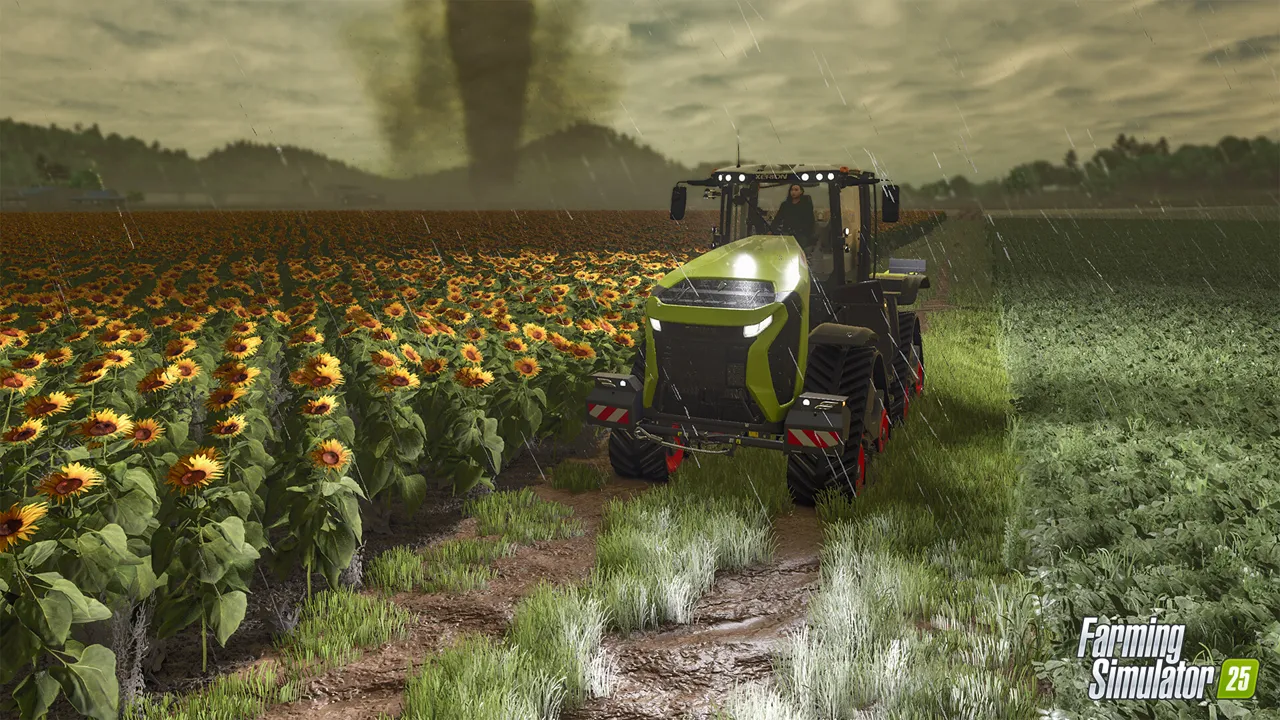
 
Farming Simulator 25 Server Hosting

Farming Simulator 25 Server Hosting for co-op farms, mods, and long-running saves

Launch a dedicated Farming Simulator 25 server in minutes with stable performance, fast restarts, and easy configuration. Keep your farm online for your friends, your modpack, and long-running seasons.

Start in 2 minutes Compare plans Monthly plans, cancel anytime
Prices include tax at checkout.
10k+ servers hosted 99.9% uptime 5 regions 2-day refund
PROMO: Buy Farming Simulator 25 - get access to multiple other games. See all games
Step 1

Pick a plan

Choose S, M, or L based on player count.

Step 2

Launch instantly

Provision your world and adjust settings.

Step 3

Invite your crew

Share the IP and scale anytime without wipes.

"Our farm stays stable and mods load cleanly for every co-op session."
Farming Simulator 25 customer review
Farming Simulator 25 server plan S

Plan S

$00
/ per month

Up to 8 Players

A reliable start for small co-op farms and light modpacks.

Farming Simulator 25 server plan M

Plan M

$00
/ per month

Up to 16 Players

Balanced for bigger crews, larger maps, and steady uptime.

Farming Simulator 25 server plan L

Plan L

$00
/ per month

Up to 32 Players

Built for long-running servers, heavy modpacks, and busy co-op sessions.

All plans include
Uncapped RAM
NVMe storage
Mod support
Daily snapshots
Server hardware: AMD EPYC CPUs (24c/48t+), ~3.6 GHz, 512 GB RAM

Co-op sessions and stable saves

Keep your farm online for friends and scheduled sessions with reliable uptime and consistent performance.

Performance for big farms

Low-latency regions keep large maps, convoys, and busy harvest runs smooth for every player.

Configs, mods, and backups

Adjust settings, upload mods, and restore snapshots from the control panel when you need quick recoveries.

Showcase

From harvest runs to big equipment convoys, keep your Farming Simulator 25 world online.

Farming Simulator 25 farm fields

Persistent farms

Reliable saves for long-term co-op worlds.

Farming Simulator 25 tractors and equipment

Big equipment

Stable performance for busy operations.

Farming Simulator 25 harvest

Harvest seasons

Smooth sessions for scheduled play.

Discord bot controls for your Farming Simulator 25 server
Discord bot

Self-Serve Bot in Discord

Instant control of your Farming Simulator 25 server without tickets or waiting. Type a command and go.

  • Start, stop, restart, and check status in seconds.
  • Secure by design: only your subscriptions are accessible.
  • Share access safely with time-limited auth codes.

Fast, secure, and always on.

Discord chat commands for Farming Simulator 25 server management

FAQ

Yes. Set a password or whitelist players in the control panel.

Plans scale by player slots. Pick S, M, or L based on your group size.

Yes. Upload your save files via the file manager or FTP and keep all player data.

We host in US West (Oregon), US East (Virginia), US North-East (Toronto), Europe West (Paris), and Australia (Sydney) for low latency.

Yes. We run automatic snapshots and provide on-demand backups for quick restores.

Average Farming Simulator 25 server hosting cost is about $8-$16 per month for small co-op groups, with larger groups typically $16-$28. Pricing follows player slots, save size, and bandwidth.

Yes. In My Account → Subscriptions, you can upgrade to a higher tier of the same game with the same billing cadence (for example, monthly to monthly). Downgrades are not available right now. During an upgrade, your deployment is updated in place (quota update + restart), not wiped and recreated.

Fenris’ Armor: A Worthwhile Choice for Late Game Players?


Fenris’ Armor: A Worthwhile Choice for Late Game Players?


As you delve deeper into the world of Valheim, it’s natural to start questioning the viability of certain pieces of armor and equipment. Fenris’ armor is one such item that has sparked debate among players – is it truly worth investing in as we approach the late game?

At first glance, Fenris’ armor doesn’t seem like a particularly impressive piece of gear. The stats don’t exactly jump out at you, and it’s easy to understand why some players might be hesitant to spend precious resources on it. I mean, who wants to waste their time farming for 500+ wood when there are far more enticing options available?

But here’s the thing – Fenris’ armor is all about synergy. It’s not meant to be a standalone solution that suddenly makes you invincible; rather, it’s designed to work in tandem with other pieces of gear to create an unstoppable force on the battlefield.

Let’s talk about the resistances first. 12% fire resistance might not seem like much at first, but trust me when I say it can make all the difference in certain situations. You see, Valheim is a game that loves to throw curveballs at you – surprise ambushes, unexpected environmental hazards, and so on. Fenris’ armor gives you the flexibility to adapt to these unexpected twists without having to constantly swap out your gear.

But what about the armor value itself? 130 might not be as impressive as some of the higher-end sets, but remember that it’s a full set – helmet, chestplate, gloves, and leggings. That’s a lot of protection right there, especially considering how often you’ll find yourself in situations where every little bit counts.

And let’s not forget about the bonus to melee damage. 5% might seem paltry at first, but when combined with other sources of damage boosts (I’m looking at you, battle-focused abilities), it adds up fast. You’re talking an extra few hundred damage per hit – that’s a significant advantage in most situations.

Now I know what you’re thinking: “Alex, this all sounds great and all, but isn’t Fenris’ armor just for PvP players?” And to that, I say… not necessarily. Sure, the resistances and damage boost will come in handy during those intense 1v1 matches, but the truth is, this set of armor can be used in a variety of situations.

For example, have you ever found yourself facing off against those pesky trolls? You know, the ones that love to one-shot you with their massive hammers? Yeah, Fenris’ armor will help mitigate some of that damage. And let me tell you, it’s a godsend when you’re trying to take down those tough boss enemies.

So is Fenris’ armor a worthwhile choice for late game players? In my humble opinion, the answer is a resounding yes. It might not be the flashiest set out there, but when you consider the synergy with other gear and abilities… man, it’s a whole different story.

AlexTr1


Finding the Perfect Satisfactory Dedicated Server


Finding the Perfect Satisfactory Dedicated Server: What to Look For

Okay, so you’re in the market for a dedicated server. Maybe you’re tired of laggy multiplayer experiences, or you need a rock-solid place to host your website. Whatever the reason, picking the right one can feel like a giant quest. It’s not just about throwing money at the biggest machine, it’s about finding a server that truly fits your needs. So, let’s dive into what makes a dedicated server actually… satisfactory.

Understanding Your Needs

Before we even look at specs, let’s be real. What are you actually going to do with this server? Are you trying to host a hardcore Minecraft server with 100 players, or is it a small personal website? The answer drastically changes what you need.

For Gaming:

  • Player Count: The more players, the more juice your server needs. Think about not just the current player count but if you plan on growing.
  • Game Type: A fast-paced FPS is going to require a lot more power than a turn-based strategy game.
  • Mods: Heavy mods can really put a strain on your system.
  • Latency: If you’re serious about online gaming, you need a low-latency connection. This will make gameplay feel much smoother.
  • Uptime: Do you need the server up 24/7, or just during specific hours? This affects the requirements for reliability and support.

For Websites and Applications:

  • Traffic: How much traffic do you expect on your site? More traffic means more resource demand.
  • Storage: Do you have a ton of images and videos, or mostly text? Storage needs vary.
  • Database: If your site relies on databases, you will need to think about I/O performance, especially when handling a lot of database requests.
  • Application Type: A simple blog has different needs than an e-commerce site.
  • Scalability: Do you expect your site to grow over time? Make sure your server can handle expansion.

Location, Location, Location

Where your server is physically located matters a lot. If you’re hosting a game server for players in Europe, having your server in North America is not a good idea. This leads to high latency which is horrible for online gaming.

  • Latency: Pick a location that is closest to the majority of your users. The closer your server is, the faster the data travels, resulting in better ping and less lag.
  • Regulations: Different countries have different laws about data storage. Make sure the location you choose meets your compliance needs.
  • Availability: Think about time zones if you plan on accessing the server regularly for management. Some locations offer better access and support during specific times of the day.

The Heart of the Matter: Hardware Specs

Now we are diving into the good stuff, the nuts and bolts! Picking the right components is what separates a server that’s smooth as butter from one that’s constantly crashing.

CPU (Central Processing Unit):

  • Clock Speed: Measured in GHz, clock speed determines how fast the CPU can process data. For gaming, a higher clock speed is crucial.
  • Cores/Threads: Multiple cores allow the CPU to handle more tasks simultaneously. More is better, especially for servers running many applications or supporting large numbers of users.
  • Architecture: Look for modern CPUs with solid performance like those from Intel or AMD.

RAM (Random Access Memory):

  • Capacity: The more RAM you have, the more applications and data your server can handle at the same time.
  • Speed: Look for high-speed RAM to keep up with data requests, especially when handling multiple users or intensive applications.
  • Type: Modern servers usually use DDR4 or DDR5 RAM, look for compatibility with your CPU.

Storage:

  • Type: SSDs are faster but cost more, while HDDs are cheaper but slower. For game servers, SSDs are a must.
  • Capacity: Factor in current and future needs for scalability.
  • Speed: Important for websites and applications with heavy data usage.

Bandwidth:

  • Speed: Determines how fast your server can download and upload data.
  • Transfer Limits: Avoid extra costs by selecting an appropriate tier.
  • Network Redundancy: Providers with multiple uplinks ensure reliability.

Operating System (OS):

  • Linux: Popular for stability and performance.
  • Windows Server: Suitable for hosting Windows-specific applications.

Management and Support

You may find that some servers are managed by the provider, and others you have to set up and manage yourself. Choose based on your experience and needs.

  • Control Panels: Tools like cPanel and Plesk simplify server management.
  • Support: 24/7 customer support can be a lifesaver.
  • Backups: Regular backups are critical to prevent data loss.

The Cost Factor

We all have budgets, so let’s talk money.

  • Price Comparison: Look for value over the cheapest option.
  • Hidden Costs: Read the fine print carefully.
  • Upgrade Options: Ensure easy upgrades as requirements grow.

Putting It All Together

Finding a satisfactory Satisfactory server hosting is a balancing act. Take the time to understand your needs, evaluate options, and choose a server that meets your performance, reliability, and support requirements.

 
FiveM Server Hosting

FiveM Server Hosting for GTA V roleplay, custom frameworks, and persistent worlds

Launch a dedicated FiveM server in minutes with stable performance, fast saves, and easy configuration management. Keep your world online for your community, your roleplay city, and long-term progression.

Start in 2 minutes Compare plans Monthly plans, cancel anytime
Prices include tax at checkout.
10k+ servers hosted 99.9% uptime 5 regions 2-day refund
PROMO: Buy FiveM - get access to multiple other games. See all games
Step 1

Pick a plan

Choose S, M, or L based on player count and world size.

Step 2

Launch instantly

Provision your city and tune framework rules, economy, and permissions.

Step 3

Invite your crew

Share the IP and scale anytime without wipes.

“Our FiveM sessions stay smooth during peak city roleplay.”
FiveM customer review
FiveM server plan S

Plan S

$599
/ per month

Up to 8 players

A clean monthly entry point for private crews, test cities, and early public launches.

FiveM server plan M

Plan M

$1199
/ per month

Up to 16 players

The best fit for most active roleplay communities running regular patrols, economy loops, and custom resources.

FiveM server plan L

Plan L

$2199
/ per month

Up to 32 players

Built for larger communities, heavy script stacks, and peak-hour roleplay.

All plans include
Linux FXServer
FTP access
Resource uploads
DDoS protection
Server hardware: AMD EPYC CPUs (24c/48t+), ~3.6 GHz, 512 GB RAM

Hardcore survival with stable performance

Keep city events, police chases, and large RP sessions responsive with reliable uptime and consistent saves.

Roleplay servers and faction communities

Run custom rulesets, PvP/PvE mixes, and community events with full control over your FiveM server settings.

Backups, restores, and long-term progression

Protect your players' progress with automated snapshots and quick restore options whenever updates or config changes go wrong.

The FiveM Roleplay World

From city districts to high-pressure operations, FiveM is built around tension, teamwork, and smart planning. Keep your server online for every session.

FiveM city district

City districts

Reliable persistence for long-term economy progression.

FiveM patrol route

Patrol routes

Low latency for high-population city activity.

FiveM night roleplay

Night roleplay

Stable sessions for coordinated community events.

Discord bot controls for your FiveM server
Discord bot

Self-Serve Bot in Discord

Instant control of your FiveM server without tickets or waiting. Type a command and go.

  • Start, stop, restart, and check status in seconds.
  • Secure by design: only your subscriptions are accessible.
  • Share access safely with time-limited auth codes.

Fast, secure, and always on.

Discord chat commands for FiveM server management

Latest FiveM Guides & News

FAQ

Yes. You can tune world settings, server rules, and access controls from the panel, then restart safely.

Plan S supports up to 8 players, Plan M up to 16, and Plan L up to 32. Your configured player cap cannot exceed the limit of your current plan.

Yes. Move your server between regions from the panel without wiping progress.

We run automated snapshots and provide on-demand backups for quick restores.

Set a password or whitelist players in the control panel.

FiveM plans are monthly: Plan S is $5.99 for up to 8 players, Plan M is $11.99 for up to 16 players, and Plan L is $21.99 for up to 32 players.

Yes. In My Account → Subscriptions, you can upgrade to a higher tier of the same game with the same billing cadence (for example, monthly to monthly). Downgrades are not available right now. During an upgrade, your deployment is updated in place (quota update + restart), not wiped and recreated.

Food Preparation Table Valheim


Food Preparation Table Valheim

So, you’re tired of dying in Valheim? Yeah, me too. Turns out, bashing Greydwarfs and sailing across the ocean requires more than just a sharp axe and a brave heart. You need good food. And to make good food, you need the Food Preparation Table. Think of it as your Viking kitchen’s MVP. If you want your crew eating well together, a Valheim server hosting world keeps everyone fed without wipes.

This isn’t just some fancy furniture piece; it’s the gateway to better stats, tougher fights, and longer expeditions. Let’s break down everything you need to know to master the Food Preparation Table and become a culinary god in Valheim.

Why You Absolutely Need a Food Preparation Table

Seriously, why are you even reading this if you don’t know how important food is? Alright, alright, I’ll spell it out. Food in Valheim isn’t just for healing; it’s your main source of increasing your maximum health and stamina. The better the food, the higher your stats. Higher stats mean you can swing your axe longer, take more hits, and run further without collapsing in a sweaty heap.

Early game, you might be surviving on grilled neck tails and raspberries (been there!). But trust me, once you start crafting meals on the Food Preparation Table, you’ll feel like a whole new Viking. We’re talking about jumping from 50 health to 100+, easily.

Crafting Your First Food Preparation Table: The Recipe

Okay, enough talk, let’s get building. Here’s what you need to craft your very own Food Preparation Table:

  • Workbench: You should have this already. If not, gather some wood and get building! The Food Preparation Table requires you to be near a Workbench to craft it.
  • Flint (4): You’ll find Flint along the shores of rivers and lakes in the Meadows biome. Keep an eye out for those greyish-white stones.
  • Wood (2): The most basic resource. Chop down some trees!

Once you have the materials, equip your hammer, open your crafting menu (right-click), and find the Food Preparation Table. Place it somewhere convenient in your base, preferably near your cooking stations.

Essential Recipes to Start With

Now that you have your table, let’s cook! Here are some simple but powerful recipes you can make right away:

  • Cooked Meat: Just toss some raw meat on the Cooking Station (unlocked early on by using stones and wood). This is your basic health booster.
  • Grilled Neck Tail: Kill those annoying Neck lizards near water and grill their tails. Gives a decent stamina boost.
  • Carrot Soup: This one requires you to plant carrots first. Get carrot seeds from the Black Forest by finding wild carrots. Once you have carrots, combine 1 carrot, 1 mushroom, and cooked meat on the Cauldron to make Carrot Soup. This is a fantastic early-game health and stamina combo.

These recipes are your bread and butter (or, you know, your cooked meat and berries) in the early game. They’ll give you a noticeable edge in combat and exploration.

Leveling Up Your Kitchen: Upgrading the Food Preparation Table

This is where things get interesting. The Food Preparation Table itself can’t be upgraded directly. Instead, you need to build nearby crafting stations that provide a “Comfort” bonus. These stations essentially upgrade your overall cooking potential and unlock more advanced recipes.

Here’s a breakdown of some key upgrades:

  • Cauldron: A must-have. Build this near your Food Preparation Table. It’s required for making soups, stews, and other advanced dishes. To make a Cauldron you will need Tin. Tin Ore is found along the shores of the Black Forest biome. You need to build a smelter and charcoal kiln to convert tin ore into tin bars.
  • Spice Rack: Unlocks new recipes and improves existing ones. You’ll need Fine Wood to make the Spice Rack. Fine wood is gathered from Birch and Oak trees which are found in the Meadows biome. You’ll need a bronze axe to chop these trees down.
  • Butcher’s Table: Build this to unlock even more meaty meals. The Butcher’s Table requires Iron.
  • Oven: Bake delicious breads and pies. To build the oven you will need Iron, Fine Wood, Stone and Black Marble.

The more comfort items you have nearby, the more advanced recipes you can unlock, and the better the food you can make. It’s an investment that pays off big time.

Advanced Recipes: Fueling Your Viking God

Once you’ve upgraded your kitchen, you can start crafting some truly epic meals. These will give you massive boosts to your health and stamina, allowing you to take on tougher enemies and explore more dangerous areas. Here are a few examples:

  • Lox Meat Pie: Requires Lox meat (from the Plains biome), Cloudberries (also Plains), Barley Flour (requires farming Barley in the Plains), and eggs. This is a fantastic health and stamina food for late-game players.
  • Serpent Stew: Serpent meat (from sea serpents), mushrooms, and honey. A great stamina food for sailing long distances.
  • Blood Pudding: Thistle, Bloodbag, barley flour. Good all round stats.

Experiment with different recipes and find what works best for your playstyle. Don’t be afraid to venture into new biomes to find rare ingredients. The rewards are worth it!

Optimizing Your Food Buffs: Stacking and Timing

Knowing what to eat is only half the battle. You also need to understand how food buffs work. Here are a few key tips:

  • Eat three different foods: You can have up to three food buffs active at a time. Each food has its own duration, so choose wisely.
  • Prioritize Health and Stamina: Balance your food choices to maximize both health and stamina. Some foods provide more of one than the other.
  • Pay Attention to Duration: Some foods have longer durations than others. Eat longer-lasting foods first, then supplement with shorter-duration buffs.
  • Eat Before a Fight: Obvious, but worth repeating. Don’t wait until you’re already taking damage to eat. Prepare your meals before heading into battle.

By strategically stacking your food buffs, you can become a force to be reckoned with in Valheim.

Pro Tips for Food Preparation Mastery

Alright, you’ve made it this far. You’re practically a Viking chef already. Here are a few extra tips to help you become a true master of the Food Preparation Table:

  • Farm, Farm, Farm: Setting up a farm is crucial for consistent access to ingredients like carrots, turnips, barley, and onions.
  • Explore Every Biome: Each biome has unique ingredients to discover. Don’t be afraid to venture into new areas, even if they’re dangerous.
  • Use the Wiki: The Valheim wiki is your best friend. It has detailed information on every recipe, ingredient, and crafting station.
  • Experiment: Don’t be afraid to try new combinations of foods. You might discover some hidden gems.
  • Build Multiple Cooking Stations: Having multiple Cooking Stations and Cauldrons will speed up your food preparation process.
  • Automate: Use hoppers and conveyors to automatically feed ingredients into your cooking stations. This is especially useful for large-scale farming operations.

Final Thoughts: From Zero to Hero (with a Full Stomach)

The Food Preparation Table is more than just a piece of furniture; it’s a critical tool for survival and success in Valheim. By mastering its recipes, upgrades, and techniques, you can transform yourself from a weakling Viking into a powerful warrior capable of conquering any challenge. So get cooking, and may your stomach always be full! Now go forth and conquer Valheim, one delicious meal at a time!

So, what are you waiting for? Get out there and start cooking! Your Viking awaits!

Top