As I stood at the edge of the fjord, the crimson sunset casting a warm glow over the water, I couldn’t help but feel a sense of unease. The silence was oppressive, punctuated only by the distant sound of waves crashing against the shore. It was as if the very world itself was holding its breath in anticipation.
I had been searching for this place for what felt like an eternity – a spot where my partner and I could finally put our differences aside and rebuild our relationship. The discovery of the cool rock, with its peculiar shape and vibrant colors, had seemed like a beacon of hope. But now, as we stood together in silence, I couldn’t shake the feeling that something was amiss.
The air was heavy with tension, thick with unspoken words. We’d been through so much already – the struggles to survive on this unforgiving land, the fights and disagreements, the moments of tenderness and love. And yet, despite all we’d shared, it seemed like an insurmountable chasm had opened between us.
I turned to my partner, trying to read their expression, but they were as stoic as the stone beneath our feet. Their eyes avoided mine, and I knew that the words we needed to say were stuck in our throats, refusing to be uttered.
The rock, once a symbol of promise and new beginnings, now felt like a weight, crushing us both under its unyielding surface. I couldn’t help but wonder if we’d been foolish to think that this place, this moment, could ever truly heal the wounds between us.
As the darkness gathered around us, I felt the first droplets of rain begin to fall. The sky was darkening fast, and I knew that soon it would be nothing more than a faint outline against the blackness. It was as if nature itself was washing away our doubts, our fears, our hesitations.
And then, without warning, my partner’s eyes locked onto mine. They were filled with a deep sadness, a longing that seemed to pierce my very soul. In that instant, I knew that we were not so different from the land around us – battered, worn down by the relentless forces of the world, but still standing, still fighting.
The rain grew heavier, drumming out a rhythm against the rock and the water below. It was as if the universe itself had taken up the challenge, urging us to find our way back to each other.
I took my partner’s hand, feeling the familiar sparks of connection that we’d so desperately tried to ignore. The cool rock beneath us seemed to fade into insignificance, replaced by the warmth and depth of our bond.
In this moment, I knew that as long as we had each other, nothing – not even the gods themselves – could take away the chance at redemption, forgiveness, and a new beginning.
AlexTr1
The Unkillable Illusion
I’ve been playing Valheim lately and I just had one of those moments where you think your character is invincible. You know, that feeling when you’re on a roll, taking down monsters left and right, and nothing can possibly go wrong. It’s like you’ve entered some sort of fantasy bubble where the laws of survival don’t apply.
I was in the midst of building my base, gathering resources, and exploring the world, when suddenly I found myself face to face with a giant troll. Now, these trolls are not exactly the most intelligent creatures, but they can still pack a punch. Or should I say, an axe?
As I was fending off this behemoth, I started to get cocky. I mean, who needs strategy or caution when you’ve got a decent sword and some fancy footwork? Right? Wrong.
The troll managed to grab me and slam me into the ground, and let me tell you, it hurt. A lot. But hey, I’m a gamer, so of course, I was expecting to respawn at my base, or maybe even get some nice loot as compensation for my trouble.
But nope. The game had other plans. See, this particular troll decided to take an interest in me and proceed to rip me apart like the rag doll that I was. And just when I thought all hope was lost, my character’s corpse got trampled into oblivion by a herd of wild boars.
Now, I know what you’re thinking – “Alex, why are you telling us this?” Well, my friend, it’s because I want to talk about the illusion of invincibility. We’ve all been there at some point or another – that sweet spot where our skills and gear seem to be just enough to keep us safe from harm.
And let me tell you, it’s a dangerous place to be. Not only do we start to take unnecessary risks, but we also become complacent, thinking that our characters are somehow immune to the harsh realities of gaming. Newsflash: they’re not.
I mean, think about it – what makes us think that our characters will always emerge victorious? Is it some sort of narrative magic that we’ve been led to believe in? Or is it just a false sense of security born out of our own biases and confirmation bias?
Don’t get me wrong, I love the thrill of being invincible for a little while. There’s nothing quite like the rush of adrenaline when you’re taking down enemies left and right without so much as breaking a sweat. But when reality sets in – and it always does – we’re left feeling lost and confused.
I think this is especially true in Valheim, where death is such an integral part of the game. You can’t help but feel like your character’s mortality is a constant reminder that there are no free passes, no shortcuts, and certainly no guarantees.
So what’s the takeaway here? Well, I suppose it’s to never take our characters’ invincibility for granted. Don’t get too cocky, don’t assume you’re above danger, and definitely don’t start relying on dumb luck alone to carry you through the tough times.
Instead, let’s focus on learning from our mistakes, adapting to new situations, and always keeping a healthy dose of paranoia about what might be lurking just around the corner. Because at the end of the day, it’s not about being invincible – it’s about being prepared for anything that comes our way.
—
Author:
AlexTr1
Trader Reset Drama: Building a Friendly Economy on 7 Days to Die Servers
For reference builds and balancing ideas, see the community guides on 7daystodiemods and vendor tuning threads on The Fun Pimps forum. They discuss 7 days to die trader reset changes that keep economies fair.
7 Days to Die trader reset settings (quick wins)
Set trader reset timers to 36–48 hours with small jitter so runs are fair.
Publish vendor rules inside MOTD and Discord; pin them near each trader.
Log trader buys and share summaries to defuse conspiracy drama.
Rotate “market fairs” for rare loot so every playstyle gets a shot.
Back up trader hubs separately and snapshot before big events.
FAQ: fixing trader reset drama
How often should 7 Days to Die traders reset? Every 36–48 hours with jitter keeps economies fair.
How do I stop players from hoarding? Announce rules, log purchases, and add scarcity events so loot is shared.
What about cheap 7 Days to Die server hosting? Use hosts that let you snapshot worlds and scale CPU during trader events.
Which focus keyword to use? “7 days to die trader reset” — include it in title, intro, H2, and description.
7 Days to Die trader reset drama can wreck a server economy. This playbook shows how to tune trader reset timers, keep loot fair, and run cheap 7 Days to Die server hosting players trust.
Use these steps to balance vendors, set clear rules, and stop market fights before they start.
There is something uniquely spicy about trader discourse in 7 Days to Die. One person’s “healthy economy” is another person’s “pay-to-win loot goblin.” Alpha 22 tweaked reset timers and loot pools just enough to reignite the argument across every community Discord I hang out in. Instead of letting the debate spiral, we started documenting the small systems we use to keep vendor drama under control on the cheap 7 Days to Die server hosting plans we run. This post walks through those systems, plus some human stories that prove transparency beats shouting every time.
Why Alpha 22 changed the vibe
Previously, diligent players could predict when a trader stocked crucibles or coil ammo and scoop everything while casuals logged off. Alpha 22’s loot refresh tweaks added more randomness but also shortened restock timers on certain items. The net result is that the same few power users still gobble the good stuff, only now everything feels like a flash sale. We saw this firsthand when a weekend crew logged in, visited four traders, and found nothing above tier 2 loot. They assumed the server was bugged. It wasn’t; someone simply sprinted the route at dawn.
Reset timers that feel fair
Our first fix was surprisingly simple: switch traders to a 36-hour reset with a slight jitter. The extra 12 hours gives midweek players a fighting chance while the jitter prevents perfect schedules. We communicate the change inside the MOTD, on Discord, and through an in-game sign near each trader. Clarity matters. When people know the rule set, they still compete, but they stop accusing each other of cheating.
Scarcity events
For high-value items—crucibles, drone mods, coil guns—we stage weekly “market fairs.” The idea came from a cozy Polish server that turned vendor drama into a mini festival. Every Saturday night we spawn a temporary event trader in a neutral biome. Admission requires donating materials to a public project (walls, farms, you name it). Inside, we rotate special loot so different playstyles get a moment to shine. Suddenly, rare items feel communal rather than hoarded.
Transparent logs defuse conspiracy theories
Whenever arguments flare up, screenshots only go so far. That is why we built a simple logging bot that records trader interactions and posts summaries into a read-only Discord channel. Players can see who bought what, when, and from which vendor. Privacy purists sometimes grumble, but most people appreciate the sunlight. When someone accuses a rival of buying twelve coil rifles, the logs show the truth in seconds.
Inventory monitoring helps admins make tweaks
From a host perspective, the most useful tool we added was a lightweight Prometheus exporter that tracks trader inventory levels. Every hour it samples the remaining quantity of key items. If crucibles hit zero across all traders, the dashboard flashes yellow, and we either trigger a manual restock or announce the upcoming market fair. Data beats guesswork, especially when you run multiple affordable 7 Days to Die hosting plans and cannot hover over every world simultaneously.
Player etiquette still matters
Rules and bots can’t fix attitude problems alone. We coach communities to adopt simple etiquette:
Leave at least one copy of rare schematics for the next person.
Barter in global chat—trading coil parts for farm plots builds relationships.
Use the report command respectfully; it summons a moderator, not a revenge drone.
When etiquette fails, we rely on progressive discipline: private warning, temporary vendor ban, then removal. Thankfully, owning your mistakes publicly tends to reset the tone before it reaches that point.
Infrastructure tips for trader-heavy worlds
Trader hubs attract traffic spikes. To keep performance stable we isolate market POIs on their own chunk-cached servers during peak events. Those instances borrow extra CPU and NVMe throughput so vendor menus load instantly even when 30 shoppers arrive. Behind the scenes we run snapshots every six hours; if duping or grief slips through, we revert the hub without rolling back the entire world.
Community stories
Two anecdotes keep me optimistic about trader diplomacy. First, a Polish clan built a “co-op kiosk” where members donate extra books. They update a Google Sheet so newcomers know which trader has what, turning scarcity into a scavenger hunt. Second, an American streamer clan started hosting live auctions for schematic bundles. They stream the event, cut the footage into TikToks, and tag our 7 Days to Die servers in the credits. Free marketing born from a potential headache!
Checklist you can steal
Pick a reset timer and communicate it everywhere.
Log trader transactions and expose the data.
Add scarcity events or weekly fairs to redistribute rare loot.
Monitor inventories so you know when supply dries up.
Document etiquette rules with actual consequences.
Automate backups for market hubs separately from the rest of the world.
Regional pricing and trade routes
Something else we do is rotate regional bonus prices. Traders in snow biomes might pay 20% more for farm plots one week, then desert traders overpay for steel tools the next. Publishing those incentives nudges players to travel, spreads demand across the map, and creates organic caravan gameplay. A few communities even role-play as merchants, running convoy nights complete with escort squads. You do not need fancy plugins to inspire that behavior; a single Discord post explaining the rotating premium is enough.
Automating disputes
The final piece of the puzzle is documentation. We maintain a self-serve “Trader Help” page that walks players through escalating disputes. Step one: collect evidence. Step two: submit via ticket form. Step three: await moderator ruling posted publicly. Having a template keeps emotions low because everyone knows what comes next. We also publish anonymized case studies each month so newcomers learn from past mistakes without reliving the drama.
Wrapping up
Trader debates will never vanish, but they do not have to poison your community. With a handful of transparent systems, a splash of creativity, and empathy for players who log in after work, you can keep the economy feeling generous even on budget hardware. If you need a hand wiring up the logging bot, tuning restock scripts, or migrating to hardware that can handle lively bazaars, reach out. We are always happy to talk shop with fellow admins trying to keep apocalypse capitalism fun.
This 7 days to die trader reset guide keeps economies balanced: set fair trader reset timers, publish rules, log purchases, and host on hardware that handles peak trader traffic. Repeat your 7 days to die trader reset plan in MOTD and Discord to stop drama early.
This 7 days to die trader reset guide gives admins a checklist: set fair reset timers, publish trader rules, log purchases, rotate fairs, and link to trusted hosting configs. Repeat the 7 days to die trader reset steps in MOTD and forums so players see them everywhere.
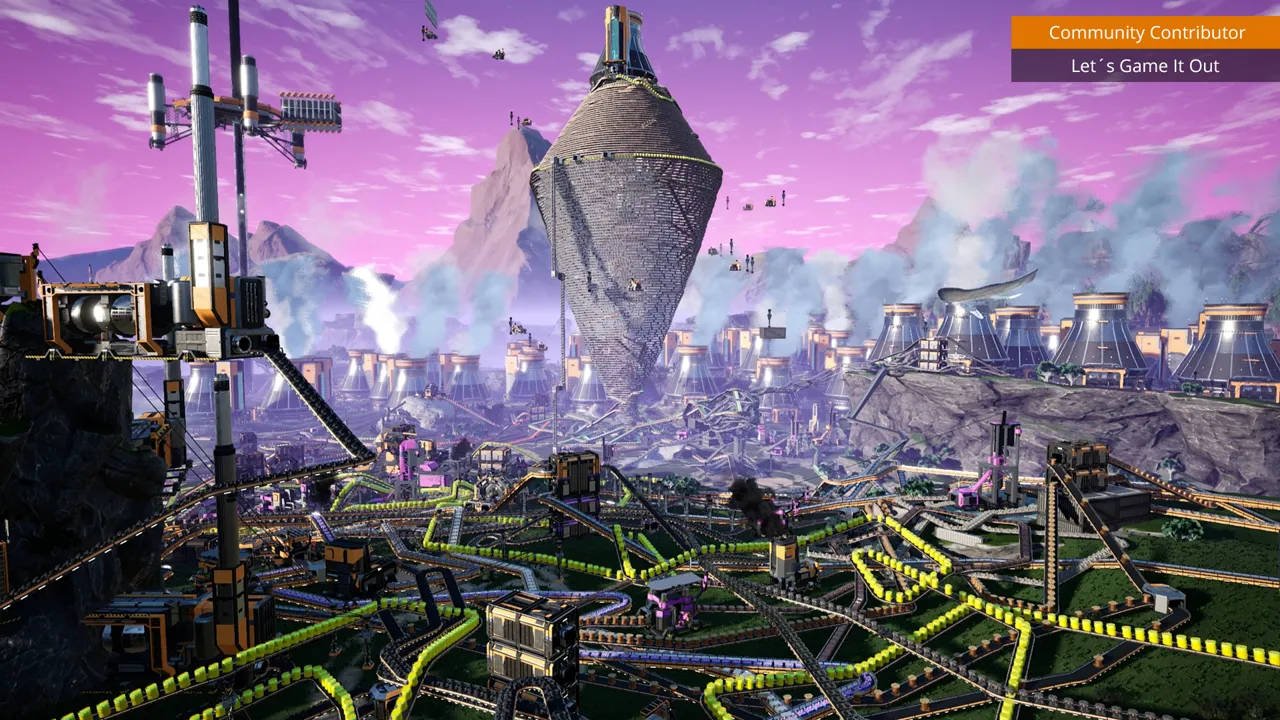
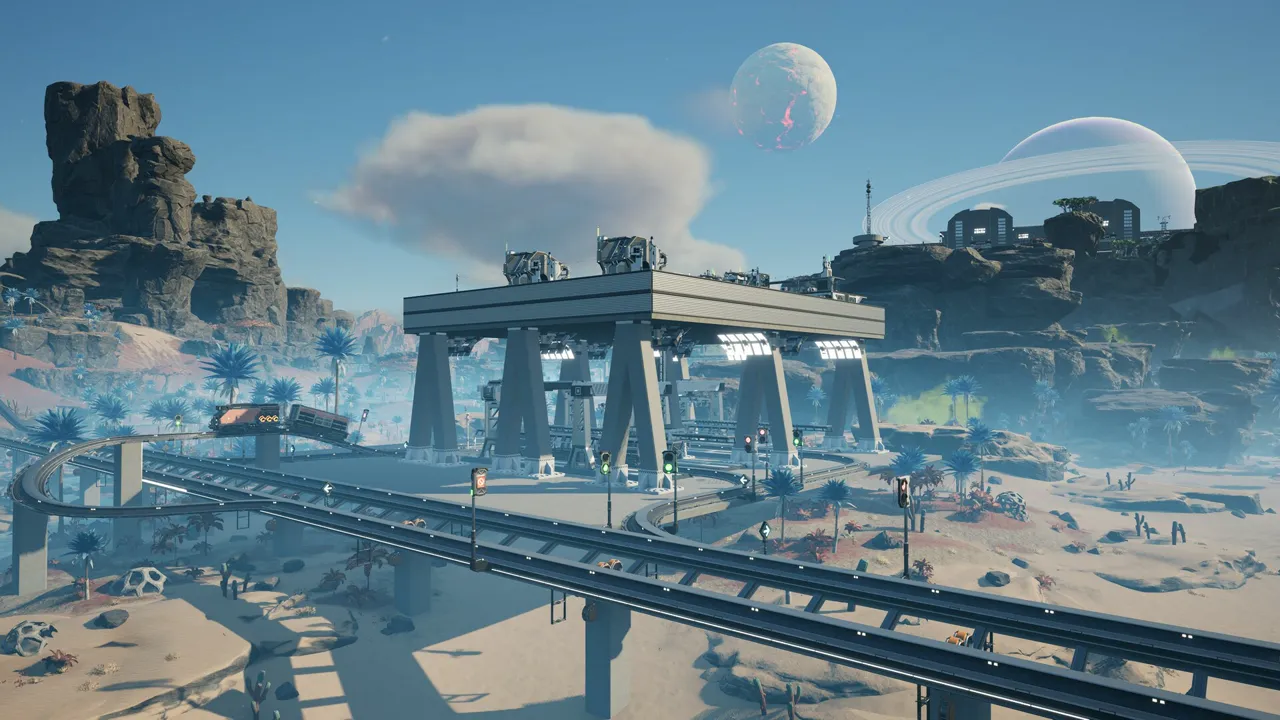
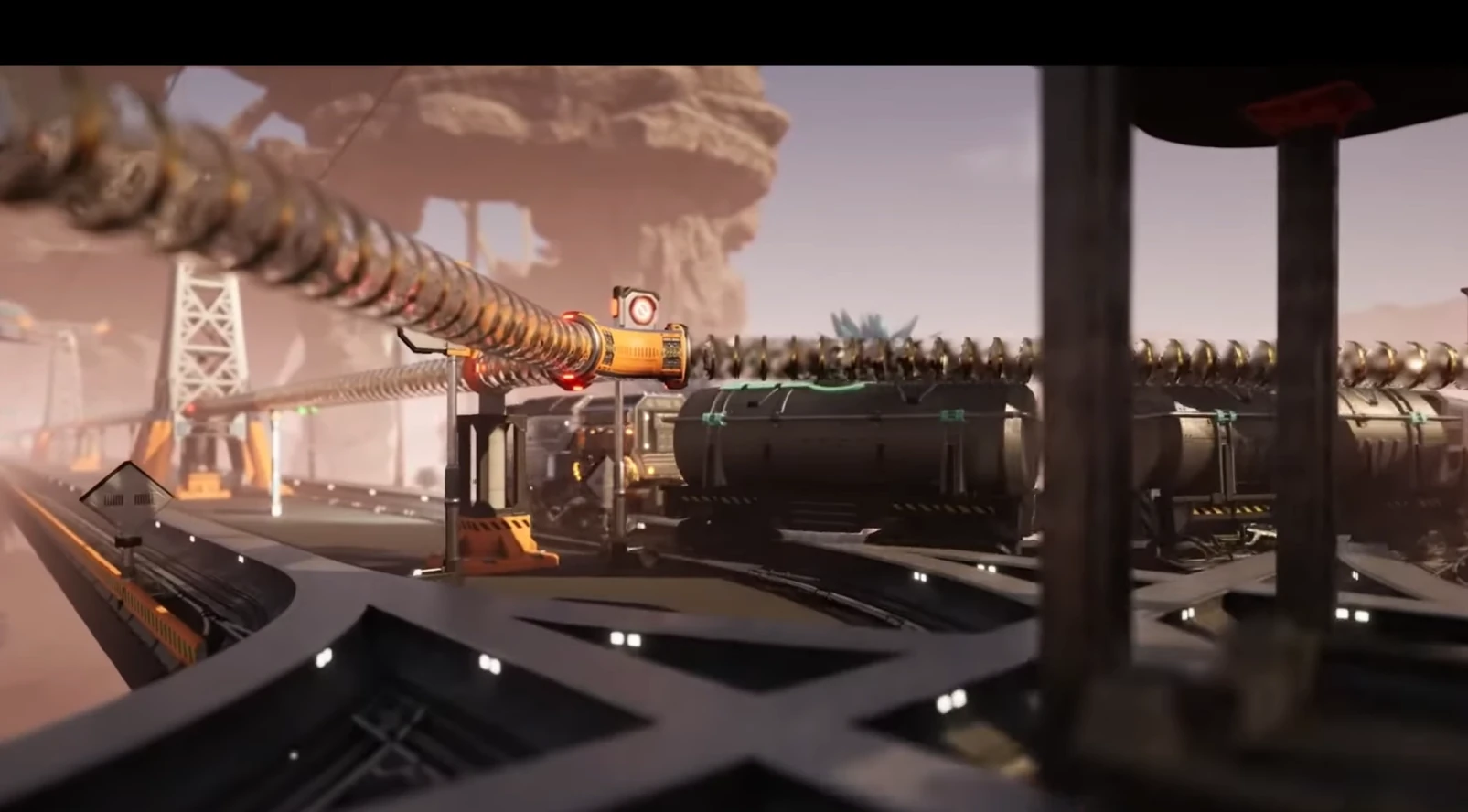
Trains in Satisfactory: Signaling, Pathfinding, and Throughput Tips
Struggling with trains in Satisfactory? Here is how shortest-path routing really works, how to place signals, and how to design one-way loops and passing sidings so your network keeps flowing.
Understand shortest-path routing and why trains ignore your “detours.”
Place block/path signals to prevent collisions, not to reroute traffic.
Use one-way loops, passing sidings, and station bypasses to keep stations clear.
Trains in Satisfactory follow the shortest path you give them—design the path you want.
Trains in Satisfactory routing basics
Each train calculates a single shortest path at departure and sticks to it until the trip ends.
Pathfinding does not consider congestion; it only considers path length and allowed directions.
Trains will wait on the shortest route even if a longer bypass exists—build so the shortest path is also the correct one.
Signals: what they do (and don’t)
Block signals divide track into blocks and allow one train per block.
Path signals reserve a path through an intersection so other trains can still enter non-conflicting routes.
Signals do not choose routes; they only decide when a train may enter the next block.
Place signals before junctions and immediately after to create short, safe blocks through crossings.
Design patterns to avoid jams
One-way dual tracks: Use a clockwise/anticlockwise loop (or paired lines) so “shortest path” always follows your intended direction.
Passing sidings: Add a short parallel track with entry/exit signals so one train can wait while another passes.
Station bypass lanes: Split before the station: main line continues past, branch into the platform. This keeps through traffic moving.
Spacing: Keep blocks reasonably short on busy mains so trains clear junctions faster.
Station setup tips
Name stations consistently; avoid duplicate names that can confuse your own routing plans.
Use separate entry/exit tracks for big hubs; funnel into a stacker (multiple waiting tracks) before the platforms.
Place a path signal at the start of each platform and a block signal after the merge back to the main line.
Quick troubleshooting checklist
Train stuck at red? Check for missing exit signals or blocked blocks past the junction.
Taking the “wrong” way? You likely left a slightly shorter path open—close it or make your intended route shorter.
Deadlocks at crossings? Shorten block lengths around intersections and favor flyovers or roundabouts on busy lines.
FAQ
Can I force a route with signals? Not directly—signals only gate entry. Make the desired path the shortest by adjusting track length and one-way directions.
Do I need signals on single-train lines? No, but add them before/after stations if you will expand later.
Where can I learn more? See the Satisfactory wiki for mechanics and signal examples.
Need reliable hosting for your factory server? Check our Satisfactory server tips to keep sessions smooth.
Understanding Valheim EULA
As a passionate gamer and content creator, it’s important to know how to use game content responsibly. Valheim’s guidelines—crafted by Coffee Stain Publishing AB—are designed to let you share your creative projects while respecting the game’s original work. Whether you’re recording gameplay, writing reviews, or making tutorials, these rules ensure that you add your unique voice rather than simply copying what you see.
The guidelines make one thing clear: only use content that has been officially released or promoted. This means no leaked or unofficial material is allowed. As gamers, we all love the thrill of discovering new content, but it’s essential to wait for the official drop before incorporating any images, videos, or soundtracks into your project.
Content creators are welcome to use gameplay videos, screenshots, and music from Valheim, as long as there’s creative input. Simply reposting the game’s material without any commentary or added value is not acceptable. If you plan to monetize your content through advertising or streaming partner programs, be sure to follow the extra rules for commercial projects. This ensures your work is both creative and respectful of the game’s brand.
Another key point is avoiding spoilers. If you must include hints or reveal parts of the story, always add a clear spoiler disclaimer. Additionally, if you use any third-party content like music or logos, you need permission from the original owners. The guidelines also remind creators to keep game elements together, rather than splitting them into separate parts.
Lastly, it’s vital not to imply that your project is officially endorsed by Coffee Stain Publishing AB, and you should avoid using their names as the main title of your work. By following these simple yet important rules, you can create engaging, ethical, and exciting content for fellow gamers to enjoy.
Unturned
Server Hosting for stable survival, PvP, and workshop mods
Launch a dedicated Unturned server in minutes with
stable performance, fast saves, and easy mod management. Run PvE, PvP, or RP
worlds and keep your community online around the clock.
Host PvE survival, intense PvP, or RP worlds with custom rules and plugins.
Our servers stay responsive even with active communities.
Workshop mods and custom maps
Install workshop content and custom maps quickly. Upload configs and keep
your mod list synced across updates.
Stable uptime for public servers
Keep your server online for new players with strong uptime, backups, and
reliable performance.
Showcase
From safe zones to high-risk raids, keep every session smooth.
Safe zones
Stable hubs for trading and crafting.
PvP bases
Low latency for raids and base defense.
Convoy runs
Smooth sessions for groups on the move.
FAQ
Yes. Install workshop mods and upload configs
from the control panel or FTP.
Plans scale by player slots. Choose S, M,
or L based on your group size.
Yes. Upload custom maps via FTP and switch
between worlds without wipes.
We host in US West (Oregon), US East (Virginia),
US North-East (Toronto), Europe West (Paris), and Australia (Sydney).
Yes. We run automatic snapshots and provide
on-demand backups for quick restores.
Average Unturned server hosting cost is around $4-$8 per month for small groups, with larger servers typically $8-$15.
Unturned is lightweight, so cost mainly follows player slots, mods/plugins, and map size; pick a plan that fits your community size. Dedicated server cost also reflects RAM for maps and mods,
CPU for AI and plugins, storage I/O for saves and backups, plus bandwidth, DDoS protection, and admin tooling.
V Rising
Server Hosting built for smooth sieges and low‑latency PvP
Launch a dedicated V Rising server in minutes and keep combat responsive,
saves safe, and raids fair. We handle performance, backups, and updates so you can
focus on ruling the night.
Run a PvP, PvE, or private world with steady tickrates and low latency. Adjust
schedules, loot rules, and difficulty from the control panel without downtime.
Built for vampire survival
V Rising thrives on fast combat and responsive servers. We keep your world
stable during sieges and high-pop hours, with quick restores if a change
goes sideways.
Wake from centuries of slumber, feed to regain power, and carve out a kingdom in
a hostile world. Build your castle, convert loyal servants, and fight off holy
hunters while the night belongs to you.
Forge alliances or rule alone
Expand your domain through diplomacy or war. Team up with allies or play solo,
raid rival castles, and claim territory. The right setup keeps every battle
fluid and every decision meaningful.
Nightfall showcase
Build your fortress, hunt bloodlines, and keep your realm stable through every siege.
FAQ
Yes. You can host locally or rent a server.
Self-hosting gives full control, while hosted servers remove the
burden of port setup, updates, and uptime.
A stable connection and at least 4 GB RAM
is a good starting point. Larger communities and heavier mods
need more headroom.
The dedicated server software is free,
but hosting hardware is not. We include a 2-day refund window
so you can test performance risk-free.
Our largest plan supports up to 40 players.
Pick a smaller plan if you want a private or clan-focused world.
We host in US West (Oregon), US East (Virginia),
US North-East (Toronto), Europe West (Paris), and Australia (Sydney) for low latency.
Smaller servers can run on 4-6 GB RAM.
Larger worlds and modded setups benefit from more memory. Higher
plans give you extra headroom.
Average V Rising server hosting cost is about $10-$18 per month for small clans and $18-$30 for larger servers.
Cost scales by player capacity rather than RAM, with plans up to 40 players. Dedicated server cost is driven by CPU for combat-heavy events, RAM for castle size and mods, storage I/O for frequent saves,
plus bandwidth, DDoS protection, and admin tooling.
Edit ServerHostSettings.json for rules and schedules.
Start with start_server.bat.
Self-hosting works, but managed hosting saves time on ports,
patches, and uptime.
Use our configuration panel or edit files directly. See our complete V Rising Server Configuration Guide for all available settings and server options.
V Rising Roadmap 2026: What’s Confirmed, What’s Coming, and What the Future Holds
V Rising Roadmap 2026 is the clearest way to read where the game is headed: confirmed updates, likely 2026 additions, and the systems Stunlock Studios keeps signaling in dev updates.
V Rising Roadmap 2026 highlights and upcoming systems.
V Rising has rapidly become one of the most talked-about survival action-RPGs of the last few years: a gothic vampire sandbox with deep castle building, PvP duels, loot, and exploration. Originally launching in Early Access in 2022 and then becoming a full release in May 2024, the game has seen steady growth and expanding systems ever since.
But with many players asking “What’s next?” and “Is there an official roadmap?” it’s worth unpacking what we actually know, what’s likely to arrive, and what might land by 2026 and beyond.
This article breaks down all the major moving parts so you can see where V Rising is heading and why, even without a fully formal developer roadmap.
Understanding the V Rising Development Model
Unlike games that publish quarterly or annual feature roadmaps, Stunlock Studios — the developers of V Rising — tend to communicate via dev blogs and major patch notes, followed by iteration based on community feedback and technical readiness.
There’s no official long-term public roadmap graphic right now, but there are confirmed content plans, patterns from past updates, and clear statements from the developers about how they’re approaching post-1.0 improvements.
So V Rising’s roadmap is best understood as a set of evolving major updates planned around quality, expansion of content, and replayability, not a hard timeline with fixed dates.
The Big Milestones So Far
1. Early Access and 1.0 Release
V Rising entered Early Access in May 2022 and built a strong community through iterative updates.
In May 2024, the game hit Version 1.0, representing its first “full release” with the main story complete, base features polished, and official support across platforms (including PlayStation 5).
The developers have been clear that reaching 1.0 doesn’t mean development stops — it just means the core game reached its initial vision, and future additions will build on that foundation.
What’s Coming Next: The 1.1 Update and Beyond
The major upcoming patch series — often referred to as Version 1.1 — is the most concrete part of the V Rising roadmap.
Invaders of Oakveil: A Major Free Content Update
One of the most significant planned updates, already officially announced and released in early 2025, is called Invaders of Oakveil — a free expansion style update that dramatically expands the world and systems:
A new biome: the Oakveil Woodlands — a corrupted forest region ruled by the Serpent Queen and her Venom Blade followers.
PvP Arena and Duels: construct combat arenas in your castle and engage in custom PvP duels.
New weapons and spells: including claws, throwing daggers, twinblades, and seven new spells.
Combat overhaul and balance changes, enhancing how progression and customization work.
This update, which launched on April 28 2025, represents a major post-1.0 expansion — giving players new story content, enemy types, and deeper combat systems.
What We Expect in 2025–2026
While Invaders of Oakveil lays significant groundwork, more is likely on the horizon — even though the developers have not published a formal roadmap document like some games do.
Here’s where the strongest signals point:
1. Large Annual Content Update Pattern
The V Rising community has noted a pattern: major content updates arrive roughly once per year around mid-year, with smaller patches throughout (bug fixes, balance, quality-of-life).
If this trend continues, a 2026 big content update — perhaps Version 1.2 or similar — is a reasonable expectation.
2. New Region(s) and Enemies
Though not officially verified by the studio in a formal roadmap release, fans and content trackers point to possible expansions or new biomes — for example:
A larger mountain or cold-themed region to complement existing biomes.
Additional enemies or environmental challenges tied to those new areas.
The developers themselves have acknowledged that there’s still more world content to explore beyond the Oakveil woods, even if specifics haven’t been spelled out yet.
3. Expanded PvP and PvE Systems
Version 1.1 introduced dedicated PvP tools like custom duel arenas, but there’s clear player interest — and developer comments suggest ongoing work — around:
More robust PvE castle raid scenarios
Clan or faction systems
Further PvP balance and modes
These proposals have come up in community discussions and implied by the devs’ Q&A content, even if formal release notes are limited.
4. Modding and Community Tools
While Stunlock Studios hasn’t rolled out a full modding suite yet, the discussion around custom prefab support and server moderation tools has been active, though security and usability are still being worked through.
Improving mod support and community infrastructure could be a key 2026 focus, especially as multiplayer communities grow.
5. Quality of Life, Balancing, and Replayability
Lots of the development focus in the near term — and likely into 2026 — will be on:
Bug fixes
Balance adjustments
Server performance
Ease of use improvements
This theme is common for post-1.0 games and has been repeatedly mentioned by players as the most important ongoing work.
What Won’t Happen (Probably)
No published official roadmap yet: many players have asked for a detailed timeline, but as of mid-2025, the devs have not created a structured, multi-year roadmap document similar to AAA live-service games.
That doesn’t mean the game’s dead — rather, development communication remains iterative and feature-driven rather than schedule-driven.
No confirmed paid DLC schedule: while cosmetic DLC and collaborations (like a Castlevania crossover set) exist, there’s no public plan for traditional paid expansions yet.
Community Expectations vs. Developer Reality
Player discussions around V Rising’s future vary widely — some feel the pace is slow, others are thrilled with deep updates when they arrive. The core truth is:
The game is not done — despite reaching 1.0 and receiving major updates like Oakveil.
Stunlock Studios continues to evaluate systems and community feedback as part of their process.
So rather than a strict “Roadmap 2026” document, the real roadmap is an evolving sequence of major content updates, each huge in scope and designed to expand longevity and replay value.
Practical 2026 Watchlist
If you want to track V Rising’s roadmap progression through 2026, here’s what to monitor:
Official Dev Blogs & Steam News — Stunlock posts the most reliable info here.
Major Patch Milestones (e.g., 1.2+) — looking for new zones or systems.
Community Manager Q&As — often hint at future ideas and priorities.
PvP System Expansions — additions to dueling, clan features, or siege mechanics.
Mod and Server Tools — as these unlock deeper player-driven content.
Conclusion: What V Rising’s Roadmap Means for You
By 2026, V Rising’s roadmap is likely to have unfolded as:
A series of free, major content updates (like Invaders of Oakveil) that expand world and systems.
Continued iteration on castle building, combat, and customization.
There’s no final destination in sight — V Rising’s journey is sustained by community engagement and development investment rather than an endpoint. If you want a pulse on what’s officially planned next, the best source is always the developer news on Steam and the official website, where new blogs and dev updates get published first:
(this is where most formal content announcements are posted).
Valheim Ashlands PTR: Hosting Prep for Cheap Valheim Servers
The Ashlands public test branch is here, bringing scorched biomes, siege weapons, and a nastier endgame loop. Before you invite your crew, make sure your Valheim server hosting plan is ready for the heat.
What makes Ashlands a server challenge?
Lava and ash storms hammer FPS and CPU time when particles stack.
Siege engines spawn dozens of projectiles that stress older worlds.
New mobs pathfind aggressively, so AI threads wake up more often.
Cheap Valheim server hosting must still keep latency low, which is why we preload Ashlands assets, keep backups off-node, and give you a PTR slot separate from production worlds.
Prep checklist before enabling Ashlands
Duplicate your world. Clone saves and store them in a safe bucket (our panel does this in one click).
Enable battle metrics. Track CPU, RAM, and packet loss when players unleash new catapults.
Refresh mods. Many QoL packs already support Ashlands; update BepInEx templates, then test.
Set expectations. Use Discord webhooks to announce test windows and rollback plans.
Harden backups. Run 15-minute snapshots while clans experiment with sieges.
Recommended settings for affordable Valheim hosting
Player count
CPU target
RAM
Notes
1-5
4 dedicated cores
8 GB
Great for scouting new POIs.
6-10
6 dedicated cores
12 GB
Add autosave staggering.
10-20
8 dedicated cores
16 GB
Recommended for siege events.
Stay ahead of the Ashlands meta
Combine our save location guide with region-specific nodes to keep ping under 30 ms across Europe. That is how we deliver affordable Valheim hosting without cutting corners.
Need to migrate from another host? We import worlds, configure PTR + live environments, and keep your Valheim servers ready for every biome update.
Valheim Auto Backup: A Viking’s Guide to Server World Safety
Valheim, the popular Viking survival game, offers a deep and engaging experience. However, losing hours of progress due to server issues or accidental mishaps can be devastating. Thankfully, Valheim has built-in backup features and various other community-driven methods to safeguard your world. This guide explores all you need to know about automatic backups, how to tweak them, and some cool third-party options.
Valheim’s Built-in Backup System: How it Works
The core ValheimValheim server hosting software does come with a basic automated backup functionality. This system, while not incredibly advanced, is enough to protect your world from common setbacks. Here’s how it works:
Save Interval: The game automatically saves your world every 30 minutes (1800 seconds). This interval ensures that your progress isn’t too far behind in case of a crash.
Backup Frequency: The system creates backups at specific time intervals. By default, it keeps one backup that is 2 hours old and three backups that are spaced 12 hours apart.
Backup Retention: This means a total of 4 backup files are stored at a time. The most recent is from the last 2 hours, and there’s 3 additional older backups that are 12 hours apart.
This system offers a good starting point for world protection, but some might want greater control.
Tweak Automatic Backups using Server Arguments
Valheim allows you to modify these automated backup settings using server arguments. These arguments can be added to your server’s startup script. These are some of the most important arguments you should know:
-saveinterval <seconds>: This determines how often the world saves in seconds. For example, -saveinterval 900 will save every 15 minutes.
-backups <number>: This command allows you to set the number of automatic backups to keep. For example, using -backups 5 would mean it saves 5 backup files.
-backupshort <seconds>: This sets the time interval in seconds for the first backup. So, -backupshort 3600 means the first backup is 1 hour old.
-backuplong <seconds>: This sets the time interval in seconds for the subsequent backups. With -backuplong 21600, the additional backups would save every 6 hours.
Let’s say you want a backup every hour, with a history of the last 10 hours, and a slightly older one from yesterday. You would use this line in your start_server.bat:
Locate your server startup script: Find the batch file or shell script you use to launch your Valheim dedicated server.
Modify the command line: Add the desired backup arguments to the server launch command. For Windows servers, this usually means modifying the start_server.bat file. For example:
Restart your server: Restart your Valheim server for the changes to take effect.
It’s best to try out your backup settings for a while, to make sure everything is working as expected.
Community-Driven Backup Solutions
While Valheim’s built-in backup system is useful, some players require more robust options. Here are a few popular methods:
1. Automated Backup Scripts
There are several scripts available online that enhance the game’s default backup system. These scripts usually automate more frequent backups, such as running a backup script hourly. They also often compress backup files for easier storage and allow uploading to cloud services for extra protection.
A typical script would:
Copy world files: Duplicate the world files to a backup directory.
Compress the files: Use ZIP or a similar utility to reduce the size of backup files.
Rotate the backups: Delete the oldest backups when a new backup is created to maintain a manageable size.
Upload to a cloud drive (optional): Upload the backups to Google Drive, OneDrive, etc.
You can find these scripts with a quick search for valheim server backup script on popular coding websites such as GitHub.
2. Dedicated Server Management Tools
Several server management tools have been created to streamline the process of setting up, maintaining and controlling your server. They often come with features such as:
Automated backups: Often with greater customization options than the default server.
Easy server restarts: Without needing to go through shell scripting.
Mod integration: Allowing you to easily run mods on your server.
Discord integration: Getting notifications when backups are taken or when the server restarts.
Example: Using a Backup Script
Here is a very basic example of a Linux bash script that would copy your world save files to a new directory:
#!/bin/bash
# Configuration
WORLD_NAME="MyWorld" # Replace with your world name
BACKUP_DIR="/path/to/your/backup/directory" # Change this to your backup directory
SAVE_DIR="/path/to/your/valheim/world/save/directory" # Location of world save files
DATE=$(date +%Y-%m-%d_%H-%M-%S)
# Create backup directory if it doesn't exist
mkdir -p "$BACKUP_DIR"
# Copy world files
cp "$SAVE_DIR/$WORLD_NAME.db" "$BACKUP_DIR/${WORLD_NAME}_${DATE}.db"
cp "$SAVE_DIR/$WORLD_NAME.fwl" "$BACKUP_DIR/${WORLD_NAME}_${DATE}.fwl"
In this script, it would save your world into the BACKUP_DIR directory, with the current date as the filename.
Why Automatic Backups Matter
Data Loss Prevention: Backups are essential for preventing data loss due to server crashes, accidental deletions, or corrupted save files.
Peace of Mind: Knowing your progress is regularly saved provides peace of mind, so you can focus on playing without worrying about losing progress.
Easy Restoration: Backups allow for easy restoration of your world to a previous state in case something goes wrong.
Conclusion
Safeguarding your Valheim world is crucial for a stress-free gaming experience. Using a combination of the game’s built-in backup system, tweaking its settings with server arguments, and exploring community-created solutions, you can ensure your Viking adventures are always protected. Whether you’re just starting out or have an extensive base and world, taking the time to back up your world is always worth the effort.
Valheim Builds: From Humble Huts to Epic Viking Longhouses
Alright, fellow Vikings! So, you’ve landed in Valheim. You’ve punched a few trees, clubbed a few Greylings, and maybe even taken down Eikthyr. Now what? It’s time to build! Whether you’re dreaming of a cozy hobbit hole or a sprawling Viking longhouse, this guide is here to help you get started, level up your skills, and create some truly epic Valheim builds.
The Basics: Wood, Stone, and a Whole Lotta Planning
First things first, you gotta understand the building blocks. Early on, you’ll be rocking wood. But as you progress, you’ll unlock stone, iron, and other materials that expand your building possibilities.
Essential Early-Game Materials:
Wood: Your bread and butter. Chop down trees.
Stone: Found lying around or mined from boulders.
Flint: Found along shorelines. Crucial for tools.
Resin: Dropped by Greylings. Used for torches.
Leather Scraps: Dropped by Boar. Used for armor.
Key Building Pieces:
Wood Wall: The fundamental building block.
Wood Floor: Essential for floors.
Wood Roof: Keeps the rain out.
Wood Door: Allows entry and exit.
Wood Beam: Provides structural support.
Understanding Structural Integrity
Valheim has a physics system, meaning your buildings can collapse if they’re not properly supported.
Blue: Ground. The strongest support.
Green: Strong support.
Yellow: Medium support.
Red: Weak support.
Tips for Staying Upright:
Build from the ground up.
Use beams for added support.
Pay attention to the color system.
Experiment and learn from collapses.
Early Game Builds: The Humble Abode
Clear an area near resources.
Lay a wood foundation.
Build walls around the foundation.
Add a roof using beams for support.
Place a wood door for entry.
Add a fireplace with proper ventilation.
Place a bed for sleeping.
Mid-Game Builds: Stepping Up Your Game
Longhouses:
Long and narrow structure.
High ceilings for ventilation.
Multiple rooms for different purposes.
Stylish grand entrance.
Stone Buildings:
Strong foundations and reinforced walls.
Use stone arches and pillars.
Allows for elaborate designs.
Late-Game Builds: Unleash Your Inner Architect
Castles:
High walls for defense.
Towers for archers.
Moats for added security.
Grand halls for feasts.
Docks and Harbors:
Deep water access.
Sheltered location.
Storage facilities for goods.
Defensive structures.
Essential Building Tips and Tricks
The Hoe is Your Friend: Level terrain for smooth building.
Core Wood is Stronger: Use it for key supports.
Iron Beams are a Game Changer: Offers unparalleled support.
Overlapping Roof Pieces: Prevents rain from leaking in.
Ventilation is Key: Ensure chimneys or vents for fireplaces.
Build with Purpose: Plan functionality first.
Aesthetics Matter: Use different materials and lighting.
Take Breaks: Avoid burnout.
Embrace Imperfection: Learn from mistakes.
Final Thoughts: Building Your Viking Legacy
Building in Valheim is about more than just constructing shelters. It’s about creating a home, expressing creativity, and leaving your mark on the world. So, grab your hammer and start building your Viking legacy today! Skål!
Valheim Co-op Guide: Ashlands Fortresses, Fader, and Deep North Prep
Valheim co-op guide readers know a spilled drink, a mistimed roll, or a one-star Fuling can erase hours, so this Valheim co-op guide packs the best bits from recent fortress clears to keep your squad alive. We cover Ashlands battering rams, lightning claymore builds, portal safety, Fader tactics, and early Deep North prep without burying you in streamer chatter.
A tight portal network and a lightning claymore make Ashlands fortresses far less chaotic.
Valheim co-op guide quick wins
Six-hour co-op sessions taught a few non-negotiables: fix your mic mix before combat, put coffee away from the keyboard, and place a backup portal before you swing a sword. The fastest progression came from slowing down—building tidy hubs, labeling panic chests, and refusing to fight until food, meads, and portal mats were staged.
Build a fortress-ready base
Open courtyard: Keep forges, kilns, smelters, and farms in one grid so repairs take seconds. Avoid doors that block emergency dodges.
Dedicated refiner pad: Soft tissue and refined eitr live on their own slab to keep lightning enchants flowing.
Lag control: Cull excess boars and chickens; one full chest of meat or eggs is enough. Lag spikes kill more Vikings than seekers.
Storage by activity: Panic chest near portals (wood, nails, surtling cores), black forge area for helio-light and gems, boss chests with pre-staged food and meads.
Unlabeled backup portal: One unnamed portal stays in inventory; drop and connect without typing.
Weapons that carry co-op fights
The lightning claymore remains the hero of this Valheim co-op guide. Mistwalker and Skull & Hati help with slows, but Ashlands mobs ignore their DPS. The helio-light claymore chains lightning, staggers warlocks, and deletes archer packs. Carry two to offset durability, and pair with a crossbow (Ripper) to build lightning stacks while reloading. Add a Staff of Protection bubble if you cast.
Food, meads, and buffs
Lingering stamina mead for nonstop rolls; burst stamina strands you between chugs.
Fire resist + bone mass on cooldown. Treat fire mead as mandatory for Ashlands and Fader.
Two-bag method: One bag holds heals, one holds stamina snacks. Panic looting gets simpler.
Feasts vs pies: Feasts for shield/magic users; meat pie plus stamina pie for melee-only squads.
Pre-stage consumables: Leave stacks of mead and food at the assault portal so wipes turn into 2-minute resets.
Ashlands fortress plan
Scout exits: Pick forts with two clear escape lines; bridge lava before aggro if you must take a bad one.
Drop bench + backup portal out of meteor range; hide it behind rocks.
Place the battering ram, pull mobs out, then sprint to kill spawners. If meteors land, rebuild the portal before looting.
Chain lightning on packs while a partner kites. Use grenades or crossbows on unstable lava blobs.
Loot fast: Grab bell fragments, helio-light, flametal, and blue gems; leave scrap behind.
Fader fight, simplified
Craft bell fragments, head to a small-island altar, and follow a strict routine:
Portal safety: Drop a backup portal behind natural cover; keep a bench and nails on your character.
Opener: Lightning claymore wipes Ashen and Fallen adds; meteors mop up. Adds, not Fader’s HP, cause wipes.
Respect emerald flame: Fire mead plus positioning; never stand in green. Roll early.
Buff cadence: Fire mead ~2 minutes, bone mass on cooldown, stamina mead at zero.
Stock frost resist alongside fire mead; label chests by biome.
Mixed armor so you can swap for heat or cold without a rebuild.
Portal anchors on cliffs, not valleys; meteors and trolls hit roofs first.
Backup helio-light for spare lightning swords; raw burst and stuns remain biome-proof.
Cart lanes marked like a bus route so metal never strands in snow.
Solo vs co-op pacing
Solo play means bridging and staging ahead of time: pre-build paths to forts, seed boss chests with food and mead, and park a second portal in a nearby workbench. Co-op multiplies efficiency, but solo staging can mimic teamwork.
Plan portals and carts before you chase the Deep North.
Key takeaways
Use the lightning claymore for Ashlands and forts; it erases packs and stuns bosses.
Valheim. That name alone probably conjures images of epic battles, sprawling longhouses, and maybe a little frustration when you accidentally fall into a ravine for the tenth time. But what if I told you there was a way to bend the game to your will, to summon items, fly across the map, or even become a god for a little while? That’s where console commands come in, and trust me, they can be a total game changer.
What are Console Commands and Why Should You Care?
Alright, so before we dive into the nitty-gritty, let’s talk basics. Console commands are basically secret cheat codes that you can enter into the game. They’re not meant for your first playthrough, that’s for sure. Think of them more as tools to experiment, get unstuck from a bug, or just have a bit of chaotic fun after you’ve conquered the bosses fair and square.
Why should you, a valiant Viking, bother with these hidden commands? Well, maybe you’re tired of endlessly grinding for iron, or you just wanna build a mega-structure and want all the resources at hand. Perhaps you just want to explore the map from a god’s-eye-view. Or, as I’ve done many times, you just lost your precious gear in a ridiculous location and need to cheat it back. I’ve been there, trust me! Console commands offer all of this and more.
How to Access the Console in Valheim
First things first, you gotta actually open this console. It’s not as intuitive as you might think. Here’s a step-by-step guide:
Launch Valheim: Fire up the game as you normally would.
Start or Load a Game: Doesn’t matter if it’s a new world or an old one, console commands work in any of them.
Press F5: This is the magic button. Press the F5 key, and a little text box should pop up at the bottom of your screen. That’s the console!
Type “imacheater” and press enter. This enables the cheat mode and is required for most of the commands. If you did this right, nothing fancy happens, you just get the ability to actually use the commands. Now you’re ready to rumble!
Essential Valheim Console Commands: Your Viking Toolkit
Okay, here’s where the fun begins. We’re not gonna go over every single command (there are a lot!), but let’s cover the ones you’ll likely find most useful. Remember to type these into the console after activating cheats and press Enter to execute them.
help: This is your first stop if you’re lost. Typing help will give you a list of all available commands.
god: Become invincible! This toggles god mode on and off.
ghost: Fly around without dealing with terrain.
killall: Instantly wipes all hostile creatures nearby.
tame: Instantly tame creatures in your vicinity.
debugmode: A versatile command enabling:
Press Z to fly.
Press K to kill everything around you.
Press B to repair your current item.
spawn [item] [amount]: Spawns any item in the game.
pos: Prints your current coordinates.
goto [x] [y] [z]: Teleports you to a specific location.
removedrops: Deletes all items on the ground nearby.
resetcharacter: Resets your character’s skills and inventory.
A Few Words of Caution
While console commands are awesome, there are a few things to keep in mind:
They Can Break the Game: Overusing console commands can take the challenge out of the game.
Multiplayer May Get Messy: Be sure to use commands responsibly in multiplayer.
Back Up Your Saves: Always back up your saves before experimenting with commands.
Have Fun and Explore: Use commands to enhance your experience, not spoil it.
The Final Verdict
Valheim console commands are a powerful tool for any Viking looking to bend the game to their will. Whether you’re looking to overcome a challenge or just want to have a little fun and explore, they can be an invaluable tool. Now you’ve got the knowledge and the means to summon resources, fly like a god, and conquer the world in a whole new way. Go forth, Viking, and make Valheim your playground!
Valheim Crafting Skill Bug: Extra Items and Mayhem
Okay, buckle up, you magnificent bastards, because we’re diving headfirst into the glorious, glitchy mess that is the crafting skill in our favorite Viking survival sim. Forget your meticulously planned spreadsheets and perfectly optimized builds, because the RNG gods have decided to bless us with the chaos of extra stuff. Yeah, you heard me right. Extra. Like, ‘oops, I accidentally crafted a second flaming staff’ extra. Or ‘whoopsie, now I have two wolf capes’ extra.
It all started with a simple observation: that satisfying ding sound when you’re churning out nails or arrows isn’t just a cute auditory cue; it’s the sound of the game deciding to throw you a bone – or rather, an extra piece of gear. It’s like the universe whispering, \”Here, you clumsy Viking, have another one. Don’t ask questions.\”
Now, the official line is that this crafting bonus is supposed to be limited to stackable items. Arrows, nails, food – the usual suspects. But as it turns out, the game’s code seems to have a bit of a rebellious streak, and occasionally decides to give you a duplicate of something that definitely shouldn’t be duplicated. We’re talking about weapons, armor, even those fancy-schmancy magic staves. It’s like finding a twenty-dollar bill in your old jeans – unexpected, delightful, and slightly confusing.
Some people are losing their minds with joy at this unexpected boon. \”I got a whole extra set of padded greaves!\” one player exclaimed. Another reported snagging a free Mistwalker. The sheer audacity of the game to just give you top-tier gear is enough to make you giggle like a loot goblin. And hey, who are we to complain? Free stuff is free stuff. Especially when it comes to something as tedious as grinding for resources.
Then there are those, like me, who get a little more… conflicted. Like, I’m not gonna lie, getting an extra Dead Raiser skull is pretty damn rad. But it’s also a little bit annoying. It’s like the game is trying to be generous, but in a slightly clumsy, \”I bought you the wrong size\” kind of way. Because, let’s be real, how many flaming staves does one Viking really need? And all of a sudden you have to deal with storing this extra gear in your already cluttered inventory. It’s a high-class problem, for sure, but a problem nonetheless. The extra slots are sometimes not worth the effort.
Of course, this wouldn’t be a proper nerdy discussion without some speculation about the mechanics. Is it a bug? Is it a secret feature? Is it some chaotic algorithm having a drunken party in the code? The official wiki says that the crafting skill has a \”25% chance to craft an extra item\” but specifies this applies to stackable items only, but does not match what we are experiencing. Some think the code is bugged, and it is not supposed to give armors and weapons, while others think the wiki is out of date and there are no restrictions. The real answer is probably some combination of the above with some ‘oopsie’ on the dev side. And that makes it even more hilarious.
Then comes the big question: should they patch it? Should they “fix” this happy little accident? Part of me says yes. It’s not like we’re playing some easy mode game here, Valheim is supposed to be brutal. There should be some kind of logical structure behind it all. There are even some suggestions, like ‘instead of an extra item, give us a better one’. Level 2 axe, anyone? Seems like a sweet deal. Or a random stat boost on your armor, I would not mind that at all.
But then the other part of me says, \”Nah, let it ride.\” This unexpected chaos is precisely what makes this game so damn fun. It’s like a virtual box of chocolates – you never know what you’re going to get. And sometimes, just sometimes, you get a double helping of the good stuff. Besides, the world is already full of deadly beasts and treacherous terrains. Do we really need another perfectly balanced, predictably boring crafting system? I think not.
And then the most hilarious bug of all time. One poor Viking was building a portal, and the game decided to refund their Surtling Cores. It’s like the game is saying, \”You know what? Building portals is hard work. Here, have your cores back. And maybe another 20 for good measure.\” I mean, what a mess! I can picture it so vividly: You are in the middle of nowhere, you need a portal, you craft it, and suddenly you are staring at the cores in your inventory, like, what just happened? So you go and craft another one, just for kicks. I would do the same.
So yeah, the crafting skill is officially broken, and I’m here for it. It’s a reminder that games, just like life, are more fun when they’re a little unpredictable. It’s a testament to the fact that even when you think you have everything figured out, the code will always find a way to throw you a curveball, or in this case, an extra flaming staff. Embrace the chaos, my fellow Vikings. And for Odin’s sake, don’t throw away those extra nails.
Now, if you’ll excuse me, I have to go craft a hundred more arrows and see if I can get a stack of ten by sheer dumb luck. You should do the same. And if you get an extra piece of something cool, let me know. Maybe we can trade. Or, you know, brag about it to all our buddies. Because what’s the point of having extra swag if you can’t show it off?
Happy gaming, you magnificent beasts, and may your crafting endeavors be as glitchy as possible!
Valheim Dedicated Server Save Location (Windows, Linux, Docker)
Need the exact Valheim dedicated server save location so you can back up or move your world? This guide shows the default paths on Windows and Linux, how to change them with -savedir, and where hosts and Docker keep your files.
Paths for Windows, Linux, and Docker installs
How to set -savedir for predictable backups
Steps to move or restore a world without corruption
Keep your Viking saga safe by knowing exactly where the world files live.
Default Valheim dedicated server save location
Each world has two files you must keep together: YourWorld.db and YourWorld.fwl (plus any .old backups). If you do not set -savedir, Valheim uses these defaults:
Linux:~/.config/unity3d/IronGate/Valheim/worlds or worlds_local
Set your own save folder with -savedir
Point saves to a clean, backed-up directory so you always know where your world lives. This keeps your Valheim dedicated server save location predictable for backups.
@echo off
set SAVE_PATH="C:\ValheimSaves"
valheim_server -savedir "%SAVE_PATH%" -world "MyWorld"
Want hands-off hosting? See our Valheim server tips to keep your world online while you focus on raids.
Valheim Deep North Update News: 67° Roofs and Crafting Mystery
The latest Valheim Deep North update news confirms two big things: steeper 67° roof pieces are coming for both thatch and darkwood, and the devs teased an unexplained set of metal molds tied to crafting in the icy biome. Here’s what’s confirmed, what’s speculative, and how to get ready without overreading the clues.
Confirmed: steeper 67° roofs in the Deep North update
Iron Gate says the 67° roof pieces will be 4 meters high and available in both thatch and darkwood. They specifically called out that these steeper roofs are part of the Deep North work. That means higher spires, tighter A-frames, and more dramatic silhouettes without awkward filler pieces.
Better peaks and longhouses: 67° pieces let halls feel taller without stacking extra walls.
Mixed styles: both thatch and darkwood variants keep building themes consistent across biomes.
Less gap filling: fewer half walls and ladders to fake height.
Teased: a Deep North crafting mystery
The post showed four foldable metal molds with pins. The team didn’t explain them—only that they relate to “the crafting process in the Deep North.” Community guesses include armor plates, shield fronts, or decorative plaques, but nothing is confirmed beyond “they’re for crafting.” Treat any deeper interpretation as speculation until Iron Gate shares more.
What we know: metal molds; part of the Deep North crafting loop; no recipe or material details yet.
What’s speculative: armor/shield casting, wall plaques, or a new casting station. Consider these possibilities, not promises.
Merch and deals from the announcement
Grimfrost plushie deal: two plushies for the price of one (Black Week promo).
Cantrip Candles: Valheim-themed scented candles (Black Forest, Ocean, Campfire) with labels by Mats Minnhagen, currently discounted.
Build of the Month shoutout
Iron Gate highlighted a richly decorated hall by Captain Crumbs as the Build of the Month. If you want to be featured, tag #ValheimBotM or submit in the Discord build-of-the-month forum channel.
How to prep for the Valheim Deep North update
Plan steeper roofs: Sketch updated peaks for your bases to use the 67° pieces once they drop.
Save black metal and fine wood: Handy for darkwood variants and any late-game roof flourishes.
Leave forge space: If the molds tie into a new crafting station, reserve a slot near your blast furnace/artisan table.
Stay tuned to official news: The crafting details aren’t final—wait for the devs before stockpiling specific materials.
Source and next steps
All confirmations come from the official post “Word From the Devs: Through the Roof”. We’ll update when the Deep North crafting pieces are fully explained. If you want a fresh world ready for release day, spin up a server at Supercraft Host so your group can test the new 67° roofs the moment they arrive.