Menu
 

The Iron Age is Upon Us


The Iron Age is Upon Us


As I set foot on the mystical shores of Vinland, I couldn’t help but feel a sense of unease and excitement all at once. The world around me was teeming with life, yet eerily silent. The gods had other plans for us mortals, it seemed.

But what’s this? A faint glimmer of hope flickers in the distance – the promise of iron! Yes, you heard that right; we’re talking about the dawn of a new era here. The Iron Age is upon us, and I couldn’t be more thrilled!

Now, I know some of you might be thinking, “Hold up, aren’t we still stuck in the Stone Age?” And to that, I’d say… not quite. You see, we’ve made tremendous strides as a community, exploring every nook and cranny, experimenting with various builds and strategies. The question on everyone’s mind is: what comes next?

And then it hits you – like a hammer blow from the gods themselves (pun intended) – the sheer magnitude of the implications. With iron, we’re not just talking about new tools or better gear; we’re looking at a fundamental shift in our approach to survival and expansion.

First off, let’s talk about those tools. I mean, have you seen some of the contraptions folks are building? It’s like we’ve entered an alternate dimension where creativity knows no bounds! With iron, we’ll be able to craft even more innovative solutions, amplifying our productivity tenfold. And who knows, maybe we’ll stumble upon something entirely new – a game-changer that could revolutionize the way we play this game.

But it’s not just about shiny new objects; we’re talking about an entire paradigm shift here. Imagine being able to construct bridges to traverse those pesky ravines, or perhaps even build our own settlements with iron-framed houses and sturdy walls. The possibilities are endless!

Now, I know some of you might be thinking, “But what about the environmental impact?” And trust me, that’s a concern we can’t ignore. As we progress, it’ll be crucial to maintain our connection with nature – ensuring we’re not sacrificing the beauty of this world for short-term gains.

The thing is, though, I genuinely believe that this newfound capability will also serve as a reminder of our responsibility towards the land and its inhabitants. By embracing this new era, we’ll have an opportunity to re-evaluate our priorities and strive for a balance between growth and sustainability.

And before I get ahead of myself, let’s not forget about the sheer excitement that comes with exploring unknown territories. New challenges mean new opportunities for collaboration, creativity, and innovation – all of which will undoubtedly take our Valheim experience to the next level!

So here’s my two cents: as we venture into this uncharted territory, I encourage everyone to keep their wits about them. Let’s not get too caught up in the hype; instead, let’s use this momentum to drive meaningful change and positive progress within our community.

As we forge ahead (pun intended) into this new chapter of Valheim, I’ll be right there with you, exploring every corner, sharing discoveries, and – hopefully – making some unforgettable memories!

Author:

AlexTr1

The Miracle Cure for Pals’ Condition


The Miracle Cure for Pals’ Condition


As someone who’s been deeply invested in Palworld and its community, I’ve seen countless people struggling with their pals’ condition. It’s a devastating reality that many are stuck with low-tier pals, which not only affects the overall experience but also crushes the sense of purpose and enjoyment.

I’m writing this article today to share some incredible news that has left me stunned. A doctor who has been working tirelessly to find a solution for this issue has finally made a breakthrough. And I’m here to break it down in detail, so you can understand what this means for our community.

The doctor’s discovery is no less than revolutionary. Essentially, they’ve found a way to upgrade your pal’s tier, allowing them to reach the top level. That’s right – not just any pal, but all of them. This game-changing treatment has been tested and proven to be safe and effective.

To put this into perspective, imagine being able to explore Palworld with the same thrill and excitement that we’ve always known it for. No more worrying about your pal’s limitations; no more frustration when you’re trying to overcome obstacles together. The possibilities are endless, and I’m still pinching myself to see if all of this is real.

I know that many of us have been searching far and wide for a solution, desperate to find a way to elevate our pals’ abilities. This breakthrough is the answer we’ve been praying for. No more sacrificing precious time or resources in search of rare items or grinding for hours on end. With this treatment, you’ll be able to unlock your pal’s true potential without any compromises.

I’m not going to sugarcoat it – this news has sent shockwaves throughout the community. It’s a testament to the dedication and perseverance of the doctor who’s worked tirelessly to find a solution. The impact will be far-reaching, giving us all a new lease on life in Palworld.

The implications are profound. This breakthrough paves the way for a more immersive experience that we never thought possible. It’s not just about playing a game anymore; it’s an opportunity to forge deeper connections with your pals and explore the world like never before.

As someone who’s been part of this community, I’ve witnessed firsthand the emotional toll that comes with struggling through the limitations of low-tier pals. The hopelessness, the disappointment – all of it will be replaced with a sense of accomplishment and pride.

It’s time to turn the page and start anew, with our new top-tier pals by our side. This news is not just about the game; it’s about creating meaningful experiences that we’ll cherish forever.

Author: AlexTr1

The Mystery of the Stubborn Pipes


The Mystery of the Stubborn Pipes


Okay, so picture this: you’ve got your factory humming, right? Belts are moving, machines are churning, and then… the pipes. Those goddamn pipes. You think you’ve got it all figured out, laying down junctions like you’re some kind of plumbing god. But then, BAM! One pipe gets all the love, the others are drier than a popcorn fart. What in the actual hell is going on?

That’s exactly where I found myself the other day. I had this sweet setup, a nice, clean 600 flow rate, ready to fuel my insatiable thirst for more power. I slap down a junction, thinking, \”Yeah, this is gonna be smooth.\” Wrong. So, so wrong. One pipe is hogging all the liquid, the other two are just sitting there like they’ve been ghosted. I’m staring at it, bewildered. Is this some kind of sick joke? Did I miss a memo about fluid dynamics only working on Tuesdays?

I mean, I’ve seen my fair share of janky game mechanics, but this one takes the cake. I deleted and rebuilt the pipes more times than I’ve had hot meals this week. I swapped them out, trying clean pipes, then the regular ones, like that would make a difference. I was close to pulling my hair out. It felt like the game was taunting me.

Then, as if the gaming gods decided to throw me a bone, I moved the junction down. Lower than before, like some sort of sacrificial offering to the plumbing deities. And, by the grace of the digital gods, IT WORKED. All three pipes are now getting their fair share. But why?! What sort of black magic is this? It’s like the game’s plumbing system is powered by hopes, dreams and a sprinkle of chaos.

I stared at the setup for a good long while, trying to understand the inner logic of this digital spaghetti. I noticed that the feeding pipe was on top, rather than the side. I started to wonder if gravity was somehow playing a role. It seemed like fluids were going to be lazy if they could get away with it. I wouldn’t blame them, to be honest.

It makes you think about the whole process, how you approach building these things. You think you understand, you think you’ve got a handle on the mechanics. Then the game throws a curveball, reminding you that you’re just a tiny cog in a massive, unpredictable machine. It’s like the game is saying, \”Oh, you thought you knew how pipes worked? Think again, noob!\” And you know what? It’s humbling, in a twisted kind of way.

Someone said it might be valves, but I don’t think it’s valves. The issue seems to be purely with the junction itself. It’s like it has a preferred path and if it can’t go that way, it just gets stuck. It’s frustrating but also fascinating.

I came across this old pdf about pipelines Pipeline_Manual.pdf. It’s a bit technical, but it’s a good read if you want to dive deeper into the madness. I don’t follow it exactly but page 6, lesson 3 talks about splitting and that’s what I’m talking about.

And here’s a hot take, I’m all for it, if there is a logic behind it, even if it’s a bit janky. It’s like when you are trying to fix something in real life and after trying everything, you move something and it magically works. I like that it’s not straightforward.

So, what’s the moral of the story? Maybe it’s that sometimes, in games and in life, you just gotta move the damn junction. Or maybe that the plumbing system in this game is sentient and just messing with us. Who knows? What matters is that it’s working, for now. Until the next plumbing catastrophe.

Now, if you’ll excuse me, I’ve got some more pipes to lay. Wish me luck. I have a feeling I’m going to need it.


The Pipe Problem: A Satisfactory Solution


The Pipe Problem: A Satisfactory Solution


I’m still trying to wrap my head around pipes in Satisfactory. I mean, who wouldn’t want a game where you build and manage your own futuristic factory? It’s an amazing concept! But, honestly, the pipe system has been driving me crazy.

First off, let’s talk about the basics. You need to set up a network of pipes to transport resources around your base. Sounds simple enough, right? Well, it isn’t. Not even close. The problem is that the game doesn’t really explain how this whole system works. There’s no tutorial, no hint, nothing. You’re just dropped into this world and expected to figure it out.

I spent hours trying to get my pipes to work properly. I mean, hours! I watched YouTube tutorials, read forums, everything. But honestly, nobody seems to agree on how it all works. It’s like the game is intentionally making it difficult for us to understand the pipe system.

So, after days of experimentation and frustration, I finally stumbled upon a solution that worked for me (mostly). And I’m writing this down in hopes that someone else can benefit from my experience.

Here’s what I’ve learned so far. Pipes are divided into three main types: Resource Pipes, which carry resources like metal or energy; Liquid Pipes, which, as the name suggests, transport liquids like oil or water; and Gases, which is exactly what it sounds like – gases! Got it? Okay, moving on.

Now, I know some people claim that you need to manually connect each pipe segment to another one. But honestly, this just didn’t work for me. It’s like the game doesn’t even care if your pipes are connected properly as long as they’re in the general direction of where they need to go. I mean, I’ve had pipes working with segments that aren’t even touching!

Another issue is pipe pressure. Apparently, different resources have different pressures? Yeah, I know, it sounds crazy, but just trust me on this one. You can’t just dump a bunch of high-pressure metal into a low-pressure energy pipe without expecting some weird behavior. It’s like the game is saying, “Hey, you want to play with pipes? Okay, now deal with the consequences!”

But here’s the thing: I think most of these issues are avoidable if we had better feedback from the game itself. Imagine if Satisfactory would give us a little warning when our pipe pressure gets too high or too low! It’s not like it’s asking for much.

And don’t even get me started on the 3D pipe thing. I mean, come on, who thought this was a good idea? You can’t see what’s going on with your pipes from above! It’s like Satisfactory is intentionally making us feel lost and confused. But hey, maybe that’s just part of the charm?

So, here’s my solution (mostly). Just don’t build anything fancy at first. Start simple. Make a single pipe and test it out to see what works and what doesn’t. It’s better to learn one thing at a time than to try and force everything together.

And hey, if all else fails, just use the “undo” feature. I mean, seriously, that thing is a lifesaver! You can experiment all day without wasting progress.

I hope this helps someone out there who’s been struggling with pipes like me. And to the devs at Satisfactory: take my feedback for what it’s worth – make some changes and maybe people won’t go crazy trying to figure out your pipe system!

Author: AlexTr1

The Rock of Solace


The Rock of Solace


As I stood at the edge of the fjord, the crimson sunset casting a warm glow over the water, I couldn’t help but feel a sense of unease. The silence was oppressive, punctuated only by the distant sound of waves crashing against the shore. It was as if the very world itself was holding its breath in anticipation.

I had been searching for this place for what felt like an eternity – a spot where my partner and I could finally put our differences aside and rebuild our relationship. The discovery of the cool rock, with its peculiar shape and vibrant colors, had seemed like a beacon of hope. But now, as we stood together in silence, I couldn’t shake the feeling that something was amiss.

The air was heavy with tension, thick with unspoken words. We’d been through so much already – the struggles to survive on this unforgiving land, the fights and disagreements, the moments of tenderness and love. And yet, despite all we’d shared, it seemed like an insurmountable chasm had opened between us.

I turned to my partner, trying to read their expression, but they were as stoic as the stone beneath our feet. Their eyes avoided mine, and I knew that the words we needed to say were stuck in our throats, refusing to be uttered.

The rock, once a symbol of promise and new beginnings, now felt like a weight, crushing us both under its unyielding surface. I couldn’t help but wonder if we’d been foolish to think that this place, this moment, could ever truly heal the wounds between us.

As the darkness gathered around us, I felt the first droplets of rain begin to fall. The sky was darkening fast, and I knew that soon it would be nothing more than a faint outline against the blackness. It was as if nature itself was washing away our doubts, our fears, our hesitations.

And then, without warning, my partner’s eyes locked onto mine. They were filled with a deep sadness, a longing that seemed to pierce my very soul. In that instant, I knew that we were not so different from the land around us – battered, worn down by the relentless forces of the world, but still standing, still fighting.

The rain grew heavier, drumming out a rhythm against the rock and the water below. It was as if the universe itself had taken up the challenge, urging us to find our way back to each other.

I took my partner’s hand, feeling the familiar sparks of connection that we’d so desperately tried to ignore. The cool rock beneath us seemed to fade into insignificance, replaced by the warmth and depth of our bond.

In this moment, I knew that as long as we had each other, nothing – not even the gods themselves – could take away the chance at redemption, forgiveness, and a new beginning.

AlexTr1

The Unkillable Illusion: The Dangers of Invincibility in Gaming


The Unkillable Illusion


I’ve been playing Valheim lately and I just had one of those moments where you think your character is invincible. You know, that feeling when you’re on a roll, taking down monsters left and right, and nothing can possibly go wrong. It’s like you’ve entered some sort of fantasy bubble where the laws of survival don’t apply.

I was in the midst of building my base, gathering resources, and exploring the world, when suddenly I found myself face to face with a giant troll. Now, these trolls are not exactly the most intelligent creatures, but they can still pack a punch. Or should I say, an axe?

As I was fending off this behemoth, I started to get cocky. I mean, who needs strategy or caution when you’ve got a decent sword and some fancy footwork? Right? Wrong.

The troll managed to grab me and slam me into the ground, and let me tell you, it hurt. A lot. But hey, I’m a gamer, so of course, I was expecting to respawn at my base, or maybe even get some nice loot as compensation for my trouble.

But nope. The game had other plans. See, this particular troll decided to take an interest in me and proceed to rip me apart like the rag doll that I was. And just when I thought all hope was lost, my character’s corpse got trampled into oblivion by a herd of wild boars.

Now, I know what you’re thinking – “Alex, why are you telling us this?” Well, my friend, it’s because I want to talk about the illusion of invincibility. We’ve all been there at some point or another – that sweet spot where our skills and gear seem to be just enough to keep us safe from harm.

And let me tell you, it’s a dangerous place to be. Not only do we start to take unnecessary risks, but we also become complacent, thinking that our characters are somehow immune to the harsh realities of gaming. Newsflash: they’re not.

I mean, think about it – what makes us think that our characters will always emerge victorious? Is it some sort of narrative magic that we’ve been led to believe in? Or is it just a false sense of security born out of our own biases and confirmation bias?

Don’t get me wrong, I love the thrill of being invincible for a little while. There’s nothing quite like the rush of adrenaline when you’re taking down enemies left and right without so much as breaking a sweat. But when reality sets in – and it always does – we’re left feeling lost and confused.

I think this is especially true in Valheim, where death is such an integral part of the game. You can’t help but feel like your character’s mortality is a constant reminder that there are no free passes, no shortcuts, and certainly no guarantees.

So what’s the takeaway here? Well, I suppose it’s to never take our characters’ invincibility for granted. Don’t get too cocky, don’t assume you’re above danger, and definitely don’t start relying on dumb luck alone to carry you through the tough times.

Instead, let’s focus on learning from our mistakes, adapting to new situations, and always keeping a healthy dose of paranoia about what might be lurking just around the corner. Because at the end of the day, it’s not about being invincible – it’s about being prepared for anything that comes our way.


Author:

AlexTr1

Trader Reset Drama: Building a Friendly Economy on 7 Days to Die Servers

Trader Reset Drama: Building a Friendly Economy on 7 Days to Die Servers

For reference builds and balancing ideas, see the community guides on 7daystodiemods and vendor tuning threads on The Fun Pimps forum. They discuss 7 days to die trader reset changes that keep economies fair.

7 days to die trader reset

7 Days to Die trader reset settings (quick wins)

  • Set trader reset timers to 36–48 hours with small jitter so runs are fair.
  • Publish vendor rules inside MOTD and Discord; pin them near each trader.
  • Log trader buys and share summaries to defuse conspiracy drama.
  • Rotate “market fairs” for rare loot so every playstyle gets a shot.
  • Back up trader hubs separately and snapshot before big events.

FAQ: fixing trader reset drama

How often should 7 Days to Die traders reset? Every 36–48 hours with jitter keeps economies fair.

How do I stop players from hoarding? Announce rules, log purchases, and add scarcity events so loot is shared.

What about cheap 7 Days to Die server hosting? Use hosts that let you snapshot worlds and scale CPU during trader events.

Which focus keyword to use? “7 days to die trader reset” — include it in title, intro, H2, and description.

Get hosting tips and configs for calmer trader economies.

7 Days to Die trader reset drama can wreck a server economy. This playbook shows how to tune trader reset timers, keep loot fair, and run cheap 7 Days to Die server hosting players trust.

Use these steps to balance vendors, set clear rules, and stop market fights before they start.

There is something uniquely spicy about trader discourse in 7 Days to Die. One person’s “healthy economy” is another person’s “pay-to-win loot goblin.” Alpha 22 tweaked reset timers and loot pools just enough to reignite the argument across every community Discord I hang out in. Instead of letting the debate spiral, we started documenting the small systems we use to keep vendor drama under control on the cheap 7 Days to Die server hosting plans we run. This post walks through those systems, plus some human stories that prove transparency beats shouting every time.

Why Alpha 22 changed the vibe

Previously, diligent players could predict when a trader stocked crucibles or coil ammo and scoop everything while casuals logged off. Alpha 22’s loot refresh tweaks added more randomness but also shortened restock timers on certain items. The net result is that the same few power users still gobble the good stuff, only now everything feels like a flash sale. We saw this firsthand when a weekend crew logged in, visited four traders, and found nothing above tier 2 loot. They assumed the server was bugged. It wasn’t; someone simply sprinted the route at dawn.

Reset timers that feel fair

Our first fix was surprisingly simple: switch traders to a 36-hour reset with a slight jitter. The extra 12 hours gives midweek players a fighting chance while the jitter prevents perfect schedules. We communicate the change inside the MOTD, on Discord, and through an in-game sign near each trader. Clarity matters. When people know the rule set, they still compete, but they stop accusing each other of cheating.

Scarcity events

For high-value items—crucibles, drone mods, coil guns—we stage weekly “market fairs.” The idea came from a cozy Polish server that turned vendor drama into a mini festival. Every Saturday night we spawn a temporary event trader in a neutral biome. Admission requires donating materials to a public project (walls, farms, you name it). Inside, we rotate special loot so different playstyles get a moment to shine. Suddenly, rare items feel communal rather than hoarded.

Transparent logs defuse conspiracy theories

Whenever arguments flare up, screenshots only go so far. That is why we built a simple logging bot that records trader interactions and posts summaries into a read-only Discord channel. Players can see who bought what, when, and from which vendor. Privacy purists sometimes grumble, but most people appreciate the sunlight. When someone accuses a rival of buying twelve coil rifles, the logs show the truth in seconds.

Inventory monitoring helps admins make tweaks

From a host perspective, the most useful tool we added was a lightweight Prometheus exporter that tracks trader inventory levels. Every hour it samples the remaining quantity of key items. If crucibles hit zero across all traders, the dashboard flashes yellow, and we either trigger a manual restock or announce the upcoming market fair. Data beats guesswork, especially when you run multiple affordable 7 Days to Die hosting plans and cannot hover over every world simultaneously.

Player etiquette still matters

Rules and bots can’t fix attitude problems alone. We coach communities to adopt simple etiquette:

  • Leave at least one copy of rare schematics for the next person.
  • Barter in global chat—trading coil parts for farm plots builds relationships.
  • Use the report command respectfully; it summons a moderator, not a revenge drone.

When etiquette fails, we rely on progressive discipline: private warning, temporary vendor ban, then removal. Thankfully, owning your mistakes publicly tends to reset the tone before it reaches that point.

Infrastructure tips for trader-heavy worlds

Trader hubs attract traffic spikes. To keep performance stable we isolate market POIs on their own chunk-cached servers during peak events. Those instances borrow extra CPU and NVMe throughput so vendor menus load instantly even when 30 shoppers arrive. Behind the scenes we run snapshots every six hours; if duping or grief slips through, we revert the hub without rolling back the entire world.

Community stories

Two anecdotes keep me optimistic about trader diplomacy. First, a Polish clan built a “co-op kiosk” where members donate extra books. They update a Google Sheet so newcomers know which trader has what, turning scarcity into a scavenger hunt. Second, an American streamer clan started hosting live auctions for schematic bundles. They stream the event, cut the footage into TikToks, and tag our 7 Days to Die servers in the credits. Free marketing born from a potential headache!

Checklist you can steal

  1. Pick a reset timer and communicate it everywhere.
  2. Log trader transactions and expose the data.
  3. Add scarcity events or weekly fairs to redistribute rare loot.
  4. Monitor inventories so you know when supply dries up.
  5. Document etiquette rules with actual consequences.
  6. Automate backups for market hubs separately from the rest of the world.

Regional pricing and trade routes

Something else we do is rotate regional bonus prices. Traders in snow biomes might pay 20% more for farm plots one week, then desert traders overpay for steel tools the next. Publishing those incentives nudges players to travel, spreads demand across the map, and creates organic caravan gameplay. A few communities even role-play as merchants, running convoy nights complete with escort squads. You do not need fancy plugins to inspire that behavior; a single Discord post explaining the rotating premium is enough.

Automating disputes

The final piece of the puzzle is documentation. We maintain a self-serve “Trader Help” page that walks players through escalating disputes. Step one: collect evidence. Step two: submit via ticket form. Step three: await moderator ruling posted publicly. Having a template keeps emotions low because everyone knows what comes next. We also publish anonymized case studies each month so newcomers learn from past mistakes without reliving the drama.

Wrapping up

Trader debates will never vanish, but they do not have to poison your community. With a handful of transparent systems, a splash of creativity, and empathy for players who log in after work, you can keep the economy feeling generous even on budget hardware. If you need a hand wiring up the logging bot, tuning restock scripts, or migrating to hardware that can handle lively bazaars, reach out. We are always happy to talk shop with fellow admins trying to keep apocalypse capitalism fun.

This 7 days to die trader reset guide keeps economies balanced: set fair trader reset timers, publish rules, log purchases, and host on hardware that handles peak trader traffic. Repeat your 7 days to die trader reset plan in MOTD and Discord to stop drama early.

This 7 days to die trader reset guide gives admins a checklist: set fair reset timers, publish trader rules, log purchases, rotate fairs, and link to trusted hosting configs. Repeat the 7 days to die trader reset steps in MOTD and forums so players see them everywhere.

Trains in Satisfactory: Signaling, Pathfinding, and Throughput Tips

Trains in Satisfactory: Signaling, Pathfinding, and Throughput Tips

Struggling with trains in Satisfactory? Here is how shortest-path routing really works, how to place signals, and how to design one-way loops and passing sidings so your network keeps flowing.

  • Understand shortest-path routing and why trains ignore your “detours.”
  • Place block/path signals to prevent collisions, not to reroute traffic.
  • Use one-way loops, passing sidings, and station bypasses to keep stations clear.
Trains in Satisfactory rail network with signals
Trains in Satisfactory follow the shortest path you give them—design the path you want.

Trains in Satisfactory routing basics

  • Each train calculates a single shortest path at departure and sticks to it until the trip ends.
  • Pathfinding does not consider congestion; it only considers path length and allowed directions.
  • Trains will wait on the shortest route even if a longer bypass exists—build so the shortest path is also the correct one.

Signals: what they do (and don’t)

  • Block signals divide track into blocks and allow one train per block.
  • Path signals reserve a path through an intersection so other trains can still enter non-conflicting routes.
  • Signals do not choose routes; they only decide when a train may enter the next block.
  • Place signals before junctions and immediately after to create short, safe blocks through crossings.

Design patterns to avoid jams

  • One-way dual tracks: Use a clockwise/anticlockwise loop (or paired lines) so “shortest path” always follows your intended direction.
  • Passing sidings: Add a short parallel track with entry/exit signals so one train can wait while another passes.
  • Station bypass lanes: Split before the station: main line continues past, branch into the platform. This keeps through traffic moving.
  • Spacing: Keep blocks reasonably short on busy mains so trains clear junctions faster.

Station setup tips

  • Name stations consistently; avoid duplicate names that can confuse your own routing plans.
  • Use separate entry/exit tracks for big hubs; funnel into a stacker (multiple waiting tracks) before the platforms.
  • Place a path signal at the start of each platform and a block signal after the merge back to the main line.

Quick troubleshooting checklist

  • Train stuck at red? Check for missing exit signals or blocked blocks past the junction.
  • Taking the “wrong” way? You likely left a slightly shorter path open—close it or make your intended route shorter.
  • Deadlocks at crossings? Shorten block lengths around intersections and favor flyovers or roundabouts on busy lines.

FAQ

Can I force a route with signals? Not directly—signals only gate entry. Make the desired path the shortest by adjusting track length and one-way directions.

Do I need signals on single-train lines? No, but add them before/after stations if you will expand later.

Where can I learn more? See the Satisfactory wiki for mechanics and signal examples.

Need reliable hosting for your factory server? Check our Satisfactory server tips to keep sessions smooth.

Understanding Valheim EULA


Understanding Valheim EULA

As a passionate gamer and content creator, it’s important to know how to use game content responsibly. Valheim’s guidelines—crafted by Coffee Stain Publishing AB—are designed to let you share your creative projects while respecting the game’s original work. Whether you’re recording gameplay, writing reviews, or making tutorials, these rules ensure that you add your unique voice rather than simply copying what you see.

The guidelines make one thing clear: only use content that has been officially released or promoted. This means no leaked or unofficial material is allowed. As gamers, we all love the thrill of discovering new content, but it’s essential to wait for the official drop before incorporating any images, videos, or soundtracks into your project.

Content creators are welcome to use gameplay videos, screenshots, and music from Valheim, as long as there’s creative input. Simply reposting the game’s material without any commentary or added value is not acceptable. If you plan to monetize your content through advertising or streaming partner programs, be sure to follow the extra rules for commercial projects. This ensures your work is both creative and respectful of the game’s brand.

Another key point is avoiding spoilers. If you must include hints or reveal parts of the story, always add a clear spoiler disclaimer. Additionally, if you use any third-party content like music or logos, you need permission from the original owners. The guidelines also remind creators to keep game elements together, rather than splitting them into separate parts.

Lastly, it’s vital not to imply that your project is officially endorsed by Coffee Stain Publishing AB, and you should avoid using their names as the main title of your work. By following these simple yet important rules, you can create engaging, ethical, and exciting content for fellow gamers to enjoy.

 
Unturned Server Hosting

Unturned Server Hosting for stable survival, PvP, and workshop mods

Launch a dedicated Unturned server in minutes with stable performance, fast saves, and easy mod management. Run PvE, PvP, or RP worlds and keep your community online around the clock.

Start in 2 minutes Compare plans Monthly plans, cancel anytime
Prices include tax at checkout.
10k+ servers hosted 99.9% uptime 5 regions 2-day refund
PROMO: Buy Unturned - get access to Factorio, Terraria, Project Zomboid & more. See all games
Step 1

Pick a plan

Choose S, M, or L based on player count and mods.

Step 2

Launch instantly

Provision your world and set your rules.

Step 3

Invite your squad

Share the IP and scale anytime without wipes.

"Smooth raids, easy mods, and no lag spikes."
Unturned customer review
Unturned server plan S

Plan S

$599
/ per month

Up to 8 Players

A reliable start for small groups and casual survival.

Unturned server plan M

Plan M

$1099
/ per month

Up to 14 Players

Balanced for active servers, mods, and steady PvP.

Unturned server plan L

Plan L

$1799
/ per month

Up to 30 Players

Built for large communities, events, and public servers.

All plans include
Uncapped RAM
NVMe storage
Mod support
Daily snapshots
Server hardware: AMD EPYC CPUs (24c/48t+), ~3.6 GHz, 512 GB RAM

Flexible rulesets for any community

Host PvE survival, intense PvP, or RP worlds with custom rules and plugins. Our servers stay responsive even with active communities.

Workshop mods and custom maps

Install workshop content and custom maps quickly. Upload configs and keep your mod list synced across updates.

Stable uptime for public servers

Keep your server online for new players with strong uptime, backups, and reliable performance.

Showcase

From safe zones to high-risk raids, keep every session smooth.

Unturned safe zone

Safe zones

Stable hubs for trading and crafting.

Unturned PvP base

PvP bases

Low latency for raids and base defense.

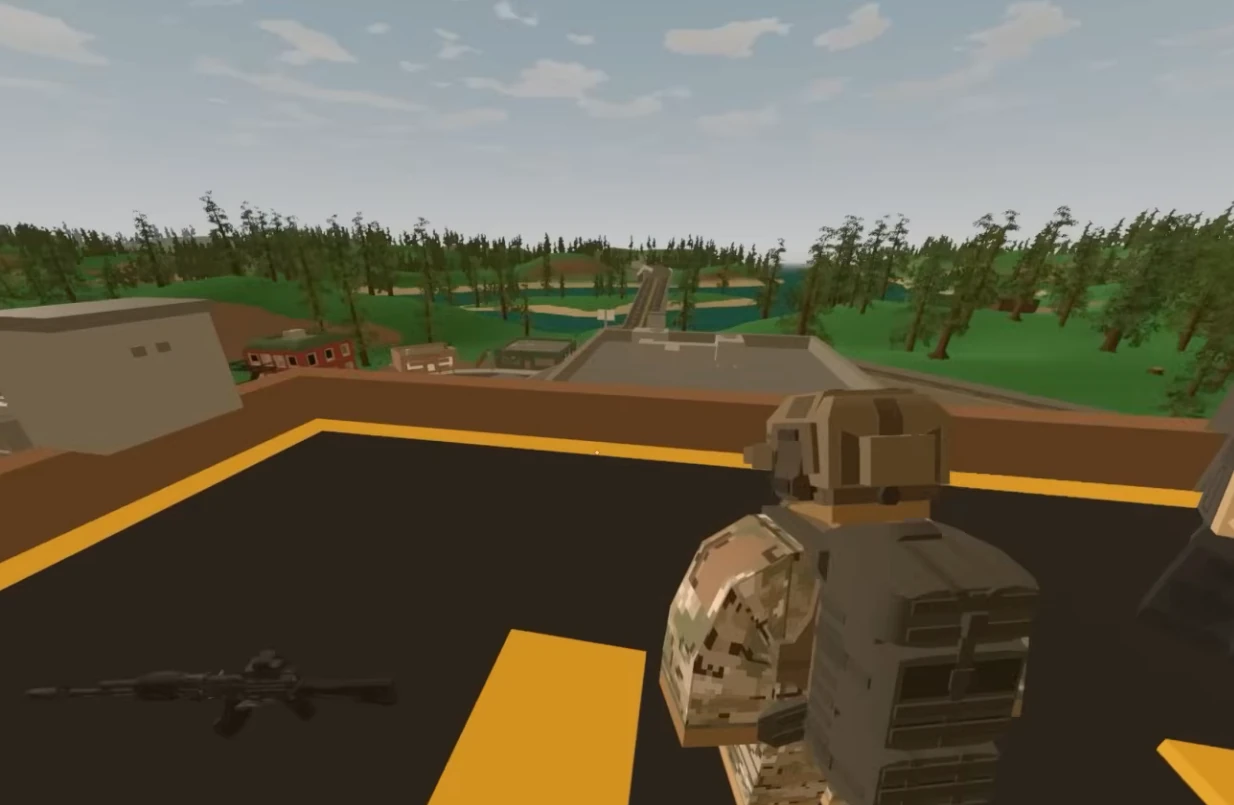
Unturned convoy

Convoy runs

Smooth sessions for groups on the move.

Discord bot controls for your Unturned server
Discord bot

Self-Serve Bot in Discord

Instant control of your Unturned server without tickets or waiting. Type a command and go.

  • Start, stop, restart, and check status in seconds.
  • Secure by design: only your subscriptions are accessible.
  • Share access safely with time-limited auth codes.

Fast, secure, and always on.

Discord chat commands for Unturned server management

Latest Unturned Guides & News

FAQ

A Game Server Login Token (GSLT) is required by Steam for your Unturned server to appear in the server browser and allow players to connect over the Internet. Without a valid GSLT, your server will not be listed and players cannot join. To get one, visit Steam Game Server Account Management, log in with your Steam account, and create a new token using App ID 304930. Paste the 32-character token into the Login Token field in your server configuration panel. Each server needs its own unique token.

Yes. Install workshop mods and upload configs from the control panel or FTP.

Plans scale by player slots. Choose S, M, or L based on your group size.

Yes. Upload custom maps via FTP and switch between worlds without wipes.

We host in US West (Oregon), US East (Virginia), US North-East (Toronto), Europe West (Paris), and Australia (Sydney).

Yes. We run automatic snapshots and provide on-demand backups for quick restores.

Average Unturned server hosting cost is around $4-$8 per month for small groups, with larger servers typically $8-$15. Unturned is lightweight, so cost mainly follows player slots, mods/plugins, and map size; pick a plan that fits your community size. Dedicated server cost also reflects RAM for maps and mods, CPU for AI and plugins, storage I/O for saves and backups, plus bandwidth, DDoS protection, and admin tooling.

Yes. In My Account → Subscriptions, you can upgrade to a higher tier of the same game with the same billing cadence (for example, monthly to monthly). Downgrades are not available right now. During an upgrade, your deployment is updated in place (quota update + restart), not wiped and recreated.

Unturned 2026 Persistence Wars: Seasonal Wipes vs Long-Term Worlds

Unturned 2026 Persistence Wars: Seasonal Wipes vs Long-Term Worlds

Unturned communities are split right now: some want constant wipes, others want history and permanence. That mood is not random noise anymore. It is a reliable signal coming from active players, clan organizers, and admins who still care enough to fight over details. For anyone running Unturned communities, the argument is no longer just about the next content drop. It is about whether your dedicated servers feel alive, stable, and honestly managed during uncertain cycles. This is why unturned server hosting matters in a practical sense: performance, trust, and communication all converge in one place.

The uncomfortable truth is that server operations now shape player sentiment almost as much as official announcements. If your world lags, moderation feels inconsistent, or policies change without warning, people assume leadership drift and quietly leave. If your hosting stack is dependable and your decisions are explained, the same players become patient. In short, when hype is low, reliability becomes your marketing. That is not glamorous, but it is how durable communities are built.

What Is Actually Happening Right Now

The current pressure point is seasonal server culture versus persistent social-world culture. Many admins try to solve this with bigger promises and louder branding, but players are not asking for slogans. They want signs that somebody is steering the ship with intent. The better approach is operational honesty: define what your server is, what it is not, what changes are planned, and what will stay stable. A focused server identity beats a “please everyone” strategy every single time.

Unturned communities are also more data-literate than before. They compare uptime, restart quality, rule consistency, moderation tone, and event cadence across multiple servers in the same week. That means your differentiation comes from execution, not from claiming to execute. Well-tuned hosting helps with CPU/RAM/network stability, but long-term trust comes from predictable behavior by admins and moderators.
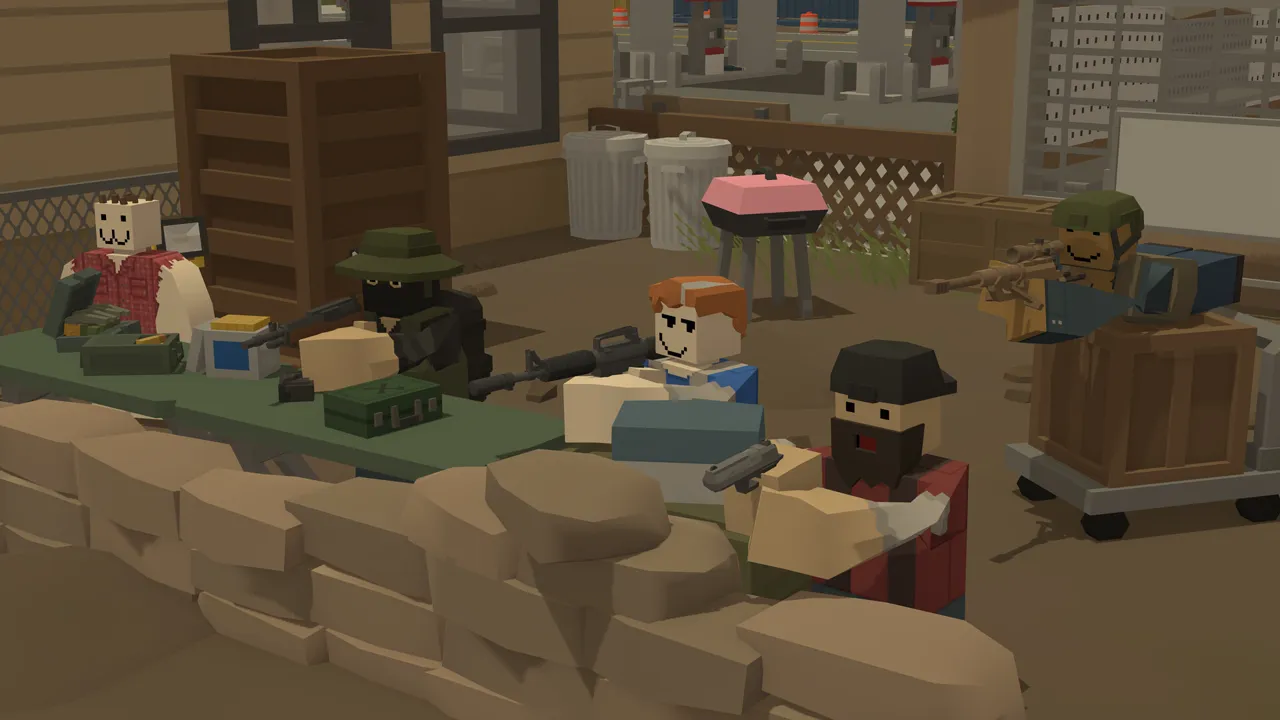
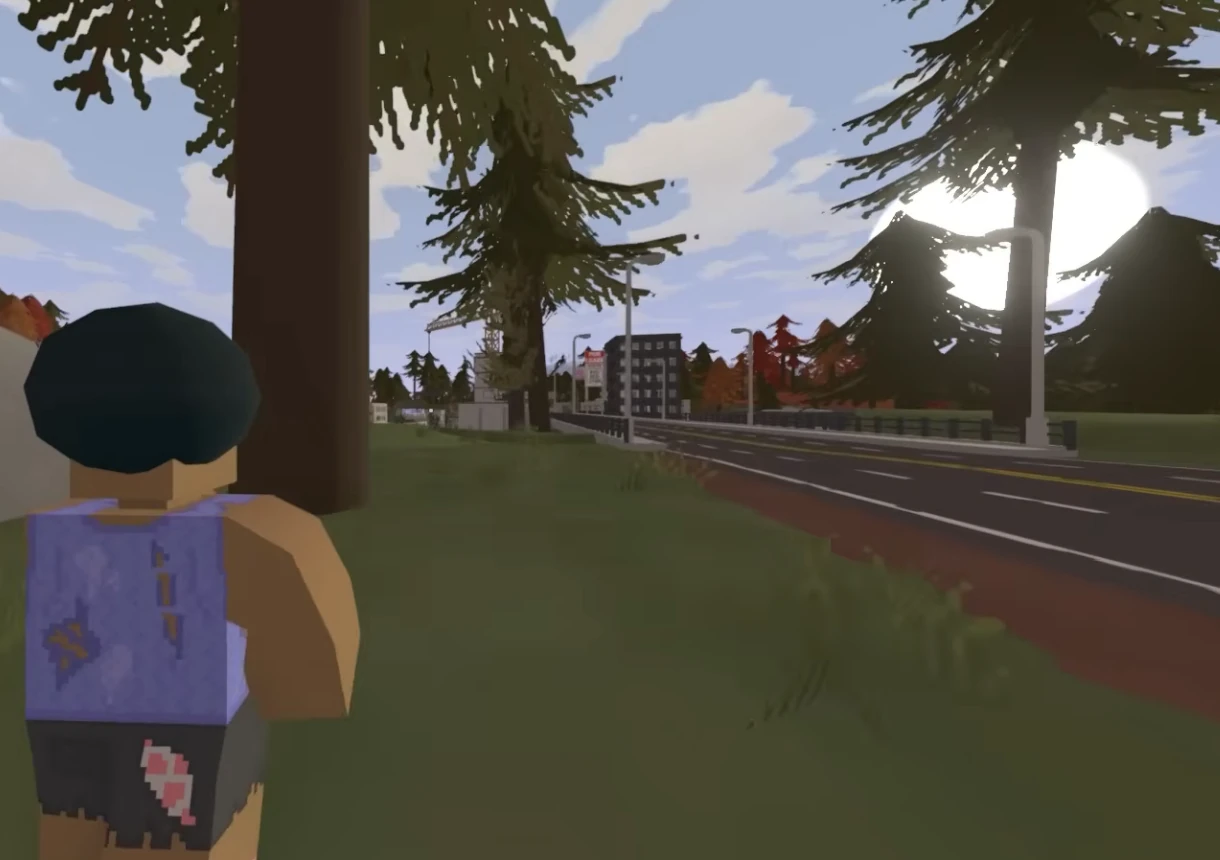
Unturned dedicated server hosting gameplay

The Operator View: Why This Becomes a Retention Problem

You can run both styles, but only if rules and hosting architecture are explicit. When communities get frustrated, they do not all quit at once. They thin out in waves: first casuals, then event organizers, then the reliable middle who kept evenings active. By the time hardcore regulars notice the drop, the social engine is already damaged. This is why retention needs structure instead of heroic improvisation.

A practical standard is to run the server like a live service product: clear ownership, visible changelog rhythm, incident playbook, and rollback discipline. You do not need enterprise theater. You need dependable habits. Players can tolerate strict rules, difficult settings, and occasional outages. They rarely tolerate confusion.

7-Day Action Plan for Dedicated Hosting Stability

  1. Audit current server settings and write down intent behind each critical value.
  2. Publish one concise status post to your players: what will change this week and what will not.
  3. Schedule restarts and warnings on fixed time blocks; avoid surprise downtime.
  4. Review backups and actually test restore, not just backup creation.
  5. Track one engagement metric and one stability metric every day.

High-Impact Moves That Work

  • Define season length and announce it at launch, not mid-season.
  • For persistent worlds, enforce anti-hoarding and map-rotation policies to avoid stagnant late game.
  • Use restore points before wipe scripts and migration operations.
  • Keep one public ruleset document and pin it in every player touchpoint.
  • Track churn by cohort: new players, returning players, and clan groups.

Mistakes That Keep Repeating

  • Calling a realm 'persistent' while silently planning an unannounced wipe.
  • Merging PvP and social-economy policies into one contradictory ruleset.
  • Ignoring backup drills until the first data incident.
  • Overmoderating small conflicts and undermining player agency.
Unturned servers and hosting operations

Communication Rules That Prevent Drama

Use plain language and timestamp every important decision. If you run a trial config, label it as trial. If you roll back, explain why in one paragraph. If an incident is unresolved, say so openly with next update time. This sounds basic, but this single discipline can cut rumor spirals by half. People forgive imperfect execution; they do not forgive silence that feels like disrespect.

Second rule: keep moderators aligned on tone and escalation. Inconsistent moderator messaging destroys more trust than occasional lag spikes. Third rule: do not turn every debate into a referendum. Collect feedback, then decide on schedule. Communities need a listening process, not permanent negotiation paralysis.

30-Day Execution Blueprint

Days 1-7: freeze risky experiments and stabilize. Confirm backup integrity, restart windows, and admin coverage. Days 8-14: collect structured feedback, not random hot takes. Group complaints into buckets: performance, fairness, progression, moderation. Days 15-21: deploy one controlled improvement wave and document every change. Days 22-30: review impact, rollback weak changes, and lock next-month priorities.

This cadence sounds boring, and that is exactly why it works. Communities thrive when they can predict operator behavior. Players do not need perfect certainty about future official updates, but they do need confidence that your server leadership is rational under pressure. If you can prove consistency for one full month, sentiment usually shifts from doomposting to constructive feedback.

Incident Playbook (Use This When Things Go Sideways)

  1. Declare incident scope quickly: who is affected, which systems, expected next update time.
  2. Freeze non-essential changes until root cause is identified.
  3. Collect evidence first: logs, metrics, moderation timeline, player reports.
  4. Apply the smallest safe fix, then monitor for regression.
  5. Publish a post-incident summary with prevention actions.

Most communities do not quit because of one outage. They quit after repeated confusion. A clean incident loop preserves trust even when the technical event is ugly. Pair this playbook with strong dedicated hosting practices and your admin team can absorb shocks without losing credibility.

Reference Links

Need a cleaner setup with less firefighting? Launch your Unturned server now and run your community on stable dedicated hosting.

Quick FAQ

Q: Is this mostly a hardware problem?
A: Hardware matters, but policy clarity and rollout discipline are equally important for retention.

Q: How often should we change settings?
A: In controlled windows, with changelogs. Daily random tweaks usually hurt trust.

Q: Can we run experimental and stable audiences together?
A: Yes, but only with explicit separation of environments and expectations.

Q: What is the minimum professional baseline?
A: Dedicated hosting, tested backups, incident playbook, and transparent communication cadence.

Q: What should admins prioritize this month?
A: Consistency. Stable servers, predictable policy, visible operations notes, and one clear community identity.

Unturned Lag in 2026: What Actually Improves Tick Stability (and What Is Placebo)

Unturned Lag in 2026: What Actually Improves Tick Stability (and What Is Placebo)

Server lag advice is full of cargo cult rituals. Some tweaks help, many do nothing, and a few make it worse. That mood is not random noise anymore. It is a reliable signal coming from active players, clan organizers, and admins who still care enough to fight over details. For anyone running Unturned communities, the argument is no longer just about the next content drop. It is about whether your dedicated servers feel alive, stable, and honestly managed during uncertain cycles. This is why unturned server hosting performance matters in a practical sense: performance, trust, and communication all converge in one place.

The uncomfortable truth is that server operations now shape player sentiment almost as much as official announcements. If your world lags, moderation feels inconsistent, or policies change without warning, people assume leadership drift and quietly leave. If your hosting stack is dependable and your decisions are explained, the same players become patient. In short, when hype is low, reliability becomes your marketing. That is not glamorous, but it is how durable communities are built.

What Is Actually Happening Right Now

The current pressure point is high-player sessions exposing weak optimization assumptions. Many admins try to solve this with bigger promises and louder branding, but players are not asking for slogans. They want signs that somebody is steering the ship with intent. The better approach is operational honesty: define what your server is, what it is not, what changes are planned, and what will stay stable. A focused server identity beats a “please everyone” strategy every single time.

Unturned communities are also more data-literate than before. They compare uptime, restart quality, rule consistency, moderation tone, and event cadence across multiple servers in the same week. That means your differentiation comes from execution, not from claiming to execute. Well-tuned hosting helps with CPU/RAM/network stability, but long-term trust comes from predictable behavior by admins and moderators.

Unturned dedicated server hosting gameplay

The Operator View: Why This Becomes a Retention Problem

Good hosting plus disciplined config beats random optimization folklore. When communities get frustrated, they do not all quit at once. They thin out in waves: first casuals, then event organizers, then the reliable middle who kept evenings active. By the time hardcore regulars notice the drop, the social engine is already damaged. This is why retention needs structure instead of heroic improvisation.

A practical standard is to run the server like a live service product: clear ownership, visible changelog rhythm, incident playbook, and rollback discipline. You do not need enterprise theater. You need dependable habits. Players can tolerate strict rules, difficult settings, and occasional outages. They rarely tolerate confusion.

7-Day Action Plan for Dedicated Hosting Stability

  1. Audit current server settings and write down intent behind each critical value.
  2. Publish one concise status post to your players: what will change this week and what will not.
  3. Schedule restarts and warnings on fixed time blocks; avoid surprise downtime.
  4. Review backups and actually test restore, not just backup creation.
  5. Track one engagement metric and one stability metric every day.

High-Impact Moves That Work

  • Profile peak-hour behavior before touching settings.
  • Cut pointless background tasks and keep mod stacks trimmed.
  • Tune entity and vehicle density with evidence, not intuition.
  • Schedule maintenance and restart windows instead of emergency restarts.
  • Treat tick stability as a KPI and publish baseline numbers to staff.

Mistakes That Keep Repeating

  • Applying ten tweaks at once and learning nothing.
  • Using huge mod stacks without dependency governance.
  • Confusing network jitter with CPU saturation.
  • Ignoring log patterns that point to repeat offenders.
Unturned servers and hosting operations

Communication Rules That Prevent Drama

Use plain language and timestamp every important decision. If you run a trial config, label it as trial. If you roll back, explain why in one paragraph. If an incident is unresolved, say so openly with next update time. This sounds basic, but this single discipline can cut rumor spirals by half. People forgive imperfect execution; they do not forgive silence that feels like disrespect.

Second rule: keep moderators aligned on tone and escalation. Inconsistent moderator messaging destroys more trust than occasional lag spikes. Third rule: do not turn every debate into a referendum. Collect feedback, then decide on schedule. Communities need a listening process, not permanent negotiation paralysis.

30-Day Execution Blueprint

Days 1-7: freeze risky experiments and stabilize. Confirm backup integrity, restart windows, and admin coverage. Days 8-14: collect structured feedback, not random hot takes. Group complaints into buckets: performance, fairness, progression, moderation. Days 15-21: deploy one controlled improvement wave and document every change. Days 22-30: review impact, rollback weak changes, and lock next-month priorities.

This cadence sounds boring, and that is exactly why it works. Communities thrive when they can predict operator behavior. Players do not need perfect certainty about future official updates, but they do need confidence that your server leadership is rational under pressure. If you can prove consistency for one full month, sentiment usually shifts from doomposting to constructive feedback.

Incident Playbook (Use This When Things Go Sideways)

  1. Declare incident scope quickly: who is affected, which systems, expected next update time.
  2. Freeze non-essential changes until root cause is identified.
  3. Collect evidence first: logs, metrics, moderation timeline, player reports.
  4. Apply the smallest safe fix, then monitor for regression.
  5. Publish a post-incident summary with prevention actions.

Most communities do not quit because of one outage. They quit after repeated confusion. A clean incident loop preserves trust even when the technical event is ugly. Pair this playbook with strong dedicated hosting practices and your admin team can absorb shocks without losing credibility.

Reference Links

Need a cleaner setup with less firefighting? Launch your Unturned server now and run your community on stable dedicated hosting.

Quick FAQ

Q: Is this mostly a hardware problem?
A: Hardware matters, but policy clarity and rollout discipline are equally important for retention.

Q: How often should we change settings?
A: In controlled windows, with changelogs. Daily random tweaks usually hurt trust.

Q: Can we run experimental and stable audiences together?
A: Yes, but only with explicit separation of environments and expectations.

Q: What is the minimum professional baseline?
A: Dedicated hosting, tested backups, incident playbook, and transparent communication cadence.

Q: What should admins prioritize this month?
A: Consistency. Stable servers, predictable policy, visible operations notes, and one clear community identity.

Unturned Server Not Showing? Why GSLT and Browser Visibility Still Kill Growth

Unturned Server Not Showing? Why GSLT and Browser Visibility Still Kill Growth

Most 'dead server' complaints are not about gameplay. They are about discoverability failure. That mood is not random noise anymore. It is a reliable signal coming from active players, clan organizers, and admins who still care enough to fight over details. For anyone running Unturned communities, the argument is no longer just about the next content drop. It is about whether your dedicated servers feel alive, stable, and honestly managed during uncertain cycles. This is why unturned dedicated server hosting matters in a practical sense: performance, trust, and communication all converge in one place.

The uncomfortable truth is that server operations now shape player sentiment almost as much as official announcements. If your world lags, moderation feels inconsistent, or policies change without warning, people assume leadership drift and quietly leave. If your hosting stack is dependable and your decisions are explained, the same players become patient. In short, when hype is low, reliability becomes your marketing. That is not glamorous, but it is how durable communities are built.

What Is Actually Happening Right Now

The current pressure point is persistent GSLT/token confusion and listing instability among community operators. Many admins try to solve this with bigger promises and louder branding, but players are not asking for slogans. They want signs that somebody is steering the ship with intent. The better approach is operational honesty: define what your server is, what it is not, what changes are planned, and what will stay stable. A focused server identity beats a “please everyone” strategy every single time.

Unturned communities are also more data-literate than before. They compare uptime, restart quality, rule consistency, moderation tone, and event cadence across multiple servers in the same week. That means your differentiation comes from execution, not from claiming to execute. Well-tuned hosting helps with CPU/RAM/network stability, but long-term trust comes from predictable behavior by admins and moderators.

Unturned dedicated server hosting gameplay

The Operator View: Why This Becomes a Retention Problem

Growth starts with visibility hygiene before any content strategy. When communities get frustrated, they do not all quit at once. They thin out in waves: first casuals, then event organizers, then the reliable middle who kept evenings active. By the time hardcore regulars notice the drop, the social engine is already damaged. This is why retention needs structure instead of heroic improvisation.

A practical standard is to run the server like a live service product: clear ownership, visible changelog rhythm, incident playbook, and rollback discipline. You do not need enterprise theater. You need dependable habits. Players can tolerate strict rules, difficult settings, and occasional outages. They rarely tolerate confusion.

7-Day Action Plan for Dedicated Hosting Stability

  1. Audit current server settings and write down intent behind each critical value.
  2. Publish one concise status post to your players: what will change this week and what will not.
  3. Schedule restarts and warnings on fixed time blocks; avoid surprise downtime.
  4. Review backups and actually test restore, not just backup creation.
  5. Track one engagement metric and one stability metric every day.

High-Impact Moves That Work

  • Validate GSLT before every major maintenance window.
  • Audit ports and query visibility after each environment change.
  • Keep one documented onboarding path for players joining through browser or direct connect.
  • Monitor failed join attempts and classify root causes weekly.
  • Treat browser listing as an SLO: measurable, monitored, and owned.

Mistakes That Keep Repeating

  • Changing network settings without post-change verification.
  • Assuming 'it works for me' equals global visibility.
  • Mixing production and test instances under confusing names.
  • Ignoring token expiry and auth drift signals.
Unturned servers and hosting operations

Communication Rules That Prevent Drama

Use plain language and timestamp every important decision. If you run a trial config, label it as trial. If you roll back, explain why in one paragraph. If an incident is unresolved, say so openly with next update time. This sounds basic, but this single discipline can cut rumor spirals by half. People forgive imperfect execution; they do not forgive silence that feels like disrespect.

Second rule: keep moderators aligned on tone and escalation. Inconsistent moderator messaging destroys more trust than occasional lag spikes. Third rule: do not turn every debate into a referendum. Collect feedback, then decide on schedule. Communities need a listening process, not permanent negotiation paralysis.

30-Day Execution Blueprint

Days 1-7: freeze risky experiments and stabilize. Confirm backup integrity, restart windows, and admin coverage. Days 8-14: collect structured feedback, not random hot takes. Group complaints into buckets: performance, fairness, progression, moderation. Days 15-21: deploy one controlled improvement wave and document every change. Days 22-30: review impact, rollback weak changes, and lock next-month priorities.

This cadence sounds boring, and that is exactly why it works. Communities thrive when they can predict operator behavior. Players do not need perfect certainty about future official updates, but they do need confidence that your server leadership is rational under pressure. If you can prove consistency for one full month, sentiment usually shifts from doomposting to constructive feedback.

Incident Playbook (Use This When Things Go Sideways)

  1. Declare incident scope quickly: who is affected, which systems, expected next update time.
  2. Freeze non-essential changes until root cause is identified.
  3. Collect evidence first: logs, metrics, moderation timeline, player reports.
  4. Apply the smallest safe fix, then monitor for regression.
  5. Publish a post-incident summary with prevention actions.

Most communities do not quit because of one outage. They quit after repeated confusion. A clean incident loop preserves trust even when the technical event is ugly. Pair this playbook with strong dedicated hosting practices and your admin team can absorb shocks without losing credibility.

Reference Links

Need a cleaner setup with less firefighting? Launch your Unturned server now and run your community on stable dedicated hosting.

Quick FAQ

Q: Is this mostly a hardware problem?
A: Hardware matters, but policy clarity and rollout discipline are equally important for retention.

Q: How often should we change settings?
A: In controlled windows, with changelogs. Daily random tweaks usually hurt trust.

Q: Can we run experimental and stable audiences together?
A: Yes, but only with explicit separation of environments and expectations.

Q: What is the minimum professional baseline?
A: Dedicated hosting, tested backups, incident playbook, and transparent communication cadence.

Q: What should admins prioritize this month?
A: Consistency. Stable servers, predictable policy, visible operations notes, and one clear community identity.

 
V Rising Server Hosting

V Rising Server Hosting built for smooth sieges and low‑latency PvP

Launch a dedicated V Rising server in minutes and keep combat responsive, saves safe, and raids fair. We handle performance, backups, and updates so you can focus on ruling the night.

10k+ servers hosted 99.9% uptime 5 regions 2‑day refund
PROMO: Buy V Rising - get access to Factorio, Terraria, Project Zomboid & more. See all games
Step 1

Pick a plan

Choose a plan based on player count and PvP intensity.

Step 2

Launch instantly

Provision your realm and set rules in the panel.

Step 3

Invite your clan

Share the IP and scale later without wiping progress.

“Smooth fights, no stutter, and quick rollbacks when we test changes.”
V Rising customer review
V Rising server plan S

Plan S

$599
/ per month

Up to 8 Players
CPU Priority 1

A solid start for private clans and fresh PvE realms.

V Rising server plan M

Plan M

$1199
/ per month

Up to 16 Players
CPU Priority 2

Balanced for PvP conflicts and active clan servers.

V Rising server plan L

Plan L

$1999
/ per month

Up to 32 Players
CPU Priority 3

For large clans, siege-heavy servers, and persistent worlds.

All plans include
Uncapped RAM
NVMe storage
Mod support
Daily snapshots
Server hardware: AMD EPYC CPUs (24c/48t+), ~3.6 GHz, 512 GB RAM

Choose your realm, keep it stable

Run a PvP, PvE, or private world with steady tickrates and low latency. Adjust schedules, loot rules, and difficulty from the control panel without downtime.

Built for vampire survival

V Rising thrives on fast combat and responsive servers. We keep your world stable during sieges and high-pop hours, with quick restores if a change goes sideways.

Guides from our knowledge base

Mastering the vampire resurgence

Wake from centuries of slumber, feed to regain power, and carve out a kingdom in a hostile world. Build your castle, convert loyal servants, and fight off holy hunters while the night belongs to you.

Forge alliances or rule alone

Expand your domain through diplomacy or war. Team up with allies or play solo, raid rival castles, and claim territory. The right setup keeps every battle fluid and every decision meaningful.

Nightfall showcase

Build your fortress, hunt bloodlines, and keep your realm stable through every siege.

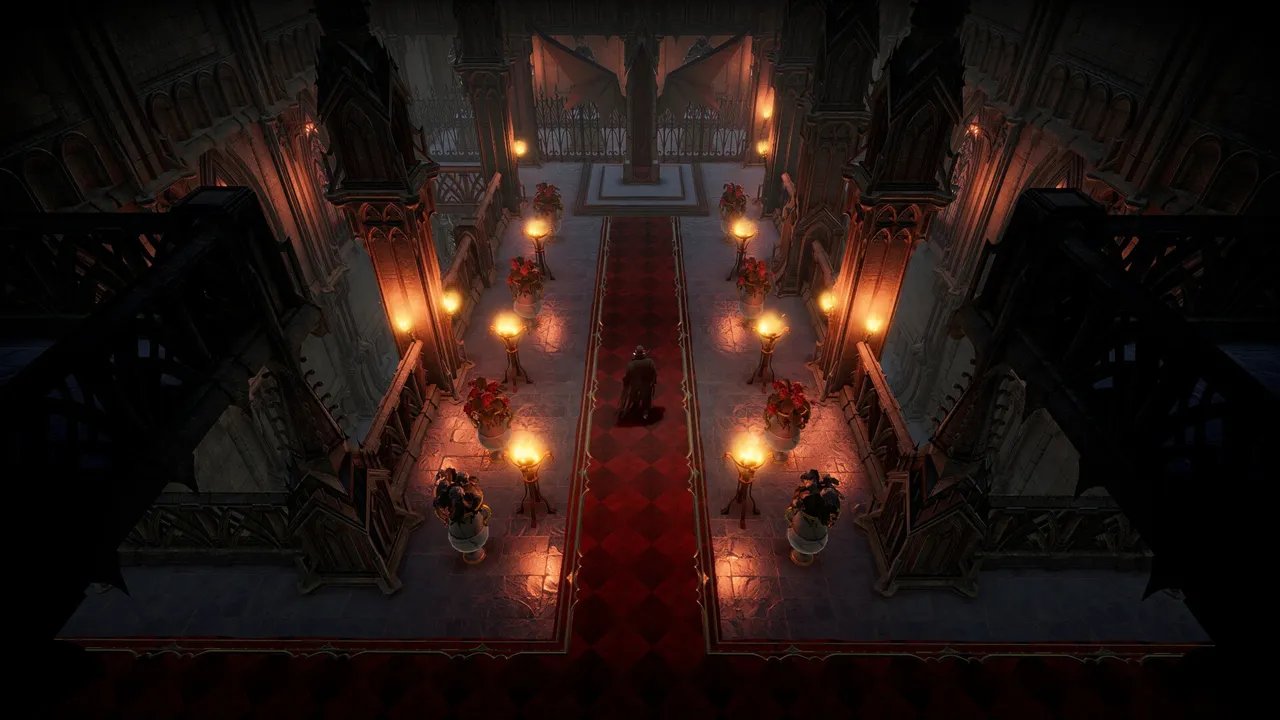
V Rising vampire castle scene
Discord bot controls for your V Rising server
Discord bot

Self-Serve Bot in Discord

Instant control of your V Rising server without tickets or waiting. Type a command and go.

  • Start, stop, restart, and check status in seconds.
  • Secure by design: only your subscriptions are accessible.
  • Share access safely with time-limited auth codes.

Fast, secure, and always on.

Discord chat commands for V Rising server management

Latest V Rising Guides & News

FAQ

Yes. You can host locally or rent a server. Self-hosting gives full control, while hosted servers remove the burden of port setup, updates, and uptime.

A stable connection and at least 4 GB RAM is a good starting point. Larger communities and heavier mods need more headroom.

The dedicated server software is free, but hosting hardware is not. We include a 2-day refund window so you can test performance risk-free.

Our largest plan supports up to 40 players. Pick a smaller plan if you want a private or clan-focused world.

We host in US West (Oregon), US East (Virginia), US North-East (Toronto), Europe West (Paris), and Australia (Sydney) for low latency.

Smaller servers can run on 4-6 GB RAM. Larger worlds and modded setups benefit from more memory. Higher plans give you extra headroom.

Average V Rising server hosting cost is about $10-$18 per month for small clans and $18-$30 for larger servers. Cost scales by player capacity rather than RAM, with plans up to 40 players. Dedicated server cost is driven by CPU for combat-heavy events, RAM for castle size and mods, storage I/O for frequent saves, plus bandwidth, DDoS protection, and admin tooling.

  1. Install via SteamCMD: steamcmd.exe +force_install_dir \\path\\to\\server +login anonymous +app_update 1829350 validate +quit
  2. Forward TCP ports 9876 and 9877.
  3. Edit ServerHostSettings.json for rules and schedules.
  4. Start with start_server.bat.
Self-hosting works, but managed hosting saves time on ports, patches, and uptime.

Use our configuration panel or edit files directly. See our complete V Rising Server Configuration Guide for all available settings and server options.

Yes. In My Account → Subscriptions, you can upgrade to a higher tier of the same game with the same billing cadence (for example, monthly to monthly). Downgrades are not available right now. During an upgrade, your deployment is updated in place (quota update + restart), not wiped and recreated.

V Rising Castle Defense Meta: Servant Loops, Blood Economy, and Raid Windows

V Rising Castle Defense Meta: Servant Loops, Blood Economy, and Raid Windows

Castle defense is not just walls. It is logistics, servant uptime, and an economy that does not collapse under pressure. That sentence keeps showing up in admin channels for a reason. Players are no longer judging servers by launch promises. They judge by whether the world stays stable, moderation stays coherent, and rules remain understandable under pressure. If you run V Rising communities right now, this is where v rising dedicated server hosting stops being a generic keyword and turns into day-to-day operational reality.

The hard truth is simple: when sentiment turns volatile, infrastructure quality and policy quality become inseparable. Strong hardware with chaotic rules still loses players. Clean rules with weak uptime still loses players. The winners are operators who treat server hosting as a product: versioned settings, documented intent, scheduled communication, and visible rollback discipline. This article focuses on that operator layer because it is where retention is won or lost.

What Is Driving This Topic in 2026

The current pressure point is ongoing clan-level experimentation around raid windows, decay tuning, and resource control loops. Players have better comparison habits than ever. They evaluate restart behavior, event consistency, moderation tone, wipe policy, and trust signals across multiple communities before committing. That means your server identity must be explicit. A vague “we do everything” posture usually collapses into reactive management and burnout.

For admins, this creates a practical challenge: you need enough flexibility to respond to real problems without making your environment feel random. A disciplined operating rhythm solves most of this tension. Set planned change windows, communicate scope, deploy one meaningful adjustment batch, and then measure before changing again. It sounds basic, but it beats impulsive daily tweaking by a wide margin.

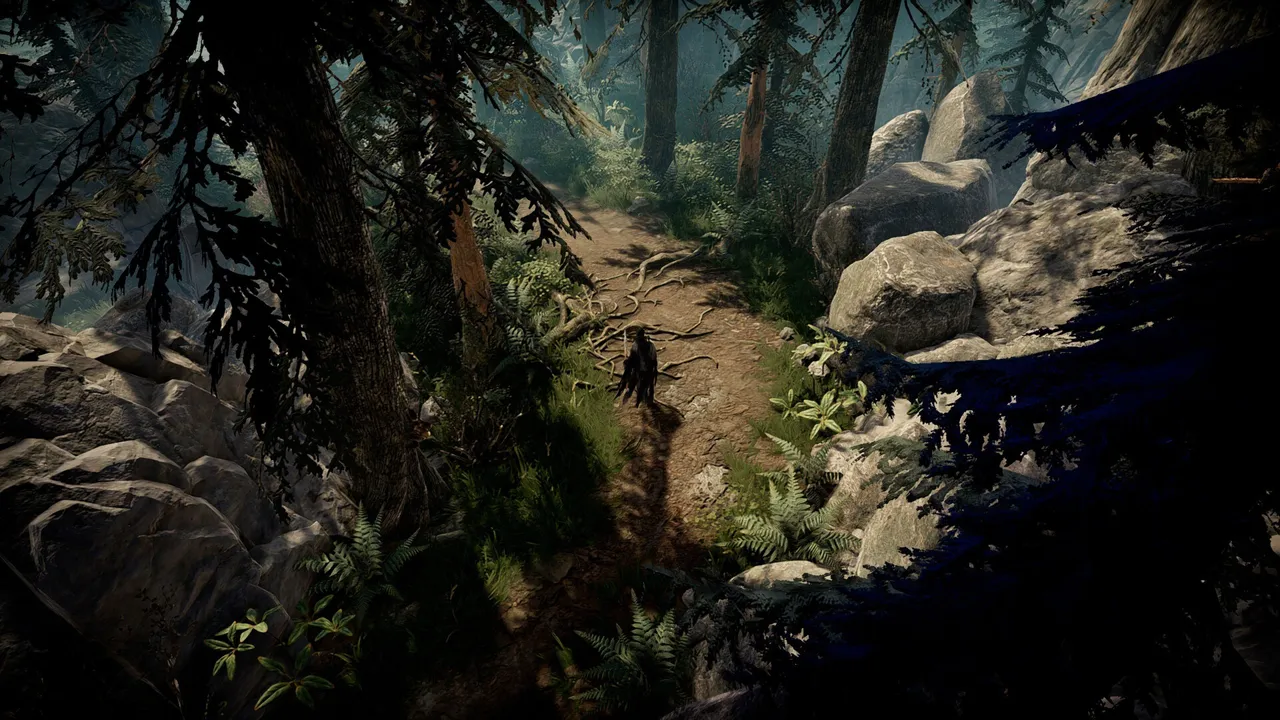
V Rising dedicated server hosting gameplay

Why It Becomes a Retention Problem Fast

Stable dedicated hosting gives clans enough predictability to compete without turning every season into chaos. Most communities do not collapse in one dramatic incident. They degrade in layers: first the casuals disappear, then event organizers stop showing up, then long-session regulars drift toward better-run alternatives. By the time population drops are obvious, social momentum is already damaged.

The remedy is not louder marketing. It is operational credibility. Players need to see that your team can make decisions calmly, explain tradeoffs, and protect world continuity during bad weeks. If they trust your process, they tolerate difficult settings and occasional technical incidents. If they do not trust your process, even small hiccups trigger rumor cycles and churn.

7-Day Server Stabilization Plan

  1. Audit core settings and write one-sentence intent for each high-impact value.
  2. Publish a weekly operations note: what changes this week and what stays fixed.
  3. Lock restart windows and alert timings so players can plan around them.
  4. Verify backups by performing at least one real restore test.
  5. Track two daily KPIs: one stability metric and one engagement metric.

High-Impact Actions

  • Align raid windows with your region’s active-time reality, not theoretical peak charts.
  • Tune castle decay with clear anti-abandonment goals and publish thresholds.
  • Use servant mission cadence to reinforce strategic planning over brute force farming.
  • Record defense incidents and classify by policy gap versus player execution.
  • Run end-of-week operator reviews to adjust one subsystem at a time.

Mistakes That Keep Repeating

  • Designing defense around one dominant clan archetype.
  • Unclear raid-window policy that fuels moderation disputes.
  • Stacking large balance changes into one patch-night release.
  • Treating decay complaints as pure salt instead of ops signals.
V Rising servers and hosting operations

Policy and Communication Rules That Work

Timestamp every relevant decision. If a change is experimental, label it experimental. If a rollback happens, explain root cause and next steps in one concise note. Ambiguity creates more damage than most technical incidents. Communities can live with imperfect execution; they struggle with leadership that looks inconsistent.

Second, keep staff alignment tight. Inconsistent moderator messaging is a known trust killer. Third, separate feedback intake from immediate policy changes. Listening does not mean changing settings in real time. Collect evidence for a defined window, then decide with intent. This keeps your server governable and prevents emotional policy swings.

30-Day Operations Blueprint

Days 1-7: freeze risky experiments and stabilize uptime, backups, and staffing coverage. Days 8-14: collect structured feedback and classify into performance, fairness, progression, and moderation. Days 15-21: deploy one controlled change wave with public notes. Days 22-30: evaluate impact, rollback weak changes, and lock next month priorities.

This cycle is deliberately boring, and boring is exactly what high-retention communities need. Predictability lets players invest socially. It also gives admins room to improve without panic mode. If your team can execute this rhythm for one full month, sentiment usually shifts from doomposting to constructive participation.

When Things Break: Incident Loop

  1. Declare incident scope quickly and provide next update timestamp.
  2. Freeze unrelated changes until core issue is understood.
  3. Collect evidence: logs, metrics, timeline, and player-facing symptoms.
  4. Apply smallest safe fix and watch for regressions.
  5. Publish post-incident summary with prevention actions.

That loop protects trust even when a technical event is ugly. Combined with stable dedicated hosting, it turns fragile communities into resilient ones. The key is consistency: same process, every time, regardless of who is on duty.

One practical habit makes this sustainable: keep a lightweight operations journal. Note what changed, why, what was observed, and what you will revisit next week. This creates continuity across shifts, reduces repeated mistakes, and gives your team a defensible record when community debates get noisy.

Reference Links

Need cleaner uptime and less admin firefighting? Launch your V Rising server on dedicated hosting and run your community with predictable operations.

Quick FAQ

Q: Is this mostly a hardware issue?
A: Hardware matters, but policy coherence and release discipline usually decide long-term retention.

Q: How often should settings change?
A: In defined windows with clear notes. Constant unscheduled tweaks erode trust.

Q: Do players really care about changelogs?
A: Yes. Transparency converts confusion into patience.

Q: What baseline should every serious server have?
A: Dedicated hosting, tested backups, incident playbook, and stable communication cadence.

Q: What is the first win to chase?
A: Consistency over novelty. Predictable operations beat chaotic feature churn.

V Rising PvE Settings That Keep Servers Alive After Week Two

V Rising PvE Settings That Keep Servers Alive After Week Two

Most PvE worlds die after week two because progression is either trivial or exhausting, with nothing in between. That sentence keeps showing up in admin channels for a reason. Players are no longer judging servers by launch promises. They judge by whether the world stays stable, moderation stays coherent, and rules remain understandable under pressure. If you run V Rising communities right now, this is where v rising server hosting stops being a generic keyword and turns into day-to-day operational reality.

The hard truth is simple: when sentiment turns volatile, infrastructure quality and policy quality become inseparable. Strong hardware with chaotic rules still loses players. Clean rules with weak uptime still loses players. The winners are operators who treat server hosting as a product: versioned settings, documented intent, scheduled communication, and visible rollback discipline. This article focuses on that operator layer because it is where retention is won or lost.

What Is Driving This Topic in 2026

The current pressure point is operators tuning teleport, resource, and blood economy values to avoid rapid burnout in 1.0-era server cycles. Players have better comparison habits than ever. They evaluate restart behavior, event consistency, moderation tone, wipe policy, and trust signals across multiple communities before committing. That means your server identity must be explicit. A vague “we do everything” posture usually collapses into reactive management and burnout.

For admins, this creates a practical challenge: you need enough flexibility to respond to real problems without making your environment feel random. A disciplined operating rhythm solves most of this tension. Set planned change windows, communicate scope, deploy one meaningful adjustment batch, and then measure before changing again. It sounds basic, but it beats impulsive daily tweaking by a wide margin.

V Rising dedicated server hosting gameplay

Why It Becomes a Retention Problem Fast

Retention grows when dedicated hosting supports predictable pacing instead of constant emergency tweaks. Most communities do not collapse in one dramatic incident. They degrade in layers: first the casuals disappear, then event organizers stop showing up, then long-session regulars drift toward better-run alternatives. By the time population drops are obvious, social momentum is already damaged.

The remedy is not louder marketing. It is operational credibility. Players need to see that your team can make decisions calmly, explain tradeoffs, and protect world continuity during bad weeks. If they trust your process, they tolerate difficult settings and occasional technical incidents. If they do not trust your process, even small hiccups trigger rumor cycles and churn.

7-Day Server Stabilization Plan

  1. Audit core settings and write one-sentence intent for each high-impact value.
  2. Publish a weekly operations note: what changes this week and what stays fixed.
  3. Lock restart windows and alert timings so players can plan around them.
  4. Verify backups by performing at least one real restore test.
  5. Track two daily KPIs: one stability metric and one engagement metric.

High-Impact Actions

  • Set explicit progression goals for the first 14 days and align multipliers accordingly.
  • Use autosave cadence that prioritizes recovery speed during prime time.
  • Publish teleport and travel rules before launch to avoid expectation mismatch.
  • Schedule weekly boss-events that reinforce, not bypass, core progression.
  • Track abandonment timing and correlate with major settings changes.

Mistakes That Keep Repeating

  • Overbuffing resource rates to fix short-term complaints.
  • Changing traversal rules mid-season without warning.
  • Treating PvE servers like low-maintenance set-and-forget environments.
  • No rollback plan for economy-breaking adjustments.
V Rising servers and hosting operations

Policy and Communication Rules That Work

Timestamp every relevant decision. If a change is experimental, label it experimental. If a rollback happens, explain root cause and next steps in one concise note. Ambiguity creates more damage than most technical incidents. Communities can live with imperfect execution; they struggle with leadership that looks inconsistent.

Second, keep staff alignment tight. Inconsistent moderator messaging is a known trust killer. Third, separate feedback intake from immediate policy changes. Listening does not mean changing settings in real time. Collect evidence for a defined window, then decide with intent. This keeps your server governable and prevents emotional policy swings.

30-Day Operations Blueprint

Days 1-7: freeze risky experiments and stabilize uptime, backups, and staffing coverage. Days 8-14: collect structured feedback and classify into performance, fairness, progression, and moderation. Days 15-21: deploy one controlled change wave with public notes. Days 22-30: evaluate impact, rollback weak changes, and lock next month priorities.

This cycle is deliberately boring, and boring is exactly what high-retention communities need. Predictability lets players invest socially. It also gives admins room to improve without panic mode. If your team can execute this rhythm for one full month, sentiment usually shifts from doomposting to constructive participation.

When Things Break: Incident Loop

  1. Declare incident scope quickly and provide next update timestamp.
  2. Freeze unrelated changes until core issue is understood.
  3. Collect evidence: logs, metrics, timeline, and player-facing symptoms.
  4. Apply smallest safe fix and watch for regressions.
  5. Publish post-incident summary with prevention actions.

That loop protects trust even when a technical event is ugly. Combined with stable dedicated hosting, it turns fragile communities into resilient ones. The key is consistency: same process, every time, regardless of who is on duty.

One practical habit makes this sustainable: keep a lightweight operations journal. Note what changed, why, what was observed, and what you will revisit next week. This creates continuity across shifts, reduces repeated mistakes, and gives your team a defensible record when community debates get noisy.

Reference Links

Need cleaner uptime and less admin firefighting? Launch your V Rising server on dedicated hosting and run your community with predictable operations.

Quick FAQ

Q: Is this mostly a hardware issue?
A: Hardware matters, but policy coherence and release discipline usually decide long-term retention.

Q: How often should settings change?
A: In defined windows with clear notes. Constant unscheduled tweaks erode trust.

Q: Do players really care about changelogs?
A: Yes. Transparency converts confusion into patience.

Q: What baseline should every serious server have?
A: Dedicated hosting, tested backups, incident playbook, and stable communication cadence.

Q: What is the first win to chase?
A: Consistency over novelty. Predictable operations beat chaotic feature churn.

Top