

Get Your 7 Days To Die Server
Choose our 7 Days To Die Server Hosting for an unmatched multiplayer experience in 7 Days to Die. Revel in quick, stable servers boasting 99.9% uptime, fortified security, and a user-friendly control panel. Perfect for teams venturing into the post-apocalyptic world of 7 Days to Die. Enhance your survival game with Supercraft. Join the adventure now!
Have lots of fun with your friends!
- Steam&Consoles
- Powerful Hardware
- BepInEx and 1-click Mods
- User Friendly Panel
- FTP&Rcon
- Static, Never-Changing IP Addresses
- Branding-Free Servers
- Great Support
- 2-Day Refund Policy
2-Day Money-Back Guarantee
Safe Payments
What our users are saying
Great hosting and works well. It's ice to finally have found a great service. Hopefully they fix the issue where I got the server as 19.6 alpha but it some reason gave me 19.5 but other then that little glitch its well worth the money I'm paying. Chwers
Paul Jensen
Not really much to say other than it's probably the cheapest host for 7 days 2 die. Almost 1 week into my server and I've had no issues yet.
dylan952008
Supercraft has been a great host. I'm running my second 7d2d server now. Installing server-side mods, making config changes, and backing up worlds has been simple. Scott
Scott
It’s easy to get started
Choose your plan
Select the best option for your needs
Create account
Or login if you have one
Make payment
Choose one of our secured payment methods
Select your region
Choose the closest location for the lowest ping
Install the game
Game will run automatically after installation
Connect!
You will have the port and IP in the management panel
Why to choose Supercraft as your next dedicated server hosting provider?
DDoS protection
Best attack protection with 17Tbit/s filtering capacity
Full control
We give full access to all options, browse logs and use admin console.
Best hardware
Our services runs on Intel Xeon Silver and Gold with at least 128 GB RAM.
Lightnig-fast network
Game experience free of lags ang glitches.
Configuration for experts
Aadvanced administration options allows you to fine-tune your game experience. FTP and RCON.
Safe Payments
We use only thrusted payment gateways: PayPal and Stripe, we never process credit card information directly.
Mods & Maps easier then ever
With our custom dedicated panel mods and maps installation is a single click.
24/7 Support
Send us an email, use online form or reach to us directly on Discord to reach us out.
Available Regions
Affordable 7 Days to Die Hosting for Alpha 22
Our cheap 7 Days to Die server hosting is tuned for Horde Night spikes and Darkness Falls modpacks. With Ryzen 9 + DDR5 nodes, Supercraft keeps 7 Days to Die servers stable even when zombies swarm at 64 concurrent spawns, something bargain hosts struggle with.
Performance checklist
- Dedicated cores during Blood Moon windows with automatic burst scaling.
- Pre-installed BepInEx, Darkness Falls, Undead Legacy, and Sorcery profiles.
- Steam + console cross-play whitelists managed from our panel.
- Latency targets <40 ms across Frankfurt, Warsaw, Chicago.
Why we beat generic hosts
| Feature | Supercraft 7DTD servers | Low-cost host |
|---|---|---|
| Backups | Every 10 minutes with instant restore | Daily only |
| Support | Discord + phone during Horde Night | Ticket queue |
| Mod installs | One-click | Manual FTP |
| Anti-cheat | ServerGuard + log streaming | Not included |
7 Days to Die Hosting FAQ
What is the average 7 Days to Die server hosting cost?
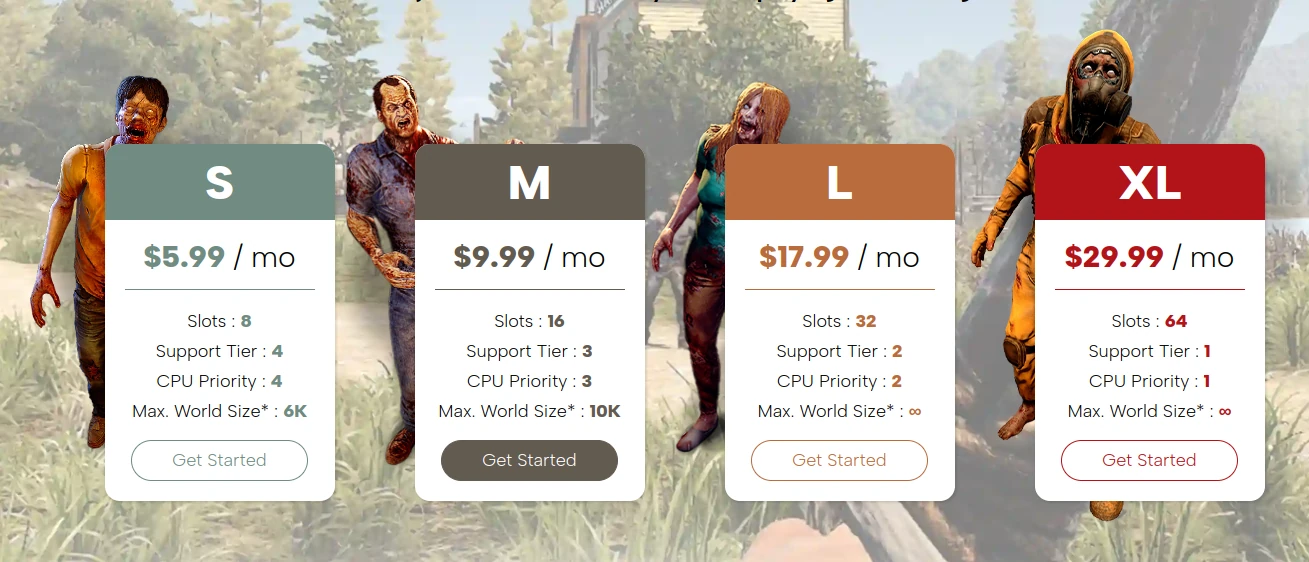
Average 7 Days to Die server hosting cost is about $6-$10 per month for small groups, $10-$18 for mid-size servers, and $18-$30 for large communities. Dedicated server cost jumps with Horde Night CPU spikes, RAM headroom, modpacks, storage I/O for saves and backups, plus bandwidth, DDoS protection, admin tooling, and higher slot counts.
Do you support Darkness Falls or other overhaul mods?
Yes. Each 7 Days to Die server ships with curated mod templates plus auto-updaters, so you can swap packs without wiping.
How do you keep Horde Night stable?
We pre-allocate CPU threads and monitor entity counts; if spikes exceed thresholds we temporarily boost resources, keeping your 7 Days to Die server smooth.
Player proof
“We survived four Horde Nights without a single lag spike thanks to Supercraft.” – Kamil, Warsaw. Average Discord response time is 3 minutes during EU evenings.
7 Days to Die Storms 2.0 Brewing Update and Beyond!
7 Days to Die: A Deep Dive into the Upcoming Patches – Storms Brewing and Beyond!
Okay, buckle up, wasteland wanderers, because the devs of 7 Days to Die just dropped a truckload of info on the upcoming patches and, let’s be real, it’s a mixed bag of “hell yeah” and “are you serious?” So, grab your coffee, maybe a beer, and let’s dive into the nitty-gritty. We’re talking updates 1.2, 1.3, and the big daddy of them all, 2.0 – the “Storms Brewing” update. Let’s get the boring stuff out of the way first.
The Teaser: 2.0 – Storms Brewing
First off, 2.0. Yeah, the one we’ve all been waiting for, the one that was supposed to drop, like, yesterday. Turns out, the devs were a little too optimistic with their initial estimates. December? Hah! Try Quarter 1 of 2025. Classic. They’ve pushed it back, but hey, at least they’re owning up to their blunder. What’s in it, you ask? Well, plenty, let’s go over it.
Weather or Not
First up, a brand spanking new weather survival system. Now, if you’ve been playing 7 Days for a while, you know the environment is basically a wet noodle right now. Clothing? Doesn’t matter. Biomes? Just different colored pixels. In 1.0, they jacked up the clothing mechanics, making any protection good enough that environmental effects just… vanished. But now? Oh, it’s gonna matter. This new system is supposed to bring the hurt, with unique damage, remedies, and challenges per biome. Color me intrigued, and cautiously optimistic. I’m just hoping it’s not just going back to the old system with a new paint job. The “remedies” part sounds spicy, though. New items? We haven’t had any legit new items since… what… the armor crafting kit? And that’s just a green repair kit with a fancy name! New challenges better mean something more than just a menu pop up! I want to be pushed to my limit.
Crossplay? Finally!
Crossplay on dedicated servers, finally! The console players can rejoice, or whatever it is they do. This means you can stop pestering your PC buddies to play with you… or vice-versa. Good for them, I guess. As long as they don’t bring their console aim to my server, we’re good.
Advanced New Radiated Game Staged Zombie Enemies
Okay, this is where things get weird.
7 Days to Die: From Desert Scraps to Snowy Showdowns
7 Days to Die: From Desert Scraps to Snowy Showdowns
7 Days to Die: From Desert Scraps to Snowy Showdowns – A Loot Goblin’s Tale
Alright, you wasteland wanderers and zombie slayers, buckle up because we’re diving deep into a recent playthrough of 7 Days to Die, and let me tell you, it was a rollercoaster of exploding bolts, lead-slinging madness, and enough loot to make a dragon blush. Forget your polite introductions, we’re jumping right into the thick of it.
So, the sun beats down on day 705. Yeah, you heard that right, seven hundred and five days. This ain’t your average Tuesday night stroll through the undead apocalypse. Our guy, let’s just call him “Glock”, has just cleaned out good ol’ Bobby, the trader. Books, throwable thingamajigs, and an Uzi because, let’s be honest, why the hell not? It’s an Uzi, it’s practically a zombie-slaying fashion statement. The shopping spree includes enough 9mm, dragon breath, and magnum rounds to make even Rambo raise an eyebrow. Why wouldn’t you snag that stuff? It’s not like the undead are going to be writing you thank you notes, are they?
Okay, base tour. Forget those flimsy twig and mud shacks. This guy’s rocking a multi-tiered fortress. Iron hatches guard the doorway leading to a ladder and a ledge, which allows for some parkour across metal bars. The steps? Demolished. Not for aesthetics, but for maximum zombie frustration. This isn’t a game of ‘hide and seek’, this is ‘hide and snipe’. The bars, anchored to both the outer walls and inner column thing, are a serious middle finger to any zombie trying to get a home-cooked meal. Then some concrete upgrading for good measure.
With a fully-kitted arsenal, there’s still time to kill. So, naturally, our hero decides to go for a scenic stroll across the road and visit a military recruitment center. Because what’s the point of surviving a zombie apocalypse if you can’t get your hands on some high-quality military-grade boomsticks? Sneaking in is clearly optional. It’s a lead-filled salad for the zombie horde – hold the dressing, because nobody needs that sugary crap. Just ammo and guns. That’s the kind of attitude that keeps you alive in the wasteland. A little dragon’s breath action on some zeds. Turns out, it does set them on fire. Who knew? It’s more of a “one-shot-and-you’re-toast” kind of deal. Murky water? Nah, they’re good. They’re rolling in the good stuff.
Up to the watchtower. And, what do you know, the main stash is unlocked. Easy peasy, like taking candy from a baby…a zombified baby. There’s magnum ammo, but who needs it? No magnum pistol. There is, however, a massive haul of 5.56, the M4, a level 5 SMG, a .45 pistol, a shotgun, exploding crossbow bolts and all the throwable toys. It’s like Christmas, except instead of presents, you get the tools to deal out some serious zombie-killing. Forget those loot goblin feelings, they’re straight up facts.
Time for some fun with the dragon’s breath, using up those five rounds. It’s fun to watch the zeds get turned into crispy critters. Then it’s magnum time. The windows get shredded by the horde. Hatch defenses? A little bit of a waste. No biggie, the bars are doing their job. They may not last forever, but they sure are holding their ground now. This ain’t some pansy base build, this is a fortress made for lead-slinging. There’s an unspoken rule. The entire horde must be wiped out before moving on to a new zone. No cowardly runs on a motorcycle. They gotta fight, in the vicinity of the POI. It’s an old-fashioned slaughterhouse, but hey, rules are rules. Big concrete POIs are the name of the game.
Then the audio gets glitchy again. Oh well, there is no time to waste. Exploding bolts get launched. Cops are prioritized, because they are the real threats to those bars. Demolishers are a secondary threat but could cause serious damage. One exploding bolt doesn’t quite make it through the bars. So, it’s time for the pistol. A few pops to the dome. One two three four and lucky number five, body parts start flying. The bars are holding the line though they are taking a beating. The zeds are attacking both the outer wall and center column, but the outer walls are bulletproof glass. So, all good. They seem to be holding up quite nicely. The whole place is looking solid, unless a horde of Demolishers decide to throw a party. Then they might need to push the big red button and clear them out. A few grenades thrown into the mix. That’s the good stuff.
Of course, the argument might be made that the ridiculous arsenal is due to some mod. A certain “Izzy gun pack”. Well, maybe that’s true, but over 3,000 rounds of 9mm and a level 5 SMG means things would be pretty fine anyway. The throwables are vanilla. This whole challenge could probably be done in vanilla. It might just be harder. The sheer amount of ammo found after five days? We’re dropping more than we use. It’s a clear sign that crafting ammo is a waste of time. Time to go mining resources and building 10 workbenches to craft ammo. Nah. A couple of tier 6 infested jobs and a bit of looting, and bam, more ammo than you could ever need. Unless you want to build mega bases or something, it’s just a waste of time. Then the Demolishers start to show up. They may bring the house down. Or not. One goes down. Seems their explosions were nerfed. Demolishers now climb up the trussing, who knew. A few pipe bombs are tossed. It’s like a zombie piñata, and it’s bursting with goo. The night is almost over. No biggie.
Then the morning arrives. A quick sweep and clean of the stragglers. Then off to the snow biome. But oh no, a trip to Bobby one more time. And of course, there are loot bags everywhere. I mean who cares? They are probably full of trash anyway. Maybe some books, but who gives a crap?
Time to find the dam, it seems like a tier 5 infested job. Plastic parts. Yeah. Time to be in take everything mode, except for potato seeds. No farming. Food and water is under control. Time to get in there. A few more words about the next biome. This is about to come to an end. Five more days in the snow biome, five in the wasteland, two more hordes, and then it’s done. What to do after that? Start something new. That’s the challenge. Make it through each biome. Not too shabby.
Then it’s time for a quick buy of a magazine bundle and some antibiotics, just because. A gallery of AA Gami. The dam wasn’t on the list. Maybe after the job. Time to get this over with. Need a new base location. It needs to be able to take on an endgame horde. Because the place they live in is the place they fight. This unwritten rule is just part of life now.
Some fisty action ensues, it seems. No weapons on this guy. How the hell are we gonna fight some zombies with our bare hands? It’s a disaster. A maxed-out brawler gets his ass handed to him. This is why the fist-only challenge has never been a thing. A little bit of crafting time. Make a club, maybe?
So there you have it. A wild ride through the wasteland, with enough guns, ammo, and explosions to make Michael Bay proud. This wasn’t just some casual stroll; it was a full-blown, zombie-slaughtering extravaganza. Stay tuned for the next chapter, where we’ll see if this wasteland warrior can survive the snowy depths. But if this playthrough is any indication, I reckon the undead should be the ones who are worried.
7 Days to Die: Navezgane vs Random Gen – Which Map Should You Play?
7 Days to Die: Navezgane vs Random Gen – Which Map Should You Play?
Choosing between Navezgane vs Random Gen in 7 Days to Die changes your whole run. Here is a quick comparison of pros, cons, and when to pick each map so you get the survival loop you want. Whichever map you pick, parking the save on Valheim server hosting-grade hardware keeps horde nights smooth even with friends connecting from everywhere.
- Know the strengths and drawbacks of Navezgane vs Random Gen
- When to start on the handcrafted map vs a fresh seed
- Tips for seeds, performance, and co-op/server play
Navezgane: predictable and beginner-friendly
- Pros: Handcrafted POI layout, easy to learn routes, lore breadcrumbs, and reliable trader placement.
- Cons: Becomes repetitive after a few runs and offers limited long-term variety.
- Best for: New players, story/lore hunters, or stable co-op runs where everyone knows the map.
Random Gen: endless variety and higher tension
- Pros: Fresh layouts every seed, more replayability, and higher exploration tension.
- Cons: Sometimes awkward biome splits, uneven POI density, or rough spawns; can overwhelm new players.
- Best for: Veterans who want surprise factor, challenge seeds, and custom map sizes for servers.
How to choose Navezgane vs Random Gen
- Learning curve: Start Navezgane to master basics, then switch to Random Gen once you know POI tiers and trader loops.
- Group play: Co-op squads that want reliable loot routes often prefer Navezgane; mixed-skill groups can try a gentle Random Gen seed (larger towns, mild biomes).
- Challenge runs: Smaller Random Gen maps with dense wasteland or snow biomes raise difficulty fast.
- Performance: Smaller Random Gen maps load faster and reduce travel stutter; Navezgane is consistent but fixed-size.
Seed and setup tips for Random Gen
- Pick a map size that matches your player count (6K–8K for most servers; 10K+ for large co-op).
- Preview seeds with the in-game generator or community tools to avoid extreme water/biome splits.
- Favor seeds with nearby traders and mixed biomes so early quests are reachable.
FAQ
Can I move a save between maps? No—start a new save when swapping Navezgane vs Random Gen.
Are POI tiers the same? Navezgane is curated; Random Gen distributes POIs by rules, so density varies by seed.
Where can I read more? Check the 7 Days to Die wiki for generation details and map tips.
Need a smooth server for your next seed? See our 7 Days to Die hosting tips to keep hordes running without lag.
7 Days to Die: Update 1.2 – Crossplay, Performance, and a Stormy Future!
7 Days to Die: Update 1.2 – Crossplay, Performance, and a Stormy Future!
7 Days to Die: Update 1.2 is HERE – Crossplay, Performance Boosts, and a Glimpse into the Stormy Future!
Alright, wasteland wanderers, listen up! The Fun Pimps have dropped the stable release of 7 Days to Die’s 1.2 update, and it’s a meaty one. Now, I know you’re probably thinking, \”Another update? What’s the big deal?\” But trust me, this one is a game-changer, especially if you’ve been itching to team up with your console-dwelling buddies. Buckle up, because we’re diving deep into the nitty-gritty of what this update brings to the table.
Crossplay: The Walls Are Crumbling!
Let’s get to the real juicy bit, shall we? Crossplay is FINALLY here, baby! That’s right, PC, Xbox, and PlayStation 5 players can now join forces (or brutally betray each other, you do you) regardless of their platform. No more sad, lonely solo runs while your friends are having a blast on their consoles. This is huge, a real tectonic shift in the 7 Days landscape. It’s a glorious day for unity, or at least, for more chaotic multiplayer mayhem.
But before you all jump in headfirst, there are a few caveats to keep in mind. Currently, crossplay is limited to peer-to-peer sessions, meaning there are no dedicated servers to host cross-platform games. So, you’ll need to pick one friend to be the designated server host. The Fun Pimps have stated that dedicated crossplay servers are on their way with the 2.0 \”Storms Brewing\” update, slated for around March 2025. So, until then, choose your host wisely, or risk laggy zombie hordes and painful disconnects.
Important Crossplay Notes:
- Platforms: PC (Windows, Mac, Linux), PS5, and Xbox Series consoles.
- Hosting: Peer-to-peer only for now. PC, PS5 and Xbox can host.
- Dedicated Servers: Coming in the 2.0 \”Storms Brewing\” update.
- Console World Size: Console players can generate random worlds up to 8K but can join larger worlds hosted by PC players. Having at least one PC player in your group will be beneficial for now.
- Crossplay Enable: You MUST enable crossplay in the game settings before starting your first game.
- EAC: PC players must have Easy Anti-Cheat enabled for crossplay games.
- Mods: NO MODS ALLOWED in crossplay games, PC players need to run their game in an unmodified state with EAC on.
No Mods, No Glory – For Now!
Okay, let’s address the elephant in the room. Mods. We all love ’em. They’re the spices of the gaming world, adding that extra flavour, and making the game truly your own. But sadly, for crossplay games, mods are out of the question. PC players need to run their client completely vanilla, with EAC enabled, for crossplay to function. This might sting a bit for the modding aficionados, but it’s a necessary sacrifice for the greater good of cross-platform play. This will likely change with the release of dedicated servers so don’t go throwing your mod folders away just yet. If you’re having issues getting crossplay to work, the release notes have a handy FAQ that may just save you from pulling your hair out.
Performance Boosts: Smooth Operator
Alright, enough about crossplay, let’s talk about the other juicy bits of the 1.2 update. You know that feeling when your game starts chugging like an old steam train? Well, the Fun Pimps have been working hard on optimizing rendering performance. They’ve reduced overhead by tweaking how multiple cameras are rendered in first-person view, which is a massive win for smoother gameplay. This means fewer frame drops, less stuttering, and more time enjoying the zombie-slaying action. Any performance gains are welcome in this gritty world. This fix should address a range of issues, and means a lot for us, the average gamer.
But that’s not all, the player avatar is now influenced by environmental shadows and reflections, which is just a fancy way of saying the game looks better. Console players can also take advantage of new performance and quality graphics presets, meaning you can prioritize higher frame rates or better render resolution. Basically, the game should now run smoother and look cleaner on consoles, a double win for console users. This change is an attempt to make the game look even more crisp and clean for our console brethren.
A Menagerie of Changes: From Cute to Creepy
Okay, let’s dive into the more visual changes of this update. The animal models have had a makeover, and the vultures, rabbits, and chickens look more like their real-life counterparts. The new zombie vulture model is particularly gruesome, which is a perfect fit in this post apocalyptic wasteland.
Other changes include the CRT TV emergency broadcast sound now has a light source, additional flame prefabs have been added to burning zombies, and a sound effect will indicate when you activate the extra crafting skill point perk while wearing the nerd outfit, and missing spark textures for mines have been added. Some nice additions for sure.
Tweaks, Fixes, and Zombie Shenanigans
The 1.2 update brings more than just visual tweaks, it also addresses some important under-the-hood mechanics. The zombie spawning systems have been tweaked to work correctly, which should fix issues with quests failing due to zombies not spawning in. A very welcome change for anyone like me who has ever failed a quest due to this annoying bug.
Here’s a breakdown of the significant tweaks and fixes:
- Video Brightness: Lowering your brightness below 50% now makes interiors and nights look much more realistic. I actually found setting my brightness to zero and running around at night to be quite an experience. If you’re looking for some authentic horror, try it!
- Helmet Light: The range of the helmet light mod has been reduced. This means you won’t be able to see as far into the darkness. This change, along with the new brightness settings should make for a more intense atmosphere.
- Scream Sounds: The scream sounds have been updated.
- Solar Cells: Solar cells can no longer be scrapped, thank god, for all of us who have accidentally scrapped expensive items.
- Grace: Grace is no longer zombie food, not that it really mattered for anyone, but it is a change.
- Forest Biome Zombies: The lack of zombie spawns in the forest biome has been fixed. The devs tracked this bug down, and now the forest will be as dangerous as it should be.
- Torch Audio: The multiple audio player for player-placed torches has been fixed, which is music to the ears of anyone who has ever had multiple torches around their base. Thank God!
- Loot Abundance: Decreasing loot abundance below 100% now decreases loot by the desired amount. No more crazy loot drops or lack thereof.
- Tactical Assault Rifle: The tactical assault rifle’s reflex sight model has been fixed. It will now appear on the weapon.
- Drone Healing Mod: The healing mod for the drone has been fixed. It will now heal the player more than once, and heal the player while in a vehicle. Good news for all of you drone users, it is actually useful now!
A Sneak Peek into the Stormy Future (Update 2.0)
Now, let’s talk about the future, and the much-anticipated 2.0 \”Storms Brewing\” update. The Fun Pimps have admitted that the original release date was a bit ambitious, so it has been pushed back to late Q1 of 2025 (around March, hopefully). This update is shaping up to be a big one, with the following features:
- Full New Weather Survival System: Expect environmental damage types, unique remedies, and challenges based on the biome you are in. Weather systems can be cool in concept, but we will have to wait and see how good this is.
- Crossplay on Dedicated Servers: YES! Finally, proper crossplay servers!
- Advanced New Radiated Game Staged Zombie Enemies: This is super interesting, hopefully they are more creative than just a colour swap, but we will see.
- Updated Trees for Performance: More performance optimisations.
- New Biome Looks: New scenery is always welcome.
- Updated Handheld Drinks and Food Items with Meshes: Finally! The days of consuming air with a drinking sound are over.
- New Subtitle System: For all of you playing without audio.
- New Belt Message Priority System: For all of you who pay attention to that kind of thing.
- New Zombie Spawning Tool: Optimization for high tier POIs.
- New Player Wardrobe System: You can now keep your outfit protection, but change your outfit appearance. Finally, I can look cool while being protected from the zombie hordes.
- New Player DLC Outfits: I expect these are the armour variants we were supposed to get but were strangely missing in the previous releases.
- Switch Drops: More loot!
- Tons of Bug Fixes, Balance Optimizations, and Quality of Life Features: The kind of stuff that makes the game run even better.
The food and drink models are a long-awaited addition and the new advanced radiated zombies sound interesting, but they have the potential to be very lazy, if done poorly. I’m less hyped about the weather system, which was already in the game in Alpha 21 and the DLC outfits, which should have been in the game for a while.
Final Thoughts
So there you have it, a deep dive into the 1.2 update, and a glimpse into the 2.0 \”Storms Brewing\” update. This update is a game changer, especially for cross-platform play. I’m always excited for a new 7 Days update, and I am excited to see the future. The amount of changes makes this game feel more complete, and I am excited to see where it goes. Let me know your thoughts on the update in the comments below!
A Satisfactory Roadmap 2025 and Beyond
A Satisfactory Roadmap 2025 and Beyond
The factory building landscape of Satisfactory is constantly evolving, and as we look towards 2025, it’s crucial to understand the trajectory of this complex and engaging game. While the developers, Coffee Stain Studios, haven’t laid out a concrete roadmap for 2025 specifically, we can piece together a picture of what’s likely in store by examining past updates, confirmed plans, and the overall development direction. This deep dive will explore Satisfactory Roadmap 2025 – potential features, content additions, and improvements that players can anticipate in the coming years. For smoother co-op factories, our Satisfactory server hosting keeps worlds online while you experiment.
The Foundation: Update 8’s Impact
Before peering into the future, it’s important to acknowledge the substantial changes brought by Update 8. This update marked a significant shift, notably with the upgrade to Unreal Engine 5, a move that promises enhanced visuals and performance optimization. Beyond the technical leap, Update 8 introduced several gameplay-altering features.
Power Infrastructure Overhaul
The introduction of the Power Tower and the Priority Power Switch fundamentally altered how power distribution is managed. The Power Tower significantly extended the reach of power lines, and the Priority Power Switch allows for more strategic power allocation.
Mobility Enhancements
Update 8 made parachutes reusable and boosted the pioneer’s movement during gliding. Ziplines also became more fluid, no longer interrupted by ceiling connections. Fuel options for jetpacks were expanded to include Solid Biofuel, Liquid Biofuel, Turbofuel, and standard Fuel, each with distinct performance characteristics.
Building and Dismantling
Quality-of-life improvements included auto-supports for conveyor belts and pipes, plus adjustable height for the first support. The dismantle system gained filters, and blueprints became more versatile with quick switch menus, directional arrows, and the new “nudge mode”.
Advanced Game Settings (AGS)
A slew of new AGS options provided players with the tools to tailor their experience. Features like flight mode, god mode, item giving, no build cost, and no unlock cost offer unprecedented levels of customization. Other features included disabling enemy spiders, setting starting tiers, and unlocking all available content.
These changes underscore Coffee Stain Studios’ commitment to enhancing both the core building mechanics and the overall user experience. While the specifics of Update 9 and 10 were ultimately passed over, the developments implemented in Update 8 provide a strong base to build from.
Looking Ahead: What’s On the Horizon?
While a specific roadmap for 2025 is not available, the announcements about the 1.0 release provide essential context for future developments. The full release is set for September 10th, 2024, which will include many changes:
The Story Update
One of the most highly anticipated features coming with the 1.0 release is the introduction of a story mode, a feature repeatedly confirmed by the developers. It is said to be fully written and undergoing prototyping, promising to be a unique addition for players. The story will incorporate items such as SAM Ore, Mercer Spheres, and Somersloops, which will finally be properly implemented. It is expected that some items might only be available through story progression, adding depth to the game.
Biome Overhaul
The 1.0 release will also introduce changes to various biomes, such as the Red Bamboo Fields, Red Jungle, Swamp, Abyss Cliffs, Titan Forest, and Desert Canyons. These areas will undergo both foliage and landscape changes, which could affect factory designs. One significant change is that Paradise Island will be removed entirely. These alterations indicate a commitment to refreshing the game’s environments.
Addressing Unspecified Features
Coffee Stain Studios has also discussed the possibility of revamping the game’s tutorial and early-game experience to make the game more approachable for new players, though the method for this is still unspecified. The issue with multiple fuel types for equipment was also acknowledged, and it is expected that the UI/engine issues will be resolved to enable its functionality.
Speculating on 2025: Building on the 1.0 Foundation
Given the significant changes coming with the 1.0 release, 2025 will likely focus on expanding upon these changes. Here are some likely areas of focus:
- Story Expansion: With the base story implemented in 1.0, 2025 could see further story content additions. This might include new narrative elements, side quests, or updates that provide more insight into the game’s lore.
- New Biomes and Environments: Although the focus of the 1.0 release will be updating existing biomes, there might be new biomes added later to further expand the variety of the world.
- Enhanced Gameplay Mechanics: The focus on refining and expanding existing mechanics is likely to continue. This could involve more quality-of-life improvements, new building options, and further optimization of the game’s performance.
- Community-Driven Content: Coffee Stain Studios has been very receptive to community feedback. Expect further refinements to features based on player input. This might include mod support or in-game content that the community has been requesting.
- Continued Advanced Game Settings (AGS) Expansion: AGS is a major addition for players seeking tailored experiences. More options and settings may be added to further customize gameplay for both seasoned and new players alike.
A Bright Future for Satisfactory
While a definitive roadmap for 2025 remains under wraps, the overall development direction of Satisfactory provides a clear picture. The 1.0 release marks a major milestone with its inclusion of a story mode and map adjustments. The years following will likely focus on expansion and refinement, and a continued effort to enhance the game with community feedback and new features.
As we gear up for the 1.0 release, the future of Satisfactory looks incredibly bright, with plenty of opportunities for players to continue building, optimizing, and enjoying their ever-expanding factories in the years ahead.
Abiotic Factor Server Hosting for co-op survival, lab progression, and base building
Launch a dedicated Abiotic Factor server in minutes with stable performance, fast saves, and easy configuration management. Keep your world online for your crew, your runs, and long-term progression.
- Co-op survival sessions
- Stable long sessions
- Base building support
- Config and difficulty tuning
- Private password
- Low latency regions
- On-demand backups
- DDoS protection
- Branding-free servers
- Uncapped RAM
- User-friendly control panel
Pick a plan
Choose S, M, or L based on player count and world size.
Launch instantly
Provision your world and tune difficulty, progression, and rules.
Invite your crew
Share the IP and scale anytime without wipes.
Plan S
€00
/ per month
4 GB RAM
A reliable start for small groups surviving together.
Plan M
€00
/ per month
8 GB RAM
Balanced for growing communities and active base zones.
Plan L
€00
/ per month
12 GB RAM
Built for bigger groups, long sessions, and stable saves.
Hardcore survival with stable performance
Keep city events, police chases, and large RP sessions responsive with reliable uptime and consistent saves.
Roleplay servers and faction communities
Run custom rulesets, PvP/PvE mixes, and community events with full control over your Abiotic Factor server settings.
Backups, restores, and long-term progression
Protect your players' progress with automated snapshots and quick restore options whenever updates or config changes go wrong.
The Abiotic Factor Roleplay World
From city districts to high-pressure operations, Abiotic Factor is built around tension, teamwork, and smart planning. Keep your server online for every session.
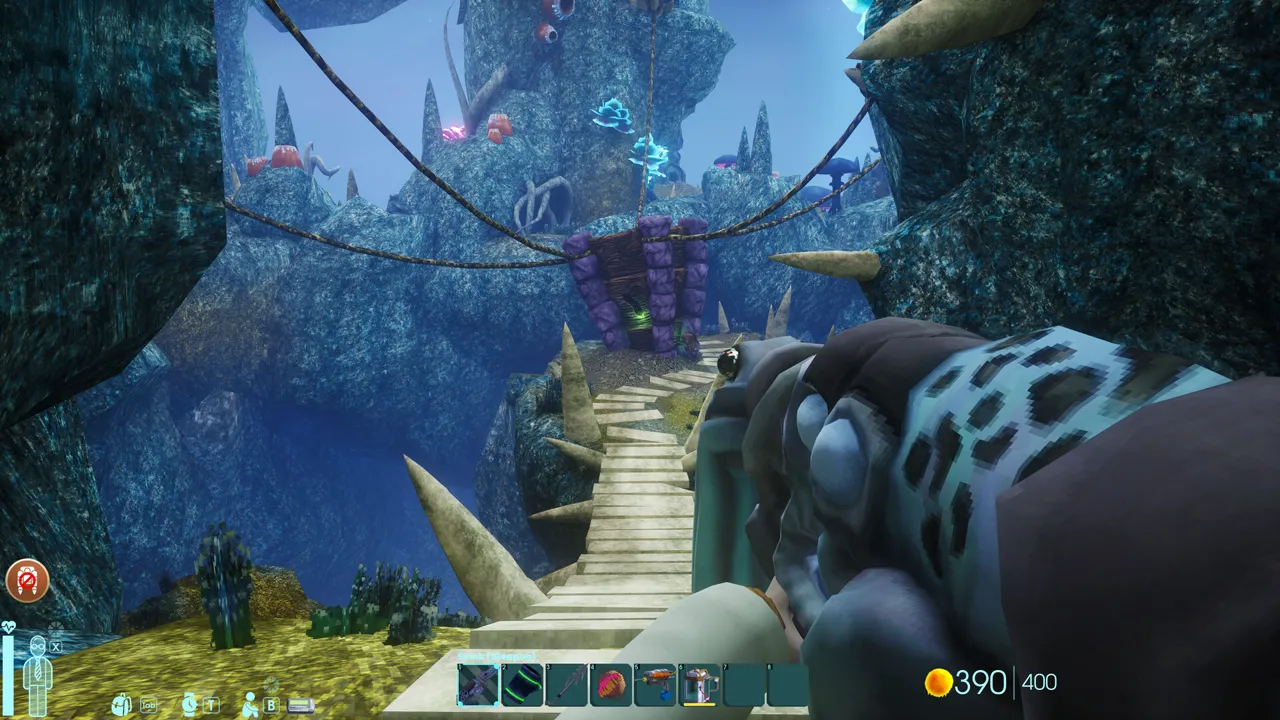
Lab exploration
Stable worlds for long sessions and co-op progression.
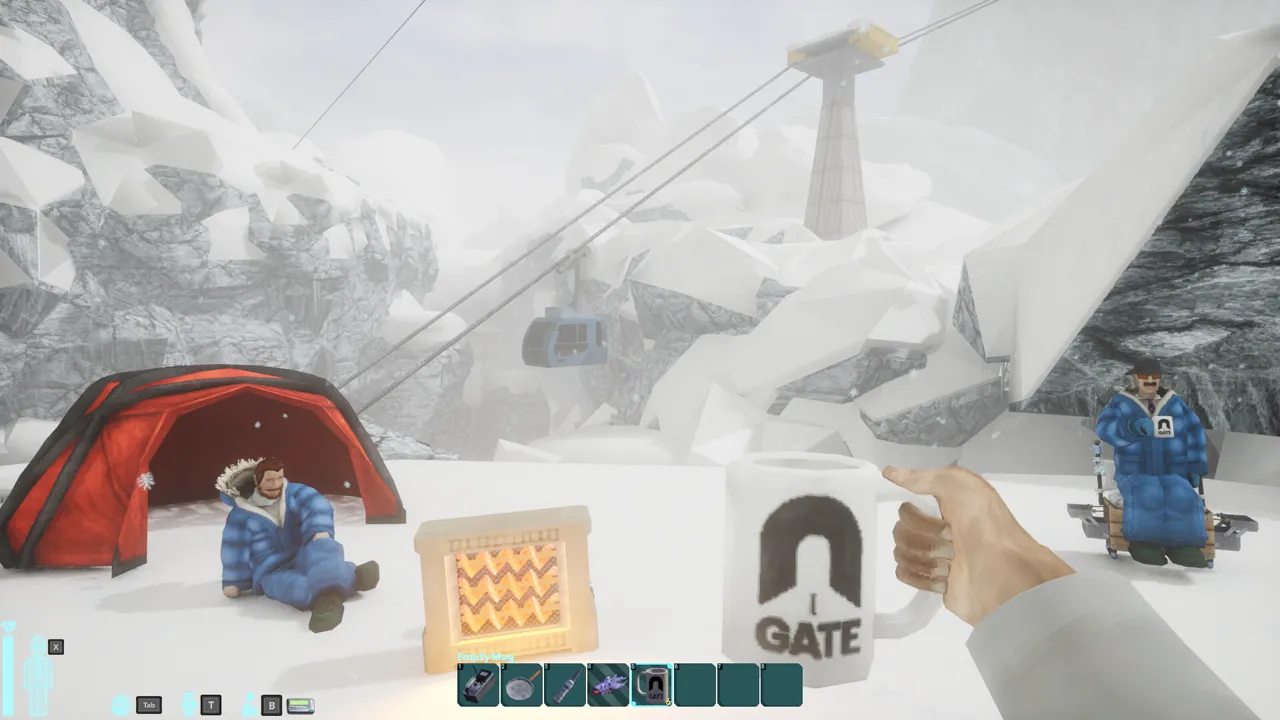
Base building
Smooth saves for long-term builds and crafting.
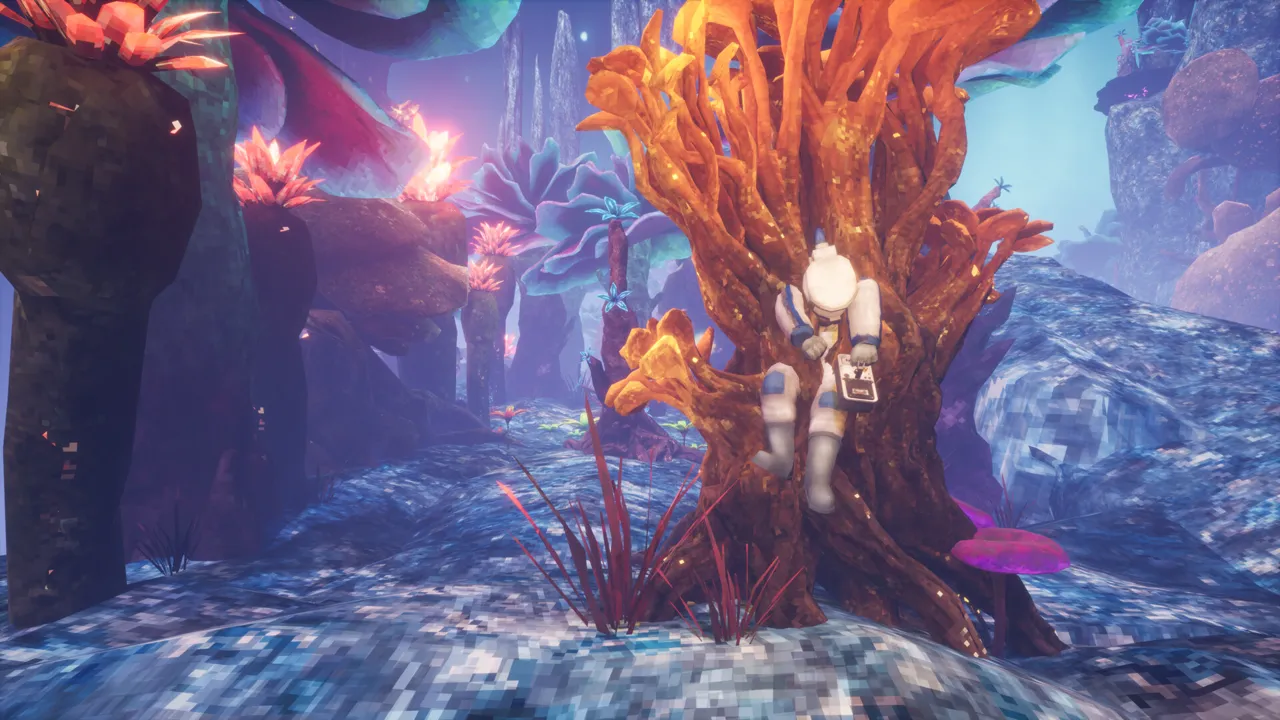
Combat encounters
Low latency for responsive fights and events.

Self-Serve Bot in Discord
Instant control of your Abiotic Factor server without tickets or waiting. Type a command and go.
- Start, stop, restart, and check status in seconds.
- Secure by design: only your subscriptions are accessible.
- Share access safely with time-limited auth codes.
Fast, secure, and always on.

Latest Abiotic Factor Guides & News
Dedicated Server Setup
Step-by-step guide to installing and configuring an Abiotic Factor server with SteamCMD.
Server Requirements
RAM, CPU, and storage requirements for hosting 6, 12, or 24 player servers.
Configuration Guide
Complete reference for game.ini, engine.ini, and server settings.
Admin Commands
List of admin cheats: God mode, Kick, Ban, and Teleport.
Save & Backup
How to find save files and perform manual backups/restores.
Update Guide
SteamCMD command to update the server to the latest version.
FAQ
Life's too short to set up game servers yourself
Instant setup, clean controls, and real humans behind support. We handle the hardware and ops so your crew can play.
Hosting built for players, not sysadmins
We make game server hosting feel effortless. Our mission is to deliver game server hosting as a service with great value, fast setup, and a UI that does not get in the way of play. We support 7 Days To Die, Palworld, Satisfactory, Project Zomboid, Valheim, Factorio, Necesse, and V Rising.
Ops handled, so you can just play
- 01Instant deployments and guided setup for new hosts.
- 02Custom admin panels that simplify backups, mods, and configs.
- 03Dedicated Linux hardware across US West (Oregon), US East (Virginia), US North-East (Toronto), Europe West (Paris), and Australia (Sydney).
- 04Support that actually responds when your server is on the line.
Dedicated hardware, real performance
We host on dedicated Linux machines with high‑clock CPUs, NVMe storage, and generous RAM so your world loads fast and stays stable. Regions cover North America, Europe, and Australia to keep ping low for global squads.
- 01Low‑latency networking for co‑op and modded play.
- 02Automated provisioning so you launch in minutes.
- 03Backups, console access, and clean mod workflows.
Bundles, guarantees, and perks
We keep pricing honest with clear plans, upgrade paths, and a short refund window for new orders. Promotions bundle popular titles so groups can rotate games without extra hassle.
- 01Palworld + Valheim + Satisfactory bundles during promos.
- 02Factorio bundles with Valheim and Satisfactory during promos.
- 03Secure payments and fast support when you need it.
Who we are built for
Supercraft is for players who want a stable server without babysitting configs. We keep the options curated and tested so you can launch fast, play longer, and avoid the common pitfalls of DIY hosting.
In 2021 we had an idea to simplify game server hosting
We started as dedicated hosting for 7 Days To Die. In less than two years we have thousands of subscriptions, a vibrant Discord community and we hit #1 positions in search engines.

2021
7d2d.net is launched
2022
1000 hosted servers
2023
10k hosted servers
2024
Launch of supercraft.host - a multi-game hosting platform
2025
More games, smarter automation, and a bigger global footprint
"Reviewers overwhelmingly had a great experience with this company. Customers appreciate the company's service for its ease of use, quick setup, and reliable server performance. They also highlight the straightforward and intuitive interface, which simplifies server management. The promptness and helpfulness of the staff are consistently praised, with consumers noting the team's dedication to resolving issues and providing clear explanations.(Source: Trustpilot)
People find the customer service exceptional, particularly the quick response times and the willingness of the support team to go above and beyond to assist with any problems. The affordability of the servers is also a significant advantage, with many reviewers noting the value for money, especially considering the generous disk and RAM allocations."
"Fair price, fast startup, solid provider."
(7D2D Hosting Customer)
We make self-hosting a foolish idea.
For a few bucks, you can play.
Do the right thing. Join us.
Looking for servers today? We run Palworld server hosting, Valheim server hosting, Satisfactory server hosting, Project Zomboid server hosting, Factorio server hosting, Necesse server hosting, and V Rising server hosting with quick setup.
What our users are saying
Super easy setup and configuration. Adding the ability to easily set up the darkness falls mod makes it a fantastic server hosting service.
Kevin Y.
Great hosting and works well. It's ice to finally have found a great service. Hopefully they fix the issue where I got the server as 19.6 alpha but it some reason gave me 19.5 but other then that little glitch its well worth the money I'm paying. Chwers
Paul Jensen
Very Easy to use. Love the simplicity. UI looks great too. Some minor mis-naming errors when dealing with file deletions. FAQs could be a bit more detailed for those with no experience. The Chat system (FAQ help robot) is actually very good and can answer things really well. Koz
Koz
Affiliate Program
Earn up to 40% of the first paid month plus 10% lifetime recurring on every hosting plan you send our way.

Why Creators Choose Supercraft
High-Converting Offers
Fast setup, low pings, and mod-friendly servers that keep gamers subscribed - ideal for retention-driven affiliates.
Creator-Ready Assets
Promo codes, banners, and talking points tuned for stream overlays, YouTube descriptions, and Discord drops.
Automated Tracking
FirstPromoter handles links, conversion tracking, and payouts so you can focus on content.
Influencer Commission Structure
Get a launch spike and predictable recurring revenue: up to 40% of your referral's first paid month plus 10% lifetime recurring for as long as the player stays subscribed.
Percentages stay consistent even as plan prices differ across games and regions.
- Automatic link tracking through FirstPromoter
- Applies to every hosting plan tier
- Payouts scale with the plan price your audience chooses
| Commission Type | Rate | How It Works |
|---|---|---|
| First invoice bonus | Up to 40% | One-time boost on the first paid month of any plan. |
| Lifetime recurring | 10% monthly | Paid every billing cycle while the subscription stays active. |
| Campaign boosts | Custom | Seasonal launches or partner events can include tailored uplifts. |
How It Works
1. Apply on FirstPromoter
Create your account, set up payout details, and get approved quickly.
2. Grab Your Tracking Links
Share in stream panels, YouTube descriptions, Discord announcements, and social posts.
3. Earn & Track Automatically
We handle fulfillment and support; FirstPromoter tracks clicks, trials, and paid conversions.
Promo Kit Ready
- Talking points for survival, modded, and PvE/PvP audiences
- Static banners, short clips, and Discord announcement templates
- Dedicated support for launch events and sponsor callouts
Built for Community Trust
Creators win when their audience trusts the offer. We keep servers fast, affordable, and transparent so your recommendations stay strong.
- 24/7 monitoring and human support for your referrals
- Flexible locations and mod support reduce churn
- Clear, percentage-based payouts for informed expectations
Affiliate FAQ
Ready To Start Earning?
Apply NowUse AI To Buy And Manage Game Servers
Supercraft gives AI agents a practical API for comparing plans, generating secure checkout or login links, and managing deployed game servers through power controls, config updates, console access, and logs.
What Agents Can Do Today
Agents can browse supported games and pricing, recommend the right plan, create a secure checkout flow for new users, issue login links for existing users, and then operate live servers through authenticated API calls. The value is practical automation, not vague “AI magic.”
How The Flow Works
- 01Compare plans. Agents read current catalog and pricing data before making a recommendation.
- 02Authenticate cleanly. Checkout links and magic-login flows let the user approve access without sharing credentials.
- 03Operate deployed servers. Once authenticated, agents can inspect status, restart, edit config, send console commands, and read logs.
Built For Real Operations
Supercraft's agent-facing API is useful after the sale, not just before it. Agents can authenticate with tokenized links, inspect server state, update configuration safely, send console commands, and help users debug issues without bouncing them between screens.
- 01Start, stop, and restart live game servers.
- 02Read logs and connection details for support and troubleshooting.
- 03Use schema-aware config endpoints instead of brittle text edits.
Discovery That Works With Agents
The platform is published in the formats agent builders actually need: a browsable landing page, markdown guides, an OpenAPI spec, and interactive docs. That makes it easier to connect hosted agents, internal tooling, or custom automations without reverse-engineering the product.
- 01Agent-facing landing page and getting-started guide.
- 02OpenAPI schema and Swagger docs for implementation speed.
- 03Short-lived token flows that keep user approval explicit.
Built For End-To-End Workflows
Supercraft is designed for agent-driven flows that start with plan selection and continue through provisioning, authentication, configuration, and day-to-day server operations. The goal is to keep the whole workflow structured and programmable instead of forcing users back into manual dashboards.
Good Fit
This page is for teams building AI assistants, support copilots, or internal automations around Supercraft. If you want raw hosting with no operational surface, this is overkill. If you want structured control, it is the right direction.
Start With The Agent Docs
Read the agent-facing guide first, inspect the OpenAPI schema if you are wiring Supercraft into a real assistant or toolchain, and use the ClawHub listing when you want the hosted skill entry point.
Alpha 22.4 Horde Night Meta: Keeping 7 Days to Die Servers Calm
Alpha 22.4 Horde Night Meta: Keeping 7 Days to Die Servers Calm
Hosting during alpha 22.4 horde night? Use this checklist to keep servers calm: trap layouts, CPU budgeting, backups, and player comms.
Check balance notes on 7DTD forums and defense ideas on 7daystodiemods for live meta tweaks.

alpha 22.4 horde night hosting checklist
Alpha 22.4 looks mild in the patch notes, yet every admin channel I follow has been buzzing about the new Horde Night behavior. Pathing feels smarter, vultures stay aggroed, and suddenly every weak link in a base design shows up on stream. I spent the past week riding shotgun on public and private realms we host, tweaking 7 Days to Die server hosting profiles and documenting what actually made a difference. Consider this a friendly, boots-on-the-ground recap for anyone who wants smoother Blood Moons without barking at players to turn their particle effects down.
Why the Horde feels heavier now
The first surprise came from the navmesh refresh rate. Zombies now recalc routes a few times per second, which means ragdolls collide realistically and not all funnel into your electric fences. That extra thinking translates into CPU spikes exactly when players spam grenades. Vultures also keep velocity when they take damage, so rooftop defenders deal with constant motion and more feathers hitting the ground. Finally, cop puke checks more environment objects, which sounds small but causes storage arrays to take splash damage if they sit near your firing line. Put together, the Horde simply touches more systems at once.
Players notice it as enemy variety rather than raw numbers. I watched a clan in Warsaw shrug through the first wave and then run out of repair kits because demolishers kited around corners they usually ignored. Our monitoring showed their world jumping to 85% CPU for three minutes straight. They survived, but they also opened tickets asking whether the server was lagging. It wasn’t—the game finally used every cycle it was given, and that means hosts need to plan ahead.
Server-side prep checklist
Here is the playbook we now use on any public realm advertising cheap 7 Days to Die server hosting. Feel free to steal it, remix it, and shout if you find better tricks.
- Dedicated burst cores. We borrow two extra vCPUs from the node pool 20 minutes before Horde Night and pin them to the affected instance. That keeps navmesh math and projectile tracking on their own threads. If you self-host, underclock daytime, then raise frequencies for Blood Moon hours.
- Staggered autosaves. Nothing wrecks immersion faster than a save freeze during the red wave. We schedule a save at T-2 minutes, pause writes until dawn, then run another save plus snapshot at T+3 minutes. It is boring automation, but it has saved at least four corrupted worlds already.
- Trap telemetry. Dart traps and SMGs chew through ammo faster in 22.4. We feed their usage into Grafana so we can DM admins before entire loops run dry.
- Environmental audits. Every Thursday we scan for electrically active blocks that players forgot to clean up. Stray blade traps continue to sap power and cause spikes; deleting them keeps the grid calmer during the main event.
Guidance for builders
Even the best servers crumble if bases neglect the new rules. When clans ask for coaching, we share this long-ish list of best practices. It isn’t gospel, but it has turned plenty of desperate DMs into victory screenshots.
- Double up on diagonals. Since zombies reevaluate routes so often, diagonal wedge tips force them to pause an extra heartbeat. That pause is where turrets finish the job.
- Use honeycomb roofs. Vultures target exposed repair crews. A honeycomb layout gives you lanes to kite them into auto-turrets without exposing the main generator room.
- Plan ammo freight. Put smart relays and drop boxes behind traps. Fixers can reload from safety, and your electrician can monitor fill levels through the camera system.
- Respect psychological fatigue. Blood Moons feel longer because there is constant motion. Rotate roles inside your group so no one stares at screens for three real-time hours.
Performance tuning by player tier
One question we get every day is “How much hardware do I really need for Alpha 22.4?” There is no magic number, but the table below summarizes the patterns we observed while benchmarking on Frankfurt and Dallas nodes.
| Concurrent survivors | Recommended vCPU | RAM | Notes |
|---|---|---|---|
| 1–6 | 4 dedicated | 8 GB | Ideal for duo bases, run backups every 30 min. |
| 7–12 | 6 dedicated | 12 GB | Add NVMe scratch for faster prefab streaming. |
| 13–20 | 8 dedicated | 16 GB | Enable burst scaling + Discord alerts. |
| 20+ | 10+ dedicated | 24 GB | Split bases into linked instances when possible. |
Case study: Warsaw PvE realm
Our favorite example happened on a bilingual PvE server that averages 18 players per Blood Moon. They love elaborate kill corridors, but their previous host limited CPU bursts and forced them to lower spawns. We migrated them, layered the checklist above, and added Discord webhooks that ping when CPU rises past 75% for longer than two minutes. The first Horde Night on the new box looked chaotic—the navmesh updates rearranged the zombie stream, and vultures hammered rooftop farms—but the server never crossed 50 ms of latency. The clan’s after-action report literally thanked the hardware for being boring. That is the highest compliment a host can get.
FAQ for fellow admins
Do I really need autoscale? If you advertise cheap 7 Days to Die server hosting you probably don’t have infinite hardware, so yes. Autoscale lets you stay affordable without selling empty promises.
What about console crossplay? The beta build uses a slightly different networking layer, but the Horde behavior is identical. Keep an eye on bandwidth since console players tend to stream more voice chat.
Can I still run streamer events? Absolutely. Just coordinate Horde start times so each creator gets a clean slot. We usually spread them across multiple worlds so each community enjoys stable tickrate.
Closing thoughts
Alpha 22.4 does not require panic, it just rewards preparation. Whether you manage a small friends-only realm or resell slots to the public, investing a little time in automation and communication goes a long way. Share your Horde schedules, stagger your backups, and never assume zombies will keep walking the exact same path. If you need help dialing in hardware or migrating without downtime, give us a shout—we live and breathe 7 Days to Die servers and are always happy to compare notes.
For smoother alpha 22.4 horde night hosting, publish rules, monitor CPU, back up saves, and test defenses. Repeat the alpha 22.4 horde night steps in MOTD and Discord so players know what to expect.
An Evening Inside the Factory: Controlled Chaos in Factorio
An Evening Inside the Factory: Controlled Chaos in Factorio
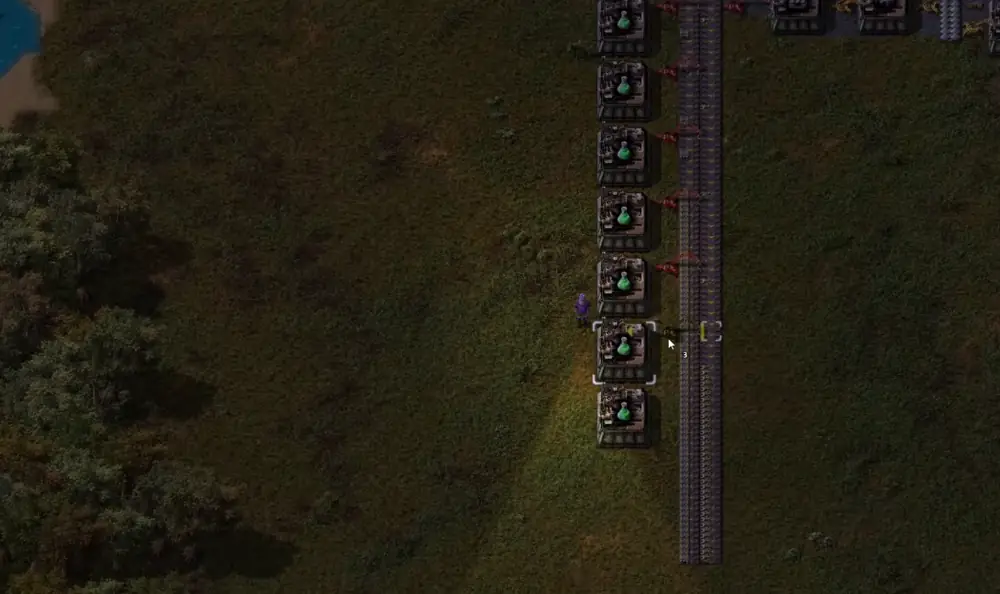
Factorio midgame is the stretch where everything runs, yet nothing runs well enough. It is not the early scramble for iron and it is not the rocket launch. It is the in-between where your factory becomes a place you manage every evening. This is a story about one of those evenings.
When the numbers stop adding up
You load into the save and immediately feel it: something is off. The factory is alive, belts are moving, trains are running, robots are buzzing through the air, and yet the numbers don’t add up. Science is stalling. Processors are missing. Green circuits are bleeding out faster than they can be replaced. Somewhere deep inside the system, a quiet shortage is cascading into a full-scale logistical headache.
The original plan was simple. Finish preparing the rocket hub. Everything else was supposed to already be solved. But Factorio has a way of revealing truths you didn’t ask for. You don’t notice the copper problem until the processors stop. You don’t notice the processor problem until science freezes. You don’t notice science freezing until you stare at the research screen wondering why nothing is happening.
So the plan changes. It always does.
Midgame frames: problems, hints, outcomes
Problem
Throughput math silently changes after belt upgrades.
Hint
Recalculate smelting lanes before expanding science.
Outcome
Balanced inputs stabilize processors again.
Problem
Robots lag and build times spike in new zones.
Hint
Place roboports with charging in mind, not just coverage.
Outcome
Construction speed returns and upgrades stick.
Problem
Trains idle or deadlock after small route changes.
Hint
Audit schedules and add a buffer stop before fixes.
Outcome
Supply lines recover without a full redesign.
Copper becomes the priority. More smelting is required, which immediately raises new questions. Where does it go? How many furnaces do we actually need now that red belts are involved? The old design assumed yellow throughput. That assumption is now wrong, and Factorio is merciless about outdated assumptions.
Upgrades, blueprints, and temporary fixes
Electric furnaces are the obvious answer. Cleaner, faster, easier to integrate with modules. You add them to the mall, not because the mall is elegant, but because it exists. The main bus is already a temporary solution anyway–everyone knows it will eventually be replaced by drones. Just not today.
Assemblers go down. Construction robots swarm in from somewhere far away, taking longer than expected because, of course, the nearest roboport is just slightly too far. You make a mental note to fix that later. You won’t.
Blueprints enter the picture. Something that worked once should work again. Copy, paste, rotate, adjust. It almost lines up. Almost. One assembler is redundant. One belt is backwards. One inserter is facing the wrong direction. You fix it, then fix it again, then realize the entire row is misaligned by one tile.
At some point, logic chests appear. Yellow storage, filtered requests, circuit conditions. “Only make furnaces if there are fewer than 500.” A number chosen not because it is optimal, but because it feels safe. Factorio is full of numbers like that.
Modules become the next problem. Efficiency modules are running low. Productivity modules would help, but they’re expensive, and processors are already the bottleneck. So you compromise. A small, temporary module production setup. Eight assemblers. Nothing fancy. Just enough to keep things moving.
Temporary solutions have a habit of becoming permanent.
When logistics starts to fray
While this is happening, trains quietly wait. Or worse, they don’t. One train sits idle where it shouldn’t. Another arrives too early. A third blocks an intersection just long enough to make you notice. You open the train overview and stare at it longer than you should, trying to remember what past-you intended.
At some point, you die.
It’s not dramatic. A train arrives. You notice it too late. The screen fades. You respawn far away, mildly annoyed, mostly embarrassed. You jog back on foot, because of course you forgot to use the train network that you built specifically to avoid jogging.
Back at the smelting area, reality sets in. The space you left yourself is insufficient. The math doesn’t work anymore. Ninety-six furnaces are required now, not forty-eight. You consider compact designs. You consider vertical layouts. You consider expanding the wall.
The wall wins.
Biters are dealt with quickly and without ceremony. At this stage of the game, combat is not a challenge; it’s a chore. You clear space, expand outward, and pretend this was always part of the plan.
Stabilizing the line
A new smelting block takes shape. Balanced inputs. Balanced outputs. Underground belts weaving just enough to make everything fit. A quiet moment of satisfaction hits when the throughput stabilizes and the belts finally fill evenly. This is the feeling you’re here for.
Then the robots run out of power.
You watch them slow down, scatter, and limp back to distant roboports. Charging stations are added reactively, dotted across the area like apology notes to your future self. The system recovers, slowly.
Processors finally begin to move.
Not many. Not fast. But enough to matter. The first train carrying processors arrives at its destination, and for a brief moment, everything feels under control. Science resumes. The factory exhales.
That relief lasts about thirty seconds.
Now it’s trains again. There aren’t enough locomotives. Or maybe there are, but they’re not where they should be. You start crafting engines by hand, then realize how absurd that is, and automate it instead. Then you realize you need hundreds of engines, not dozens.
This is the moment where Factorio quietly laughs at you.
More assemblers. More belts. More waiting. Research stalls again because one science pack is missing. You chase the problem upstream until you find it: a single missing item, delayed by buffering decisions made hours ago.
One rocket launch is triggered–not for victory, but to retrieve a single missing science pack.
It feels ridiculous. It also feels completely correct.
The rhythm of controlled chaos
Eventually, things stabilize. Processors accumulate. Modules slot in. Trains cycle properly. The rocket silos stand ready–four of them now, aligned and supplied. Not because four are necessary, but because you wanted margin.
The factory hasn’t become elegant. It has become functional.
That’s the real rhythm of Factorio at this stage. Not grand breakthroughs, but incremental containment of chaos. Every system works well enough until it doesn’t, and then you intervene just long enough to restore balance. You don’t finish the factory. You manage it.
Controlled chaos checklist
- Audit ratios after every upgrade. Belt speed changes can silently rewrite throughput.
- Buffer critical components. A small cache of circuits and processors prevents science stalls.
- Design for repeatability. If a block works once, make it easy to copy and scale.
- Keep train routes simple. One extra intersection can cascade into timing issues.
- Expand power early. Brownouts slow robots and mask real production gaps.
As the session winds down, you buffer fuel. You add alerts you hope you’ll never hear. You prepare for the next planet, the next set of unknown problems, already knowing that whatever you bring won’t be enough.
You save the game.
Tomorrow, you’ll come back and wonder why things are broken again.
And that’s exactly why you will.
ARK: Survival Evolved Server Hosting for tribes, clusters, and modded worlds
Launch a dedicated ARK: Survival Evolved server in minutes with stable performance, fast restarts, and room for long-running tribes. Run official maps, Steam Workshop mods, breeding lines, PvE communities, or chaotic PvP seasons without fighting your hosting.
- Steam Workshop mods
- FTP access
- Cluster support
- Fast restarts
- Private password
- Region switching
- Automatic backups
- DDoS protection
- Branding-free servers
- Uncapped RAM
- User-friendly control panel
Pick a plan
Choose S, M, or L based on tribe size and slot target.
Launch your map
Start on The Island, Ragnarok, Fjordur, or your preferred cluster setup.
Invite your tribe
Share the IP, install mods, and scale later without wiping your world.
Plan S
€2499
/ per month
Up to 12 Players
A reliable entry point for a small tribe and a lightly modded map.
Plan M
€3399
/ per month
Up to 20 Players
Balanced for busier tribes, bigger bases, and more active clusters.
Plan L
€4199
/ per month
Up to 32 Players
Built for full tribes, raid nights, and heavier mod stacks.
Official maps and custom clusters
Run The Island, Scorched Earth, Ragnarok, Valguero, Crystal Isles, Genesis, Lost Island, and Fjordur from one stable hosting stack.
Workshop mods without manual babysitting
Install Structures Plus, Awesome Spyglass, Dino Storage, and other popular Steam Workshop mods with straightforward update and rollback options.
Backups for tribes, tames, and bases
Automatic backups help protect character data, uploaded dinos, and long-running breeding projects when you need a quick restore.
Showcase
From clustered maps to giant breeding halls, keep your ARK: Survival Evolved world online and easy to manage.
Official maps
Swap between classic ARK maps without rebuilding your hosting setup.
Tribe clusters
Move characters, dinos, and items across connected servers for larger communities.
ARK to ARK switching
An ARK plan can switch to ARK: Survival Ascended or any other supported game from the same account.
Latest ARK Guides & News
Dedicated Server Setup
Learn how to setup a dedicated server for Ark Survival Evolved.
Admin Commands
Comprehensive list of admin commands for Ark servers.
Server Configuration
Guide to GameUserSettings.ini and Game.ini for Ark servers.
Crossplay Setup
How to enable crossplay between Steam and Epic Games versions of Ark.
Mods Installation
Learn how to install and manage Steam Workshop mods on an Ark server.
Cluster Setup
Connect multiple Ark servers together to form a cluster.
Performance Optimization
Tips to reduce lag and optimize performance on Ark servers.
Troubleshooting
Troubleshoot common issues like server not showing up or crashing.
Backup & Restoration
How to backup Ark saves and restore corrupted worlds.
Taming Multipliers
How to set custom taming speeds and breeding multipliers in Ark.
Ascension Guide
How to progress through the boss fights and ascend your character in Ark.
Breeding Mutations
A comprehensive guide on breeding dinos for stat and color mutations.
Kibble Chart
How to craft the new kibble tiers and which dinos prefer them.
Tek Tier Unlocks
Learn which bosses unlock specific Tek engrams and how to farm Element.
Imprinting Settings
Adjust baby maturation and cuddle intervals for 100% imprint on unofficial servers.
Resource Respawn
Server settings to prevent players from blocking metal nodes and speed up regrowth.
Custom Level Caps
How to override the official level caps and require custom XP amounts per level.
Structure Decay
Clean up abandoned bases automatically with PvE structure decay multipliers.
Offline Raid Protection
Protect offline tribes by enabling and tuning Ark's built-in ORP system.
Flyer Speed Leveling
Restore the classic ability to pump points into movement speed for flying dinos.
Self-Serve Bot in Discord
Instant control of your ARK: Survival Evolved server without tickets or waiting. Type a command and go.
- Start, stop, restart, and check status in seconds.
- Secure by design: only your subscriptions are accessible.
- Share access safely with time-limited auth codes.
Fast, secure, and always on.
FAQ
What our users are saying
Very easy user setup. No headaches at all.
customer
Great customer service and helpful support. I would use again. I’m running 7day WAR3ZUK launcher mods.
Derailed
Hello, I wanted to send a message as a guy who has been a network admin for 15 plus years, your service is absolutely fantastic and cheap as hell. It was so easy with the tutorial to upload my 7d files to the dedi and fully manage it thru the slick web ui. Keep doin what you’re doin y’all. Cheers.
Ian E.

ARK Server Hosting FAQ
You can host your own ARK server, but it requires powerful hardware and ongoing maintenance. ARK is notoriously resource-intensive, especially with mods and large bases. With Supercraft you get an optimized dedicated server instantly with professional support and automatic updates. If you still want to try hosting it yourself, here's a quick setup guide:
ARK Dedicated Server Setup Guide
Minimum System Requirements
- Quad-core processor (6+ cores recommended)
- At least 8 GB RAM (16 GB+ recommended, 32 GB for modded servers)
- Minimum 50 GB available storage space (100+ GB for multiple maps)
- Supported OS: Windows 10/11 (64-bit), Windows Server 2016+, Linux (Ubuntu 18.04+)
- Note: ARK is extremely demanding. Budget hardware will result in poor performance and crashes.
Installing the Server
Windows Installation
Use SteamCMD to install:
steamcmd.exe +login anonymous +force_install_dir "C:\ARKServer" +app_update 376030 validate +quitLinux Installation
Use the following SteamCMD command:
steamcmd +login anonymous +force_install_dir /home/steam/arkserver +app_update 376030 validate +quitPort Forwarding
Forward these ports on your router:
- 7777 (UDP) - Game port
- 7778 (UDP) - Raw UDP socket port
- 27015 (UDP) - Query port
- 27020 (TCP) - RCON port (optional)
Basic Launch Parameters
Launch your ARK server with parameters like:
ShooterGameServer.exe TheIsland?listen?SessionName=MyServer?ServerPassword=MyPass?ServerAdminPassword=AdminPass -server -logInstalling Mods
ARK mods are managed through Steam Workshop. You'll need to subscribe to mods on Steam, then reference their mod IDs in your Game.ini file under [ModInstaller]. The server will automatically download subscribed mods on startup.
It’s easy to get started
Follow these quick steps to launch your dedicated game server with Supercraft.
Choose your plan
Select the best option for your needs
Create account
Or login if you have one
Make payment
Choose one of our secured payment methods
Select your region
Choose the closest location for the lowest ping
Install the game
Game will run automatically after installation
Connect!
You will have the port and IP in the management panel
Why choose Supercraft as your next dedicated server hosting provider?
Core benefits of our dedicated game server hosting: resilient network, fast hardware, admin control, simple mods, and responsive support.
DDoS protection
Best attack protection with 17Tbit/s filtering capacity
Full control
Get full access to all options, browse logs, and use the admin console.
Best hardware
Our services run on Intel Xeon Silver and Gold with at least 128 GB RAM.
Lightning-fast network
Game experience free of lags and glitches; recent Trustpilot reviews note steady low ping across regions.
Configuration for experts
Advanced administration options allow you to fine-tune your game experience. FTP and RCON.
Safe Payments
We use only trusted payment gateways: PayPal and Stripe, and we never process credit card information directly.
Mods & Maps easier than ever
With our custom panel, installing mods and maps is just one click.
24/7 Support
Send us an email, use our online form, or reach us directly on Discord to get fast help; players often receive answers within minutes.
Available Regions

ARK: Survival Ascended Server Hosting for dino survival, tribes, and modded worlds
Launch a dedicated ARK: Survival Ascended server in minutes with stable performance, fast restarts, and easy configuration. Keep your world online for your tribe, your breeding lines, and long-running PvE or PvP seasons.
- Low latency regions
- FTP access
- Mod support
- Fast restarts
- Private password
- Region switching
- On-demand backups
- DDoS protection
- Branding-free servers
- Uncapped RAM
- User-friendly control panel
Pick a plan
Choose S, M, or L based on player count.
Launch instantly
Provision your world and adjust settings.
Invite your crew
Share the IP and scale anytime without wipes.
Plan S
€2499
/ per month
Up to 12 Players
A reliable start for a small tribe and a lightly modded world.
Plan M
€3399
/ per month
Up to 20 Players
Balanced for bigger tribes, busy bases, and steady uptime.
Plan L
€4199
/ per month
Up to 32 Players
Built for large tribes, raids, and heavily modded servers.
Tribal management and alliances
Coordinate tribes, permissions, and alliances with stable uptime and responsive performance.
Raids and warfare without lag
Low-latency regions keep large raids and territorial battles responsive for every player.
Configs, mods, and backups
Adjust settings, upload mods, and restore snapshots from the control panel when you need quick recoveries.
Showcase
From metal fortresses to boss arenas, keep your ARK: Survival Ascended world online.

Bases
Reliable uptime for long-running tribes.
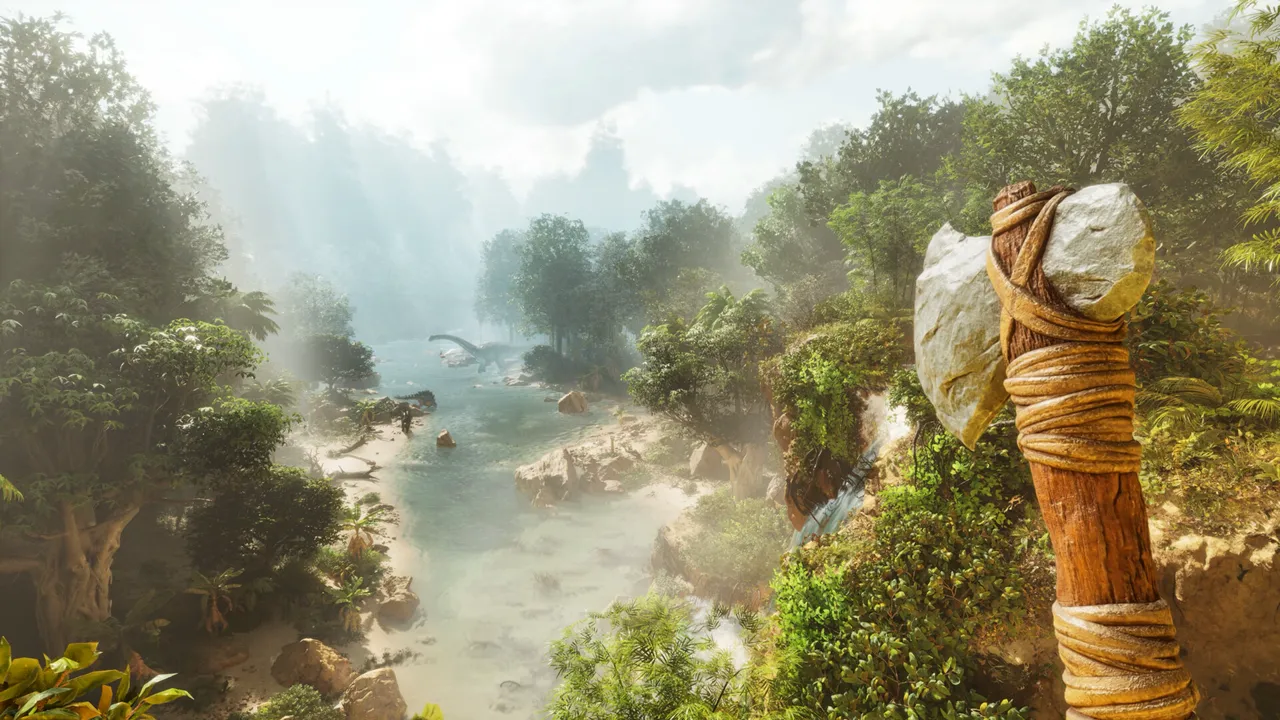
Tames and breeding
Stable performance for busy farms.
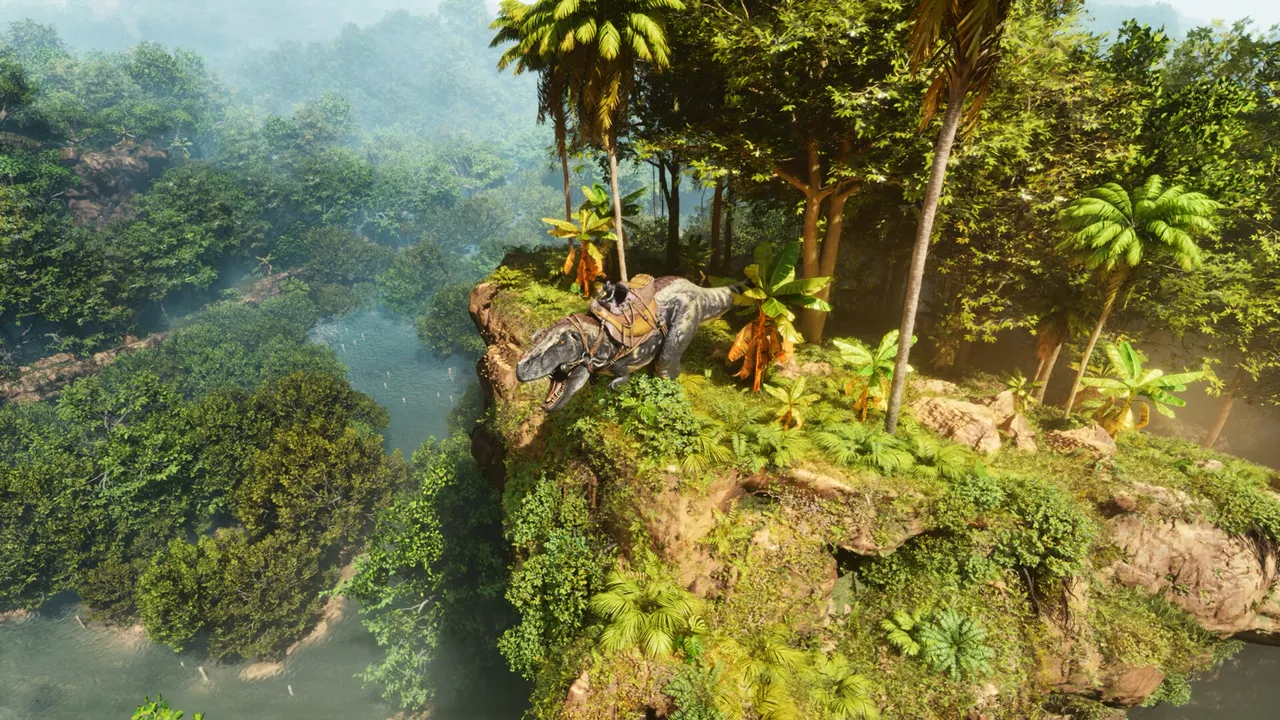
Boss fights
Smooth sessions for events and raids.
Latest ARK Guides & News
Hosting the Astraeos Map (2026)
Correct map code, launch commands, cluster setup, and performance settings for the new Astraeos map with Pyranthos expansion.
ARK UE5 Performance Upgrade 2026
What the UE 5.7 upgrade means for your server: 33% performance gain, mod compatibility risks, and TLC creature updates.
Dedicated Server Setup
Learn how to setup a dedicated server for Ark Survival Evolved.
Admin Commands
Comprehensive list of admin commands for Ark servers.
Server Configuration
Guide to GameUserSettings.ini and Game.ini for Ark servers.
Crossplay Setup
How to enable crossplay between Steam and Epic Games versions of Ark.
Mods Installation
Learn how to install and manage Steam Workshop mods on an Ark server.
Cluster Setup
Connect multiple Ark servers together to form a cluster.
Performance Optimization
Tips to reduce lag and optimize performance on Ark servers.
Troubleshooting
Troubleshoot common issues like server not showing up or crashing.
Backup & Restoration
How to backup Ark saves and restore corrupted worlds.
Taming Multipliers
How to set custom taming speeds and breeding multipliers in Ark.
Self-Serve Bot in Discord
Instant control of your ARK: Survival Ascended server without tickets or waiting. Type a command and go.
- Start, stop, restart, and check status in seconds.
- Secure by design: only your subscriptions are accessible.
- Share access safely with time-limited auth codes.
Fast, secure, and always on.
FAQ
Atelier Yumia Roadmap 2025: Releases, Remakes, and QoL Wish List
Atelier Yumia Roadmap 2025: Releases, Remakes, and QoL Wish List
The Atelier Yumia roadmap for 2025 is still under wraps, but patterns across the series make it easy to guess what is cooking. Here is what to expect from the next mainline Atelier, possible remakes, spin-offs, and the quality-of-life upgrades fans are asking for.
- Likely 2025 release timing and platform targets
- Which older Ateliers are ripe for a remake or remaster
- QoL and combat/alchemy tweaks the community keeps requesting

What the 2025 roadmap likely includes
- New mainline Atelier (late 2025): Fresh protagonist, new nation/biome, and a refreshed synthesis loop with faster UI and clearer trait paths.
- Remake/remaster slot (mid 2025): PS2-era entries (Iris/Mana Khemia) are prime targets; a modernized Atelier Marie-style remake would also fit the cadence.
- Spin-off/side project: A tactics-lite or cozy builder spin-off could land as a smaller digital release.
- Live ops/updates: Expect post-launch event quests, free cosmetic drops, and premium costume packs staggered through Q4.
Platforms and performance expectations
- PC & current consoles first: Steam, PS5, and Xbox Series are safe bets; a Switch-successor port is likely if hardware lands in 2025.
- Better PC options: FSR/DLSS toggles, uncapped frame rate, and stable ultrawide would answer long-time fan requests.
- Cross-save: Cloud saves between PC and consoles remain a top wish to keep alchemy grinds portable.
Wish-list QoL and systems
- Synthesis clarity: Inline trait previews, batch crafting, and auto-assign filters for common mats.
- Combat pace: Snappier turn order, clearer break/guard cues, and difficulty presets that reward optimized builds.
- Exploration tools: Faster traversal (grapples/gliders), map pins for rare nodes, and better photo mode.
- Teaching tools: Optional tutorials that show meta recipes and late-game loop examples without slowing veterans.
Tips to prep for a new Atelier launch
- Finish lingering DLC/true endings in your current Atelier backlog before fall.
- Backup PC saves and keep drivers updated for smoother day-one performance.
- Watch official channels for pre-order bonuses tied to early costumes/recipe books.
- Join community hubs to share seed routes and best-in-slot trait paths once the demo drops.
FAQ
When will we hear official news? Recent patterns point to a spring teaser, summer gameplay drop, and a late-year launch.
Which remake is most likely? Iris and Mana Khemia era games are the most requested; a Marie-style remake template makes them feasible.
Where to follow updates? Keep an eye on the official Atelier site and social feeds for announcements.
Need a low-lag setup for launch co-op nights? See our hosting tips to keep your sessions smooth.
Automating the Same Old Stuff
Automating the Same Old Stuff
I’ve been playing this game for a while now, and I’ve developed my own strategies for managing factories and production lines. One thing that’s always on my mind is how many times I should automate a single item.
For me, it all comes down to how much I need it in the future. If an item becomes crucial for the rest of the playthrough, then yeah, I’ll automate it every time it’s needed. But if I can get away with not automating it at all? I’d rather not waste my resources on building a second factory just for that one component.
I’ve tried to centralize items that come from refineries or constructors before, but in the end, it feels too restrictive and boring. Building multiple factories for different purposes seems way more appealing to me. It’s like playing a puzzle game – every time I find a new recipe, I get excited to figure out how to produce each component efficiently.
Some players might say that’s not efficient, or that they should aim for maximum production output from the start. But honestly? I think that gets boring really fast. There’s something satisfying about solving the problem of producing an item by hand once, and then moving on to something new. It’s a mental block I guess.
I do try to automate every single item at some point or another. But when it comes down to it, I just don’t see the fun in building multiple factories that all produce the same thing over and over. Maybe that’s just me?
On the other hand, there are times where I’ll manually craft an item if it’s just not worth my while to build a whole new factory for it. Resources aren’t infinite, after all!
I’d like to know how you guys handle this – do you automate every single item every time it appears in a recipe? Or do you find other ways to make your production lines more varied and exciting?